
1. Уводзіны
Thank you for choosing the IOOIOO A80 Portable Printer. This compact, inkless thermal printer is designed for convenience and efficiency, allowing you to print documents, photos, and more from various devices, including smartphones, tablets, and computers. Its portable design makes it ideal for home, office, or travel use.


2. Што ў скрынцы
Калі ласка, праверце змесціва пакета, каб пераканацца ў наяўнасці ўсіх прадметаў:
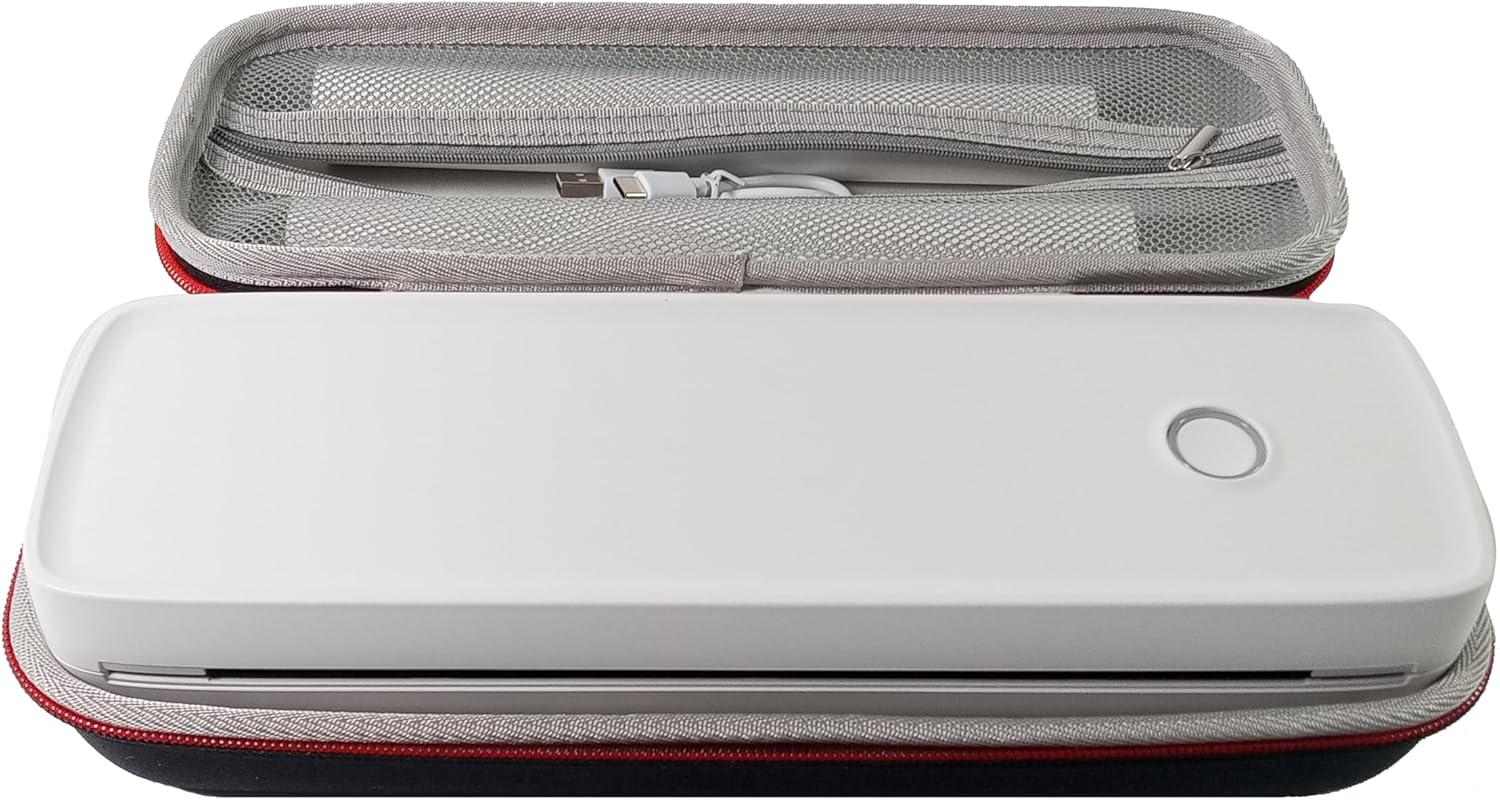
- Партатыўны прынтэр IOOIOO A80
- Сумка для пераноскі
- 3 Rolls of A4 or Letter Thermal Paper
- 3 Pages of Continuous Folded Thermal Paper
- Кабель USB
- QR Code for Manual Download (Digital Manual)

3. Настройка
3.1 Першапачатковая зарадка
Before first use, fully charge the printer using the provided USB cable. The LED indicator will show charging status.
3.2 Software/Driver Installation
To use the printer with your devices, appropriate software or drivers are required:
- For Mobile Phones (iPhone/Android): Download the "SharpFox" application from your device's app store.
- For Desktop PCs (Windows/Mac/Linux/Raspberry Pi): Download the necessary drivers from the official IOOIOO website. A QR code is provided in the box for quick access to the manual and driver download links.
3.3 Загрузка тэрмапаперы
The IOOIOO A80 uses inkless thermal paper. To load paper:
- Адкрыйце крышку аддзялення для паперы.
- Insert the thermal paper roll or folded stack, ensuring the printable side is facing the print head.
- Надзейна зачыніце вечка.

4. Інструкцыя па эксплуатацыі
4.1 Уключэнне/выключэнне
- Каб уключыць: Націсніце і ўтрымлівайце кнопку харчавання, пакуль не загарыцца святлодыёдны індыкатар.
- Каб выключыць: Націсніце і ўтрымлівайце кнопку харчавання, пакуль святлодыёдны індыкатар не выключыцца.
4.2 Падключэнне
The IOOIOO A80 offers both Bluetooth wireless and USB wired connectivity options.
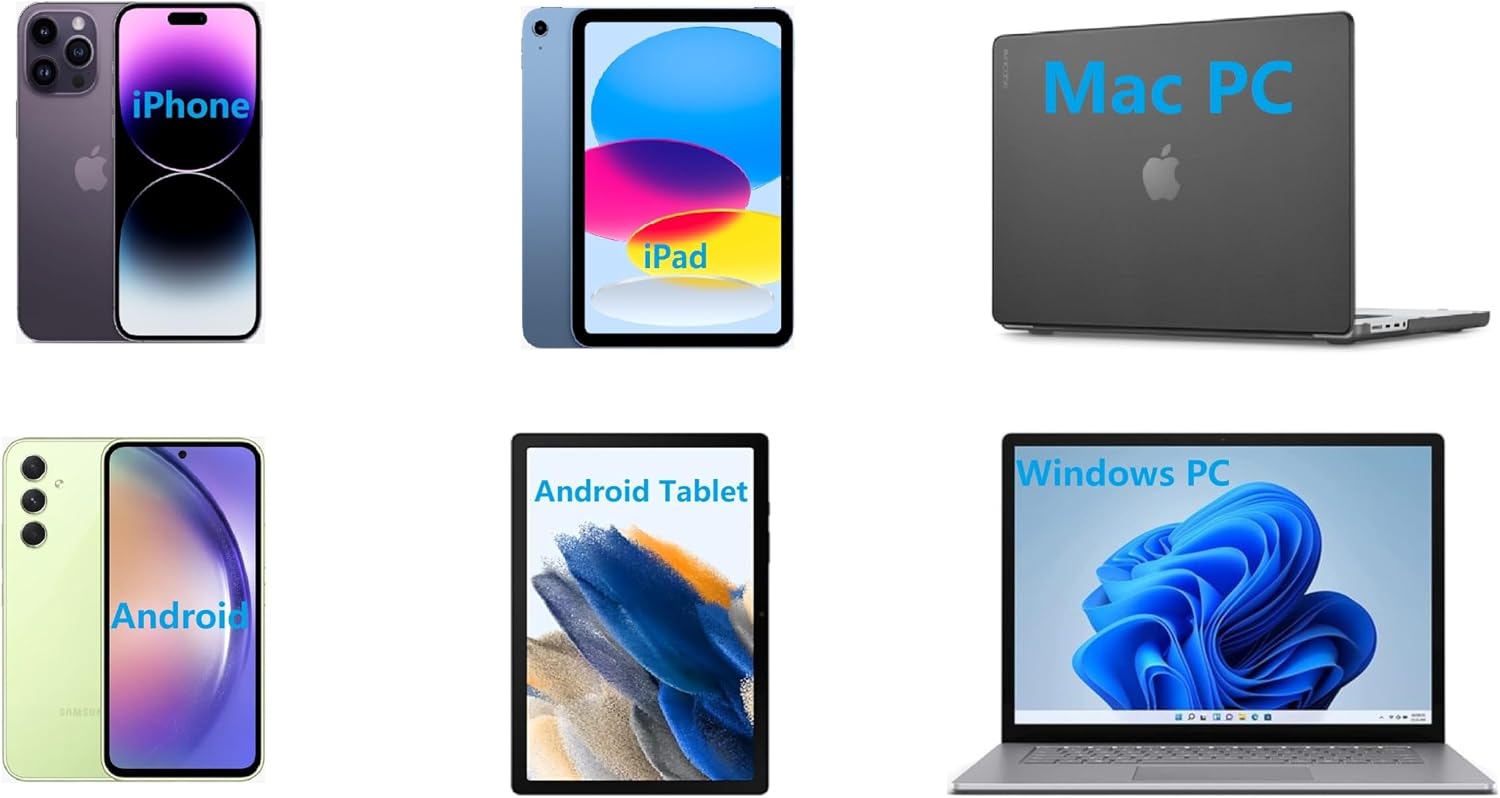
4.2.1 Bluetooth Connection (for Phones and Windows PC)
- Ensure the printer is powered on and the LED is green.
- On your phone, open the "SharpFox" app. On your Windows PC, ensure Bluetooth is enabled.
- Within the app or PC Bluetooth settings, search for and select the "IOOIOO A80" printer to pair.
- Выконвайце любыя падказкі на экране, каб завяршыць працэс спалучэння.
4.2.2 USB Connection (for Windows PC, Mac PC, Linux, Raspberry Pi)
- Ensure the printer is powered on and the LED is green. If the LED is not green, the printer will not print via USB.
- Падключыце прынтар да кампутара з дапамогай кабеля USB, які ўваходзіць у камплект.
- Install the appropriate drivers as described in Section 3.2.
- Once drivers are installed, the printer should be recognized by your computer.
4.3 Друк
After connecting your printer, you can initiate printing from your chosen application (e.g., SharpFox app, word processor, PDF viewэ-э).
- Select the print option within your application.
- Choose "IOOIOO A80" from the list of available printers.
- Adjust print settings (e.g., paper size: US letter/legal/A4/A5, 2", 3", 4" sticky/non-sticky, flat folded/rolled thermal paper, tattoo stencil transfer paper) as needed.
- Click "Print" to begin printing.
Note on Tattoo Stencil Printing: This printer is suitable for normal tattoo lines only. It is not recommended for sharp lines, large blocks, gradients, or color patterns.
5. Тэхнічнае абслугоўванне
Proper maintenance ensures the longevity and optimal performance of your IOOIOO A80 printer.
5.1 Ачыстка друкавальнай галоўкі
Regularly clean the print head to maintain print quality.
- Выключыце прынтар і адключыце яго ад сілкавання.
- Адкрыйце аддзяленне для паперы.
- Акуратна працярыце друкавальную галоўку тканінай без ворса, злёгкуampз ізапрапілавым спіртам.
- Дайце друкавальнай галоўцы цалкам высахнуць, перш чым зачыніць вечка і ўключыць прынтар.
5.2 Захоўванне паперы
Store thermal paper in a cool, dry place away from direct sunlight and heat to preserve its quality and ensure prints last for the expected duration (2 to 15 years depending on paper type).
6. Выпраўленне непаладак
If you encounter issues with your IOOIOO A80 printer, please refer to the official Troubleshooting Guide for detailed solutions.
Спампаваць кіраўніцтва па ліквідацыі непаладак (PDF)
Common issues and quick checks:
- Прынтар не ўключаецца: Пераканайцеся, што акумулятар зараджаны.
- Няма вываду на друк: Check paper loading, ensure the LED is green (for USB connection), and verify connectivity (Bluetooth/USB).
- Нізкая якасць друку: Clean the print head, ensure you are using compatible thermal paper.
- Праблемы з падключэннем: Restart both the printer and the device you are trying to connect from. Re-pair Bluetooth or re-plug the USB cable.
7. Тэхнічныя характарыстыкі
| Асаблівасць | Дэталь |
|---|---|
| Марка | ЁОООО |
| Назва мадэлі | A80 |
| Памеры прадукту | 3.6" Г x 11.4" Ш x 2.4" У |
| Вага прадмета | 1.8 фунта |
| Тэхналогія друку | Цеплавы |
| Максімальнае дазвол чорна-белай друку | 200 dpi |
| Максімальная хуткасць друку (монахромны) | 4 ppm (approx. 10mm/s) |
| Максімальны памер носьбіта | A4 (supports US Letter/Legal/A4/A5) |
| Тэхналогія падлучэння | Bluetooth for Phone, USB for PC |
| Колер чарнілаў | Black (Monochrome) |
| Жыццё друкаванай галоўкі | Approx. 170,000 letter pages |
| акумулятар | 1 літый-іённы акумулятар (у камплекце) |
8. Гарантыя і падтрымка
For any questions, technical assistance, or warranty inquiries, please contact IOOIOO customer service.
- Падтрымка па тэлефоне ў ЗША: Available for direct assistance.
- Падтрымка WhatsApp: Available for convenient messaging support.
Please refer to your product packaging or the official IOOIOO webсайт для атрымання самай актуальнай кантактнай інфармацыі.