
1. Уводзіны
Thank you for choosing the SUNOL GS08 Smart Glasses. These open-ear audio glasses combine stylish eyewear with advanced audio technology, allowing you to enjoy music, make calls, and access navigation while remaining aware of your surroundings. This manual provides detailed instructions for the proper use and maintenance of your device.
Асноўныя функцыі ўключаюць у сябе:
- Аўдыё для адкрытых вушэй: Enjoy sound without blocking your ears, maintaining situational awareness.
- Падключэнне Bluetooth 5.3: Stable and efficient wireless connection to your smart devices.
- Убудаваны мікрафон: Для выразнага агучвання званкоў у рэжыме hands-free і ўзаемадзеяння з галасавым памочнікам.
- Палярызаваныя лінзы: 100% UV protection to shield your eyes from harmful rays and reduce glare.
- Воданепранікальнасць IPX4: Designed to resist sweat and light rain, suitable for various activities.
- Галасавое кіраванне са штучным інтэлектам: Access navigation, phone calls, and music without needing to pull out your phone.
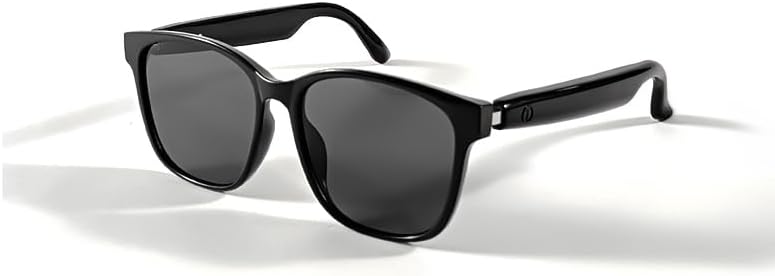
Image 1.1: The SUNOL GS08 Smart Glasses in gray, showcasinг іх элегантны дызайн.
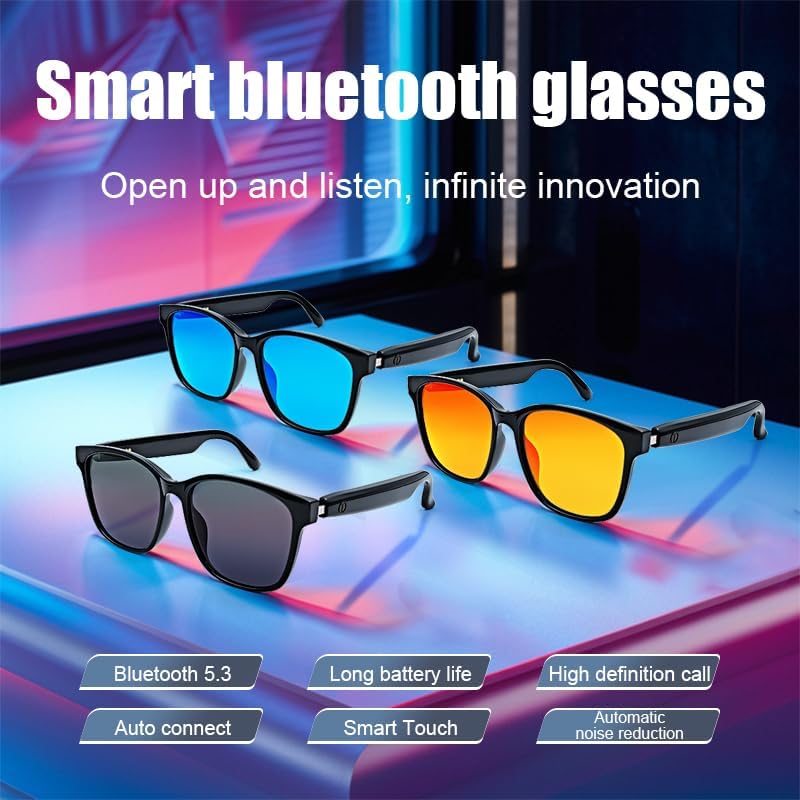
Image 1.2: Multiple color variants of the smart glasses highlighting features like Bluetooth 5.3, long battery life, high-definition calls, auto-connect, smart touch, and automatic noise reduction.
2. Настройка
2.1. Змесціва ўпакоўкі
Before proceeding, please ensure all items are present in the package:
- SUNOL GS08 Smart Glasses
- Зарадны кабель
- Кіраўніцтва карыстальніка
- Cleaning Cloth (may vary by package)
2.2. Зарадка акуляраў
For optimal performance, fully charge your smart glasses before first use.
- Connect the charging cable to the charging port on the glasses.
- Plug the other end of the charging cable into a USB power adapter (not included) or a computer's USB port.
- The indicator light on the glasses will illuminate during charging and turn off or change color when fully charged.
- Поўная зарадка звычайна займае прыблізна ад 1.5 да 2 гадзін.
2.3. Спарванне Bluetooth
Follow these steps to pair your SUNOL GS08 Smart Glasses with your smartphone or other Bluetooth-enabled device:
- Ensure the glasses are charged and powered off.
- Press and hold the power button on the glasses until the indicator light flashes rapidly (usually blue and red), indicating pairing mode.
- On your smart device, go to Bluetooth settings and turn Bluetooth on.
- Пошук available devices. You should see "GS08" or "SUNOL GS08" in the list.
- Select "GS08" to connect. Once connected, the indicator light on the glasses will typically stop flashing and remain solid blue or turn off.
- The glasses will automatically connect to the last paired device when powered on, if the device's Bluetooth is active and within range.
3. Інструкцыя па эксплуатацыі
3.1. Уключэнне/выключэнне харчавання
- Уключэнне: Press and hold the power button for approximately 3 seconds until you hear a power-on prompt or see the indicator light.
- Выключэнне: Націсніце і ўтрымлівайце кнопку харчавання прыблізна 5 секунд, пакуль не пачуеце падказку аб выключэнні харчавання або не пагасне індыкатар.
3.2. Прайграванне музыкі
Control your music directly from the smart glasses:
- Прайграванне/Паўза: Single press the multi-function button (often the power button or a dedicated button).
- Наступны трэк: Двойчы націсніце шматфункцыянальную кнопку.
- Папярэдні трэк: Тройчы націсніце шматфункцыянальную кнопку.
3.3. Кіраванне выклікамі
Manage phone calls hands-free:
- Адказаць на званок: Single press the multi-function button when a call comes in.
- Завяршыць выклік: Single press the multi-function button during a call.
- Адхіліць выклік: Націсніце і ўтрымлівайце шматфункцыянальную кнопку на працягу 2 секунд пры паступленні званка.
3.4. Voice Assistant (AI Voice Control)
Activate your device's voice assistant for navigation, information, and more:
- Актываваць: Press and hold the multi-function button for 2 seconds (when not on a call) to activate your smartphone's voice assistant (e.g., Siri, Google Assistant).
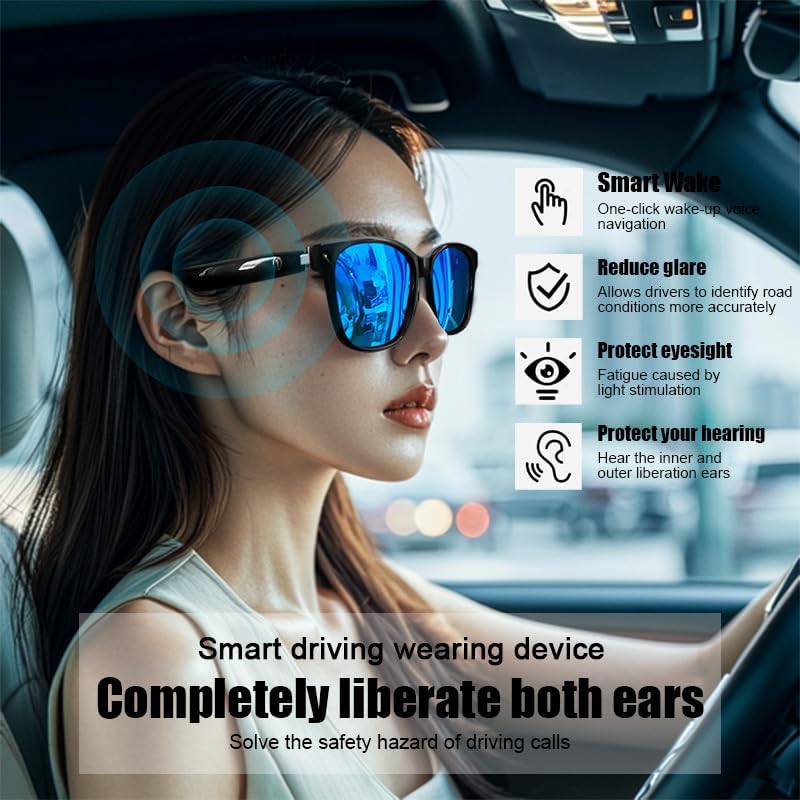
Image 3.1: The smart glasses in use while driving, demonstrating features such as Smart Wake for voice navigation, reduced glare, eye protection, and open-ear audio for hearing protection.
3.5. Рэгулятар гучнасці
Adjust the audio volume using the dedicated volume buttons on the glasses (if available) or directly from your connected smart device.

Малюнак 3.2: Прыкладamples of the smart glasses being used in various activities such as cycling, hiking, driving, and fishing, highlighting their versatility.
4. Тэхнічнае абслугоўванне
4.1. Cleaning the Glasses
To maintain clarity and hygiene:
- Выкарыстоўвайце прыкладзеную ачышчальную сурвэтку або мяккую сурвэтку без ворса, каб акуратна працерці лінзы і аправу.
- Для ўстойлівых плям злёгку працярыцеampen the cloth with water or a lens cleaning solution specifically designed for eyewear.
- Avoid using harsh chemicals, abrasive materials, or paper towels, as these can scratch the lenses or damage the frame.
4.2. Захоўванне
When not in use, store your smart glasses in their protective case to prevent scratches and damage. Avoid exposing them to extreme temperatures, direct sunlight for prolonged periods, or high humidity.
4.3. Воданепранікальнасць (IPX4)
The SUNOL GS08 Smart Glasses are rated IPX4, meaning they are resistant to splashing water from any direction. This makes them suitable for use during workouts or in light rain. However, they are not designed for submersion in water. Do not wear them while swimming, showering, or in heavy rain.
5. Выпраўленне непаладак
If you encounter issues with your smart glasses, please refer to the following common solutions:
| праблема | Магчымая прычына | Рашэнне |
|---|---|---|
| Glasses won't power on. | Нізкі акумулятар. | Цалкам зарадзіце акуляры. |
| Немагчыма спалучыць прыладу. | Bluetooth off on device; glasses not in pairing mode; too far from device. | Ensure Bluetooth is on. Put glasses in pairing mode (see Section 2.3). Move glasses closer to the device. Try unpairing and re-pairing. |
| Няма гуку або нізкі ўзровень гучнасці. | Volume too low on glasses or device; glasses not connected; audio source paused. | Increase volume on both glasses and connected device. Verify Bluetooth connection. Check if audio is playing on the source device. |
| Перарывістае злучэнне. | Перашкоды; прылада занадта далёка; нізкі зарад батарэі. | Move closer to the connected device. Avoid areas with strong Wi-Fi or other Bluetooth interference. Ensure glasses are charged. |
Калі праблема не знікне пасля выкарыстання гэтых рашэнняў, звярніцеся ў службу падтрымкі кліентаў.
6. Тэхнічныя характарыстыкі
| Асаблівасць | Дэталь |
|---|---|
| Нумар мадэлі | F06 |
| Версія Bluetooth | 5.3 |
| Тып батарэі | 1 літый-палімерная батарэя (у камплекце) |
| Воданепранікальнасць | IPX4 (устойлівы да пырскаў) |
| Тып аб'ектыва | Polarized, 100% UV Protection |
| Час прайгравання аўдыё | Approximately 3 hours (on a full charge) |
| аддзел | Унісекс-дарослы |
| Дата першай даступнасці | 24 чэрвеня 2024 г |
| Паходжанне | Імпартныя |
7. Інфармацыя аб гарантыі
SUNOL products are manufactured to the highest quality standards. This product is covered by a limited warranty against defects in materials and workmanship from the date of original purchase. Please retain your proof of purchase for warranty claims.
The warranty does not cover damage caused by misuse, accident, unauthorized modification, or normal wear and tear. For specific warranty terms and conditions, please refer to the warranty card included with your product or contact customer support.
8. Падтрымка кліентаў
If you have any questions, require technical assistance, or need to make a warranty claim, please contact our customer support team:
- электронная пошта: support@sunol.com
- Webсайт: www.sunol.com/support
Please have your product model number (F06) and purchase date ready when contacting support.