
Уводзіны
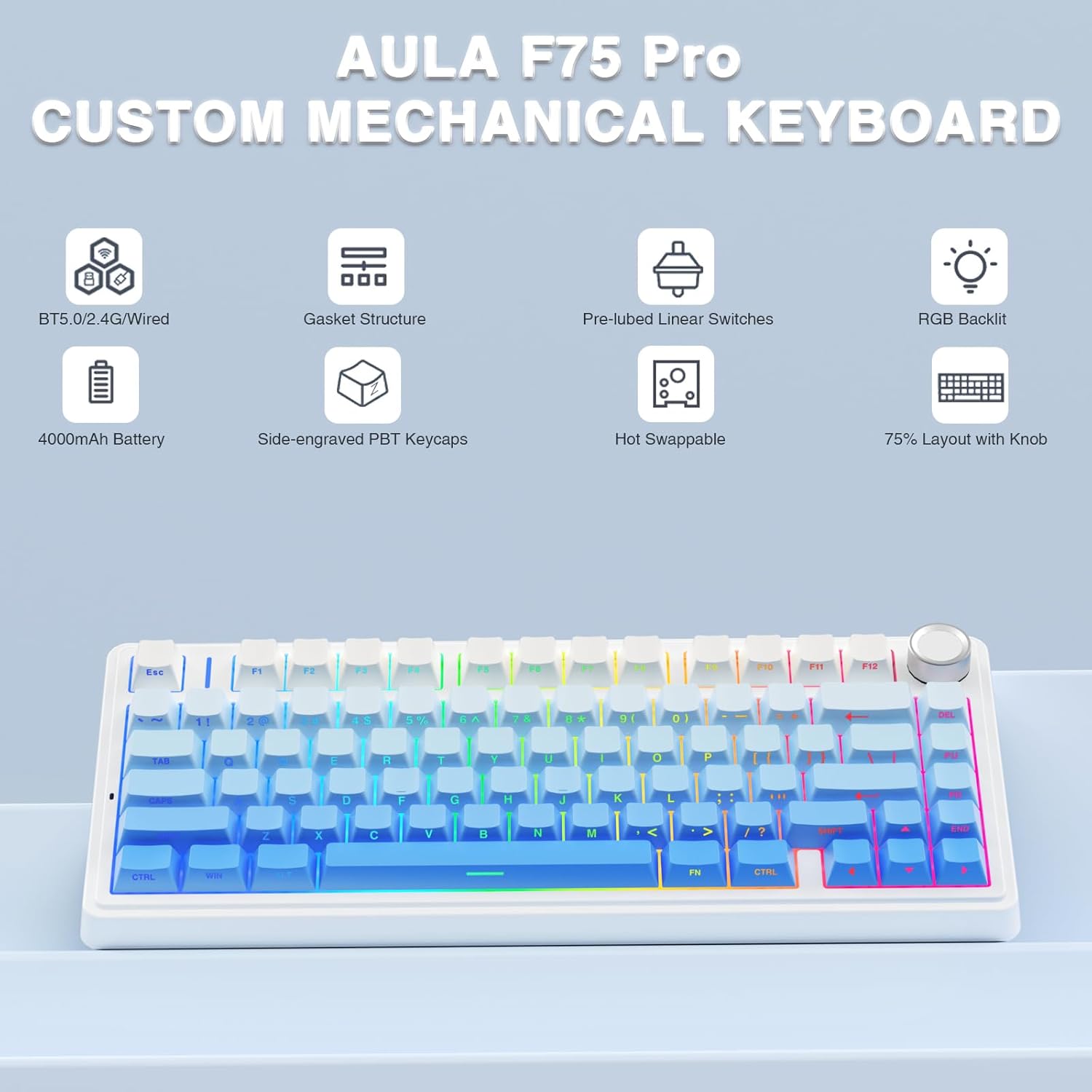
The AULA F75 Pro is a versatile 75% layout mechanical keyboard designed for gaming and productivity. It features tri-mode connectivity (Bluetooth 5.0, 2.4GHz wireless, and USB-C wired), hot-swappable switches, 16.8 million color RGB backlighting, and a multi-function control knob. This manual provides detailed instructions for setup, operation, and maintenance to ensure optimal performance.
Што ў скрынцы
- AULA F75 Pro Wireless Mechanical Keyboard
- Здымнік для клавіш/перамыкачоў x1
- Кабель USB C x1
- Extra Leobog Star Vector Switches x 2
- Пылаахоўны чахол x1
- Кіраўніцтва карыстальніка
Настройка
Рэжымы падлучэння
The AULA F75 Pro supports three connection methods:
- Бесправадная сувязь 2.4 ГГц: For a stable, low-latency connection, ideal for gaming.
- Bluetooth 5.0: For wireless convenience with up to five devices.
- Правадны USB-C: For a direct, reliable connection and charging.
Switch between modes using the dedicated switch or shortcut keys on the keyboard. The keyboard is compatible with PC, laptops, tablets, mobile phones, PS, and XBOX.


Зарадка
The keyboard is equipped with a 4000mAh large-capacity battery for long-lasting use. Connect the USB-C cable to the keyboard and a power source to charge. Battery life is approximately 17.5 hours with backlighting on and 266.5 hours with backlighting off.

Інструкцыя па эксплуатацыі
Падсвятленне RGB
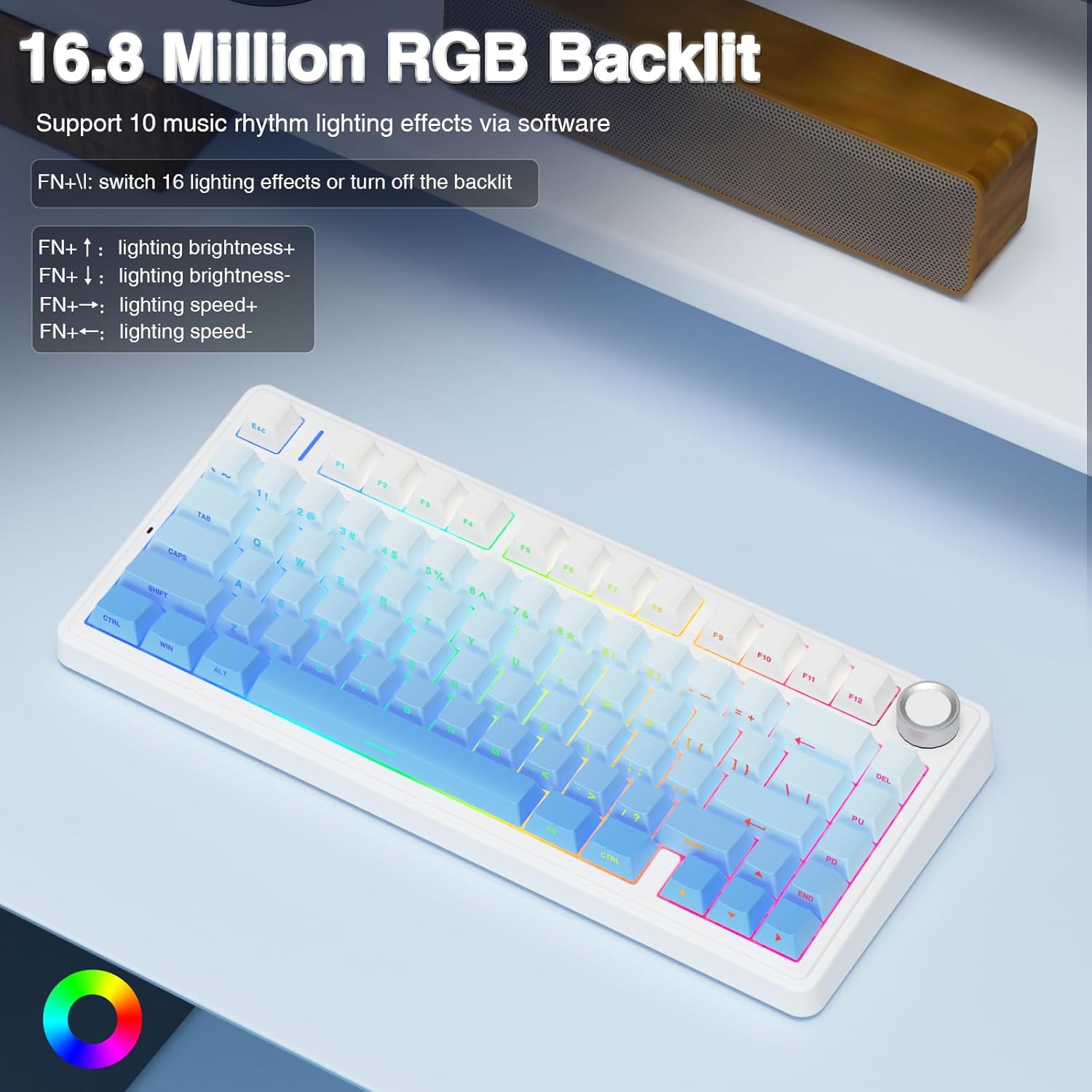
The F75 Pro features 16.8 million RGB lighting colors with 16 pre-set lighting effects. It also supports 10 music rhythm lighting effects via the driver software. Adjust lighting brightness and speed using the multi-function knob or the FN + key combination. You can also turn off the backlight if not needed.

Multi-function Control Knob
The knob allows switching between Gaming Mode and Office Mode. In Gaming Mode, rotate to adjust light brightness and click to switch lighting effects. In Office Mode, rotate to adjust volume and click to play/pause media. Long press the knob for approximately 5 seconds to switch between modes.
Custom Software and Macro Programming
Customize single keys or key combinations through the F75 driver software to enhance gaming and work efficiency. The software also supports macro recording and editing. Note: The driver software only runs under Windows system in wired mode.

Тэхнічнае абслугоўванне
Пераключальнікі з магчымасцю гарачай замены
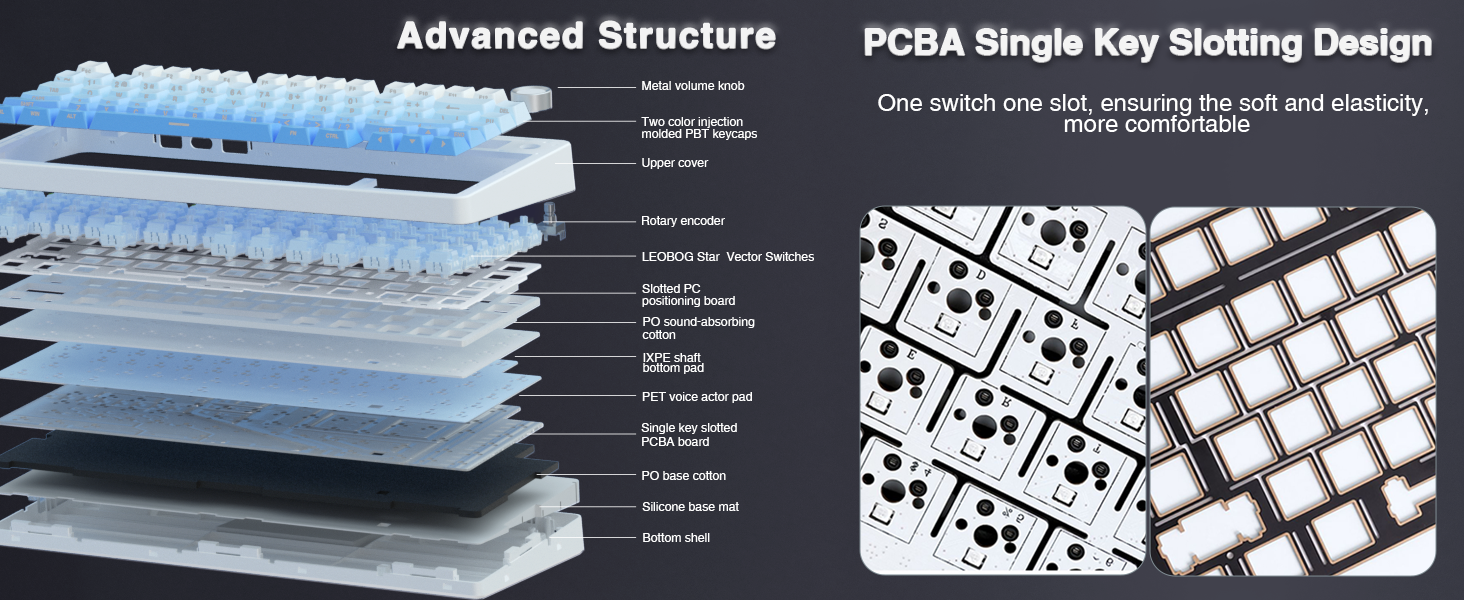
The custom mechanical keyboard features a hot-swappable base that supports both 3-pin and 5-pin switches. This allows for easy replacement and customization of switches without soldering. The keyboard comes equipped with pre-lubricated LEOBOG Star Vector switches for a smooth typing experience.

Клавішы
The keyboard features side-printed PBT keycaps, manufactured using double injection molding and heat sublimation processes. This ensures durability, resistance to fading and sweat, and a soft touch. The design allows backlighting to shine through the fonts.

Уборка
Regularly use the included dust cover to protect the keyboard from dust and debris. For cleaning, gently wipe the keycaps and chassis with a soft, dry cloth. Avoid using harsh chemicals or abrasive materials.
Ліквідацыю непаладак
- Праблемы з падключэннем: Ensure the mode switch (2.4G, BT, Wired) is set correctly. Check battery level and charge if necessary. For 2.4GHz, ensure the USB receiver is properly inserted. For Bluetooth, ensure the keyboard is in pairing mode and visible to your device.
- RGB-асвятленне не працуе: Check if the backlight is turned off via the knob or FN+key combination. Ensure the keyboard is charged.
- Software/Macro Issues: The F75 driver software requires the keyboard to be connected via USB-C wired mode and running on a Windows operating system for full functionality.
- Клавішы не рэагуюць: If individual keys are not responding, try replacing the switch using the included keycap/switch puller and spare switches.
Тэхнічныя характарыстыкі
| Асаблівасць | Дэталь |
|---|---|
| Марка | АЎЛА |
| Назва мадэлі | F75 Pro |
| Тэхналогія падлучэння | Бесправадная сувязь 2.4 ГГц, BT5.0, USB-C |
| Апісанне клавіятуры | Механічны |
| Колькасць ключоў | 81 |
| Раскладка клавіятуры | QWERTY |
| Тып перамыкача | Linear (LEOBOG Star Vector Switches) |
| Асаблівасці | Backlit (RGB), Hot-Swappable, Programmable Keys, Rechargeable, Volume Roller |
| Ёмістасць батарэі | 4000 мАг |
| Матэрыял клавішы | ПБТ з бакавым друкам |
| Памеры прадукту | 12.7 см Д х 5.64 см Ш х 1.7 см В |
| Вага прадмета | 1.02 кілаграма |
| Сумяшчальныя прылады | Гульнявая кансоль, ноўтбук, ПК, смартфон, планшэт |
| Сумяшчальная АС | MacOS, Windows |
Гарантыя і падтрымка
This product comes with a 6-month warranty. For technical support, troubleshooting assistance, or warranty claims, please contact AULA customer service through their official channels or the retailer where the product was purchased. Please refer to the contact information provided in the packaging or on the official AULA webсайт.