
Уводзіны
Thank you for choosing the Tibuta K7 Kids Tablet. This device is designed to provide a safe and engaging digital experience for children, featuring parental controls, educational content, and entertainment options. This manual will guide you through the initial setup, operation, and maintenance to ensure optimal performance and longevity of your tablet.
Што ў скрынцы
Калі ласка, пераканайцеся, што ўсе прадметы прысутнічаюць у камплекце:
- Tibuta K7 Kids Tablet
- Drop-proof Silicone Protective Case
- Кабель Type-C
- Зарадная прылада
- Кіраўніцтва карыстальніка

Image: Contents of the Tibuta K7 Kids Tablet package. This image displays the tablet, its protective case, a USB-C charging cable, a power adapter, and the user manual, illustrating all items included with the product.
Прадукт скончаныview
The Tibuta K7 Kids Tablet features a 7-inch HD display, a durable silicone protective case, and an Android 12 Go operating system. It is equipped with dual cameras and supports Wi-Fi connectivity.

Выява: спераду і ззаду view of the Tibuta K7 Kids Tablet. The tablet is shown in a pink protective case with a handle and kickstand, displaying a colorful children's cartoon on its screen.
Кампаненты планшэта

Image: Diagram of the Tibuta K7 Kids Tablet's external features. This illustration points out the front camera, 3.5mm headphone port, TF card slot, USB 2.0 OTG port, rear camera, volume buttons, power ON/OFF/Reset button, and speaker.
- Пярэдняя камера: Для відэазванкоў і сэлфі.
- 3.5-мм раз'ём для навушнікаў: Для падлучэння навушнікаў.
- Слот TF карты: For expanding storage with a microSD card (up to 128GB).
- USB 2.0 OTG Port (Type-C): Для зарадкі і перадачы дадзеных.
- Задняя камера: Для здымкі фота і відэа.
- Кнопкі гучнасці: Адрэгулюйце гучнасць гуку.
- Power ON/OFF/Reset Button: Powers the tablet on/off or performs a reset.
- Дакладчык: Для выхаду гуку.
Кіраўніцтва па ўстаноўцы
1. Пачатковая зарадка
Before first use, fully charge the tablet. Connect the provided Type-C cable to the tablet's USB port and the charger to a power outlet. The charging indicator will show the charging status.
2. Уключэнне / выключэнне харчавання
- Каб уключыць: Націсніце і ўтрымлівайце кнопку харчавання, пакуль не загарыцца экран.
- Каб выключыць: Націсніце і ўтрымлівайце кнопку харчавання, затым абярыце з прапанаваных опцый «Выключыць харчаванне».
- Каб перазапусціць: Націсніце і ўтрымлівайце кнопку харчавання, затым абярыце з опцый «Перазагрузка».
3. Злучэнне Wi-Fi
- Перайсці да Налады > Сетка і інтэрнэт > Wi-Fi.
- Уключыць/выключыць Wi-Fi On.
- Выберыце патрэбную сетку Wi-Fi са спісу.
- Увядзіце пароль сеткі, калі будзе запытана, а затым націсніце Злучыцца.
4. Kidoz Parental Control App Setup
The tablet comes pre-installed with the Kidoz parental control application. This app allows you to manage content, screen time, and access for your child.
- Запусціце Kidoz праграма з галоўнага экрана.
- Follow the on-screen instructions to create a parent account and set up child profiles.
- Configure settings such as screen time limits, content filtering, and application access.

Image: Parents setting up the Kidoz parental control app on the Tibuta K7 Kids Tablet. The image illustrates a family interacting with the tablet, highlighting features like screen time limits and content filtering.
Інструкцыя па эксплуатацыі
Навігацыя
- Сэнсарны экран: Tap, swipe, and pinch to navigate the interface.
- Галоўны экран: Access frequently used apps and widgets.
- Апавяшчэнні: Правядзіце пальцам уніз ад верхняй частцы экрана да view апавяшчэнні і хуткія налады.
Using Kidoz and Applications
The Kidoz app provides a child-friendly interface and access to pre-approved content. Parents can manage available applications and content through the parental control settings.
- Доступ да праграм: Within the Kidoz environment, children can access approved games, educational apps, and media.
- Downloading New Apps: Parents can download additional applications from the Google Play Store, which can then be added to the child's approved list within Kidoz.
- Фільтраванне кантэнту: Kidoz allows for filtering of inappropriate content, ensuring a safe browsing and viewвопыту.
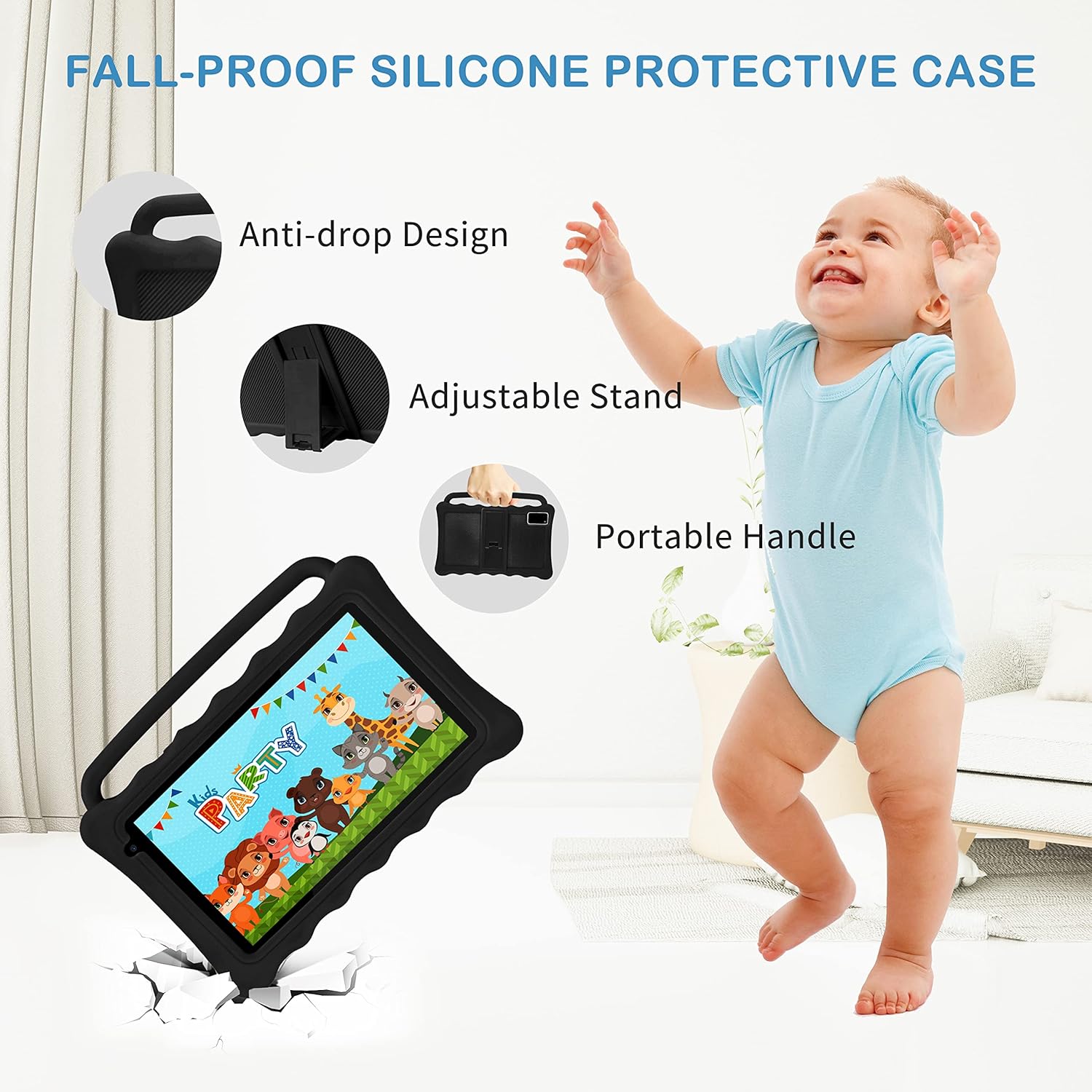
Image: The Tibuta K7 Kids Tablet showcasing its multi-functional capabilities for children. This image highlights pre-installed applications like ABCMouse, YouTube, Netflix, Google Play, and various games, books, and art tools.
Рэжым аховы вачэй
The 7-inch LCD screen is equipped with Low Blue Light technology to protect children's eyes. Activate the reading mode in settings to reduce screen flicker and harmful blue light, providing a more comfortable viewвопыту.

Image: Two children using the Tibuta K7 Kids Tablet, demonstrating the eye protection feature. The image emphasizes the 1024x600 HD screen and its low blue light technology for comfortable viewінж.
Выкарыстанне камеры
The tablet features a 2MP front camera and a 5MP rear camera for capturing photos and videos.
- Адкрыйце Камера прымяненне.
- Націсніце кнопку спуску засаўкі, каб зрабіць фотаздымак або пачаць/спыніць відэазапіс.
- Switch between front and rear cameras using the camera icon on the screen.

Image: Children smiling and looking into the Tibuta K7 Kids Tablet camera. This image highlights the tablet's dual cameras (2MP front, 5MP rear) for capturing fun moments.
Тэхнічнае абслугоўванне
Ачыстка планшэта
- Выкарыстоўвайце мяккую тканіну без ворса для чысткі экрана і корпуса планшэта.
- Для ўстойлівых плям злёгкуampпрацярыце тканіну вадой або сродкам для чысткі экранаў, прызначаным для электронікі.
- Пазбягайце выкарыстання агрэсіўных хімікатаў, абразіўных ачышчальнікаў або аэразольных распыляльнікаў.
Сыход за батарэяй
- Charge the tablet regularly, but avoid leaving it fully charged or fully depleted for extended periods.
- Use only the provided charger and cable to prevent damage to the battery.
- Пазбягайце ўздзеяння экстрэмальных тэмператур на планшэт, бо гэта можа паўплываць на тэрмін службы батарэі.
Ахоўны футляр
The silicone protective case is designed to safeguard the tablet from drops and impacts. Ensure the tablet is properly seated within the case at all times. The adjustable stand and portable handle enhance usability and portability.

Image: The Tibuta K7 Kids Tablet in a red protective case. This image highlights the anti-drop design, adjustable stand, and portable handle of the silicone case, demonstrating its protective and ergonomic features.
Ліквідацыю непаладак
- Планшэт не ўключаецца:
- Ensure the tablet is fully charged. Connect it to the charger and wait a few minutes before attempting to power it on again. If unresponsive, press and hold the Power button for 10-15 seconds to force a restart.
- Экран не рэагуе:
- Restart the tablet. If the issue persists, ensure the screen is clean and free of debris. If the problem continues, a factory reset might be necessary (data will be lost).
- Праблемы з падключэннем Wi-Fi:
- Check if Wi-Fi is enabled in settings. Restart your Wi-Fi router. Forget the network on the tablet and reconnect. Ensure you are within range of the Wi-Fi signal.
- Kidoz app not working correctly:
- Ensure the Kidoz app is updated to the latest version. Clear the app's cache and data in Налады > Праграмы > Kidoz > Захоўванне. If problems persist, reinstall the app or contact Kidoz support.
- Tablet runs slowly or freezes:
- Close unnecessary background applications. Clear cache for frequently used apps. Consider uninstalling unused apps to free up storage. If the issue is severe, a factory reset may resolve it.
Тэхнічныя характарыстыкі
| Асаблівасць | Дэталь |
|---|---|
| Марка | Тыбута |
| Назва мадэлі | K7 |
| Аперацыйная сістэма | Android 12 Go |
| Марка працэсара | Allwinner |
| Памер экрана | 7 цаляў |
| Дазвол экрана | 1024 х 600 пікселяў |
| АЗП | 2 ГБ |
| Ёмістасць захоўвання | 32 ГБ (пашырэнне да 128 ГБ з дапамогай Micro SD) |
| Сувязь | Wi-Fi (802.11g), Bluetooth |
| Камеры | Пярэдняя: 2 Мп, задняя: 5 Мп |
| Тэрмін службы батарэі | Over 5 hours (usage dependent) |
| Колер | Rose (as per product listing, other colors may vary) |