
Rocketek FBA_RT-CR7
Rocketek CAC Card Reader User Manual
Model: FBA_RT-CR7 | 2-in-1 USB/Type C Dual Connector
1. Уводзіны
Thank you for choosing the Rocketek CAC Card Reader. This device is a versatile 2-in-1 USB/Type C dual connector smart card reader designed for secure access and data transfer. It is compatible with a wide range of smart cards, including DOD Military Common Access Cards (CAC), Government IDs, National IDs, and various banking cards. This manual provides essential information for setting up, operating, and maintaining your card reader.
2. Змесціва ўпакоўкі
- 1 x Rocketek CAC Card Reader (Model: FBA_RT-CR7)
- 1 х Кіраўніцтва карыстальніка (гэты дакумент)
3. Асаблівасці прадукту
- Падвойнае падключэнне: Equipped with both USB-A and Type-C connectors for broad device compatibility.
- Plug & Play: Automatic driver installation for Windows systems.
- Шырокая сумяшчальнасць: Supports ISO7816 Class A, B, and C (5V/3V/1.8V) Smart Cards, including CAC, Government ID, National ID, ActivClient, AKO, OWA, DKO, JKO, NKO, BOL, GKO, Marinenet, AF Portal, Pure Edge Viewer, ApproveIt, DCO, DTS, LPS, Disa Enterprise Email.
- Палепшаная бяспека: Ideal for high-security federal government applications, online banking, Windows authentication, and Single Sign-On (SSO).
- Партатыўны дызайн: Mini foldable design, thumb-sized, and convenient for travel without external power cords.
- Трываласць: Built to withstand extensive use.
4. Кіраўніцтва па наладцы
4.1 Connecting the Card Reader
The Rocketek CAC Card Reader features a 2-in-1 design with both USB-A and Type-C connectors. Choose the appropriate connector for your device.
- Identify the available USB-A or Type-C port on your computer, laptop, or compatible Android device.
- Plug the corresponding connector of the card reader firmly into the port.

Image: The Rocketek CAC Card Reader connected to a laptop, demonstrating its compact design and dual USB-A/Type-C connectivity. A smart card is shown inserted into the reader.

Выява: Падрабязны view of the card reader's integrated USB-A and Type-C connectors, highlighting their design and indicating that Lightning and Micro USB ports are not compatible.
4.2 Ўстаноўка драйвера
The card reader is designed for ease of use with plug-and-play functionality.
- Сістэмы Windows: The driver will automatically install upon connecting the device. No manual installation is typically required.
- Mac OS Users: Java is necessary for the card reader to function correctly. Please install Java from Java's official webсайт (www.java.com) before using the reader.
- DOD and USG Users: A third-party CAC Enabler program is required for full functionality with military and government cards.
For additional driver downloads and support, please visit the Rocketek webсайт: www.rocketek.hk.

Image: An illustration emphasizing the ease of driver installation and directing users to the Rocketek webсайт падтрымкі і загрузкі.
5. Інструкцыя па эксплуатацыі
5.1 Inserting a Smart Card
- Ensure the card reader is connected to your device.
- Locate the smart card slot on the reader.
- Insert your smart card (e.g., CAC card, ID card, bank card) into the slot with the chip facing upwards and towards the reader. Push gently until it is fully seated.
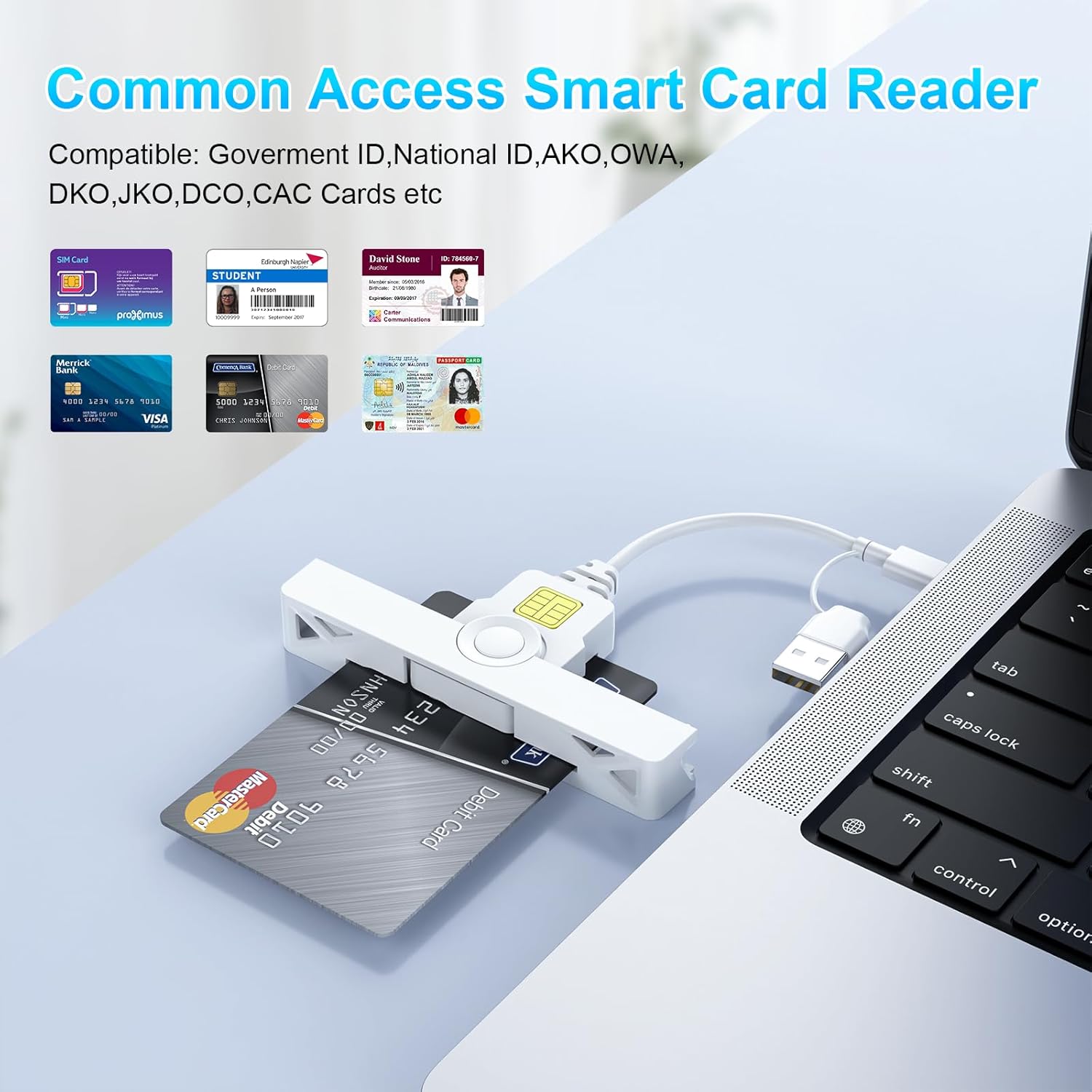
Image: The card reader shown with various types of smart cards, including government IDs and bank cards, demonstrating its broad compatibility for common access.
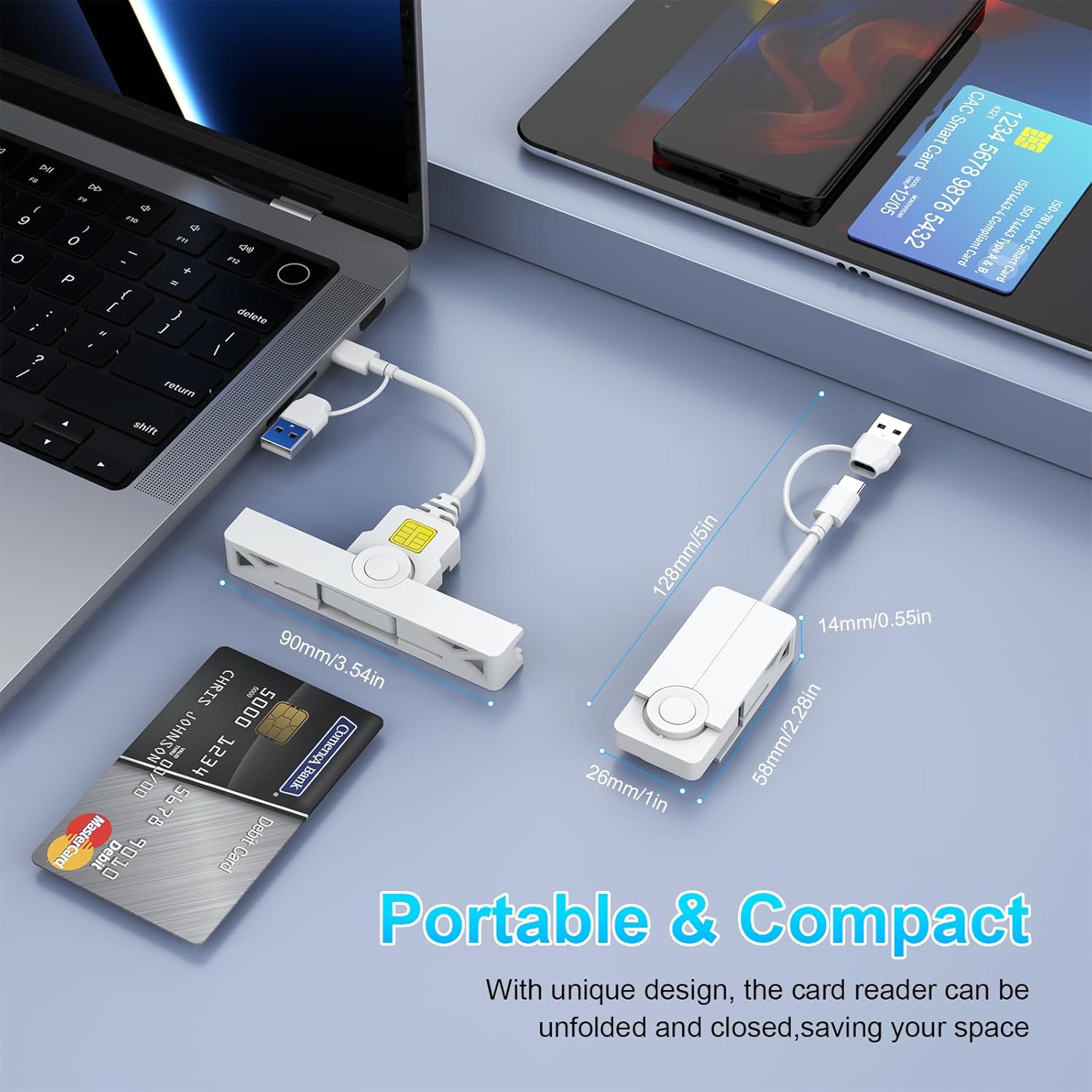
Image: A collage of close-up views detailing the card reader's features, including the smart card insertion point, the dual connectors, and its compact, foldable design.
5.2 Выкарыстанне картрыдара
Once the card is inserted and recognized by your system, you can proceed with your desired operation:
- Secure Login: Use with ActivClient, AKO, OWA, DKO, JKO, NKO, BOL, GKO, Marinenet, AF Portal, Pure Edge Viewer, ApproveIt, DCO, DTS, LPS, Disa Enterprise Email for secure access.
- Online Banking/Payment: Facilitates secure online transactions.
- Digital Signature: Supports applications requiring digital signatures.
5.3 Removing a Smart Card
Gently pull the smart card out of the slot when you are finished with your operation. Ensure any active processes using the card are completed before removal.
6. Сумяшчальнасць
The Rocketek CAC Card Reader offers broad compatibility with various operating systems and devices.
- Аперацыйныя сістэмы: Windows (10/8/7/Vista/XP), Mac OS, Android.
- прылады: Laptops (e.g., Macbook, AirRetina, Lenovo Yoga, ThinkPad), Desktop PCs, Android Phones, Surface, IdeaPad.

Выява: Оверview of the card reader's extensive compatibility, displaying various laptops, smartphones, and operating system logos it supports.
6.1 Port Design for Convenience
The compact and foldable design of the Rocketek card reader ensures it does not block neighboring USB ports on your device, allowing for simultaneous use of other peripherals.
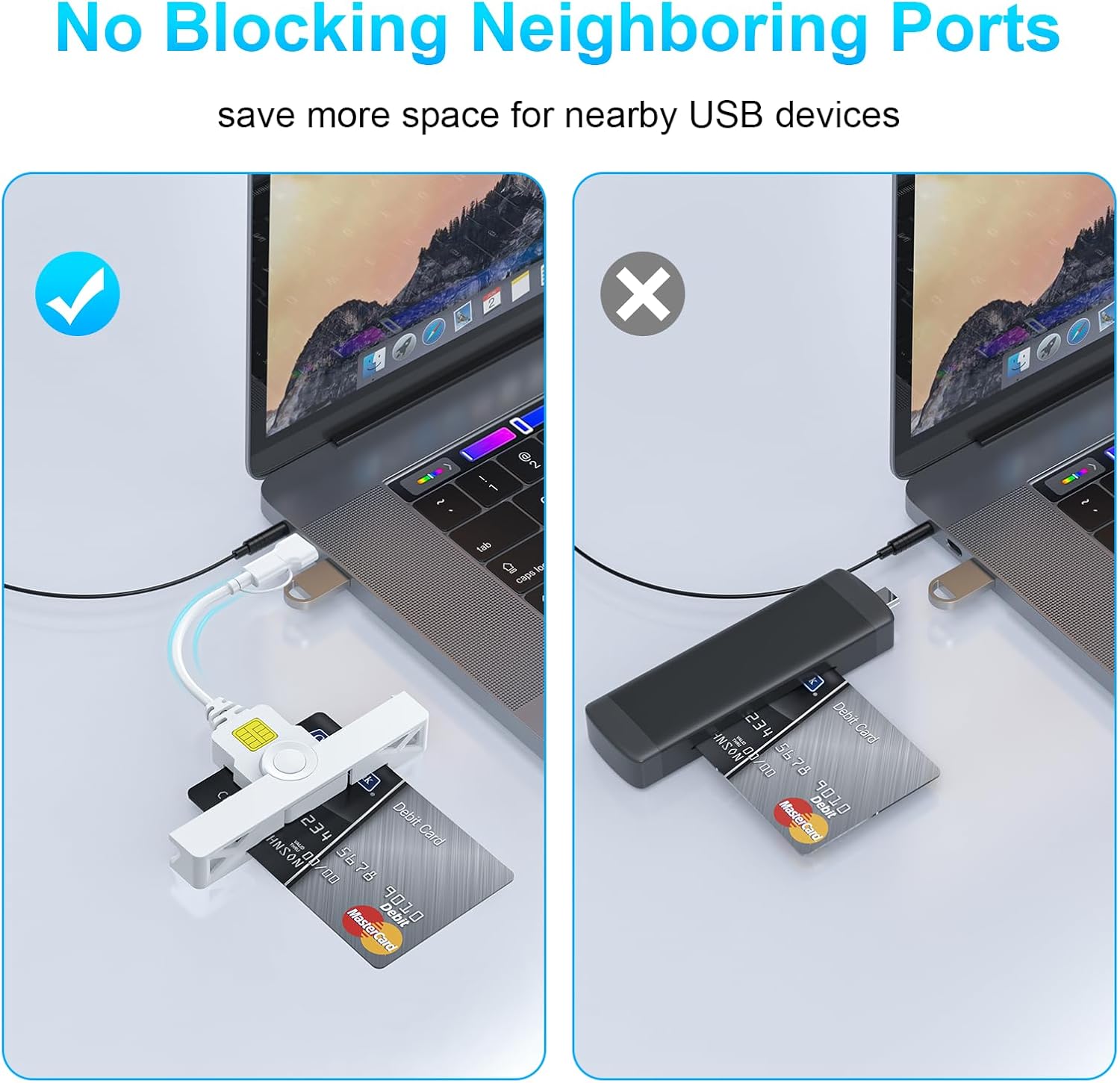
Image: A visual comparison demonstrating how the Rocketek reader's slim profile prevents it from obstructing adjacent USB ports, unlike bulkier alternatives.
7. Тэхнічнае абслугоўванне
To ensure the longevity and optimal performance of your Rocketek CAC Card Reader, follow these simple maintenance guidelines:
- Трымайце прыладу чыстай і без пылу і смецця. Выкарыстоўвайце для чысткі мяккую сухую тканіну.
- Avoid exposing the reader to extreme temperatures, humidity, or direct sunlight.
- Не спрабуйце разбіраць або мадыфікаваць прыладу, бо гэта прывядзе да анулявання гарантыі.
- Store the reader in a safe place when not in use, ideally in its folded, compact form to protect the connectors.
8. Выпраўленне непаладак
If you encounter issues with your Rocketek CAC Card Reader, please refer to the following common solutions:
- Reader Not Detected:
- Ensure the reader is firmly plugged into a working USB-A or Type-C port.
- Паспрабуйце іншы порт USB на вашым кампутары.
- Перазагрузіце кампутар.
- For Mac OS, verify that Java is installed and up to date.
- Картка не распазнаецца:
- Ensure the smart card is inserted correctly with the chip facing upwards.
- Check if the card is damaged or dirty. Clean the chip gently if necessary.
- Verify that you have the necessary third-party software (e.g., CAC Enabler for DOD/USG users) installed and configured correctly.
- Ensure the card type is supported by the reader (ISO7816 Class A, B, C).
- Праблемы з драйверамі:
- For Windows, check Device Manager for any yellow exclamation marks next to the card reader device. If found, try updating the driver or uninstalling and reinstalling the device.
- Наведайце www.rocketek.hk for the latest drivers and troubleshooting guides.
9. Тэхнічныя характарыстыкі
| Асаблівасць | Дэталь |
|---|---|
| Марка | Rocketek |
| Серыя мадэляў | FBA_RT-CR7 |
| Тэхналогія падлучэння | USB тыпу A, USB тыпу C |
| Сумяшчальныя аперацыйныя сістэмы | Mac OS, Windows |
| Вага прадмета | 0.634 унцыі |
| Памеры ўпакоўкі | 5.2 х 3.35 х 0.63 цалі |
| Колер | Белы |
| Падтрымліваюцца тыпы носьбітаў | CAC (карта агульнага доступу) |
| Вытворца | SHENZHEN ROCKETEK ELECTRONICS CO., LTD. |
10. Гарантыя і падтрымка
Rocketek stands behind the quality of its products.
- Гарантыя вытворцы: This product comes with an 18-month manufacturer's warranty.
- Палітыка замены: Hassle-free replacement is available for eligible issues.
- Тэхнічная падтрымка: Enjoy free lifetime technical support for your Rocketek CAC Card Reader.
For warranty claims, technical assistance, or further inquiries, please visit the official Rocketek webсайт або звярніцеся да іх каналаў падтрымкі кліентаў.
Афіцыйны Webсайт: www.rocketek.hk