
Уводзіны
This manual provides detailed instructions for the installation, operation, and maintenance of your AKAMATE Wireless CarPlay Portable Motorcycle Dash Cam. Please read this manual thoroughly before using the product to ensure proper function and safety. Keep this manual for future reference.
Інфармацыя па бяспецы
- Ensure all components are securely mounted to prevent detachment during operation.
- Route all cables away from moving parts, heat sources, and sharp edges to prevent damage and interference.
- Do not attempt to disassemble or modify the device. Unauthorized modifications may void the warranty and pose safety risks.
- The device is waterproof (IP67 rated); however, avoid prolonged submersion or high-pressure water jets.
- Operating the device while riding should be done with caution to avoid distraction. Utilize voice control features for safer interaction.
- Connect the power supply correctly to avoid electrical shorts or damage to your motorcycle's electrical system.
Змест пакета
Праверце, ці ўсе пералічаныя ніжэй прадметы ўваходзяць у вашу ўпакоўку:
- Motorcycle Dash Cam Unit (Main Display)
- Пярэдняя камера
- Задняя камера
- Мантажны інструмент
- Інструмент ўстаноўкі
- Набор электраправодкі
- Камплект праводкі
- Кіраўніцтва карыстальніка
Прадукт скончаныview
The AKAMATE Wireless CarPlay Portable Motorcycle Dash Cam is designed to enhance your riding experience with smart connectivity and recording capabilities. It features a 5.5-inch waterproof touch screen, dual 1080P HD cameras for front and rear recording, and supports wireless CarPlay and Android Auto. Integrated Bluetooth 5.3 allows for seamless connection to your smartphone and headset, enabling voice control and hands-free communication.
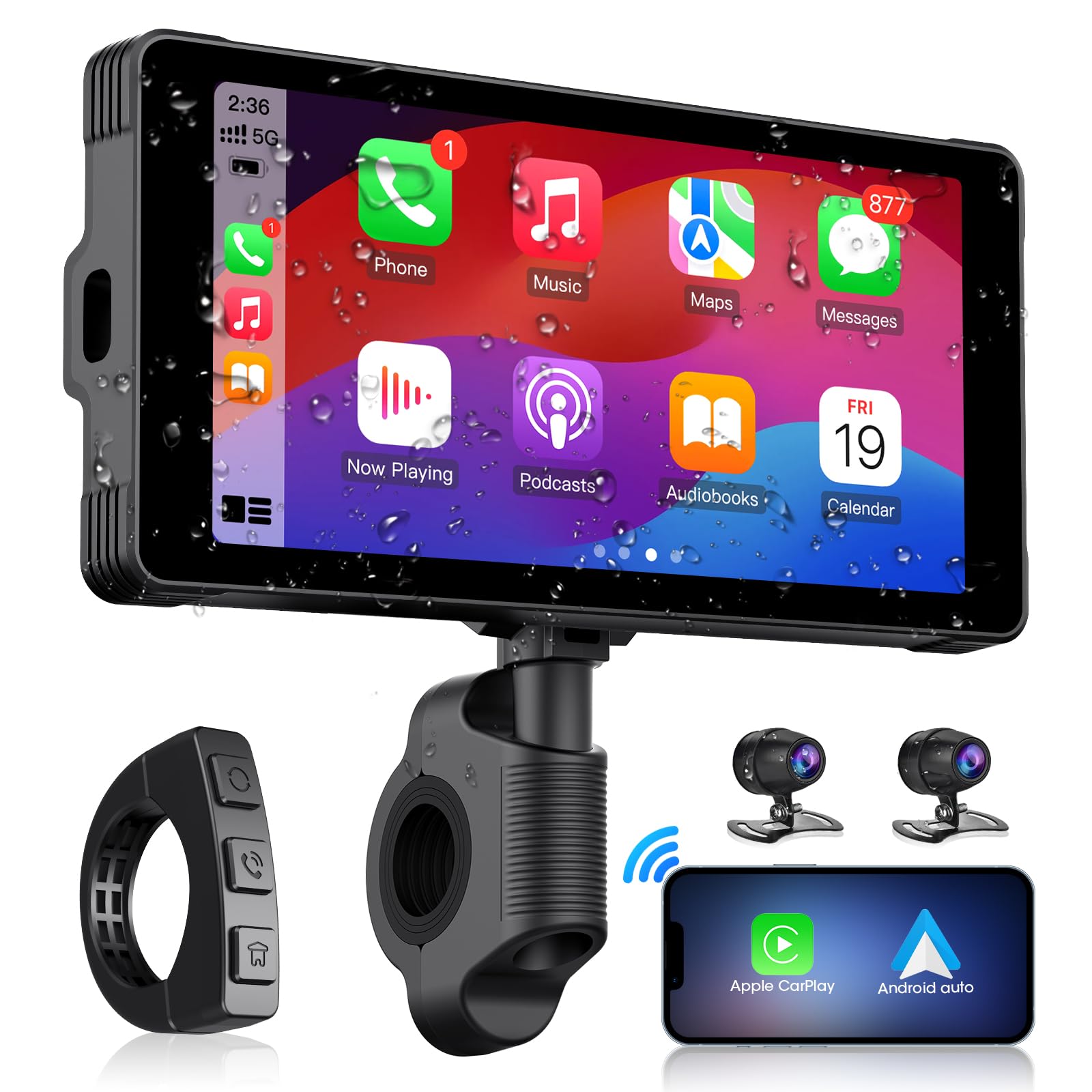
Image: The main AKAMATE dash cam unit, showing its compact design and display.
Настройка
1. Ўстаноўка
Proper installation is crucial for the device's performance and your safety. Follow these general steps:
- Мантаж асноўнага блока: Use the provided mounting tools to securely attach the main display unit to your motorcycle's handlebar. Ensure it is positioned for clear visibility without obstructing your view дарогі або элементаў кіравання.
- Размяшчэнне камеры: Install the front and rear cameras in locations that provide a clear, unobstructed view. Typically, the front camera is mounted near the headlight or on the fairing, and the rear camera near the license plate or tail light.
- Праводка: Connect the wiring kit. The hardwire kit typically connects directly to your motorcycle's battery (for constant power) and an accessory wire (for ignition-switched power). Ensure all connections are secure and insulated. Route cables carefully, avoiding hot engine parts, sharp edges, and areas where they might be pinched or snagged. Use zip ties or cable clips to secure wiring.
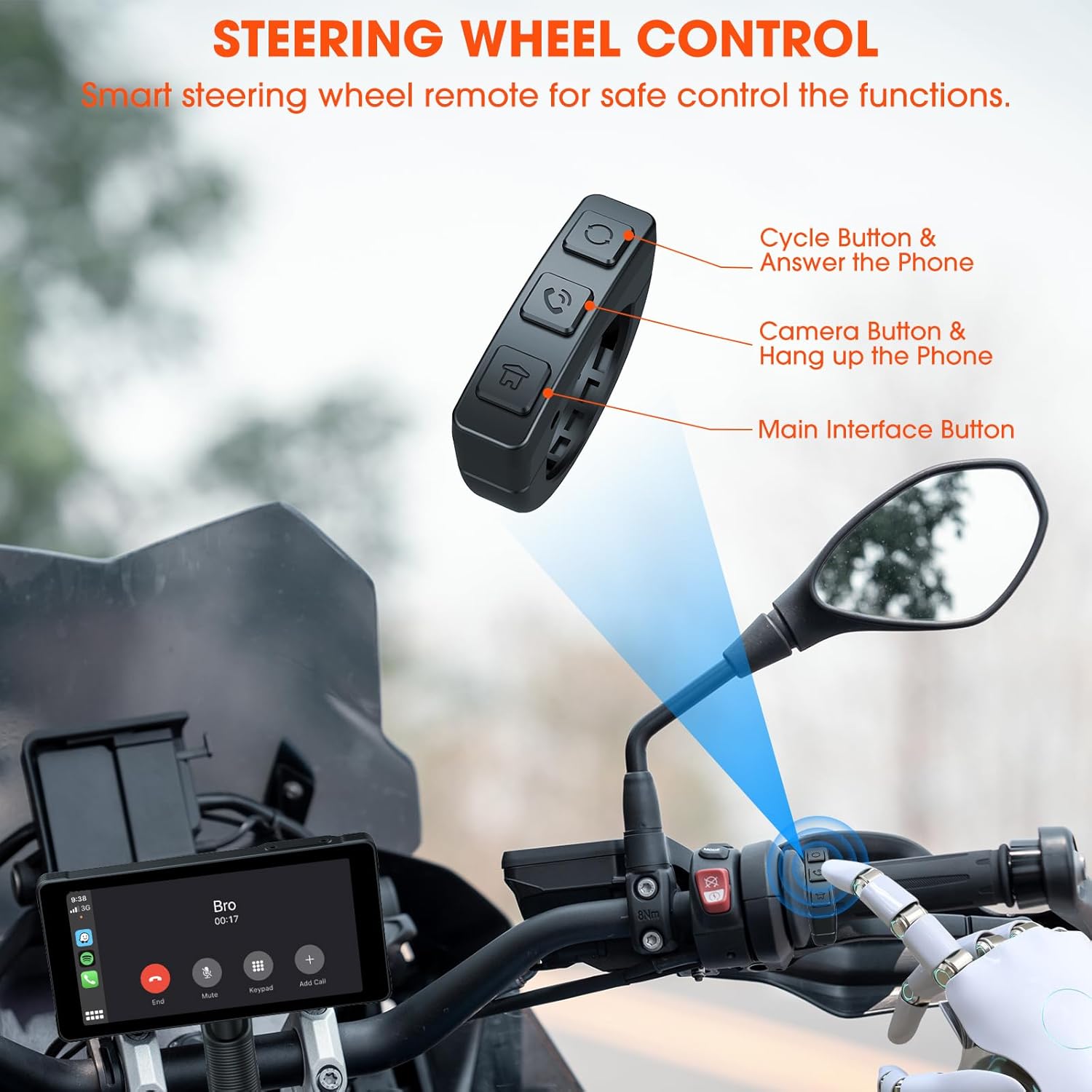
Image: Comparison showing a motorcycle handlebar before and after the installation of the AKAMATE dash cam, highlighting the integrated look and IP67 waterproof rating.
2. Пачатковае ўключэнне
Once installed and wired, turn on your motorcycle's ignition. The dash cam should power on automatically. Follow the on-screen prompts for initial setup, including language selection and time zone settings.
Інструкцыя па эксплуатацыі
1. Wireless Connection (CarPlay/Android Auto)
The device supports wireless Apple CarPlay and Android Auto for seamless smartphone integration.
- Пераканайцеся, што Bluetooth і Wi-Fi уключаны на вашым смартфоне.
- On the dash cam, navigate to the 'Wireless Connection' or 'CarPlay/Android Auto' settings.
- Пошук available devices on your phone and select the dash cam's Bluetooth name.
- Confirm the pairing code on both devices. Once paired via Bluetooth, the device will automatically establish a Wi-Fi connection for CarPlay or Android Auto.
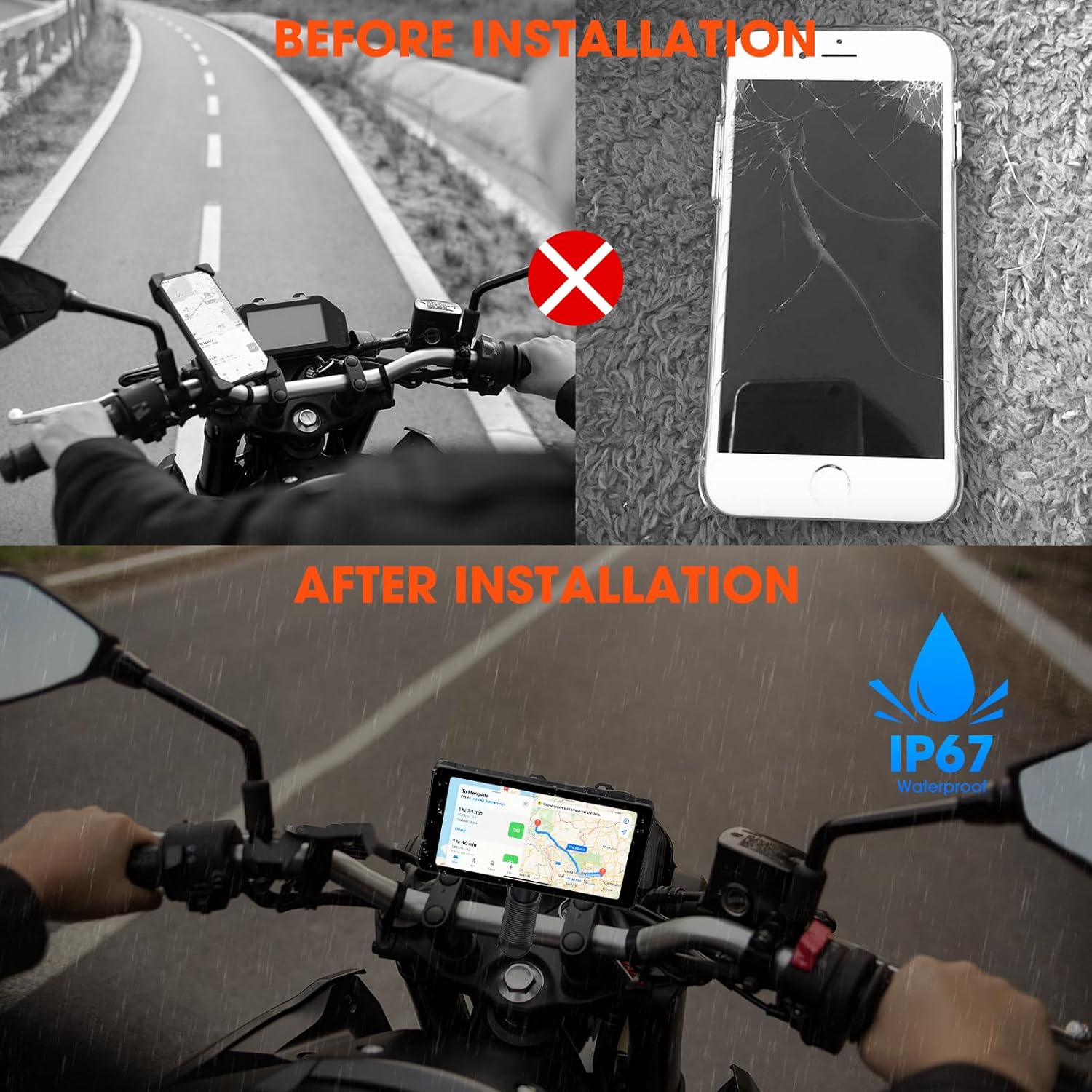
Image: Illustrates the wireless connection feature, showing the dash cam displaying navigation and music, with voice commands for Siri and Google Assistant.
2. Dash Cam Operation (Video Recording)
The device automatically begins recording upon power-on. It features 1080P HD front and rear cameras.
- цыклічны запіс: The system records video in continuous loops, overwriting the oldest footage, калі карта памяці запоўнена.
- Экстраны запіс: In the event of a sudden impact or collision, the G-sensor will trigger emergency recording, locking the current footagе, каб прадухіліць яго перазапіс.
- Viewing Footage: Запісаныя відэа могуць быць viewed directly on the dash cam's screen or by removing the memory card and inserting it into a computer.

Image: Demonstrates the 1080P HD front and rear camera views, highlighting the 170-degree wide-angle recording and loop recording function.
3. Злучэнне Bluetooth
The device utilizes Bluetooth 5.3 for stable connections.
- Спалучэнне тэлефона: Pair your smartphone via Bluetooth for CarPlay/Android Auto functionality and hands-free calls.
- Спалучэнне гарнітуры: Connect your Bluetooth helmet or earphones to the dash cam to receive audio (navigation prompts, music, calls) directly.

Image: Illustrates the dual Bluetooth connection capability, allowing simultaneous pairing with a smartphone and a Bluetooth helmet or earphones.
4. Галасавое кіраванне
With CarPlay or Android Auto connected, you can use voice commands (Siri or Google Assistant) for navigation, music playback, calls, and messages, minimizing manual interaction while riding.
5. Steering Wheel Control (Remote)
A smart remote control is included for convenient operation of key functions without reaching for the main unit.
- Cycle Button & Answer Phone: Used to cycle through modes or answer incoming calls.
- Camera Button & Hang up Phone: Activates camera functions (e.g., take a snapshot) or ends calls.
- Main Interface Button: Navigates to the main menu or home screen.
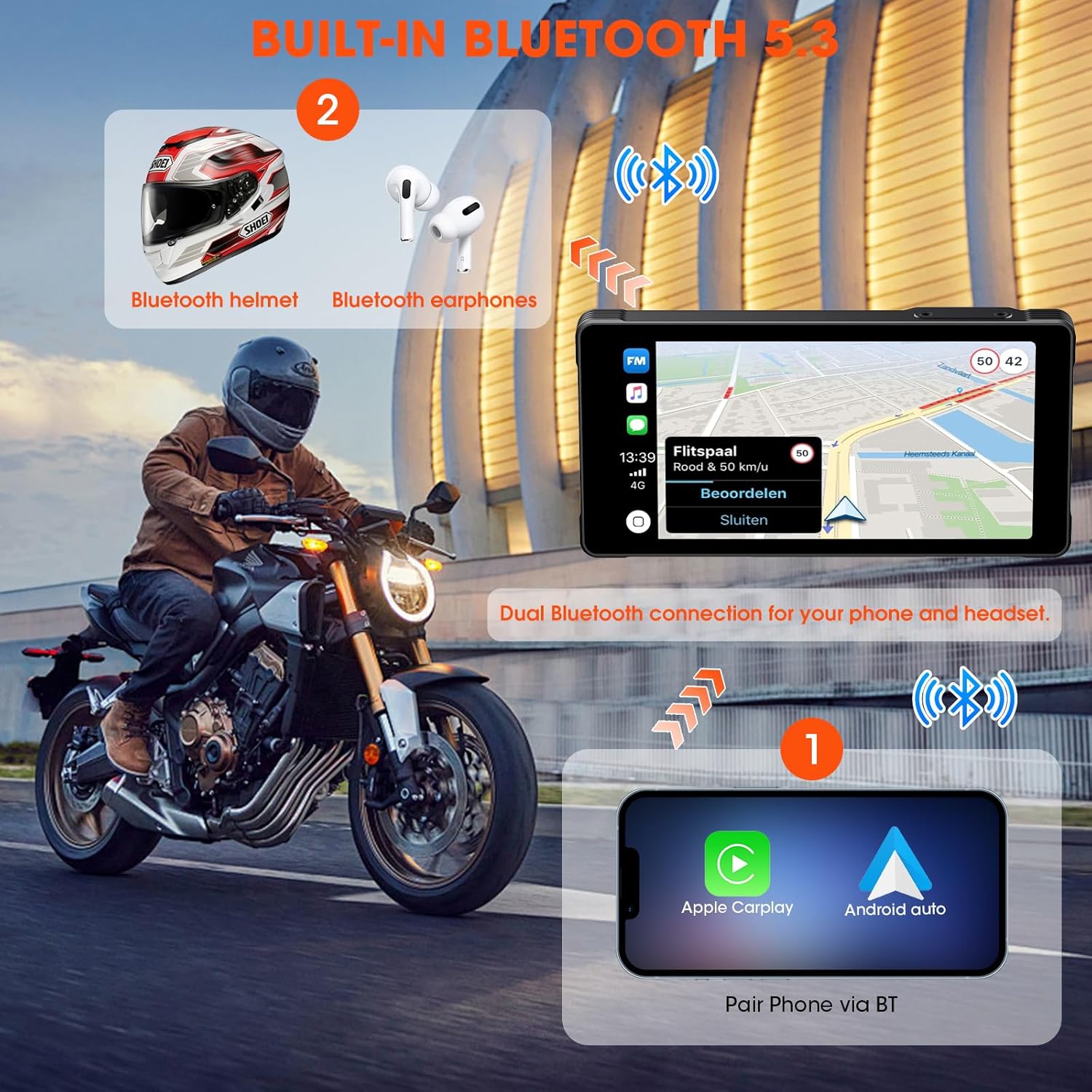
Image: Shows the smart steering wheel remote control and its functions, designed for safe operation while riding.
6. GPS-навігацыя
GPS navigation is provided through your smartphone's CarPlay or Android Auto application. The dash cam acts as a display for your phone's navigation system, offering real-time directions on its screen.
Тэхнічнае абслугоўванне
- Уборка: Выкарыстоўвайце мяккі, damp тканінай для чысткі экрана і корпуса прылады. Пазбягайце выкарыстання абразіўных ачышчальнікаў або растваральнікаў.
- Абнаўленні прашыўкі: Перыядычна правярайце інфармацыю вытворцы webсайт для абнаўленняў прашыўкі, каб забяспечыць аптымальную прадукцыйнасць і доступ да новых функцый.
- Карта памяці: Format the memory card regularly (e.g., monthly) to maintain optimal recording performance and prevent data corruption. Back up important footagе перад фарматаваннем.
- Праверка кабеля: Regularly inspect all cables and connections for wear, damage, or loose fittings.
Ліквідацыю непаладак
| праблема | Магчымая прычына | Рашэнне |
|---|---|---|
| Прылада не ўключаецца. | Incorrect wiring; Blown fuse; Low battery voltage. | Check power connections; Inspect fuse; Ensure motorcycle battery has sufficient charge. |
| CarPlay/Android Auto не падключаецца. | Bluetooth/Wi-Fi off on phone; Incorrect pairing; Interference. | Ensure phone's Bluetooth/Wi-Fi is on; Re-pair devices; Move away from sources of interference. |
| Cameras not recording or footagе пашкоджаны. | Memory card full/faulty; Incorrect card format; Loose camera connection. | Format memory card; Replace card if faulty; Check camera cable connections. |
| Няма гуку з гарнітуры. | Headset not paired; Volume too low; Incorrect audio output selected. | Ensure headset is paired and connected; Adjust volume; Check audio settings on device. |
Тэхнічныя характарыстыкі
| Асаблівасць | Дэталь |
|---|---|
| Вытворца | АКАМАЦЭ |
| Памеры прадукту | 0.99 х 14.99 х 7.49 см (прыблізна 1 х 15 х 7.5 см) |
| Вага прадмета | 907.18 грамаў (прыблізна 2 фунта) |
| ASIN | B0D9B3T8SL |
| Марка | АКАМАЦЭ |
| Тып абслугоўвання аўтамабіля | Motorcycle, Bicycle |
| Тэхналогія падлучэння | Bluetooth, WiFi |
| Асаблівасці | Voice Control, Wireless Android Auto, Portable Wireless CarPlay, Waterproof (IP67) |
| Дазвол відэазахопу | 1080p |
| Уключаныя кампаненты | Motorcycle Dash Cam Unit, Front Camera, Rear Camera, Mounting Tools, Installation Tools, Wiring Kit, Hardwire Kit, User Manual |
| Тып мацавання | Мацаванне на руль |
| Метад кантролю | Дыстанцыйнае |
Гарантыя і падтрымка
For warranty information and technical support, please refer to the documentation included with your product or visit the official AKAMATE webсайт. Захоўвайце чэк аб куплі як пацвярджэнне пакупкі для гарантыйных прэтэнзій.