
1. Уводзіны
Thank you for choosing the Xtrike Me GW-113 Dual Mode Wireless Mouse. This mouse offers versatile connectivity options, a comfortable design, adjustable sensitivity, and silent clicks for an enhanced user experience. Please read this manual carefully to ensure proper setup and operation.
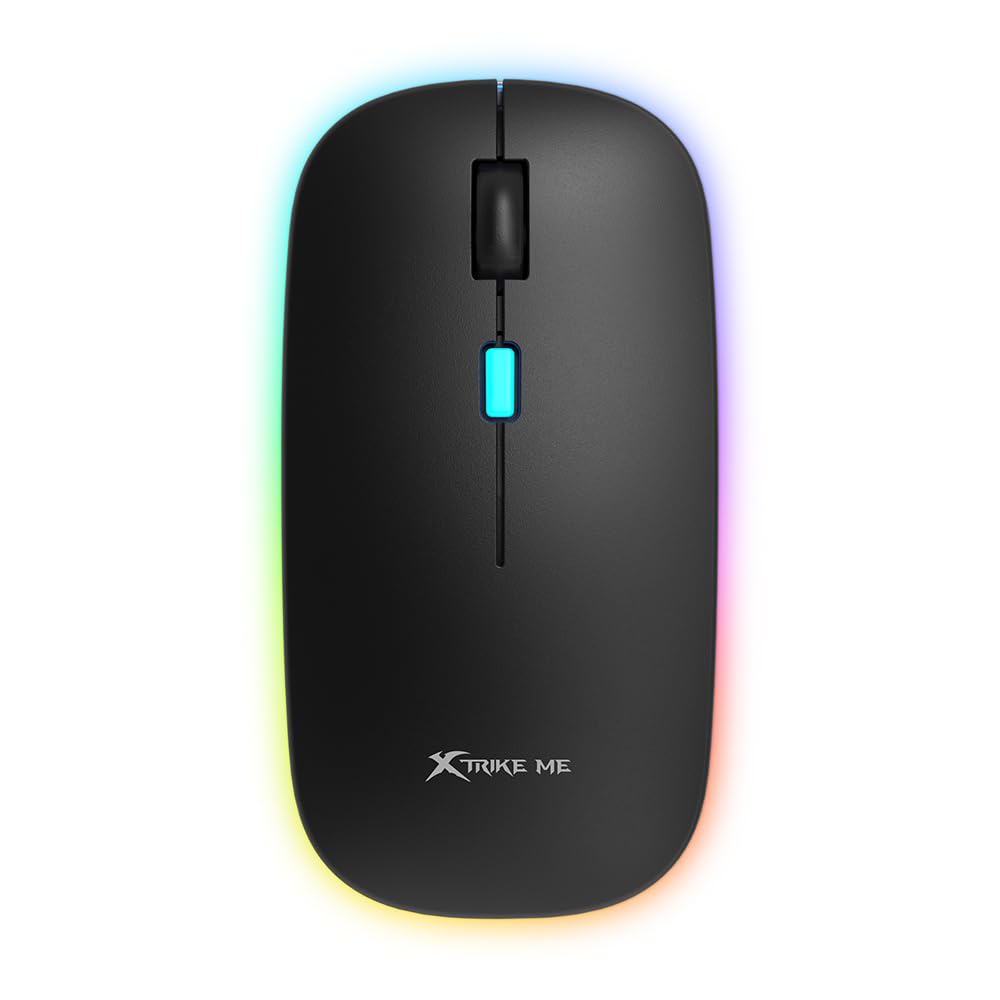
Выява: Уверсе view of the Xtrike Me GW-113 Dual Mode Wireless Mouse, showcasing its ergonomic shape and RGB lighting strip.
2. Змесціва ўпакоўкі
Калі ласка, праверце змесціва пакета пасля распакавання, каб пераканацца ў наяўнасці ўсіх прадметаў:
- Xtrike Me GW-113 Dual Mode Wireless Mouse
- USB-прыёмнік 2.4G
- Зарадны кабель USB (Micro USB)
- Кіраўніцтва карыстальніка

Image: The product packaging for the Xtrike Me GW-113 mouse, illustrating the mouse, USB receiver, and charging cable.
3. Інструкцыі па ўсталёўцы
The GW-113 mouse supports two connection modes: 2.4G Wireless and Bluetooth. You can switch between modes using the switch on the bottom of the mouse.
3.1. Бесправадное злучэнне 2.4G
- Locate the USB 2.4G receiver, usually stored in a compartment on the bottom of the mouse.
- Падключыце USB-прыёмнік да даступнага USB-порта на вашым кампутары або прыладзе.
- Turn on the mouse using the power switch on the bottom. Ensure the mode switch is set to 2.4G.
- The mouse should automatically connect to your device. If not, try moving the mouse closer to the receiver or re-inserting the receiver.
3.2. Злучэнне Bluetooth
- Turn on the mouse using the power switch on the bottom. Set the mode switch to Bluetooth.
- On your device (laptop, tablet, etc.), go to Bluetooth settings.
- Пошук new Bluetooth devices. The mouse should appear as "Xtrike Me GW-113" or similar.
- Select the mouse to pair. Once paired, the mouse is ready for use.
The mouse is compatible with Windows, Mac, Android, and Linux operating systems.
4. Інструкцыя па эксплуатацыі
4.1. Рэгуляванне DPI
The GW-113 mouse features adjustable DPI (Dots Per Inch) settings, allowing you to change the cursor sensitivity. This is useful for different tasks, such as precise editing or fast-paced gaming.
- To change the DPI, press the DPI button located on the top of the mouse, usually behind the scroll wheel.
- Each press will cycle through available DPI settings (e.g., 800, 1200, 1600 DPI).
- The LED indicator may change color or flash to indicate the current DPI setting.

Выява: Крупны план view of the Xtrike Me GW-113 mouse, highlighting the DPI button and scroll wheel.
4.2. Бясшумныя клікі
The mouse is designed with silent click technology, significantly reducing click noise. This feature is ideal for quiet environments like libraries, offices, or late-night use, ensuring you do not disturb others.
4.3. Recharging the Battery
The GW-113 mouse has a built-in rechargeable battery. When the battery is low, the LED indicator will signal this. To recharge:
- Connect the supplied USB charging cable to the Micro USB port on the front of the mouse.
- Plug the other end of the USB cable into a USB power source (e.g., computer USB port, USB wall adapter).
- Святлодыёдны індыкатар будзе паказваць стан зарадкі і выключацца або змяняць колер пры поўнай зарадцы.
Мыш можна выкарыстоўваць падчас зарадкі.
5. Тэхнічнае абслугоўванне
To ensure the longevity and optimal performance of your Xtrike Me GW-113 mouse, follow these simple maintenance guidelines:
- Уборка: Выкарыстоўвайце мяккую сухую тканіну для працірання паверхні мышы. Для выдалення ўстойлівага бруду злёгку працярыцеampпрацярыце тканіну вадой або мяккім ачышчальным растворам. Пазбягайце агрэсіўных хімічных рэчываў.
- захоўванне: Калі мыш не выкарыстоўваецца працяглы час, захоўвайце яе ў сухім, прахалодным месцы, удалечыні ад прамых сонечных прамянёў.
- Пазбягайце вадкасці: Do not expose the mouse to liquids. If liquid spills on the mouse, immediately disconnect it and allow it to dry completely before reuse.
- Асцярожна звяртайцеся: Не кідайце мыш і не падвяргайце яе моцным ударам, бо гэта можа пашкодзіць унутраныя кампаненты.
6. Выпраўленне непаладак
If you encounter issues with your GW-113 mouse, please refer to the following common problems and solutions:
6.1. Мыш не рэагуе
- Праверце магутнасць: Ensure the mouse is turned on and has sufficient battery charge. Recharge if necessary.
- Праверце рэжым падключэння: Verify that the mode switch on the bottom of the mouse is set correctly (2.4G or Bluetooth) for your intended connection.
- 2.4G-прыёмнік: For 2.4G mode, ensure the USB receiver is securely plugged into a working USB port. Try a different USB port.
- Спалучэнне праз Bluetooth: For Bluetooth mode, ensure the mouse is properly paired with your device. Go to your device's Bluetooth settings and re-pair if needed.
- Перазагрузка прылады: Часам праблемы з падключэннем можа вырашыць перазагрузка кампутара або прылады.
6.2. Няправільны рух курсора
- Паверхня: Ensure you are using the mouse on a clean, non-reflective, and uniform surface. A mouse pad is recommended.
- Аптычны датчык: Check if the optical sensor on the bottom of the mouse is clean and free from obstructions.
- Перашкоды: Move the mouse closer to the receiver (for 2.4G) or your Bluetooth device. Avoid using it near other wireless devices that might cause interference.
- Налада DPI: Adjust the DPI setting to see if a different sensitivity improves performance.
6.3. Акумулятар не зараджаецца
- Кабель: Ensure the USB charging cable is securely connected to both the mouse and the power source.
- Крыніца харчавання: Паспрабуйце іншы порт USB або адаптар сілкавання.
- Пашкоджанне кабеля: Inspect the charging cable for any visible damage. If damaged, replace it.
7. Тэхнічныя характарыстыкі
| Вытворца | Xtrike Me |
| Нумар мадэлі | GW-113 |
| Тэхналогія падлучэння | Bluetooth, бесправадная сувязь 2.4G |
| Асаблівасць | Wireless, Rechargeable, Silent Clicks, Adjustable DPI |
| Тэхналогія выяўлення руху | Аптычны |
| Колькасць кнопак | 7 |
| Рука арыентацыі | правільна |
| Рэкамендуемае выкарыстанне | Gaming, Office, General Use |
| Сумяшчальныя прылады | Personal Computer, Tablet, Laptop |
| Аперацыйныя сістэмы | Linux, Windows 7, Windows XP (and newer Windows versions), Mac, Android |

Image: The product packaging displaying detailed specifications and features of the Xtrike Me GW-113 mouse in multiple languages.
8. Гарантыя і падтрымка
Xtrike Me products are designed and manufactured to the highest quality standards. This product is covered by a limited warranty from the date of purchase. Please refer to the warranty card included in your package for specific terms and conditions.
For technical support, warranty claims, or further assistance, please visit the official Xtrike Me webсайт або звярніцеся ў службу падтрымкі кліентаў:
- Афіцыйны Webсайт: www.xtrike-me.com
- Абслугоўванне кліентаў: Звярніцеся да webсайт для кантактнай інфармацыі.