
FLEXISPOT MAH0002206
FLEXISPOT Standing Desk User Manual
Model: MAH0002206
1. Уводзіны
Thank you for choosing the FLEXISPOT Standing Desk. This manual provides essential information for the safe and efficient assembly, operation, and maintenance of your new adjustable height desk. Please read this manual thoroughly before use and retain it for future reference.
2. Інфармацыя па бяспецы
Каб забяспечыць бяспечную працу і пазбегнуць пашкоджанняў, калі ласка, выконвайце наступныя меры бяспекі:
- Не перавышайце максімальную грузападымальнасць 154 фунта (70 кг). Overloading may cause instability or damage.
- Трымайце дзяцей і хатніх жывёл далей ад стала падчас працы.
- Пераканайцеся, што падчас рэгулявання вышыні стала няма перашкод.
- Не сядзіце і не стойце на стале.
- Only use the desk indoors in a dry environment.
- Адключыце электрычнасць перад чысткай або тэхнічным абслугоўваннем.
- If any parts are damaged or missing, contact customer support immediately. Do not attempt to repair the desk yourself.
Важна: This desk is designed for office and home use. Any other use is considered improper and may lead to injury or damage.
3. Змесціва ўпакоўкі
Verify that all components are present and undamaged before beginning assembly. Refer to the image below for a visual representation of the package contents.
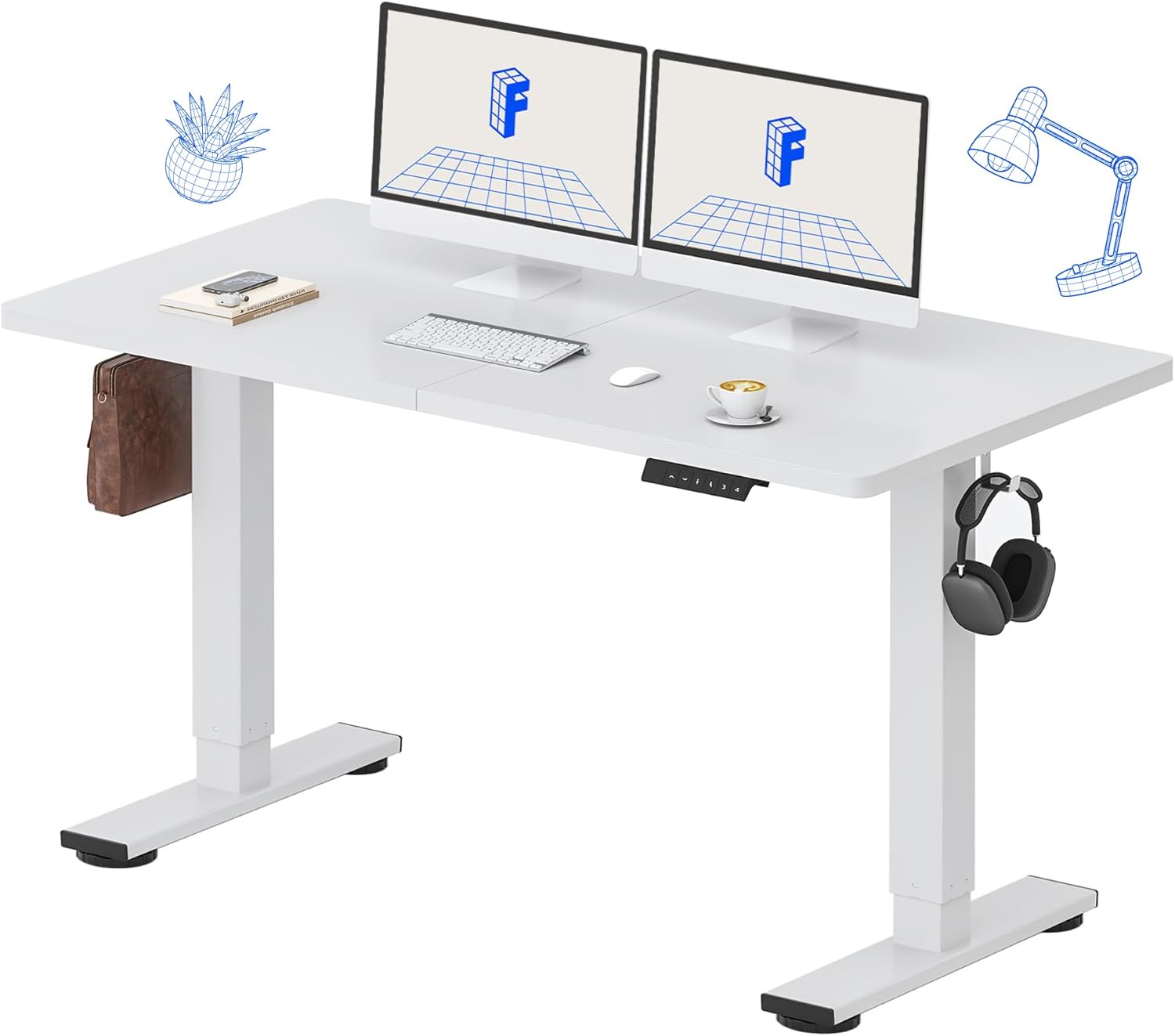
Image: All components of the FLEXISPOT Standing Desk, including the white desktop, white frame, and control panel.
- Desktop (55" x 24" White)
- Каркас стала (белы)
- Панэль кіравання са святлодыёдным дысплеем
- Адаптар сілкавання
- Зборачныя прылады
- Настольны арганайзер
- Side Storage Hooks (Set of 2)
4. Налада і зборка
Assembly is straightforward and all necessary tools are included. For detailed visual instructions, please refer to the included instruction booklet.
Этапы зборкі:
- Распакуйце ўсе кампаненты і раскладзеце іх на чыстай роўнай паверхні.
- Attach the lifting columns to the desktop using the provided screws and tools.
- Secure the foot supports to the bottom of the lifting columns.
- Mount the control panel to the underside of the desktop in a convenient location.
- Connect all cables (motor, control panel, power adapter) according to the diagram in the included instruction booklet.
- Падключыце адаптар сілкавання да насценнай разеткі.
- Perform the initial reset (refer to Operating Instructions).

Image: The FLEXISPOT Standing Desk is shipped in a single package for convenience.
5. Інструкцыя па эксплуатацыі
Функцыі панэлі кіравання:

Выява: Падрабязная view of the multi-function keypad, showing the LED display, Up/Down keys, and memory function buttons.
- Святлодыёдны дысплей: Паказвае бягучую вышыню стала ў цалях.
- Up/Down Keys (∧ / ∨): Press and hold to adjust the desk height upwards or downwards. Release to stop.
- Папярэднія налады памяці (1, 2, 3, 4):
- To save a height: Adjust the desk to your desired height, then press the 'M' button (or similar memory set button, if present) followed by the desired number (1, 2, 3, or 4). The display will show 'S-' followed by the number to confirm.
- To recall a height: Press the corresponding number button (1, 2, 3, or 4). The desk will automatically move to the saved position.
Дыяпазон рэгулявання вышыні:
The desk can be adjusted from a minimum height of 28.9 цаляў to a maximum height of 46.5 цаляў.

Image: Illustration showing the adjustable height range of the desk from 28.9 inches to 46.5 inches.
Initial Reset Procedure:
After initial setup or if the desk encounters an error, a reset may be required:
- Press and hold the 'Down' (∨) button until the desk reaches its lowest position and slightly retracts.
- Release the button. The desk is now reset and ready for use.
6. Тэхнічнае абслугоўванне
Regular maintenance ensures the longevity and optimal performance of your FLEXISPOT Standing Desk.
- Уборка: Працярыце працоўны стол і рамку мяккай губкайamp cloth. Avoid abrasive cleaners or harsh chemicals. Ensure the desk is unplugged before cleaning. The desktop is waterproof and scratch-resistant.
- Кабельнае кіраванне: Periodically check all cables to ensure they are securely connected and not pinched or damaged.
- Ёмістасць вагі: Do not exceed the 154 lb weight limit. Distribute weight evenly across the desktop.
- Шум рухавіка: The desk features a whisper-quiet motor (<50dB). If you notice unusual noises, discontinue use and contact support.

Image: The desk's high-quality desktop is waterproof, scratch-resistant, and smooth.

Image: A comparison chart illustrating the low noise level of the desk's motor (under 50dB) compared to other common sounds.
7. Выпраўленне непаладак
If you encounter issues with your FLEXISPOT Standing Desk, refer to the table below for common problems and solutions.
| праблема | Магчымая прычына | Рашэнне |
|---|---|---|
| Стол не рухаецца. | Адключэнне кабеля харчавання; перагрузка; памылка рухавіка. | Check power connection. Reduce weight on desk. Perform reset procedure. |
| Стол рухаецца няроўна. | Uneven weight distribution; Obstruction. | Redistribute weight. Check for obstructions under or around the desk. Perform reset procedure. |
| Код памылкі на дысплеі. | Няспраўнасць сістэмы. | Unplug the desk for 10 minutes, then plug back in. If error persists, contact customer support. |
| Не працуюць загадзя настроеныя налады памяці. | Прэсеты захаваны няправільна. | Re-save your desired height settings following the instructions in Section 5. |
If the problem persists after attempting these solutions, please contact FLEXISPOT customer support.
8. Тэхнічныя характарыстыкі
| Асаблівасць | Дэталь |
|---|---|
| Нумар мадэлі | MAH0002206 |
| Памеры працоўнага стала | 55 см (Ш) х 24 см (Г) |
| Дыяпазон рэгулявання вышыні | 28.9" - 46.5" |
| Максімальная грузападымальнасць | 154 фунтаў (70 кг) |
| Material (Desktop) | Канструяваная драўніна |
| Матэрыял (каркас) | Легаваная сталь |
| Узровень шуму рухавіка | <50 дБ |
| Колер | White Top + White Frame |
| Уключаныя кампаненты | Desk Organizer, Side Storage Hooks |

Image: The FLEXISPOT Standing Desk in use, demonstrating its versatility for both sitting and standing work, even accommodating a walking pad.

Выява: Крупны план view of the side storage hooks, useful for hanging headphones or bags.

Image: Technical diagram illustrating the desktop and frame dimensions, including the adjustable height range.
9. Гарантыя і падтрымка
FLEXISPOT products come with a warranty to ensure your satisfaction. The specific warranty type is either 'Limited' or 'Lifetime' as per product registration and terms.
- Гарантыя: Refer to your product registration or the official FLEXISPOT webсайт для атрымання падрабязных гарантыйных умоў.
- Вяртае: Enjoy 30-day easy returns.
- Падтрымка кліентаў: If you have any questions, require assistance with assembly, or encounter any issues not covered in this manual, please contact FLEXISPOT customer support.
For further assistance, visit the official FLEXISPOT Store: FLEXISPOT Store on Amazon