
1. Уводзіны
Thank you for choosing the Hangrui Kids Instant Print Digital Camera. This camera is designed to provide children with a fun and creative way to explore photography, offering instant printing, 1080P video recording, and various creative features. Please read this manual carefully to ensure proper use and to maximize your child's enjoyment of the camera.
2. Што ў скрынцы
Пасля распакавання пераканайцеся, што ўсе наступныя прадметы ў камплекце:
- Hangrui Kids Instant Print Digital Camera Body
- SD-карта на 32 ГБ
- Шнурок
- Printing Paper Rolls (Quantity may vary, typically 3 rolls)
- Зарадны кабель USB Type-C
- Color Pens (for DIY coloring)
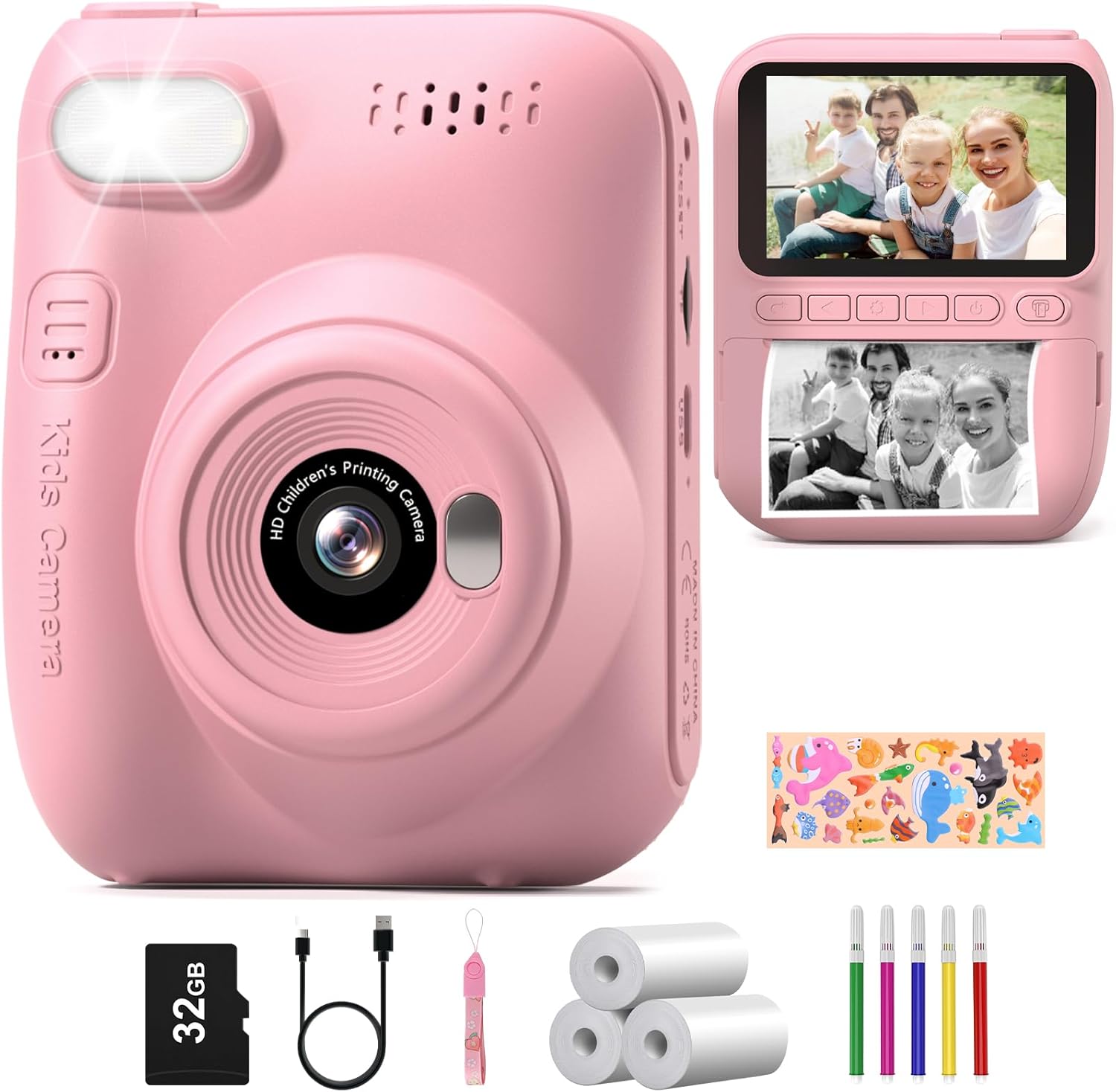
Image: All components included in the Hangrui Kids Instant Print Digital Camera package.
3. Прадукт скончыўсяview
The Hangrui Kids Instant Print Digital Camera features a compact design with a 3.0-inch HD screen and intuitive controls suitable for children. Key components include the lens, flash, power button, navigation buttons, shutter button, and paper output slot.
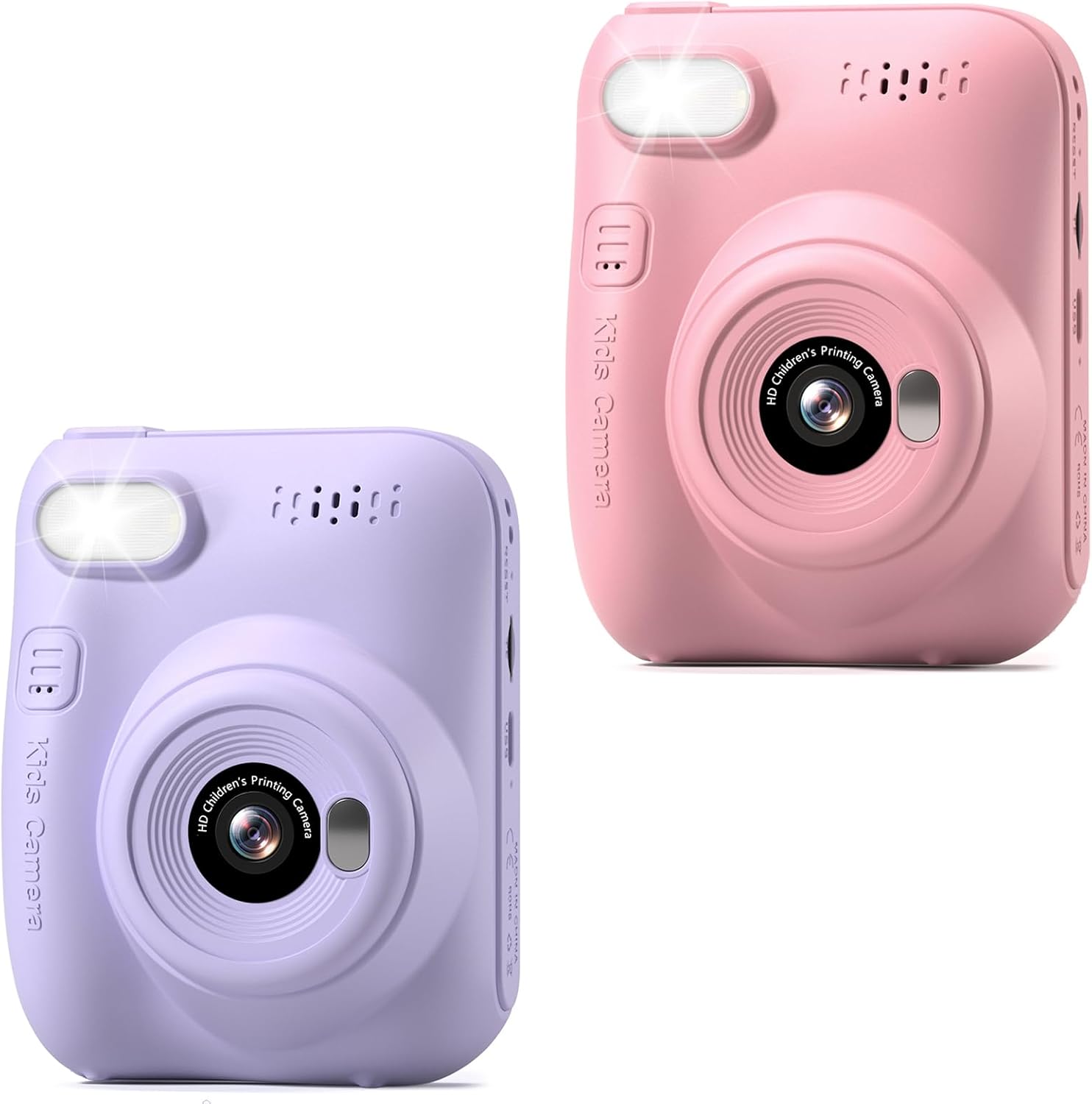
Выява: спераду view of the Hangrui Kids Instant Print Digital Camera.

Выява: Зверхуview of camera features and functions.
4. Настройка
4.1 Зарадка камеры
- Locate the Type-C USB charging port on the camera.
- Connect the provided USB Type-C cable to the camera and a compatible USB power adapter (not included) or computer USB port.
- Індыкатар зарадкі загарыцца. Пасля поўнай зарадкі індыкатар можа змяніць колер або выключыцца.
- A full charge typically provides up to 3 hours of continuous use.
4.2 Устаўка SD-карты
- Пераканайцеся, што камера выключана.
- Locate the SD card slot, usually on the side of the camera.
- Insert the provided 32GB SD card into the slot with the metal contacts facing the correct direction (refer to the diagram on the camera if available).
- Акуратна націсніце на карту, пакуль яна не зафіксуецца са шчоўкам. Каб выняць, націсніце на яе яшчэ раз, пакуль яна не выскочыць.
4.3 Loading Printing Paper
The camera uses ink-free thermal printing paper.
- Locate the paper compartment door, typically on the back or bottom of the camera.
- Адкрыйце дзверы купэ.
- Insert a roll of printing paper into the compartment, ensuring the paper feeds out from the top of the roll and is aligned correctly.
- Pull a small length of paper out of the compartment and close the door, making sure the paper protrudes slightly from the output slot.
5. Інструкцыя па эксплуатацыі
5.1 Уключэнне/выключэнне сілкавання
- Каб уключыць: Press and hold the Power button for a few seconds until the screen illuminates.
- Каб выключыць: Press and hold the Power button again until the screen turns off.
5.2 Фотаздымка
- Ensure the camera is in photo mode (indicated by an icon on the screen). Use navigation buttons to switch modes if necessary.
- Скампануйце кадр з дапамогай 3.0-цалевага HD-экрана.
- Press the Shutter button to capture a 12MP photo. The photo will be saved to the SD card.
5.3 Запіс відэа
- Пераключыце камеру ў рэжым відэазапісу.
- Press the Shutter button once to start recording 1080P video. A recording indicator will appear on the screen.
- Press the Shutter button again to stop recording. The video will be saved to the SD card.
5.4 Instant Printing
After taking a photo, you can instantly print it in black and white.
- In photo review mode, select the image you wish to print.
- Press the dedicated Print button (if available) or navigate through the menu to find the print option.
- The camera will print a black and white version of the photo from the loaded paper roll.
5.5 Using Digital Frames and Stickers
The camera offers 16 photo frame effects to add creativity to your pictures.
- Before taking a photo, navigate to the frames/stickers menu.
- Select your desired frame or sticker using the navigation buttons.
- Take the photo as usual; the selected effect will be applied.

Малюнак: Examples of digital frames available on the camera.
5.6 DIY Coloring
After printing black and white photos, children can use the included color pens to personalize their prints.
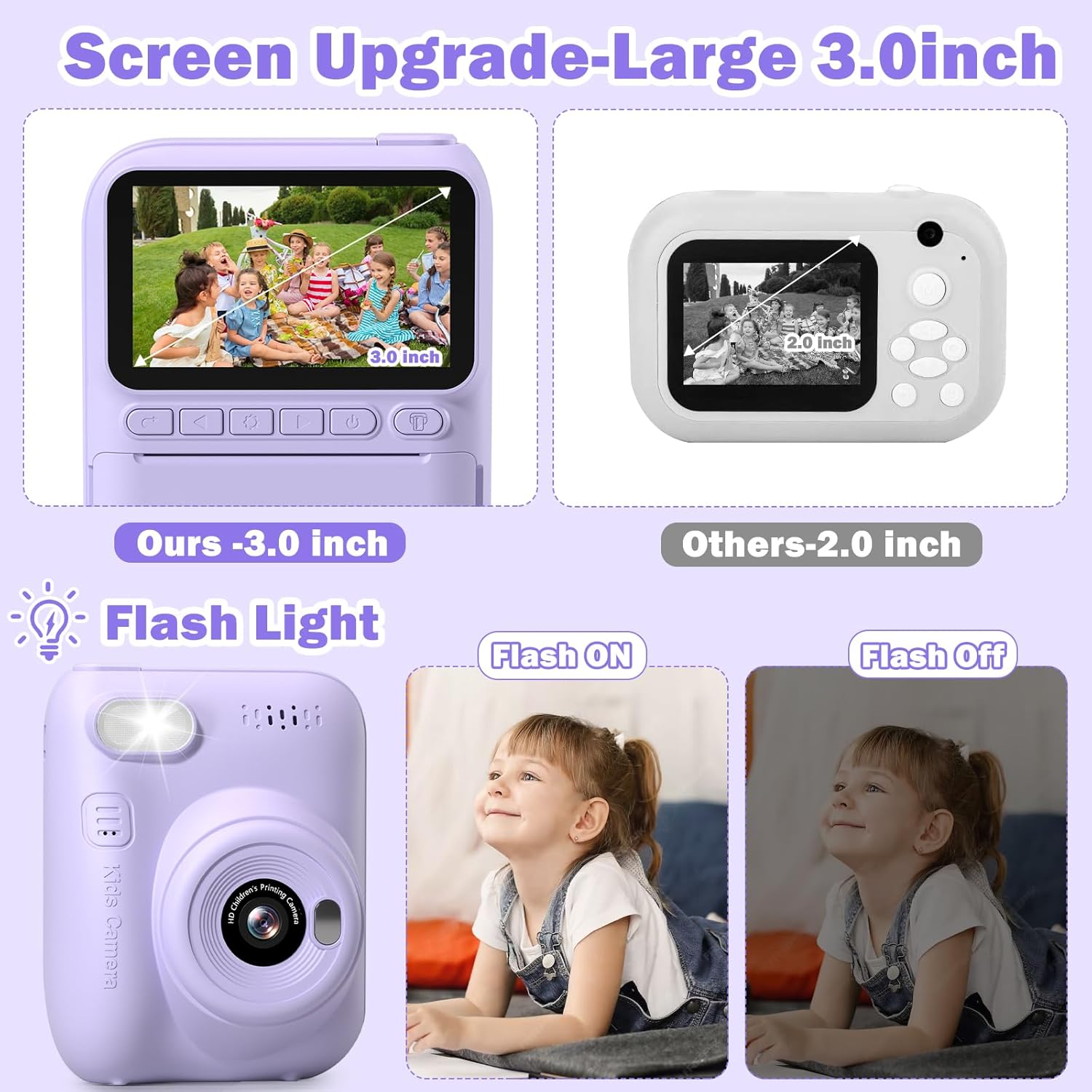
Image: A child engaging in DIY coloring of an instant print photo.
5.7 MP3 Function
The camera supports MP3 playback. To use this feature, ensure MP3 files are loaded onto the SD card in a designated folder (refer to on-screen menu for folder structure). Navigate to the MP3 player mode to select and play music.
5.8 Паскораная здымка
The time-lapse function allows the camera to take photos at set intervals over a period, creating a sequence of images.
- Navigate to the time-lapse setting in the camera menu.
- Select the desired interval (e.g., 5 seconds).
- Start the time-lapse sequence. The camera will automatically capture photos.
5.9 Continuous Shooting (Burst Mode)
Capture a rapid sequence of photos with the continuous shooting mode.
- Activate continuous shooting mode in the camera settings.
- Press and hold the Shutter button to take multiple photos in quick succession.
5.10 Успышка
The built-in flash provides additional illumination in low-light conditions.
- Access the flash settings in the camera menu.
- Choose between On, Off, or Auto modes as needed.
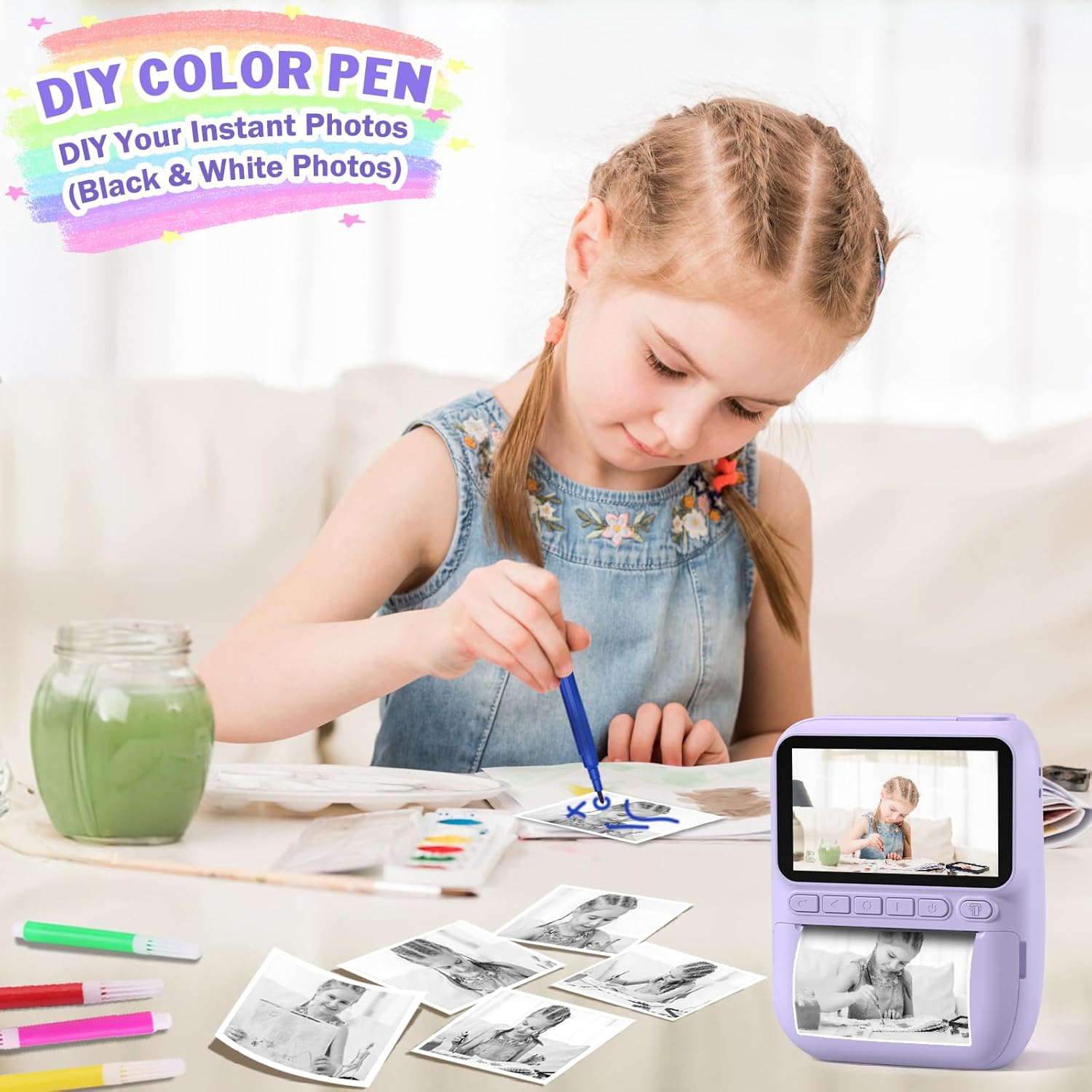
Image: Demonstration of the camera's flash light function.
6. Тэхнічнае абслугоўванне
6.1 Ачыстка
- Выкарыстоўвайце мяккую, сухую тканіну для чысткі корпуса камеры.
- For the lens and screen, use a specialized lens cleaning cloth to avoid scratches.
- Не выкарыстоўвайце вадкія ачышчальнікі або растваральнікі.
6.2 Сыход за акумулятарам
- Charge the camera regularly, even if not in frequent use, to maintain battery health.
- Avoid exposing the camera to extreme temperatures.
6.3 Захоўванне
- Захоўвайце камеру ў прахалодным, сухім месцы, удалечыні ад прамых сонечных прамянёў.
- Пры працяглым захоўванні пераканайцеся, што акумулятар часткова зараджаны (каля 50%).
7. Выпраўленне непаладак
- Камера не ўключаецца: Пераканайцеся, што акумулятар зараджаны. Падключыце да крыніцы харчавання і паспрабуйце яшчэ раз.
- Нельга рабіць фота/відэа: Check if the SD card is inserted correctly and has sufficient free space.
- Printing issues: Verify that printing paper is loaded correctly and that there is enough paper. Ensure the paper is not jammed.
- Дрэнная якасць выявы: Ensure the lens is clean. Check lighting conditions.
- Замарожаная камера: Націсніце і ўтрымлівайце кнопку харчавання на працягу 10-15 секунд, каб прымусова перазагрузіць кампутар.
8. Тэхнічныя характарыстыкі
| Асаблівасць | Апісанне |
|---|---|
| Марка | Хангруй |
| мадэль | Instant Print Digital Camera B0DB2CJZ4G |
| Памер экрана | 3.0-цалевы HD |
| Дазвол відэа | 1080P |
| Лічбавы зум | 16X |
| Ёмістасць батарэі | 1000 мАг (акумулятарная) |
| Тып зарадкі | Type-C USB |
| Карта памяці | 32GB SD Card (Included) |
| Тып друку | Ink-free Thermal Printing (Black and White) |
| Асаблівасці | Instant Print, Flash, Time-Lapse, Continuous Shooting, Fun Stickers, MP3, Auto Exposure |
| Уключаныя кампаненты | Camera Body, 32GB SD Card, Lanyard, Printing Paper, Color Pens |
9. Гарантыя і падтрымка
Hangrui products are designed for quality and reliability. For specific warranty information, please refer to the product packaging or contact the retailer where the product was purchased. For technical support or inquiries, please visit the official Hangrui webсайт або звярніцеся ў іх аддзел абслугоўвання кліентаў.


