
1. Уводзіны
This manual provides detailed instructions for the proper operation, maintenance, and troubleshooting of the INSTRUKART Lutron TU-2016 Turbidity Meter. Please read this manual thoroughly before using the device to ensure accurate measurements and safe operation.
The Lutron TU-2016 is designed for measuring turbidity in various water sources, including lakes, water tanks, rivers, and mangroves. It features a wide measurement range, high resolution, and a user-friendly interface, adhering to ISO 7027 standards.
2. Інфармацыя па бяспецы
- Always handle the meter and its components with care to prevent damage.
- Do not expose the device to extreme temperatures, humidity, or direct sunlight for prolonged periods.
- Ensure the battery compartment is properly sealed to prevent water ingress.
- Keep the exterior of the test bottle clean and dry before insertion into the meter.
- Use only specified standard solutions for calibration.
- Dispose of batteries and solutions according to local regulations.
3. Змесціва ўпакоўкі
Пасля распакавання пераканайцеся, што ўсе пералічаныя ніжэй прадметы наяўныя і знаходзяцца ў добрым стане:
- 1 Unit of TU-2016 Turbidity Meter
- 0 NTU standard solution
- 10 NTU standard solution
- Empty testing bottle (sample cuvette)
- Hard Carrying case
- Кіраўніцтва па эксплуатацыі
- Сертыфікат завадской каліброўкі
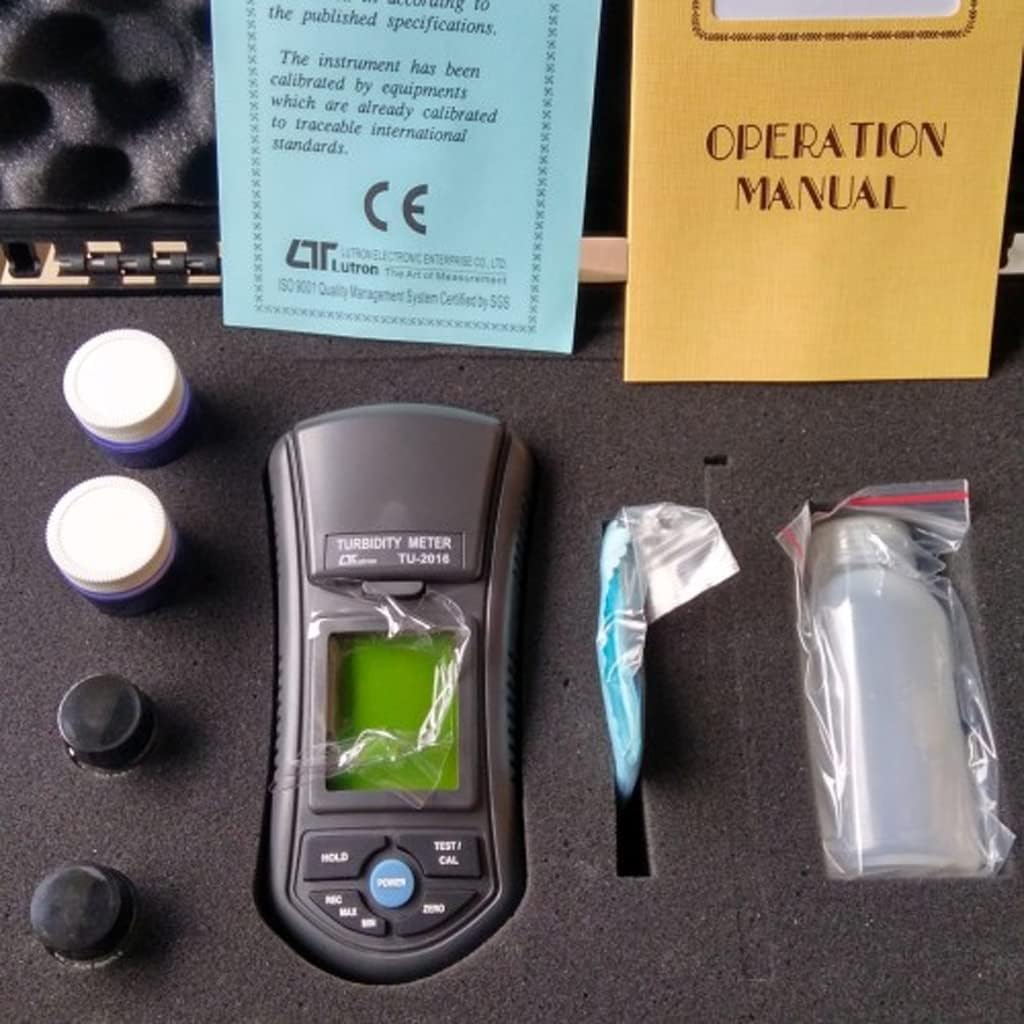
Малюнак 3.1: Contents of the TU-2016 Turbidity Meter package, neatly organized within its hard carrying case.

Малюнак 3.2: The TU-2016 Turbidity Meter along with its essential accessories for measurement and maintenance.
4. Прадукт скончыўсяview
The Lutron TU-2016 Turbidity Meter is a portable, microprocessor-controlled device designed for precise turbidity measurements. Key features include:
- ISO 7027 Compliance: Designed to meet international standards for turbidity measurement.
- Адзінка вымярэння: NTU (Nephelometric Turbidity Unit).
- Wide Auto Measurement Range: Ад 0 да 1,000 NTU.
- Высокая раздзяляльнасць: 0.01 NTU (for 0.00 to 50.00 NTU range) and 1 NTU (for 50 to 1,000 NTU range).
- Unique Optics Structure: Enables accurate readings from low to high turbidity levels.
- Зручны інтэрфейс: Four operation buttons and three calibration points for easy use.
- Jumbo LCD Display: Large display for clear and easy readability.
- Microprocessor Circuit: Ensures maximum accuracy and provides special functions.
- Працуе ад батарэі: Ideal for field and on-site testing.
- Функцыя ўтрымання дадзеных: Freezes the displayed value.
- Адкліканне памяці: Records and recalls Maximum and Minimum readings.
- Аўтаматычнае адключэнне: Захоўвае тэрмін службы батарэі.
- Трывалы дызайн: Heavy-duty and compact housing with a hard carrying case.

Малюнак 4.1: Фронт view of the TU-2016 Turbidity Meter, highlighting the display and control panel.

Малюнак 4.2: The TU-2016 Turbidity Meter held in hand, illustrating its compact and portable design.
5. Настройка
5.1 Устаноўка батарэі
The meter operates on six DC 1.5 V AAA (UM4) batteries. To install or replace batteries:
- Знайдзіце вечка батарэйнага адсека на задняй панэлі глюкометра.
- Open the cover and insert six AAA batteries, observing the correct polarity (+/-).
- Надзейна зачыніце крышку батарэйнага адсека.
5.2 Першапачатковае ўключэнне
Націсніце УЛАДА button to turn on the meter. The LCD display will illuminate and show a brief self-test before entering measurement mode.
6. Інструкцыя па эксплуатацыі
6.1 Preparing a Sample
- Ensure the empty testing bottle (cuvette) is clean and dry. Wipe the exterior with a lint-free cloth.
- Fill the testing bottle with the water sample to be measured. Avoid air bubbles.
- Securely cap the bottle.
6.2 Вымярэнне
- Адкрыйце сample compartment lid on the top of the meter.
- Insert the prepared sample bottle into the compartment, ensuring it is seated correctly.
- Закрыць сample вечка аддзялення.
- Націсніце TEST/CAL button to initiate a measurement. The turbidity reading will appear on the LCD display.
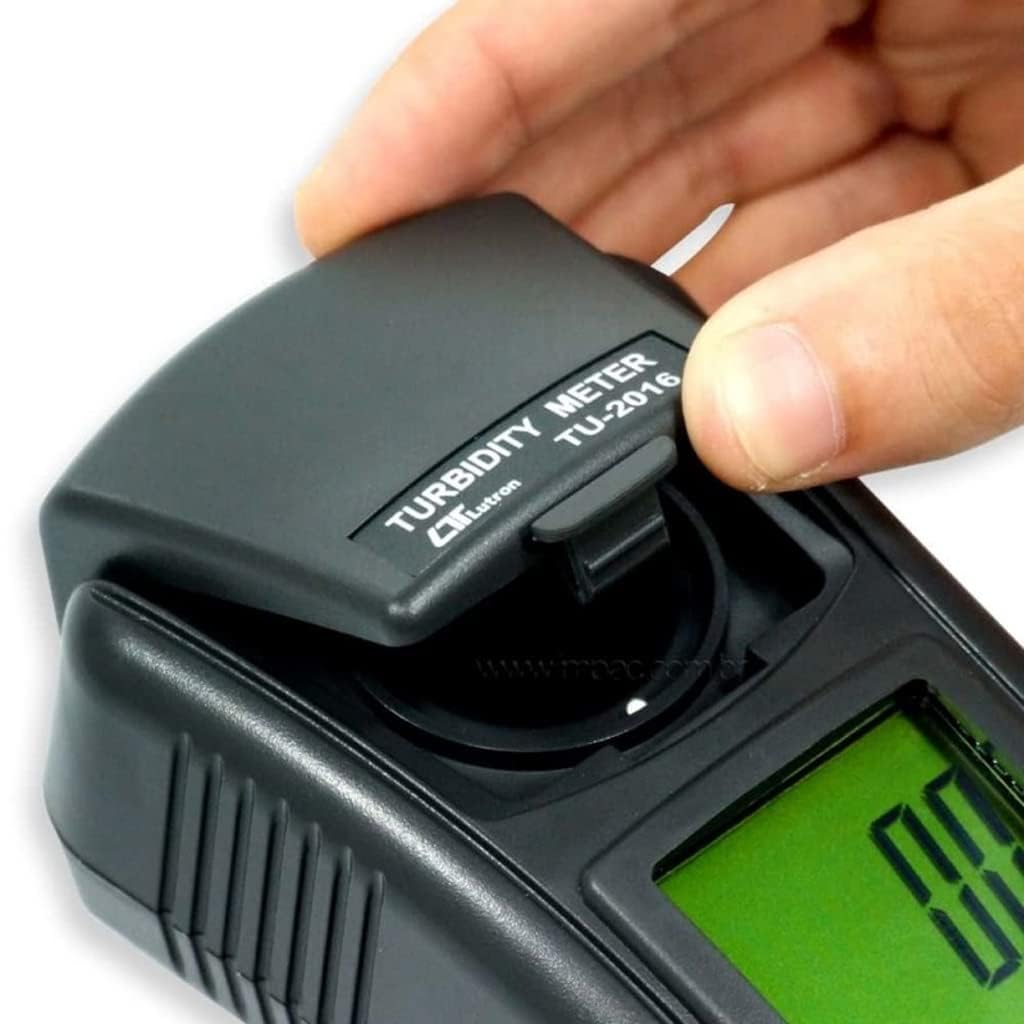
Малюнак 6.1: Opening the sample вечка аддзялення.

Малюнак 6.2: Inserting a sample bottle into the meter.
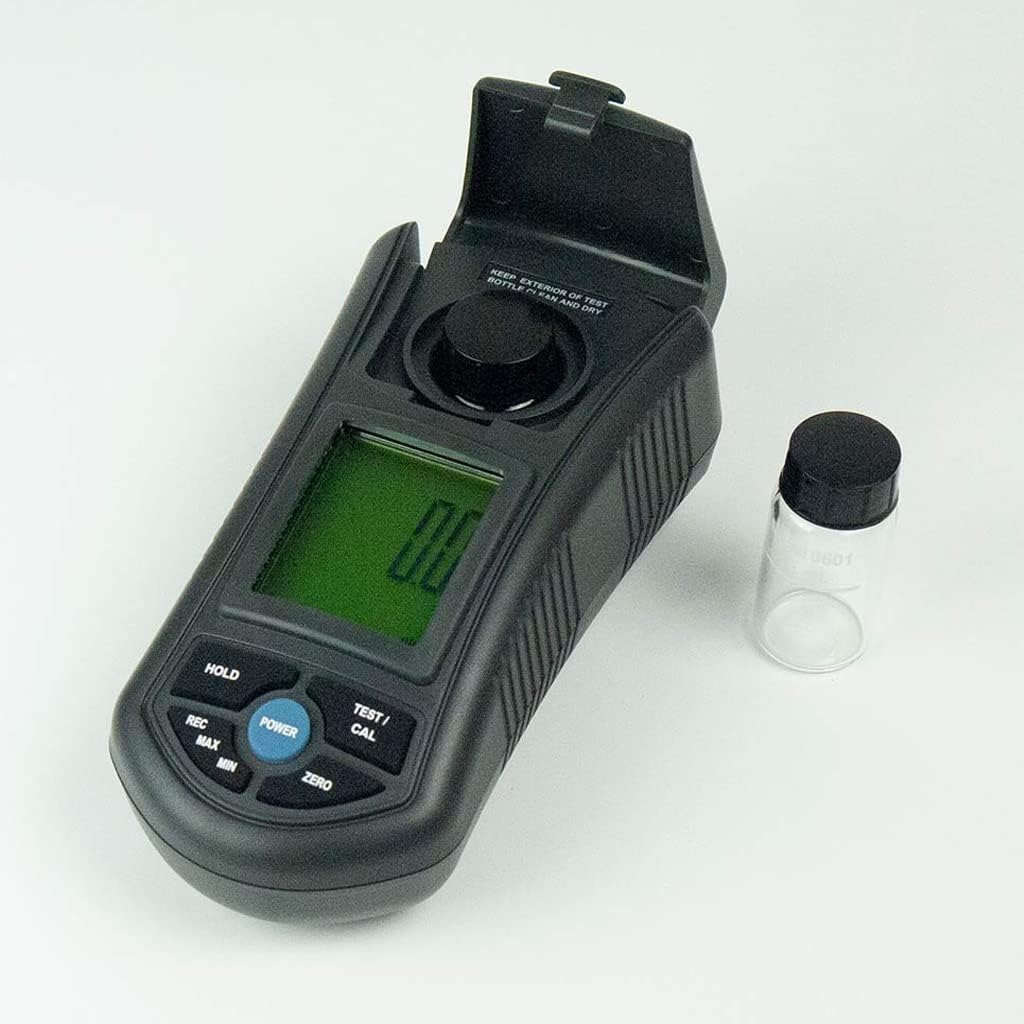
Малюнак 6.3: The meter with the sample compartment open, ready for sample insertion.
6.3 Функцыя ўтрымання дадзеных
Каб зафіксаваць бягучае паказанне на дысплеі, націсніце кнопку ТРЫМАЦЬ button. Press it again to release and resume live measurement.
6.4 Memory Recall (MAX/MIN)
The meter can record and recall the maximum and minimum turbidity readings:
- Націсніце ЗАПІС адзін раз націсніце кнопку, каб адлюстраваць максімальнае запісанае значэнне.
- Націсніце ЗАПІС зноў націсніце кнопку, каб адлюстраваць мінімальнае запісанае значэнне.
- Націсніце ЗАПІС button a third time to exit memory recall mode.
6.5 Auto Shut-Off
The meter features an auto shut-off function to conserve battery life. If no button is pressed for a certain period, the meter will automatically power off. This can be manually overridden by pressing the УЛАДА кнопку, каб выключыць прыладу.
7. Каліброўка
The TU-2016 features a three-point push-button calibration system. Regular calibration ensures the accuracy of your measurements. Use the provided 0 NTU and 10 NTU standard solutions for calibration.
- Уключыце лічыльнік.
- Insert the 0 NTU standard solution into the sample купэ.
- Націсніце і ўтрымлівайце TEST/CAL button until the calibration mode is indicated on the display. Follow the on-screen prompts to calibrate the 0 NTU point.
- Remove the 0 NTU solution and insert the 10 NTU standard solution.
- Repeat the calibration process for the 10 NTU point.
- The third calibration point (if applicable) can be performed similarly with a higher NTU standard solution if available and required for your specific application.
- After successful calibration, the meter will return to measurement mode.
Note: Refer to the Factory Calibration Certificate for details on the initial calibration performed by the manufacturer.
8. Тэхнічнае абслугоўванне
8.1 Чыстка глюкометра
- Працярыце вонкавую паверхню глюкометра мяккай тканінайamp тканіна. Не выкарыстоўвайце абразіўныя ачышчальнікі або растваральнікі.
- Трымайце сample compartment clean and free of debris.
- Ensure the exterior of the test bottles are always clean and dry before use.
8.2 Захоўванне
- When not in use, store the meter and its accessories in the provided hard carrying case.
- Захоўваць у прахалодным, сухім месцы, удалечыні ад прамых сонечных прамянёў і экстрэмальных тэмператур.
- If storing for extended periods, remove the batteries to prevent leakage.
9. Выпраўленне непаладак
| праблема | Магчымая прычына | Рашэнне |
|---|---|---|
| Лічыльнік не ўключаецца. | Разраджаныя або няправільна ўсталяваныя батарэйкі. | Замяніце батарэйкі, сачыце за правільнай палярнасцю. |
| Няправільныя паказанні. |
|
|
| Display shows "Err" or similar error. | Measurement range exceeded or internal error. | Забяспечце сample is within 0-1000 NTU range. Power cycle the device. If error persists, contact support. |
10. Тэхнічныя характарыстыкі
| Параметр | Дэталь |
|---|---|
| Схема | Custom one-chip of microprocessor LSI circuit |
| Дысплей | Памер LCD: 41 мм x 34 мм |
| Дыяпазон вымярэнняў | 0.00 to 50.00 NTU, 50 to 1,000 NTU (Auto range) |
| дазвол | 0.01 NTU (0.00 to 50.00 NTU), 1 NTU (50 to 1,000 NTU) |
| Дакладнасць | ± 5 % F.S. or ± 0.5 NTU, whichever is greater |
| Крыніца святла | Святлодыёд, 850 нм |
| Дэтэктар | Фотадыёд |
| Адпаведнасць стандарту | Meet ISO 7027 |
| Час водгуку | Менш за 10 секунд |
| Sample Volume Needed | 10 мл |
| Утрыманне дадзеных | Замарозіць паказанні дысплея |
| Адкліканне памяці | Максімальнае і мінімальнае значэнне |
| Дысплей Sampчас Час | Прыбл. 1 секунды |
| Выключэнне | Аўтаматычнае або ручное адключэнне кнопкай |
| Працоўная тэмпература | ад 0 да 50°C |
| Працоўная вільготнасць | Адносная вільготнасць менш за 85%. |
| Электразабеспячэнне | DC 1.5 V battery (UM4, AAA) x 6 PCs |
| Power Current (Standby) | Прыбл. 3.5 мА пастаяннага току |
| Power Current (Testing) | Прыбл. 36 мА пастаяннага току |
| Вага | 320 g Approx. (0.71 lbs) |
| Памеры | 155 х 76 х 62 мм (6.1 х 2.99 х 2.44 цалі) |
11. Падтрымка і гарантыя
For technical assistance, troubleshooting beyond this manual, or warranty inquiries, please contact INSTRUKART customer support. Refer to your purchase documentation for specific warranty terms and contact information.
The product comes with a Factory Calibration Certificate, ensuring its initial accuracy and compliance with international standards.