
Thomson TDF-1001P
THOMSON 10.1-inch Digital Photo Frame User Manual
Model: TDF-1001P
1. Уводзіны
This user manual provides comprehensive instructions for setting up, operating, and maintaining your THOMSON 10.1-inch WiFi Digital Photo Frame. Please read this manual carefully before using the device to ensure proper functionality and longevity.
2. Прадукт скончыўсяview
The THOMSON Digital Photo Frame is designed to display your cherished memories with ease. It features a high-definition IPS touchscreen and WiFi connectivity for convenient photo sharing.
Асноўныя характарыстыкі:
- 32 ГБ убудаванай памяці: Stores approximately 50,000 photos. Supports SD Card/SDHC Card/MMC Card/USB Drive expansion up to 256GB.
- Простая ўстаноўка: Connects to WiFi, automatically sets local date and time.
- 10.1-inch 1280x800 HD IPS Screen: Provides clear image viewing with a 180° viewкут нахілу.
- Некалькі інтэрфейсаў: Supports DC-4.0, Type-C, SD, 3.5mm Jack, and USB.
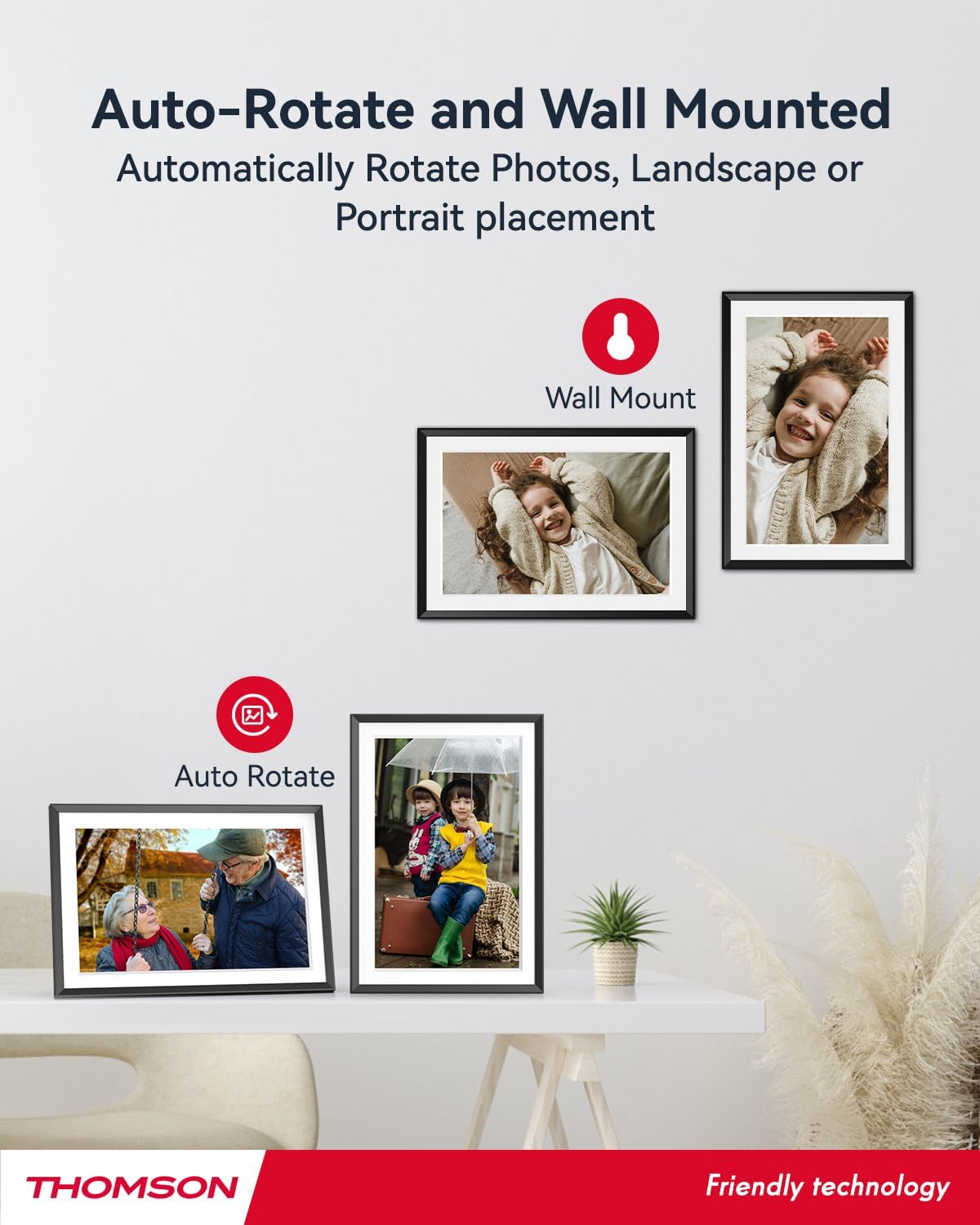
- Аўтаматычнае паварот: Displays photos correctly in any orientation.
- Фонавая музыка: Play music during slideshows.
- Google Photo Support: Send photos directly from Google Photos.





3. Настройка
3.1 Распакоўка і першапачатковы агляд
- Акуратна дастаньце ўсе кампаненты з упакоўкі.
- Verify that all items listed in the 'Product Overviewраздзел 'прысутнічаюць.
- Inspect the frame for any signs of damage. If damaged, do not proceed and contact customer support.
3.2 Падключэнне харчавання
- Connect the power adapter to the DC-4.0 port on the back of the photo frame.
- Падключыце адаптар сілкавання да стандартнай электрычнай разеткі.
- The frame will power on automatically.
3.3 Падключэнне да сеткі (Wi-Fi)
- On the frame's touchscreen, navigate to 'Settings' or 'Wi-Fi Settings'.
- Выберыце патрэбную сетку Wi-Fi са спісу даступных сетак.
- Увядзіце пароль Wi-Fi з дапамогай экраннай клавіятуры.
- Confirm the connection. Once connected, the frame will automatically synchronize the date and time.
3.4 App Installation (Thomson Smart Frame)
To share photos wirelessly from your smartphone, download the 'Thomson Smart Frame' app:
- For Android devices, search for 'Thomson Smart Frame' on the Крама Google Play.
- For iOS devices, search for 'Thomson Smart Frame' on the Apple App Store.
- Follow the on-screen instructions within the app to pair it with your digital photo frame.
4. Інструкцыя па эксплуатацыі
4.1 Дадаванне фота і відэа
- Via Thomson Smart Frame App: Use the paired smartphone app to wirelessly send photos and videos to the frame.
- Праз SD-карту/USB-назапашвальнік: Insert a compatible SD card or USB drive into the respective slot. The frame will detect the media, and you can import files to the internal memory or play directly.
- Via Google Photos: The frame supports integration with Google Photos for direct photo sharing. Refer to the frame's on-screen instructions for linking your Google Photos account.
4.2 Навігацыя па сэнсарным экране
The frame features an intuitive touchscreen interface. Tap to select, swipe to scroll, and pinch to zoom (if supported by the specific function).
4.3 Slideshow Settings
Customize your photo slideshow experience:
- Slideshow Speed: Adjust the duration each photo is displayed.
- Эфекты пераходу: Choose from various transition styles between photos.
- Фонавая музыка: Выберыце аўдыя files to play during the slideshow.
4.4 Аўтаматычнае паварот
The frame automatically detects its orientation (landscape or portrait) and adjusts the displayed photos accordingly. Ensure the auto-rotate function is enabled in the settings if you wish to utilize this feature.
4.5 Multi-User Connection
Multiple users can connect to the same frame via the Thomson Smart Frame app, allowing family and friends to share their photos to your frame from different locations.
5. Тэхнічнае абслугоўванне
5.1 Ачыстка экрана
- Turn off the photo frame and unplug it from the power source.
- Выкарыстоўвайце мяккую тканіну без ворса (напрыклад, з мікрафібры), каб акуратна працерці экран.
- Для ўстойлівых плям злёгкуampen the cloth with water or a screen-cleaning solution specifically designed for electronic displays. Do not spray liquid directly onto the screen.
5.2 Агульны догляд
- Avoid exposing the frame to extreme temperatures, direct sunlight, or high humidity.
- Keep the frame away from water and other liquids.
- Do not block the ventilation openings on the frame.
- Handle the frame with care to prevent drops or impacts.
6. Выпраўленне непаладак
| праблема | Магчымая прычына | Рашэнне |
|---|---|---|
| Рамка не ўключаецца. | Адаптар сілкавання не падключаны або няспраўная разетка. | Пераканайцеся, што адаптар сілкавання надзейна падключаны да рамы і спраўнай электрычнай разеткі. Паспрабуйце іншую разетку. |
| Немагчыма падключыцца да Wi-Fi. | Няправільны пароль, слабы сігнал або праблемы з сеткай. | Double-check Wi-Fi password. Move frame closer to router. Restart router and frame. |
| Photos not displaying. | Не падтрымліваецца file format, no photos loaded, or storage issue. | Ensure photos are in supported formats (e.g., JPEG, PNG). Verify photos are loaded onto the frame's internal memory or connected storage. Check storage space. |
| Сэнсарны экран не рэагуе. | Часовы збой праграмнага забеспячэння. | Restart the frame by unplugging and re-plugging the power adapter. |
7. Тэхнічныя характарыстыкі
| Асаблівасць | Дэталь |
|---|---|
| Марка | Томсан |
| Нумар мадэлі | TDF-1001P |
| Памер экрана | 10.1 цаляў |
| Дазвол дысплея | 1280 x 800 HD |
| Тып дысплея | IPS сэнсарны экран |
| Унутраная памяць | 32 ГБ |
| Памяць з магчымасцю пашырэння | SD Card/SDHC Card/MMC Card/USB Drive (up to 256GB) |
| Тэхналогія падлучэння | Wi-Fi |
| Сумяшчальныя прылады | Android and iOS Smartphones |
| Крыніца харчавання | Правадная электрычная |
| Суадносіны бакоў | 16:10 |
| Матэрыял каркаса | Пластыкавыя |
| Памеры прадукту (Д х Ш х У) | 26.5 х 18.4 х 2.51 см |
| Вага прадукту | 530 грамаў |
8. Гарантыя і падтрымка
For warranty information or technical support, please refer to the documentation included with your purchase or visit the official Thomson website. You may also contact Thomson customer service directly for assistance with product issues or inquiries.
Ask a question about this manual
Ask about setup, troubleshooting, compatibility, parts, safety, or missing instructions. Manuals+ will review the question and use this page’s manual context to help answer it.