
Уводзіны
This manual provides detailed instructions for the setup, operation, maintenance, and troubleshooting of your Docooler Wireless Mechanical Keyboard, Fun Cake House edition. Please read this manual thoroughly before using the product to ensure optimal performance and longevity.
The Docooler Wireless Mechanical Keyboard features red switches, PBT keycaps, a high-clear display, and a volume control knob. It supports multiple connectivity options including 2.4G wireless, Bluetooth, and wired connections, and is compatible with Windows, Mac, iOS, and Android systems.
Змест пакета
Праверце наяўнасць усіх прадметаў у камплекце:
- 1x Docooler Wireless Mechanical Keyboard (Fun Cake House)
- 1x USB-кабель (для праваднога падключэння і зарадкі)
- 1x USB-прыёмнік 2.4G
- 1x Кіраўніцтва карыстальніка (гэты дакумент)
Настройка
1. Зарадка клавіятуры
Before initial use, fully charge the keyboard. Connect the provided USB cable to the keyboard's USB-C port and the other end to a USB power source (e.g., computer USB port, wall adapter). The display will indicate charging status. A full charge typically takes 2-3 hours.
The keyboard is equipped with an 1850mAh rechargeable lithium battery.
2. Параметры падключэння
Your keyboard supports three connection modes: 2.4G Wireless, Bluetooth (BT), and Wired USB.
2.1. Бесправадное злучэнне 2.4G
- Locate the 2.4G USB receiver, usually stored in a compartment on the keyboard.
- Падключыце USB-прыёмнік 2.4G да даступнага USB-порта вашага кампутара.
- Switch the keyboard's connection mode to 2.4G (refer to the Рэжымы працы section for details on switching modes).
- The keyboard should automatically connect. The display will show the 2.4G connection icon.
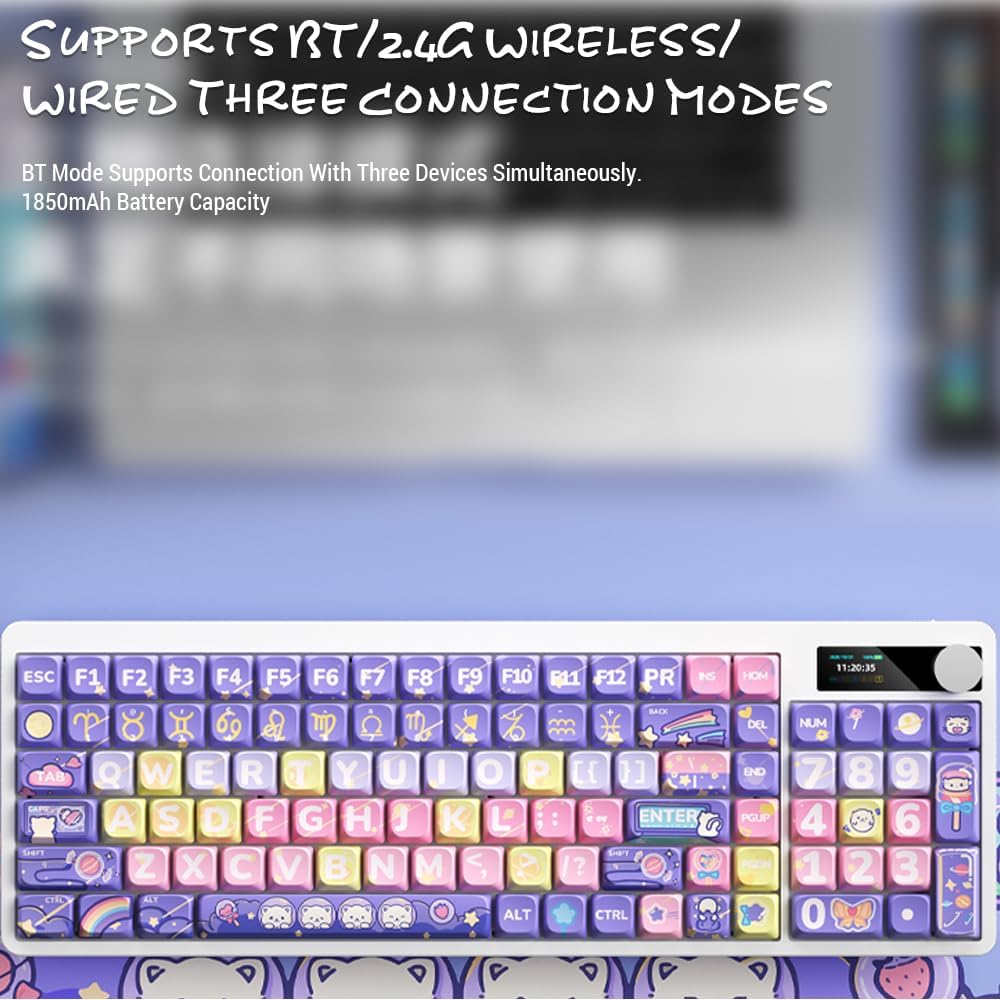
Image: Keyboard display showing 2.4G wireless connection status.
2.2. Bluetooth (BT) Connection
Клавіятура можа падключацца да трох прылад Bluetooth адначасова.
- Switch the keyboard's connection mode to Bluetooth (BT1, BT2, or BT3).
- На вашай прыладзе (камп'ютары, планшэце, смартфоне) уключыце Bluetooth і пачніце пошук новых прылад.
- Select "Docooler Keyboard" (or similar name) from the list of available devices.
- Калі будзе прапанавана, увядзіце код спалучэння, які адлюстроўваецца на экране.
- Once paired, the display will show the Bluetooth connection icon for the selected channel.
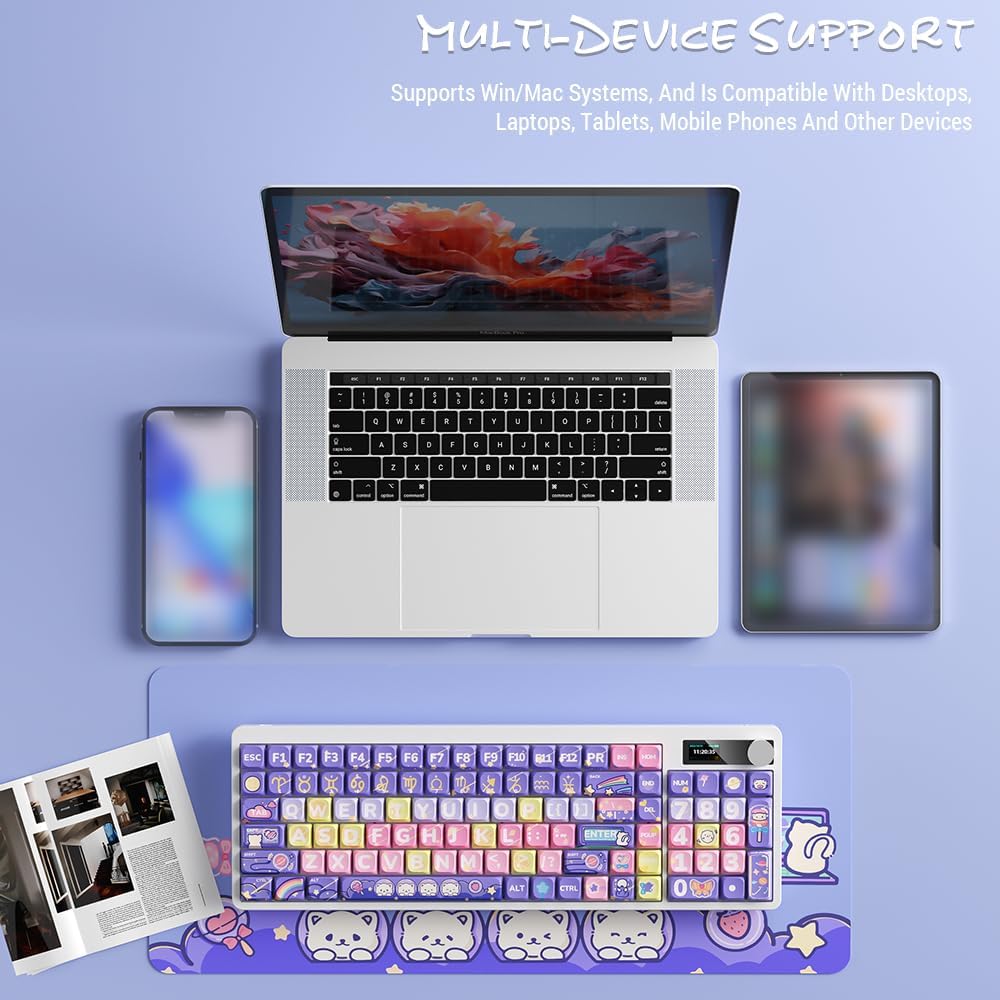
Image: Docooler keyboard demonstrating multi-device support, connected to a laptop, tablet, and smartphone via Bluetooth.
2.3. Правадное падключэнне USB
- Connect the provided USB cable directly from the keyboard to your computer's USB port.
- Switch the keyboard's connection mode to Wired (refer to the Рэжымы працы раздзел).
- The keyboard will be recognized as a standard USB keyboard.
Інструкцыя па эксплуатацыі
1. Пераключэнне рэжымаў злучэння
Use the dedicated mode switch or key combination (refer to the keyboard's specific function keys, often marked with icons for 2.4G, BT, and USB) to cycle through the connection modes. The display screen will clearly indicate the active mode.

Image: Close-up of the keyboard display showing indicators for Bluetooth, 2.4G, and wired connection modes, along with battery status and time.
2. High Clear Display Functions
The integrated display provides real-time information and customization options. It can show:
- Дата і час
- Узровень батарэі
- Connection Mode (2.4G, BT1/2/3, Wired)
- Налады падсветкі
- Узровень гучнасці
- Custom Images or Dynamic GIFs (customization via software, if available)

Выява: Падрабязная view of the keyboard's high-clear display, illustrating various functions such as date, time, power, connection mode, and backlight settings.
3. Ручка рэгулявання гучнасці
The metal knob located on the top right of the keyboard allows for quick adjustment of system volume. Rotate clockwise to increase volume, counter-clockwise to decrease. Pressing the knob typically mutes/unmutes audio.

Image: Close-up of the unique metal round knob, highlighting its function for adjusting brightness and volume.
4. Рэгуляванне падсвятлення
The keyboard features a colorful backlight. Use the dedicated function keys (often Fn + specific keys) or the display menu to cycle through different lighting effects, adjust brightness, and change colors. Refer to the display for visual feedback on backlight settings.
5. Функцыянальныя клавішы (камбінацыі Fn)
Многія клавішы маюць другарадныя функцыі, даступныя пры ўтрыманні Fn key and pressing the desired key. Common Fn combinations include:
- Fn+F1-F12: Multimedia controls (play/pause, volume, track skip), application shortcuts.
- Fn + клавішы са стрэлкамі: Backlight brightness/speed adjustment.
- Fn+Win: Lock/unlock Windows key.
- Fn + Mode Key: Switch between 2.4G, BT, and Wired modes.
Consult the keycap legends for specific Fn functions on your "Fun Cake House" keyboard.
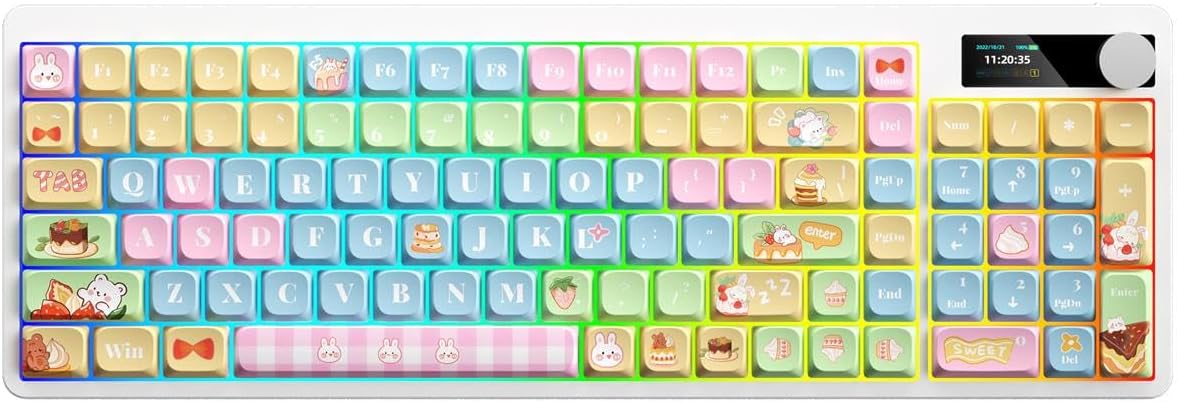
Image: Full layout of the Docooler Wireless Mechanical Keyboard in the Fun Cake House design, showing all 101 keys, the display, and the volume knob.
Тэхнічнае абслугоўванне
1. Уборка
- Адключыце клавіятуру ад усіх крыніц харчавання і прылад перад чысткай.
- Выкарыстоўвайце мяккую безворсовую тканіну, злёгку dampпрамыйце вадой або мяккім ачышчальным растворам, каб працерці клавішы і паверхню клавіятуры.
- Для выдалення пылу і смецця паміж клавішамі выкарыстоўвайце сціснутае паветра або невялікую шчотку.
- Пазбягайце выкарыстання агрэсіўных хімічных рэчываў, абразіўных рэчываў або растваральнікаў, бо яны могуць пашкодзіць пакрыццё клавіятуры і надпісы на клавішах.
2. Keycap Removal (Optional)
The PBT keycaps can be removed for deeper cleaning or replacement. Use a keycap puller to gently lift keycaps straight up. Avoid excessive force to prevent damage to the switch stems.
3. Захоўванне
When not in use for extended periods, store the keyboard in a cool, dry place away from direct sunlight and extreme temperatures. Ensure the battery is partially charged (around 50%) before long-term storage to preserve battery health.
Ліквідацыю непаладак
Клавіятура не адказвае
- Праверце акумулятар: Ensure the keyboard is charged. Connect it via USB cable to charge.
- Праверце рэжым падключэння: Verify the keyboard is in the correct mode (2.4G, BT, or Wired) for your device.
- 2.4G Issues: Ensure the USB receiver is securely plugged in. Try a different USB port.
- Праблемы з Bluetooth: Re-pair the keyboard with your device. Ensure Bluetooth is enabled on your device. Try forgetting the device and re-pairing.
- Wired Issues: Ensure the USB cable is securely connected to both the keyboard and the computer. Try a different USB cable or port.
- Перазапуск: Restart your computer/device and the keyboard.
Keys Not Registering / Double Typing
- Чыстыя каўпачкі клавіш: Remove keycaps and clean any debris around the switch.
- Абнаўленне прашыўкі: Check the Docooler official webсайт, каб даведацца пра даступныя абнаўленні прашыўкі для вашай мадэлі.
Падсвятленне не працуе
- Налады яркасці: Ensure the backlight brightness is not set to minimum or off. Adjust using Fn combinations or the display menu.
- Энергазберажэнне: The backlight may turn off after a period of inactivity to save battery. Press any key to reactivate.
Display Screen Issues
- Цыкл харчавання: Выключыце і зноў уключыце клавіятуру.
- Яркасць: Ensure the display brightness is not set too low.
Тэхнічныя характарыстыкі
| мадэль | Docooler Wireless Mechanical Keyboard (Fun Cake House) |
| Тып перамыкача | Чырвоныя перамыкачы |
| Клавішы | PBT |
| Сувязь | 2.4G Wireless, Bluetooth (BT), Wired USB |
| Падсвятленне | Маляўнічая падсвятленне |
| Пераход ключа | Поўны пераход ключа |
| Дысплей | High Clear Display |
| ручка | Metal Volume Control Knob |
| акумулятар | 1850mAh 3.7V Rechargeable Lithium Battery |
| Раскладка клавіш | 101 Keys (with display screen + knob) |
| Падтрымоўваныя сістэмы | Windows, Mac, iOS, Android |
| Памеры | 39.7 х 13.4 х 1.7 см (15.6 х 5.3 х 0.7 цалі) |
| Вага | 621 г (1.37 фунта) |

Image: Diagram illustrating the dimensions of the Docooler Wireless Mechanical Keyboard: 39.7cm (15.6in) length and 13.4cm (5.3in) width.
Інфармацыя аб гарантыі
Docooler products are covered by a limited warranty from the date of purchase. This warranty covers manufacturing defects in materials and workmanship. It does not cover damage caused by accident, misuse, abuse, modification, improper installation, or normal wear and tear.
For specific warranty terms and conditions, please refer to the warranty card included with your product or visit the official Docooler webсайт.
Падтрымка кліентаў
If you encounter any issues or have questions regarding your Docooler Wireless Mechanical Keyboard that are not addressed in this manual, please contact our customer support team.
- электронная пошта: support@docooler.com
- Webсайт: Visit the official Docooler website for FAQs, drivers, and additional support resources: www.docooler.com
When contacting support, please have your product model (B0DB7YPHFK) and purchase information ready.