
Уводзіны
This manual provides essential information for the safe and effective use of your FLYLINKTECH V8 6000mAh Replacement Battery. This battery is designed for V8 series vacuum cleaners, including V8 Animal, V8 Absolute, V8 Fluffy, V8 Motorhead, V8 Hand-held Series, and SV10 models. Please read these instructions carefully before installation and use.
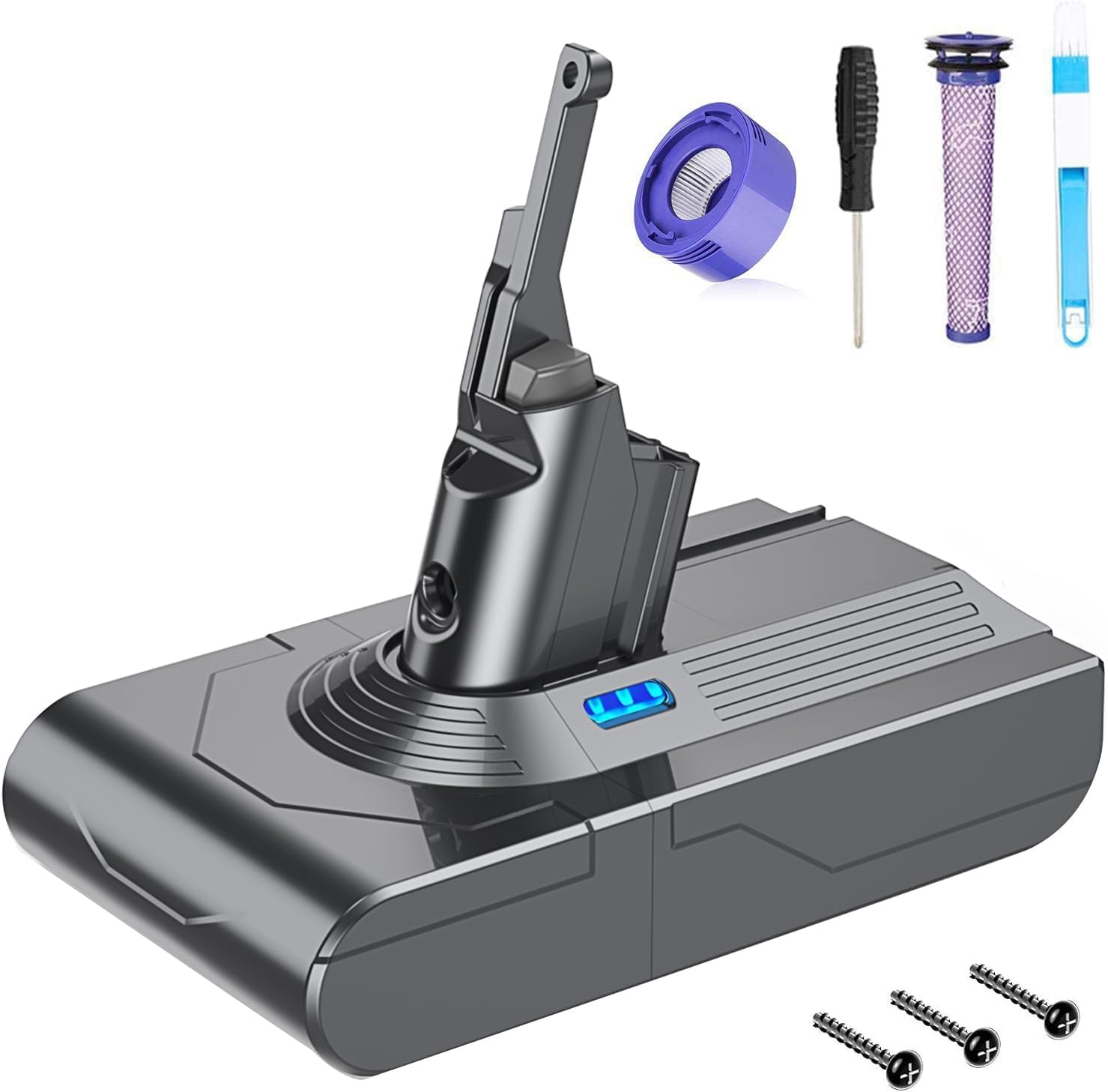
Image: FLYLINKTECH V8 6000mAh Replacement Battery. This image shows the replacement battery unit, highlighting its design and connection points.
Настройка і ўстаноўка
Follow these steps to install your new FLYLINKTECH V8 replacement battery:
- Step 1: Prepare the Vacuum. First, pull up the dust box release mechanism so that the lower cover is open.
- Step 2: Remove Existing Screws. Locate and remove three Phillips head screws: two at the bottom of the vacuum body and one at the handle. A screwdriver is included with your purchase.
- Step 3: Install New Battery. Carefully remove the old battery. Locate the new battery into the handle, ensuring it clicks into place securely.
- Step 4: Secure the Battery. Re-insert and tighten the three existing screws to secure the new battery.
- Step 5: Close Dust Box. Close the dust box cover until it latches.
- Step 6: Initial Charge. The new battery has only a small amount of remaining power. Please fully charge it before the first use.
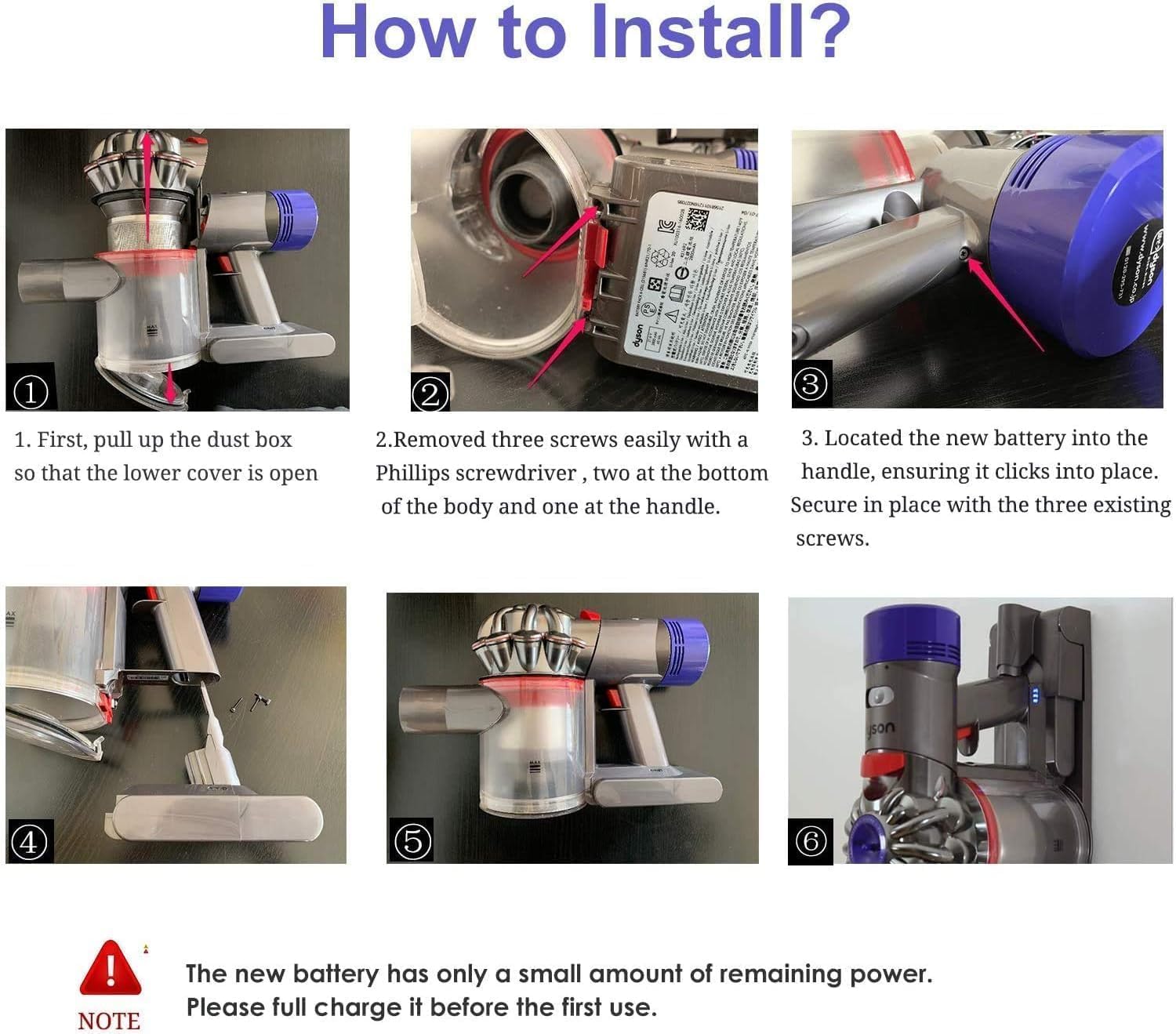
Image: Six-step battery installation guide. This image visually demonstrates each step of replacing the battery in a Dyson V8 vacuum cleaner, from opening the dust bin to securing the new battery and charging.
Сумяшчальнасць
The FLYLINKTECH V8 battery is compatible with all V8 series vacuum cleaners, including:
- V8 Absolute Vacuum
- V8 Animal Vacuum
- V8 Fluffy Vacuum
- V8 Motorhead Vacuum
- V8 Hand-held Series Vacuum Cleaner
- V8 SV10 (967834-02, 96783402) Vacuum Cleaner
- Акумулятарны ручной пыласос V8 для жывёл

Image: Compatible Dyson V8 vacuum cleaner models. This image displays various Dyson V8 models such as Animal, Fluffy, Absolute, Carbon Fibre, and Absolute Pro, indicating the battery's broad compatibility.
Аперацыя
Зарадка акумулятара
The battery supports charging with the original wall charger or stand unit. Observe the indicator lights for charging status:
- Нязменны сіні: Паказвае, што акумулятар зараз зараджаецца.
- Мігае чырвоным: Indicates an error has occurred during charging or operation. Refer to the troubleshooting section.
Важная заўвага:
Do not charge the battery immediately after it runs out, especially if used in MAX mode and the battery is hot. Allow the battery to cool down for 10-20 minutes before initiating a charge cycle. This helps prolong battery life.

Image: Three charging methods for Dyson V8 battery. This image illustrates different ways to charge the battery: directly connected to the vacuum, using a separate charging dock, and with the vacuum mounted on a wall dock.
Battery Indicator Description
The battery features indicator lights to communicate its status during charging and use:

Image: Battery indicator light descriptions for charging and using. This graphic explains what different light patterns mean for battery charge level (high, medium, low, empty) and fault conditions during both charging and operation.
Час працы
The battery provides approximately 40 minutes of working time in normal mode, depending on the vacuum cleaner's usage and power settings.
Тэхнічнае абслугоўванне
To ensure optimal performance and longevity of your battery and vacuum cleaner:
- Няма эфекту памяці: The Lithium-ion battery has no memory effect, allowing you to charge it as needed without loss of capacity.
- Абслугоўванне фільтраў: Regularly clean or replace the vacuum's filters. Two replacement filters and a cleaning brush are included with your battery purchase to assist with this.
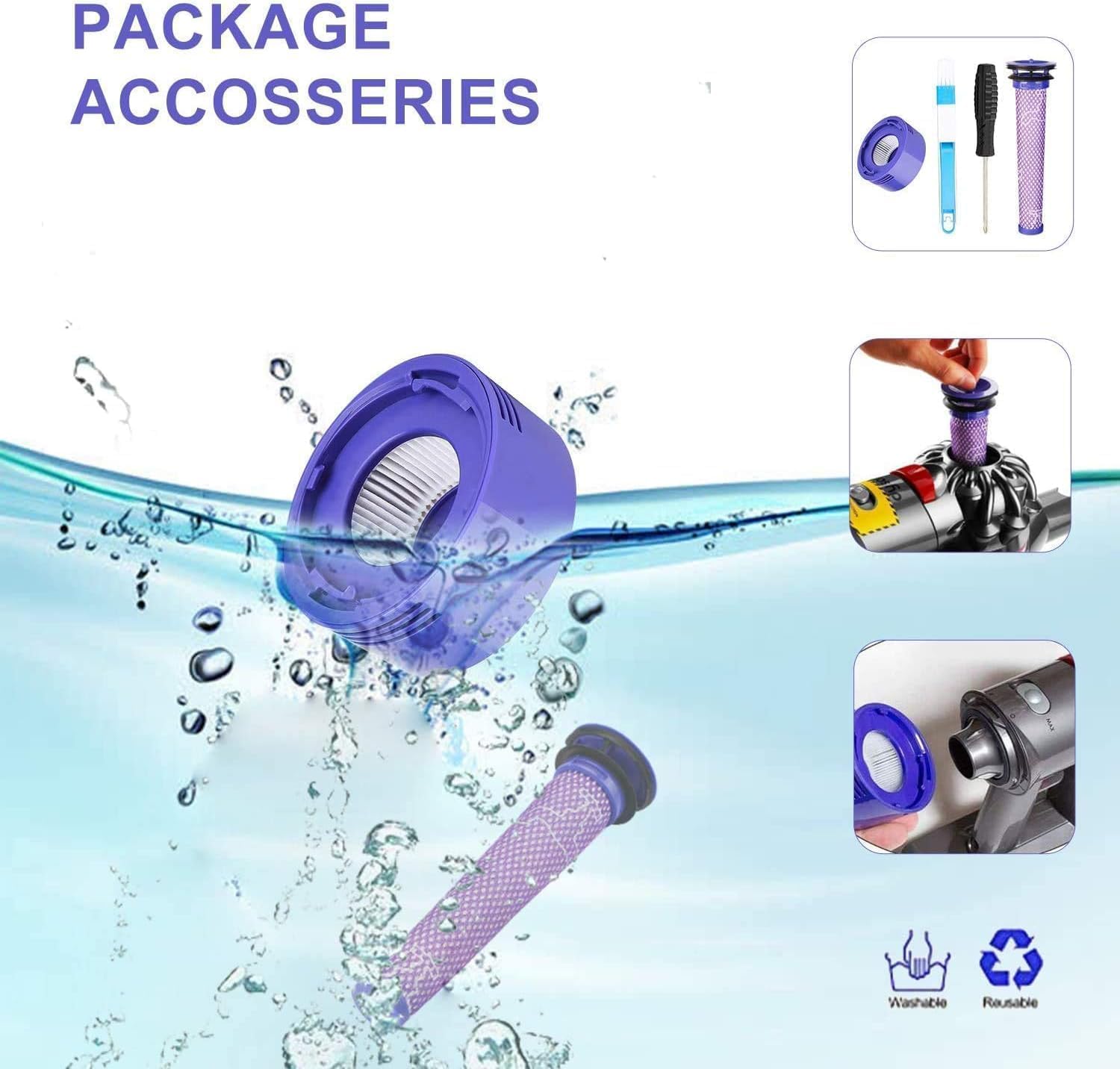
Image: Package accessories including filters and cleaning brush. This image shows the included pre-filter, post-filter, cleaning brush, and screwdriver, emphasizing the comprehensive package for maintenance.
Ліквідацыю непаладак
Калі ў вас узніклі праблемы з батарэяй, звярніцеся да наступных распаўсюджаных праблем і рашэнняў:
- Flashing Red Indicator: This indicates a fault.
- Няспраўнасць батарэі: If the indicator shows a battery fault (refer to the 'Indicator Description' image), try reinstalling the battery and checking the DC contacts for proper connection. If the issue persists, contact customer support.
- Charger Fault: If the indicator shows a charger fault, ensure the charger is correctly connected and functioning. If the issue persists, contact customer support.
- Main Body Fault: If the indicator shows a main body fault, this may indicate an issue with the vacuum cleaner itself. Contact customer support for assistance.
For detailed indicator light patterns, please refer to the 'Battery Indicator Description' image in the Operation section.
Тэхнічныя характарыстыкі
| Асаблівасць | Спецыфікацыя |
|---|---|
| Нумар мадэлі | 6000MAH-V8 |
| Ёмістасць | 6000 мАг (6.0 Аг) |
| Акумулятар Voltage | 21.6В |
| Ватtage | 129.6 Вт-гадз |
| Тып батарэі | Літый-іённы |
| Working Time (Normal Mode) | Прыкладна 40 хвілін |
| Памеры (Д х Ш х У) | 7.5 х 4 х 6 цалі |
| Сертыфікаты бяспекі | FCC, RoHS, CE, UN38.1 |
Функцыі бяспекі і абароны
The FLYLINKTECH V8 battery is equipped with multiple circuit protection systems to ensure safe operation:
- Абарона ад перазарадкі
- Абарона ад кароткага замыкання
- Абарона ад высокіх тэмператур
- Абарона ад перагрузкі па току
- Абарона ад пераразраду
- Звышtagе абарона
- Пад-абtagе абарона

Image: Diagram illustrating 9-layer smart protection for battery. This graphic shows various protection mechanisms such as output overcurrent, short-circuit, overvoltage, charging overvoltagе, undervoltage, high temperature, and anti-explosion layers.
Інфармацыя аб гарантыі
FLYLINKTECH batteries are manufactured with high-quality cells and undergo rigorous testing to meet OEM product standards. The product is designed for durability and performance, with a charge and discharge cycle life exceeding 1300 times.
For specific warranty terms and conditions, please refer to the product packaging or contact FLYLINKTECH customer service directly.
Падтрымка кліентаў
If you encounter any issues or have questions regarding your FLYLINKTECH V8 replacement battery, please do not hesitate to contact us. Our customer service team is available to assist you.
Спосаб сувязі: Please reach out via Amazon message for prompt assistance.


