
1. Уводзіны
This manual provides detailed instructions for the operation and maintenance of your EazeID M950 Label Maker. Please read this manual thoroughly before using the device to ensure proper function and longevity.

Image 1.1: EazeID M950 Label Maker and accessories, including a label roll, USB-C cable, and printed labels.

Image 1.2: The EazeID M950 Label Maker being used to organize kitchen containers, demonstrating its practical application.
2. Змесціва ўпакоўкі
Праверце наяўнасць усіх прадметаў у камплекце:
- 1 х прылада для вырабу этыкетак EazeID M950
- 1 x Label Tape Cassette (12mm x 4M, Black on White)
- 1 х кабель перадачы дадзеных тыпу C
- 1 х Кіраўніцтва карыстальніка

Image 2.1: Visual representation of the EazeID M950 Label Maker, tape cassette, Type-C cable, and user manual as included in the product package.
3. Прадукт скончыўсяview
Familiarize yourself with the components and features of the EazeID M950 Label Maker.

Image 3.1: Key features of the EazeID M950, including the built-in 1200mAh Li-ion battery, safety label cutter, 203 DPI resolution, Bluetooth keyboard labeler functionality, and backlighting LCD screen.
Асноўныя характарыстыкі:
- Dual Printing Modes: Supports both QWERTY keyboard input and Bluetooth connectivity via the "Print Master" app.
- Акумулятарная батарэя: Integrated 1200mAh lithium battery for portable use.
- ВК-экран з падсветкай: Забяспечвае бачнасць у розных умовах асвятлення.
- Убудаваны разак: For precise label cutting.
- Тэрмадрук: No ink or toner required.
- Waterproof Labels: Produces durable, water-resistant labels.
4. Настройка
4.1 Зарадка прылады
The EazeID M950 Label Maker is equipped with a built-in 1200mAh rechargeable lithium-ion battery. Before first use, fully charge the device.
- Connect the provided Type-C USB cable to the charging port on the side of the label maker.
- Падключыце другі канец кабеля да адаптара харчавання USB (не ўваходзіць у камплект) або да порта USB кампутара.
- Індыкатар зарадкі загарыцца. Поўная зарадка звычайна займае 1-2 гадзіны.

Image 4.1: The EazeID M950 Label Maker being charged via its Type-C port, illustrating the fast charging capability.
4.2 Loading Label Tape
Ensure the device is powered off before loading or replacing label tape.
- Open the tape compartment cover located on the top of the label maker.
- Insert the label tape cassette with the tape end facing the printing slot. Ensure it clicks into place.
- Шчыльна зачыніце вечка адсека для стужкі.

Image 4.2: A visual comparison showing the integrated design of the EazeID M950's tape compartment with its rechargeable battery, contrasting with other models that use AAA batteries and separate covers.
4.3 Уключэнне/выключэнне
Press and hold the power button (usually located on the top right of the keyboard) for a few seconds to turn the device on or off. The backlit LCD screen will illuminate upon power-on.
5. Інструкцыя па эксплуатацыі
The EazeID M950 offers two primary printing methods: direct input via the QWERTY keyboard or connection via Bluetooth to the "Print Master" app.

Image 5.1: The EazeID M950 supports two printing modes: connecting via Bluetooth to a smartphone app or direct input using the integrated QWERTY keyboard.
5.1 QWERTY Keyboard Mode
This mode allows for direct text input and printing without needing a smartphone.
- Уключэнне: Уключыце прыладу для вырабу этыкетак.
- Увод тэксту: Выкарыстоўвайце клавіятуру QWERTY, каб увесці патрэбны тэкст этыкеткі. Тэкст будзе адлюстроўвацца на падсветленым LCD-экране.
- Фарматаванне: Use the function keys (e.g., 'Fn' key combined with other keys) to access formatting options such as font size, bold, italic, and symbols. Refer to the on-screen indicators for available options.
- Друк: Press the 'Print' button to generate the label.
- выразаць: After printing, press the built-in cutter lever (located on the left side) to cut the label.

Image 5.2: Instructions for QWERTY keyboard use: 1. Power On, 2. Keyboard input, 3. Print, 4. Built-in cutter.

Image 5.3: The EazeID M950 keyboard layout, highlighting access to over 100 frames, 23 languages, 3 sizes, 1000+ symbols, and accented characters.
5.2 Bluetooth App Mode (Print Master)
For advanced customization and template use, connect your label maker to the "Print Master" app.
- Спампаваць прыкладанне: Download the "Print Master" app from your smartphone's app store (available on App Store and Google Play).
- Уключэнне: Уключыце прыладу для вырабу этыкетак.
- Уключыць Bluetooth: Пераканайцеся, што Bluetooth уключаны на вашым смартфоне.
- Падключыць: Open the "Print Master" app and follow the on-screen instructions to connect to your EazeID M950 device.
- Дызайн-этыкетка: Use the app's interface to create your label. The app offers a library of customizable templates, fonts, icons, barcodes, and QR codes.
- Друк: Send the label design from the app to the label maker for printing.
- выразаць: After printing, press the built-in cutter lever to cut the label.

Image 5.4: Instructions for Bluetooth app connection: 1. Power On, 2. Turn on Bluetooth, 3. Connect to "Print Master" app, 4. Printing.
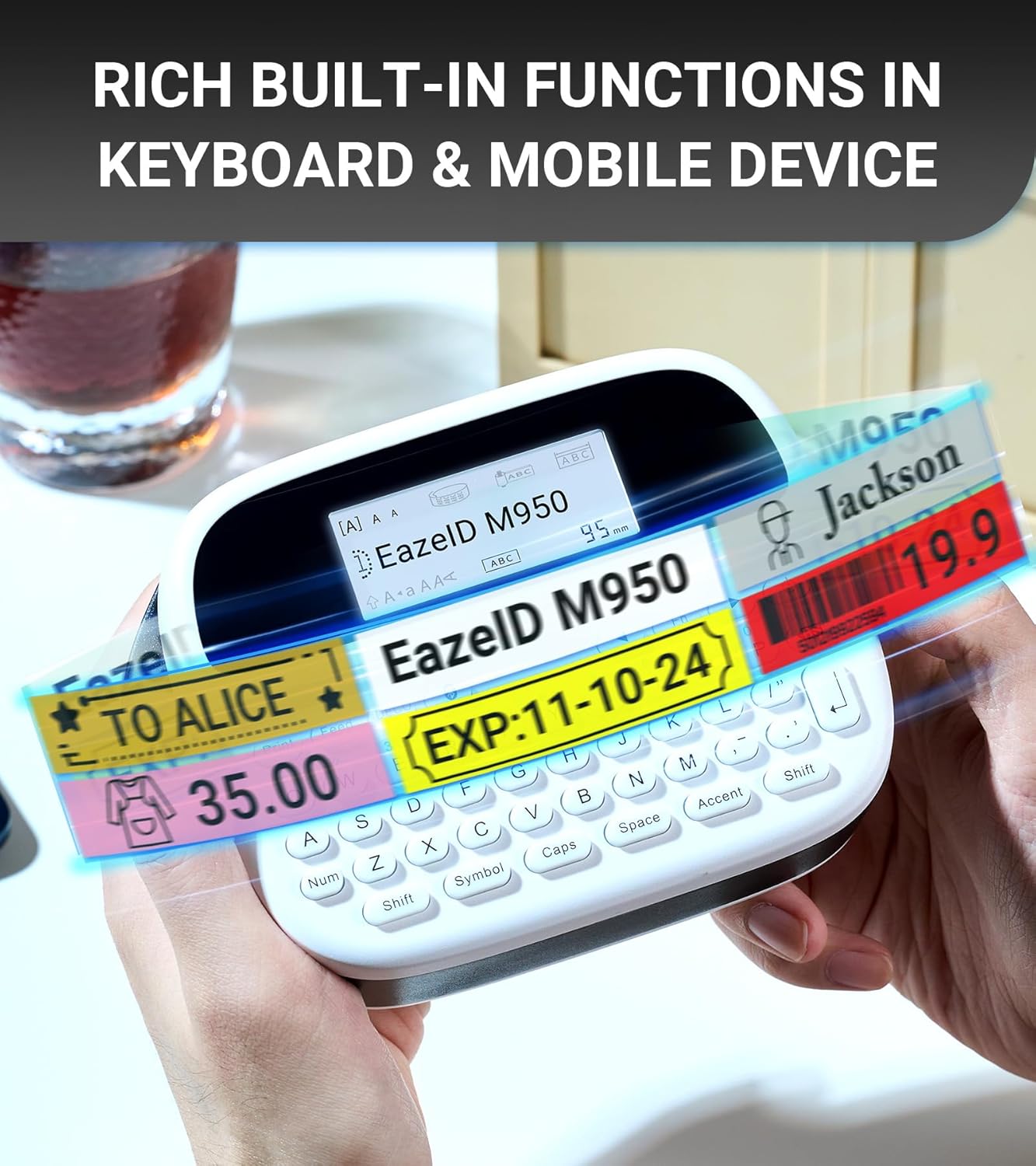
Малюнак 5.5: Прыкладamples of labels showcasing the rich built-in functions available through the keyboard and mobile app, including text, symbols, and barcodes.
6. Тэхнічнае абслугоўванне
6.1 Ачыстка друкавальнай галоўкі
Рэгулярная ачыстка друкавальнай галоўкі забяспечвае аптымальную якасць друку.
- Выключыце прыладу.
- Адкрыйце адсек для стужкі.
- Gently wipe the print head with a soft, lint-free cloth moistened with isopropyl alcohol.
- Allow the print head to dry completely before closing the compartment and powering on the device.
6.2 Сыход за акумулятарам
- Каб падоўжыць тэрмін службы батарэі, пазбягайце частай поўнай разрадкі батарэі.
- Калі прылада захоўваецца працяглы час, зарадзіце яе прыблізна да 50% і захоўвайце ў прахалодным, сухім месцы.
- Recharge the device every 3-6 months during storage.
6.3 Label Durability
EazeID M950 labels are designed for durability in various environments.

Image 6.1: The labels produced by the EazeID M950 are designed to withstand high temperatures, low temperatures, water exposure, and resist fading over time.
7. Выпраўленне непаладак
| праблема | Магчымая прычына | Рашэнне |
|---|---|---|
| Прылада не ўключаецца | Нізкі зарад батарэі; няспраўнасць прылады | Charge the device; Contact customer support if issue persists. |
| Дрэнная якасць друку | Dirty print head; Incorrect tape loading; Low battery | Clean the print head (Section 6.1); Re-load tape correctly; Charge the device. |
| Немагчыма падключыцца праз Bluetooth | Bluetooth off; App not installed; Device not discoverable | Ensure Bluetooth is on; Install "Print Master" app; Restart device and app. |
| Label tape jams | Improper tape loading; Foreign object in compartment | Open compartment, remove tape, clear any obstructions, re-load tape. |
8. Тэхнічныя характарыстыкі
| Асаблівасць | Спецыфікацыя |
|---|---|
| Назва мадэлі | Прылада для вырабу этыкетак EazeID M950 |
| Памеры прадукту | 1"D x 1"W x 1"H (approx. 159mm x 112mm) |
| Вага прадмета | 1.08 фунта (прыблізна 489 грамаў) |
| Тэхналогія друку | Цеплавы |
| Раздзяленне друку | 203 dpi (чорна-белы) |
| Максімальны памер носьбіта | 12 мм (0.47 цалі) |
| Сувязь | Bluetooth, USB Type-C |
| акумулятар | Літый-іённы акумулятар ёмістасцю 1200 мАг (у камплекце) |
| Метад кантролю | App, Push Button (QWERTY Keyboard) |
| Асаблівасці | Backlit LCD Screen, Waterproof Labels, Portable, Built-in Cutter |

Image 8.1: Dimensions of the EazeID M950 Label Maker (159mm x 112mm) and its weight (489g), illustrating its compact and portable design.
9. Гарантыя і падтрымка
9.1 Інфармацыя аб гарантыі
The EazeID M950 Label Maker comes with a Limited Warranty. Please refer to the warranty card included in your package for specific terms and conditions. This warranty typically covers manufacturing defects under normal use.
9.2 Падтрымка кліентаў
For technical assistance, troubleshooting not covered in this manual, or warranty claims, please contact EazeID customer support through the retailer where the product was purchased or visit the official EazeID webсайт для кантактнай інфармацыі.