
Уводзіны
Thank you for choosing the Edyell EH1 Bluetooth Motorcycle Helmet Headset. This device is designed to provide clear communication, music playback, and FM radio functionality while riding, enhancing your safety and enjoyment. Please read this manual carefully before use to ensure proper operation and to maximize the product's lifespan.
Змест пакета
Калі ласка, праверце ўпакоўку на наяўнасць наступных прадметаў:
- Edyell EH1 Bluetooth Helmet Headset Unit
- Microphone (boom or soft wire, depending on helmet type)
- Speakers (pair)
- Зарадны кабель USB Type-C
- Helmet Mounting Clips (clamp and adhesive base)
- Velcro Pads for Speakers and Microphone
- Кіраўніцтва карыстальніка
Прадукт скончаныview
The Edyell EH1 features an intuitive design with advanced functionalities for motorcycle riders.
Smart LED Screen and RGB Lights
The headset is equipped with an LED display that shows essential information such as battery capacity, Bluetooth pairing status, and FM channel. Dynamic RGB lights provide visual feedback and enhance the aesthetic.
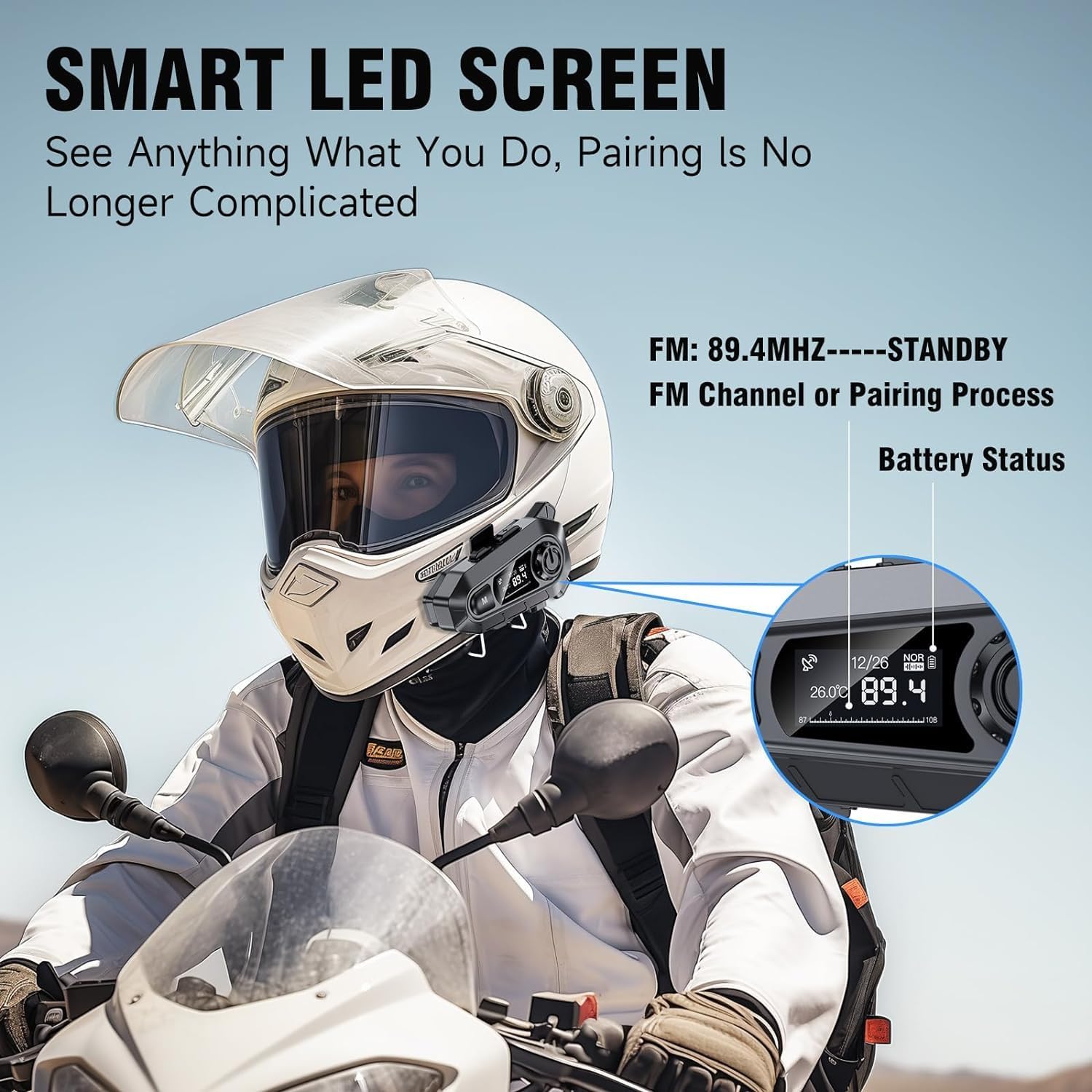
выява: The Edyell EH1 headset mounted on a helmet, highlighting its smart LED screen which displays battery status, FM channel, and pairing information for easy monitoring.
High-Quality 50mm Speakers with ENC Noise Reduction
Experience superior audio quality with 50mm speakers, delivering enhanced volume and bass compared to standard 40mm speakers. Environmental Noise Cancellation (ENC) technology ensures clear audio even at high speeds.
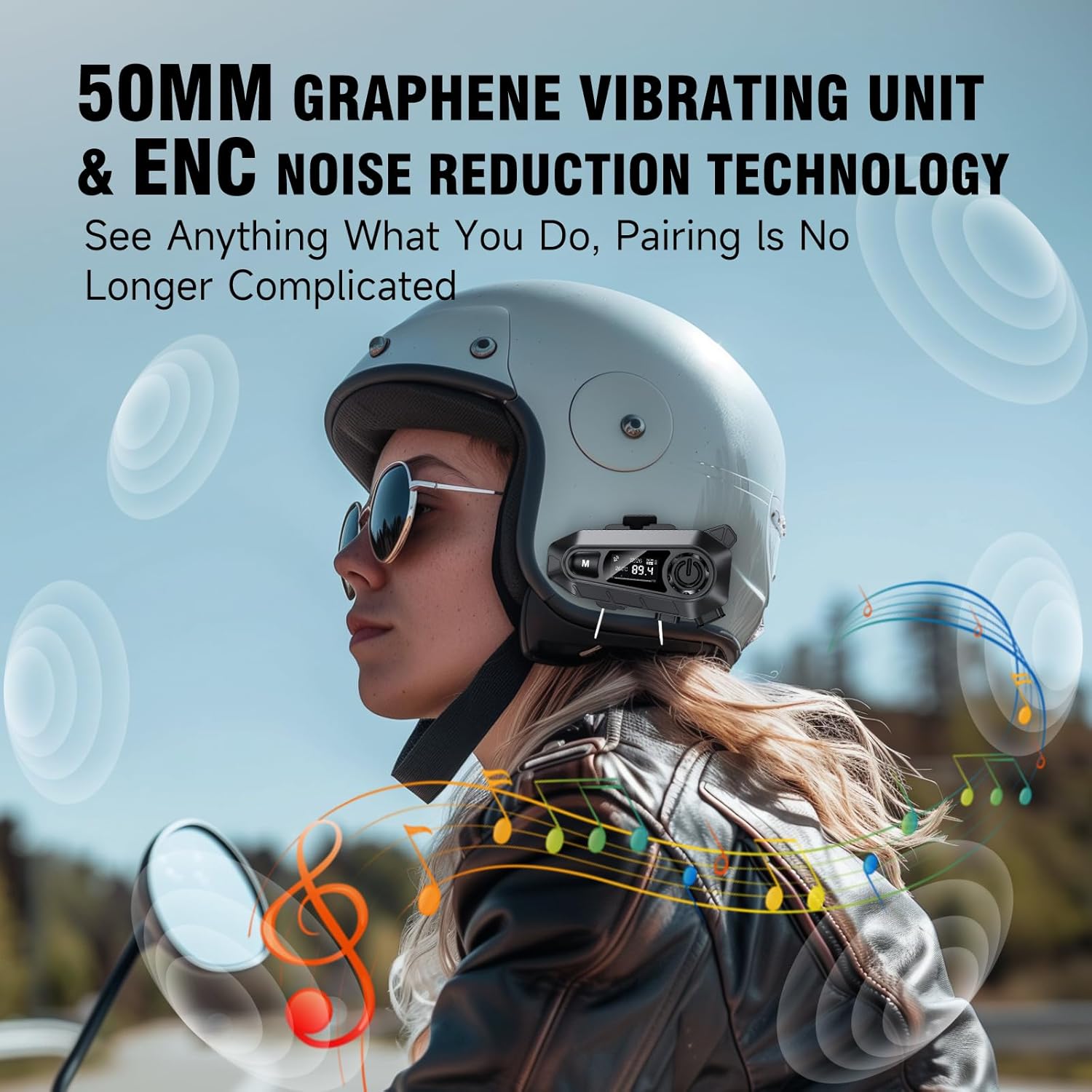
выява: A rider wearing a helmet with the Edyell EH1 headset, illustrating the 50mm graphene vibrating unit and ENC noise reduction technology for high-quality audio and clear communication.
Працяглая праца батарэі і хуткая зарадка
Equipped with a 1000mAh battery, the EH1 provides up to 30 hours of music playback, 40 hours of talk time, and over 300 hours of standby time. The Type-C port allows for full charging in just 1.5 hours.

выява: A close-up of the Edyell EH1 headset showing its Type-C fast charging port and indicating its 1000mAh battery capacity, with charging and usage times.
Automatic Call Answering and Voice Control
The headset automatically answers incoming calls within 10 seconds, allowing for hands-free communication. Activate your phone's voice assistant (Siri, Google Assistant) with a single button press for navigation, music control, and more.

выява: A rider on a motorcycle demonstrating the voice assistant feature of the Edyell EH1 headset, showing prompts for "Previous song", "Open GPS", and "Hey Siri, Call Mike".
Universal Helmet Compatibility and IP67 Waterproof Rating
The Edyell EH1 is designed to be compatible with various helmet types. Its IP67 waterproof rating ensures durability and performance in diverse weather conditions.
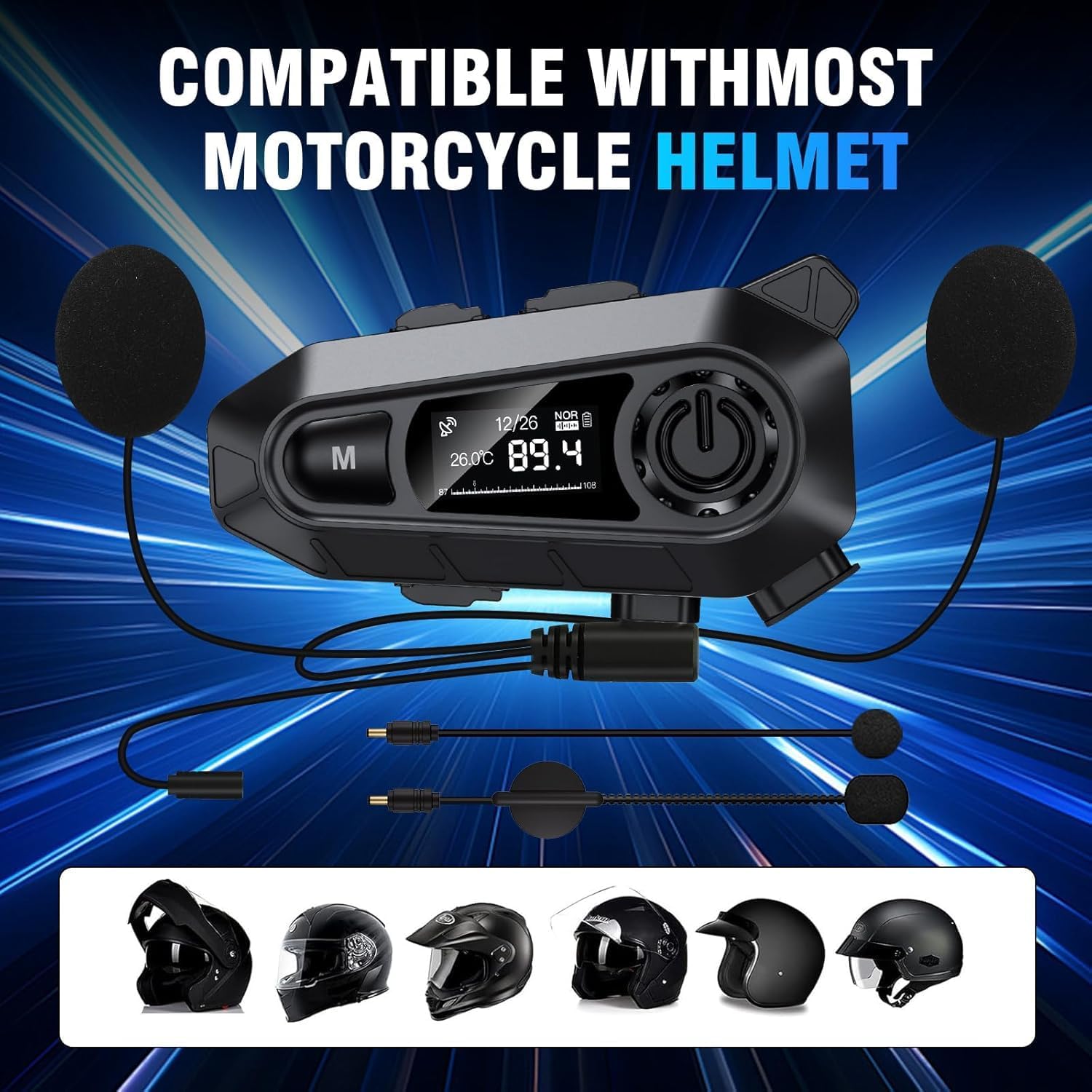
выява: The Edyell EH1 headset with its speakers and microphone attachments, displayed alongside various helmet types to illustrate its broad compatibility.
Настройка
1. Зарадка прылады
- Перад першым выкарыстаннем цалкам зарадзіце гарнітуру.
- Connect the provided USB Type-C charging cable to the headset's charging port and to a USB power source (e.g., computer, wall adapter).
- The LED screen will indicate charging status. A full charge takes approximately 1.5 hours.
2. Installing on Your Helmet
The EH1 can be installed using either the clamp mount or the adhesive mount.
- Clamp Мацаванне:
- Паслабце шрубы на клamp мацаваць.
- Прасуньце клamp between the outer shell and inner padding of your helmet on the left side.
- Зацягніце шрубы, каб замацаваць clamp.
- Slide the EH1 main unit onto the clamp пакуль ён не стане на месца.
- Клейкае мацаванне:
- Clean the desired mounting area on the left side of your helmet.
- Зніміце ахоўную плёнку з клейкай паверхні.
- Firmly press the adhesive mount onto the helmet for 30 seconds. Allow 24 hours for the adhesive to fully cure before attaching the main unit.
- Slide the EH1 main unit onto the adhesive mount until it clicks into place.
3. Усталёўка дынамікаў і мікрафона
- Attach the Velcro pads to the back of the speakers and inside the helmet's ear pockets.
- Place the speakers inside the helmet's ear pockets, ensuring they are aligned with your ears for optimal sound.
- Attach the microphone Velcro pad to the inside of the helmet near your mouth. Position the microphone for clear voice pickup, typically on the left side.
- Route the speaker and microphone wires neatly under the helmet padding to the main unit's ports.
- Connect the speaker and microphone cables to their respective ports on the EH1 main unit.
Інструкцыя па эксплуатацыі
Уключэнне/выключэнне харчавання
- Уключэнне: Press and hold the Power button (usually the central large button) for 3 seconds until the LED screen lights up and you hear a prompt.
- Выключэнне: Press and hold the Power button for 3 seconds until the LED screen turns off and you hear a prompt.
Спалучэнне Bluetooth
- With the device off, press and hold the Power button for approximately 5-7 seconds until the LED screen shows "Pairing" and the RGB lights flash.
- On your mobile phone, enable Bluetooth and search for "Edyell EH1".
- Select "Edyell EH1" to connect. Once paired, the LED screen will show "Connected" and the RGB lights will stop flashing.
Прайграванне музыкі
- Прайграванне/Паўза: Кароткае націсканне кнопкі харчавання.
- Наступны трэк: Short press the "Next" button (often marked with a forward arrow).
- Папярэдні трэк: Short press the "Previous" button (often marked with a backward arrow).
Кіраванне званкамі
- Адказаць на званок: The headset will automatically answer incoming calls after 10 seconds. You can also short press the Power button to answer immediately.
- Завяршыць выклік: Кароткачасова націсніце кнопку харчавання падчас размовы.
- Адхіліць выклік: Націсніце і ўтрымлівайце кнопку харчавання на працягу 2 секунд, калі паступае званок.
- Паўторны набор апошняга нумара: Double-press the Power button when not on a call.
Галасавы памочнік
- Актываваць галасавы памочнік: Short press the dedicated Voice Control button (often marked with a microphone icon or 'M' button). This will activate Siri or Google Assistant on your paired phone.
FM-радыё
- Уключыць/выключыць FM: Press and hold the 'M' button for 2 seconds to switch between Bluetooth and FM radio mode.
- Сканіраванне каналаў: In FM mode, short press the Power button to automatically scan and save available stations.
- Станцыя перасадкі: Short press the "Next" or "Previous" buttons to cycle through saved FM stations.
Рэгулятар гучнасці
- Павялічыць гучнасць: Short press the Volume Up button (often marked with '+').
- Паменшыць гучнасць: Short press the Volume Down button (often marked with '-').
Тэхнічнае абслугоўванне
- Уборка: Выкарыстоўвайце мяккі, damp тканіну для чысткі гарнітуры. Не выкарыстоўвайце агрэсіўныя хімікаты або абразіўныя ачышчальнікі.
- Ўздзеянне вады: While the device is IP67 waterproof, avoid prolonged submersion. Ensure the charging port cover is securely closed when not charging.
- захоўванне: Захоўвайце гарнітуру ў прахалодным, сухім месцы, калі яна не выкарыстоўваецца. Пазбягайце экстрэмальных тэмператур.
- Сыход за батарэяй: To prolong battery life, charge the device regularly and avoid fully discharging it for extended periods.
Ліквідацыю непаладак
| праблема | Магчымае рашэнне |
|---|---|
| Прылада не ўключаецца. | Пераканайцеся, што акумулятар зараджаны. Падключыце зарадную прыладу і паспрабуйце яшчэ раз. |
| Немагчыма спалучыць з тэлефонам. |
|
| Няма гуку з дынамікаў. |
|
| Не працуе мікрафон. |
|
| FM radio not receiving stations. |
|
Тэхнічныя характарыстыкі
| Асаблівасць | Дэталь |
|---|---|
| Назва мадэлі | Edyell EH1 (MBH-A1) |
| Марка | Эдыел |
| Тэхналогія падлучэння | Бесправадная сувязь (Bluetooth) |
| Формаў-фактар навушнікаў | On-Ear (Helmet Integrated) |
| Кантроль шуму | Актыўнае шумапрыглушэнне (ENC) |
| Імпеданс | 100 Ом |
| Ёмістасць батарэі | 1000 мАг |
| Час зарадкі | Прыбл. 1.5 гадзіны |
| Час прайгравання музыкі | Да 30 гадзін |
| Час размовы | Да 40 гадзін |
| Час чакання | Больш за 300 XNUMX гадзін |
| Рэйтынг воданепранікальнасці | IP67 |
| Метад кантролю | Сэнсарнае кіраванне, галасавое кіраванне |
| Асаблівасці | Sweatproof, Smart LED Screen, FM Radio, RGB Lights |
Гарантыя і падтрымка
The Edyell EH1 Bluetooth Motorcycle Helmet Headset comes with a Гарантыя 15 месяцаў from Edyell India. If you encounter any quality issues with your product, please contact Edyell customer service for assistance. Our dedicated support team is always ready to help you with any queries or concerns.
For warranty claims or technical support, please refer to the contact information provided on the Edyell official webсайт або дакументы аб куплі.