
Важная інфармацыя па бяспецы
Please read the following safety instructions carefully before using the product. Failure to do so may result in personal injury or equipment damage.

Прадукт скончаныview
The Jectse 12 Key Mechanical Gaming Keyboard is a compact, programmable macro keyboard designed for various applications, including gaming, office work, and media control. It features hot-swappable mechanical switches and RGB lighting.

Змест пакета
Праверце, ці ёсць у вашай упакоўцы ўсе пералічаныя ніжэй прадметы:
- 1 x Jectse 12 Key Mechanical Gaming Keyboard
- 1 х USB-кабель Type-C
- 1 х здымнік каўпачкоў

Настройка
Падключэнне клавіятуры
The Jectse 12 Key Mechanical Gaming Keyboard utilizes a Type-C wired connection for reliable performance and ease of use.
- Знайдзіце порт Type-C на задняй або бакавой панэлі клавіятуры.
- Connect one end of the provided Type-C USB cable to the keyboard's Type-C port.
- Connect the other end of the USB cable to an available USB port on your computer (PC, laptop, Raspberry Pi, etc.).

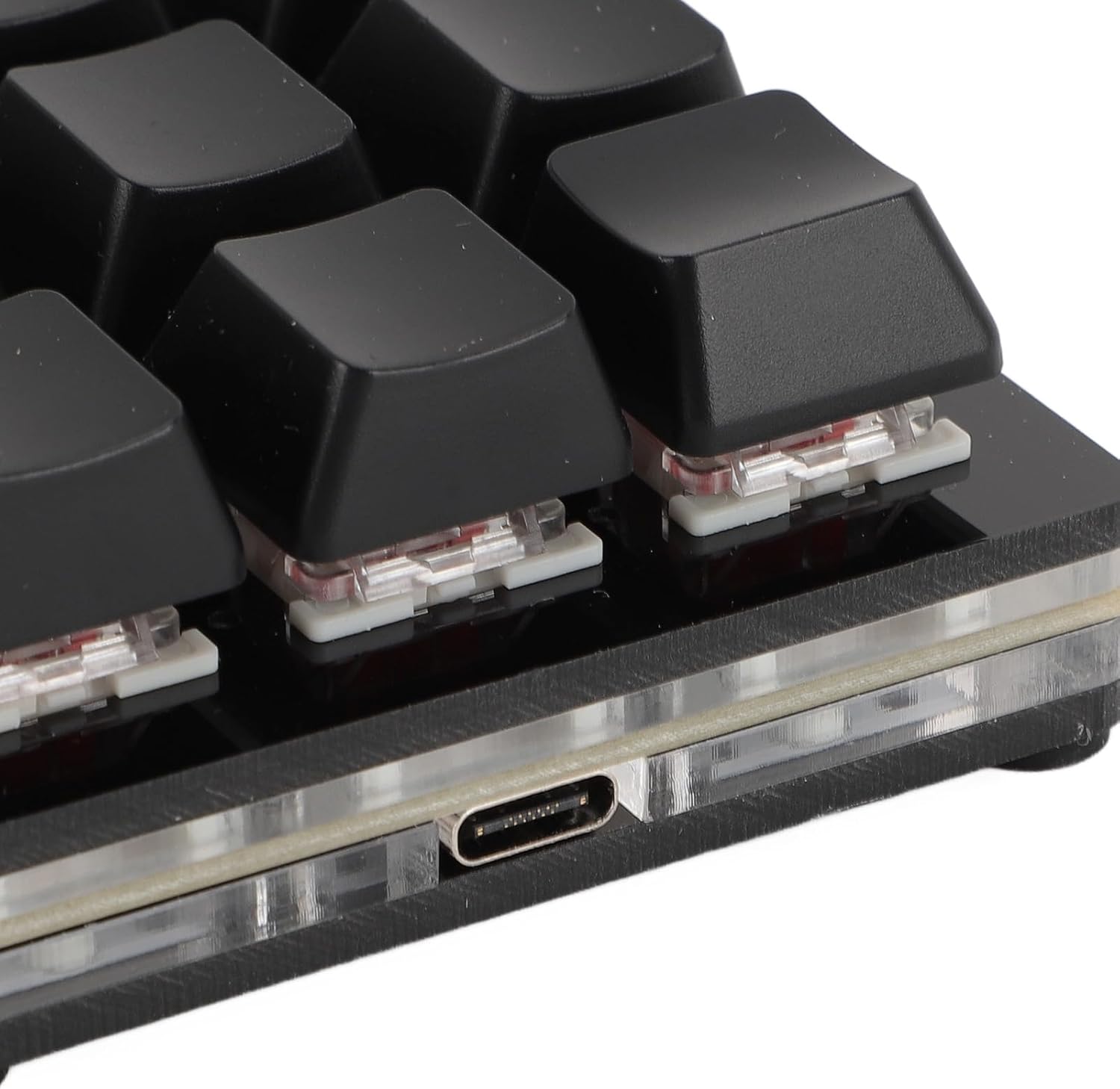
Ўстаноўка драйвера
The keyboard is plug-and-play. No specific driver downloads are required for basic functionality. It is compatible with various operating systems, including Linux, macOS, Windows, and Raspberry Pi. The keyboard features a memory function, retaining your settings even after disconnection, eliminating the need for reconfiguration.
Інструкцыя па эксплуатацыі
Programmable Functions and Customization
This mechanical keyboard offers extensive customization options, allowing you to program each of its 12 keys for various functions. This includes:
- Функцыі клавіятуры: Assign standard key presses or combinations.
- Функцыі мышы: Emulate mouse clicks or movements.
- Мультымедыйныя функцыі: Control media playback (play, pause, volume up/down, next/previous track).
- String Functions: Input predefined text strings.
- Game Functions: Optimize for specific in-game actions.
- Вызначэнне макраса: Create complex sequences of commands.
Common customizable shortcuts include cut, undo, redo, select all, and custom scripts. For macOS users, the 'Command' key functionality is equivalent to the 'Windows' key on Windows OS for tasks like copying and pasting.

RGB асвятленне
The keyboard features RGB lighting with multiple adjustable modes. You can cycle through different lighting effects or choose to turn the lighting off entirely, depending on your preference.
Механічныя перамыкачы з магчымасцю гарачай замены
The keyboard is equipped with hot-swappable mechanical switches, allowing users to easily replace switches without soldering. This feature enables customization of the typing feel and simplifies maintenance.

Універсальнае прымяненне
This mini keyboard is a versatile tool suitable for a wide array of applications, enhancing productivity and control in various environments:
- офісная праца: Streamline tasks with custom shortcuts.
- Гульні: Execute complex commands with single key presses.
- Music & Media Production: Control software functions efficiently.
- Industrial Control & Laboratory Use: Ideal for specific input requirements.
- Production Line Testing: Facilitate repetitive input tasks.

Тэхнічнае абслугоўванне
Уборка
To maintain the keyboard's performance and appearance, regularly clean its surfaces. Use a soft, dry cloth to wipe down the keycaps and casing. For deeper cleaning, you may gently remove keycaps.
Keycap Removal and Switch Replacement
The provided keycap puller allows for easy removal of keycaps for cleaning or switch replacement. To remove a keycap:
- Gently place the keycap puller over the desired keycap, ensuring the prongs hook onto opposite sides of the keycap.
- Apply gentle, even pressure upwards until the keycap detaches from the switch stem.
To replace a switch (due to the hot-swappable design), use a switch puller (not included) to carefully extract the switch after keycap removal. Align the new switch with the pins and press firmly until it clicks into place.

Ліквідацыю непаладак
If you encounter issues with your Jectse 12 Key Mechanical Gaming Keyboard, consider the following basic troubleshooting steps:
- Няма адказу: Ensure the Type-C cable is securely connected to both the keyboard and your computer. Try a different USB port on your computer.
- Няправільны вывад клавішы: Verify that your custom programming or macros are correctly configured. Re-program the affected key if necessary.
- Праблемы з RGB-падсветкай: Cycle through the lighting modes to ensure it's not simply set to off or a very dim setting.
- Перарывістае злучэнне: Try using a different Type-C cable to rule out cable defects.
Калі праблемы не знікнуць, звярніцеся ў службу падтрымкі вытворцы або ў службу падтрымкі кліентаў.
Тэхнічныя характарыстыкі
| Асаблівасць | Спецыфікацыя |
|---|---|
| Тып прадмета | Міні механічная клавіятура |
| Матэрыял | Акрыл + АБС |
| Нумар ключа | 12 ключоў |
| Тып перамыкача | Red Mechanical Switch (Hot-Swappable) |
| Тып злучэння | Правадная сетка Type-C |
| Сумяшчальнасць | Universal for computer (Linux, macOS, Windows, Raspberry Pi) |
| Нумар мадэлі | Jectser49tfinua6-12 |
| Памеры (пакет) | 18 х 13 х 4 см |
| Вага прадмета | 166 г |
| Колер | Чорны |
Гарантыя і падтрымка
For information regarding product warranty, returns, or technical support, please refer to the purchase documentation or contact the retailer/manufacturer directly. Keep your proof of purchase for any warranty claims.