
1. Уводзіны
Thank you for choosing the Intenso Buds Plus TWS T313AE Wireless Earbuds. These earbuds are designed to provide a superior audio experience with advanced features such as Active Noise Cancellation (ANC), Environmental Noise Cancellation (ENC), and Bluetooth 5.4 connectivity. This manual provides essential information for setting up, operating, and maintaining your earbuds.
2. Змесціва ўпакоўкі
Калі ласка, праверце ўпакоўку на наяўнасць наступных прадметаў:
- Intenso Buds Plus TWS Earbuds (Left and Right)
- Чахол для зарадкі
- USB-кабель для зарадкі
- Розныя памеры вушных насадак
- Кіраўніцтва карыстальніка
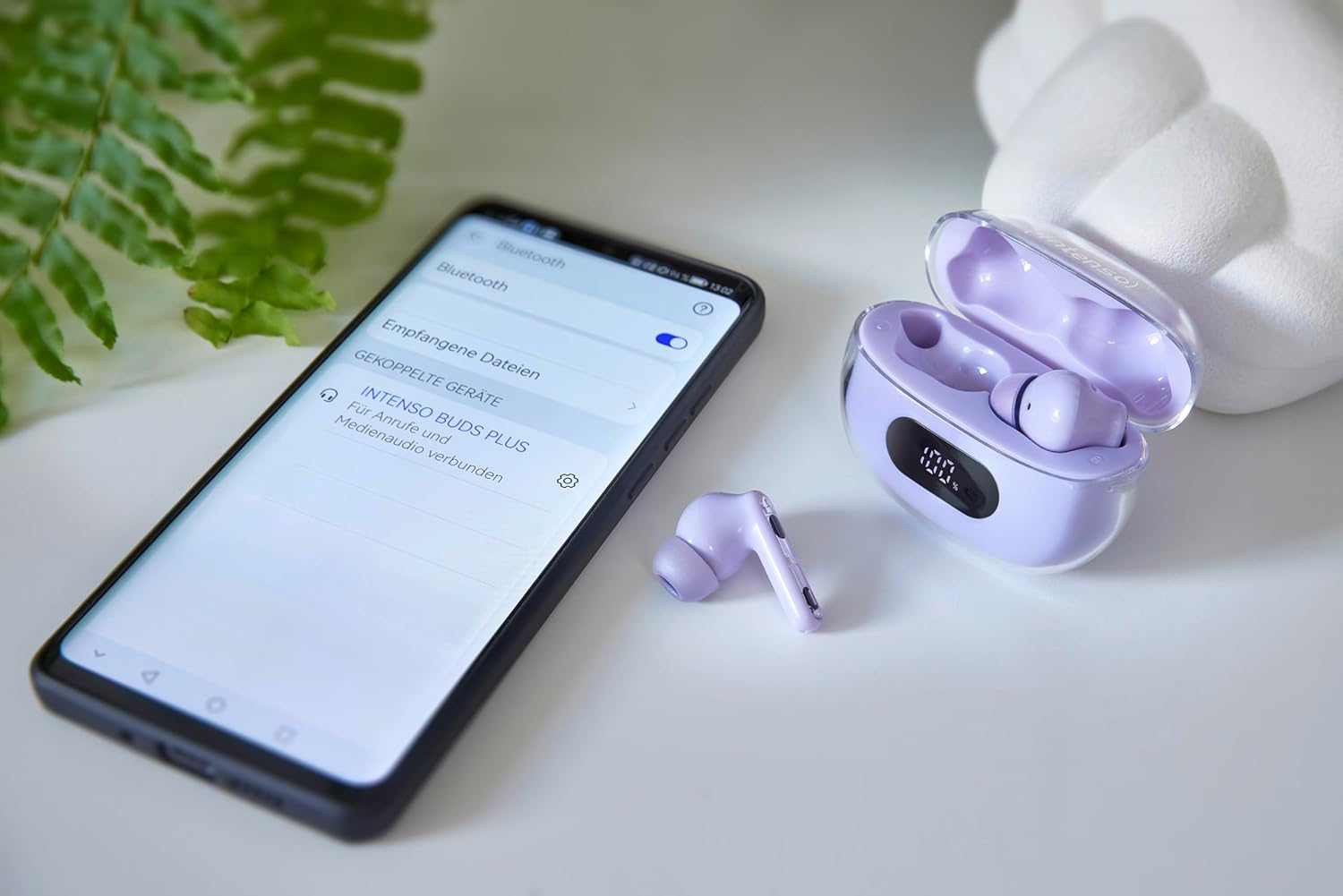
Image: Intenso Buds Plus TWS earbuds, charging case, and a smartphone displaying Bluetooth pairing settings.
3. Прадукт скончыўсяview
The Intenso Buds Plus TWS earbuds feature a compact design with a transparent charging case. The earbuds are equipped with touch controls and integrated microphones for clear communication.

Image: Earbuds in open charging case with digital display.

Image: Features highlighted: ANC, ENC, and LED display.

Image: Charging case with 100% battery display.

Image: Close-up of individual earbuds.
4. Настройка
4.1 Зарадка навушнікаў і футляра
Before first use, fully charge the earbuds and the charging case. The charging case features an LED display to indicate the battery level.
- Змесціце навушнікі-ўкладышы ў зарадны футляр.
- Падключыце зарадны чахол да крыніцы харчавання USB з дапамогай прыкладанага кабеля USB.
- The LED display on the case will show the charging status.
- A full charge typically takes approximately 1.5 to 2 hours for the case and earbuds.

Image: LED status display on the charging case.
4.2 Спалучэнне па Bluetooth
The Intenso Buds Plus earbuds utilize Bluetooth 5.4 for a stable and fast connection.
- Пераканайцеся, што навушнікі зараджаныя і знаходзяцца ўнутры зараднага футляра.
- Адкрыйце зарадны кейс. Навушнікі аўтаматычна пяройдуць у рэжым спалучэння.
- На вашай прыладзе (смартфоне, планшэце, ноўтбуку) перайдзіце ў налады Bluetooth.
- Пошук available devices and select "Intenso Buds Plus" from the list.
- Пасля падключэння вы пачуеце гук пацверджання, і навушнікі будуць гатовыя да выкарыстання.

Image: Earbuds and case next to a smartphone.
5. Інструкцыя па эксплуатацыі
5.1 Сэнсарнае кіраванне
The earbuds feature intuitive touch controls for managing audio playback, calls, and noise cancellation modes.
- Прайграванне/Паўза: Адзін націск на любы навушнік.
- Наступны трэк: Двойчы націсніце на правы навушнік-ўкладыш.
- Папярэдні трэк: Двойчы націсніце на левы навушнік-ўкладыш.
- Адказ/завяршэнне выкліку: Адзін націск на любы навушнік.
- Адхіліць выклік: Націсніце і ўтрымлівайце любы навушнік на працягу 2 секунд.
- Павялічыць гучнасць: Тройчы націсніце на правы навушнік.
- Паменшыць гучнасць: Тройчы пастукайце па левым навушніку.
- Актываваць галасавы памочнік: Націсніце і ўтрымлівайце любы з навушнікаў на працягу 3 секунд (калі вы не размаўляеце па тэлефоне).
5.2 Noise Cancellation Modes (ANC, ENC, Transparency)
The earbuds offer various modes to control your listening environment:
- Актыўнае падаўленне шуму (ANC): Reduces ambient noise, allowing you to focus on your audio.
- Падаўленне шуму навакольнага асяроддзя (ENC): Enhances voice clarity during calls by filtering out background noise.
- Рэжым празрыстасці: Дазваляе чуць навакольнае асяроддзе, адначасова атрымліваючы асалоду ад аўдыё, што карысна для ўважлівасці ў шумным асяроддзі.
To switch between ANC, Transparency, and Normal modes, press and hold the touch area on the left earbud for 2 seconds. ENC is automatically active during calls.
5.3 Тэрмін службы батарэі
The earbuds provide up to 7 hours of playback on a single charge. The charging case extends the total playtime to approximately 25 hours, allowing for multiple recharges on the go.

Image: Illustration of battery life with and without charging case.
6. Тэхнічнае абслугоўванне
To ensure the longevity and optimal performance of your Intenso Buds Plus earbuds, follow these maintenance guidelines:
- Уборка: Рэгулярна працірайце навушнікі і зарадны футляр мяккай, сухой тканінай без ворса. Не выкарыстоўвайце абразіўныя ачышчальнікі або растваральнікі.
- Парады для вушэй: Перыядычна здымайце вушныя насадкі і чысціце іх вадой з мяккім мылам. Перад тым, як зноў прымацаваць іх, пераканайцеся, што яны цалкам сухія.
- Кантакты для зарадкі: Keep the charging contacts on both the earbuds and inside the case clean and free of debris to ensure proper charging.
- захоўванне: Калі навушнікі не выкарыстоўваюцца, захоўвайце іх у зарадным футляры, каб абараніць ад пылу і пашкоджанняў.
- Воданепранікальнасць: The earbuds are water-resistant. Avoid submerging them in water or exposing them to excessive moisture. Dry them thoroughly if they get wet.
7. Выпраўленне непаладак
Калі ў вас узніклі праблемы з навушнікамі-ўкладышамі, звярніцеся да наступных распаўсюджаных рашэнняў:
| праблема | Магчымая прычына | Рашэнне |
|---|---|---|
| Навушнікі не спалучаюцца | Low battery; Bluetooth off; Earbuds not in pairing mode; Device already connected to another Bluetooth device. | Charge earbuds and case; Ensure Bluetooth is enabled on your device; Place earbuds in case, close, then open to re-enter pairing mode; Disconnect from other devices. |
| Няма гуку | Volume too low; Earbuds not connected; Audio source paused. | Increase volume on earbuds and device; Reconnect earbuds; Check audio playback on your device. |
| Дрэнная якасць гуку | Ear tips not properly sealed; Earbuds dirty; Interference. | Try different size ear tips for a better fit; Clean earbuds and ear tips; Move closer to your device or away from sources of interference. |
| Навушнікі не зараджаюцца | Charging cable faulty; Charging contacts dirty; Power source issue. | Try a different USB cable; Clean charging contacts; Use a different USB port or power adapter. |
8. Тэхнічныя характарыстыкі
| Назва мадэлі | Бутоны плюс |
| Нумар мадэлі | 3720313 |
| Марка | Інтэнса |
| Тэхналогія падлучэння | Бесправадная сувязь (Bluetooth 5.4) |
| Размяшчэнне вушэй | Укладышы |
| Формаў-фактар | Укладышы |
| Шумапрыглушэнне | Актыўнае шумапрыглушэнне (ANC), шумапрыглушэнне навакольнага асяроддзя (ENC) |
| Тып кіравання | Сэнсарнае кіраванне |
| Асаблівасці | Noise Cancellation, Volume Control, Touch Control, Noise Isolation, Lightweight |
| Склад батарэі | Літый-палімерны |
| Акумулятарная батарэя | так |
| Час прайгравання (навушнікі) | Да 7 гадзін |
| Агульны час прайгравання (з кейсам) | Да 25 гадзін |
| Узровень воданепранікальнасці | Водатрывалы |
| Матэрыял | Пластыкавыя |
| Сумяшчальныя прылады | Mobile phone, Tablet, Laptop, Game console, Car audio system |
9. Гарантыя і падтрымка
Intenso products are designed for reliability and performance. For warranty information, technical support, or customer service inquiries, please refer to the contact details provided on the Intenso official webсайт або дакументы аб куплі.
Калі ласка, захавайце пацвярджэнне пакупкі для любых гарантыйных прэтэнзій.