
1. Уводзіны
The Atomos Shinobi II is a versatile 5-inch HDMI 4K monitor designed for filmmakers and content creators. It features an HDR touchscreen, extended battery life, and a lightweight design, focusing on common settings that require on-the-fly adjustments. This manual provides detailed instructions for setting up, operating, and maintaining your Shinobi II monitor.

Image: Atomos Shinobi II highlighting its slimmer, brighter design and camera control capabilities.
2. Прадукт скончыўсяview
The Shinobi II monitor is engineered for optimal performance and ease of use. Its compact and robust construction ensures reliability in various shooting environments.
2.1 Асноўныя магчымасці
- 5-inch HDR Display: High-brightness 1500 nits screen for clear outdoor viewінж.
- 4K HDMI Monitoring: Supports HDMI signals up to 4Kp30.
- Інтэрфейс сэнсарнага экрана: Intuitive control for settings and monitoring tools.
- Падключэнне USB-C: Versatile power and camera control options.
- Доўгі тэрмін службы батарэі: Designed for all-day operation on a single battery.
- Лёгкі дызайн: Enhanced portability for on-the-go productions.
2.2 Фізічныя кампаненты
Familiarize yourself with the physical layout and connections of your Shinobi II monitor:
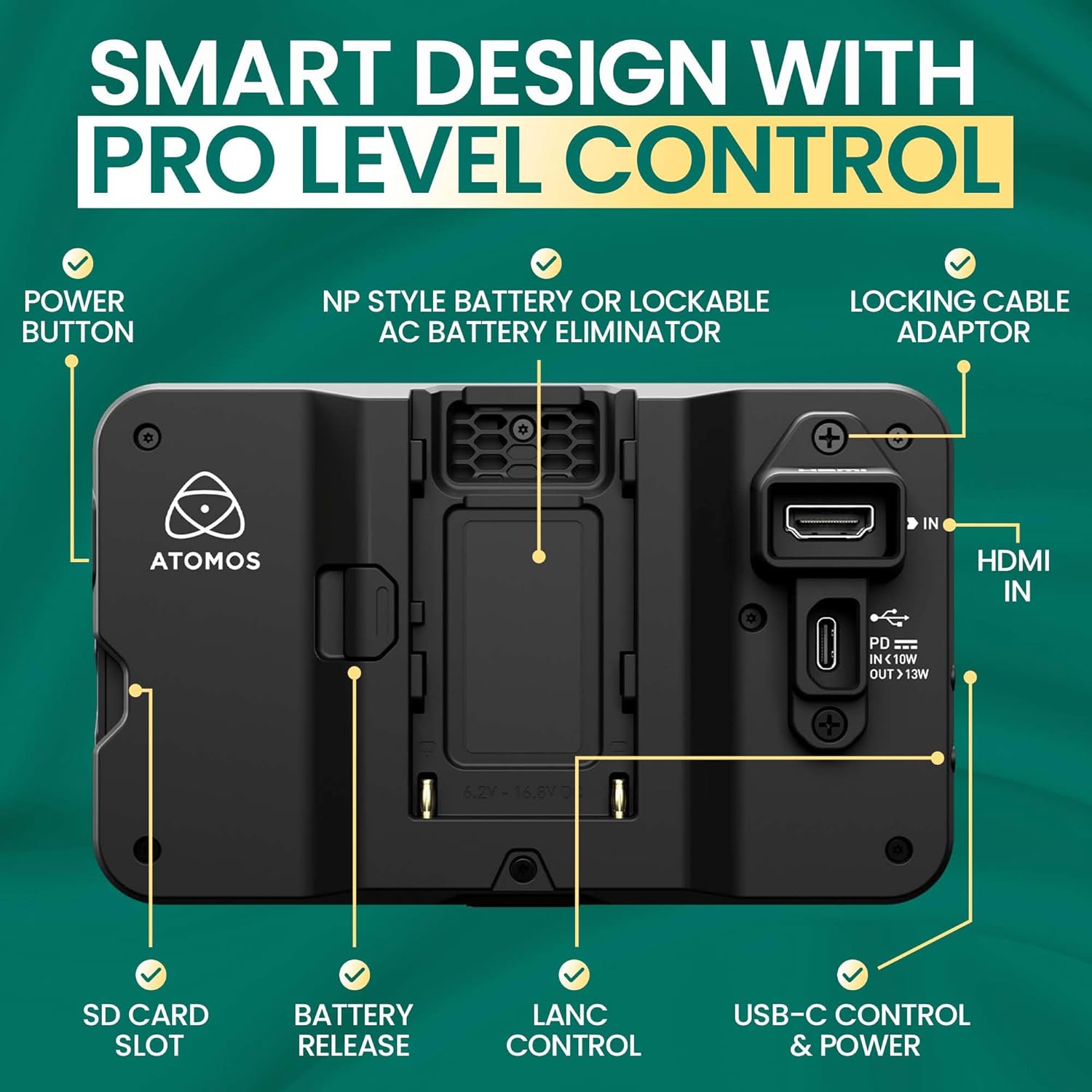
Выява: Задняя частка view of the Shinobi II monitor, detailing the power button, NP-style battery slot, locking cable adapter, HDMI IN, USB-C control & power, LANC control, battery release, and SD card slot.
- Кнопка харчавання: Located on the side for turning the device on/off.
- NP-Style Battery Slot: Accommodates standard NP-F type batteries for portable power.
- УХОД HDMI: Connects to your camera for video input.
- USB-C Control & Power: Provides power delivery and camera control capabilities.
- LANC Control: For remote camera control (future firmware releases may support more vendors).
- Слот для SD-карты: For loading LUTs and firmware updates.
- Раз'ём для навушнікаў: Для маніторынгу гуку.
- Аддалены порт: For additional remote control options.
3. Настройка
3.1 Уключэнне манітора
The Shinobi II can be powered using NP-F style batteries or via USB-C Power Delivery.
- Ўстаноўка батарэі: Slide a compatible NP-F battery into the battery slot on the rear of the monitor until it clicks securely into place.
- Магутнасць USB-C: Connect a USB-C PD compatible power source to the USB-C port. This port can also power/charge your camera.
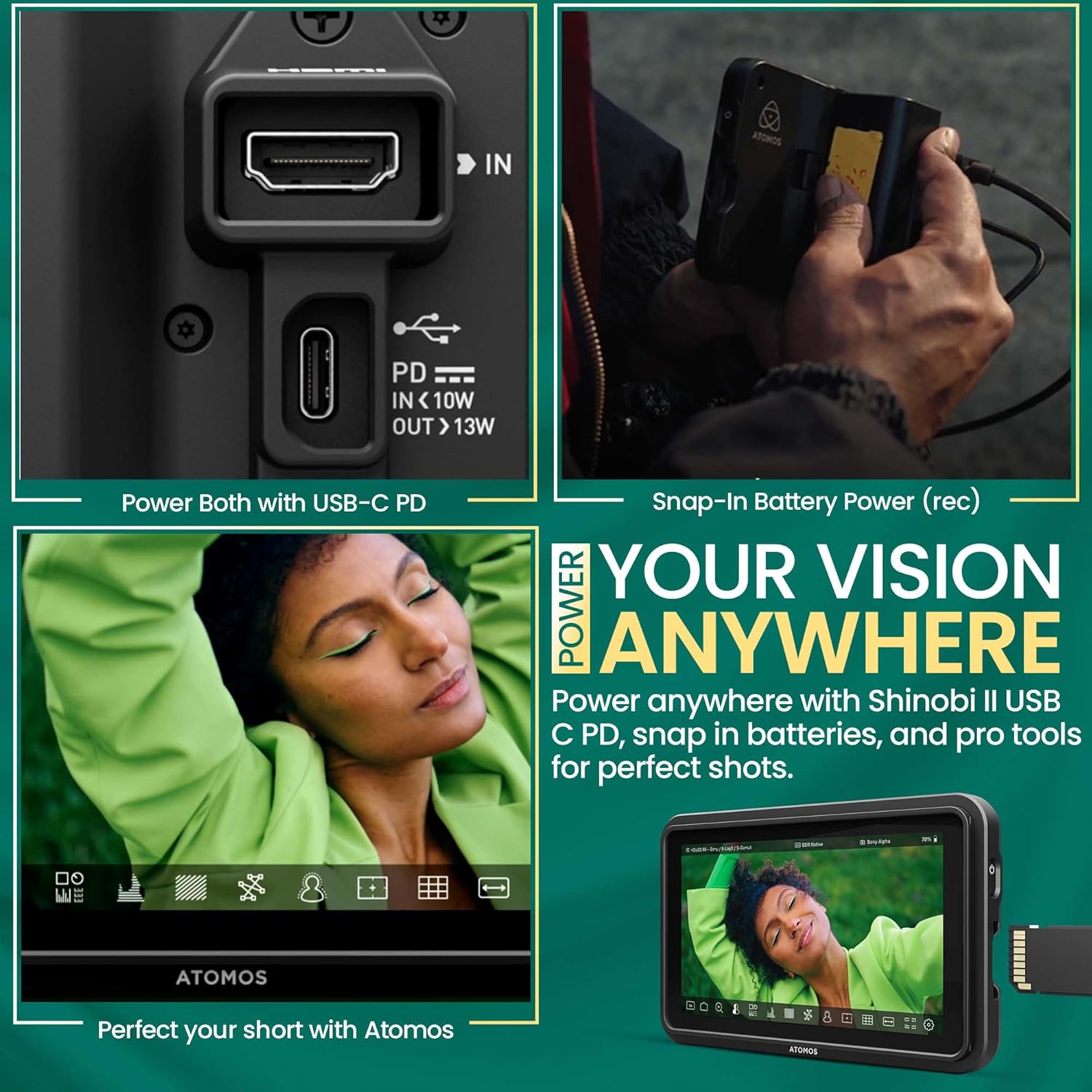
Image: A hand connecting a USB-C cable to the Shinobi II, demonstrating power options and battery use.
3.2 Connecting to Your Camera
Use an HDMI cable to connect your camera to the Shinobi II monitor.
- Connect one end of an HDMI cable to your camera's HDMI output port.
- Падключыце іншы канец кабеля HDMI да УХОД HDMI port on the Shinobi II monitor.
- Ensure both devices are powered on. The monitor should automatically detect the input signal.
4. Кіраванне маніторам
The Shinobi II features an intuitive touchscreen interface for easy navigation and control.
4.1 Асноўныя элементы кіравання
- Уключэнне/выключэнне харчавання: Press and hold the power button on the side of the monitor.
- Навігацыя з сэнсарным экранам: Tap, swipe, and pinch to navigate menus and adjust settings.
4.2 Monitoring Tools
The Shinobi II offers a suite of professional monitoring tools to ensure accurate exposure and focus.
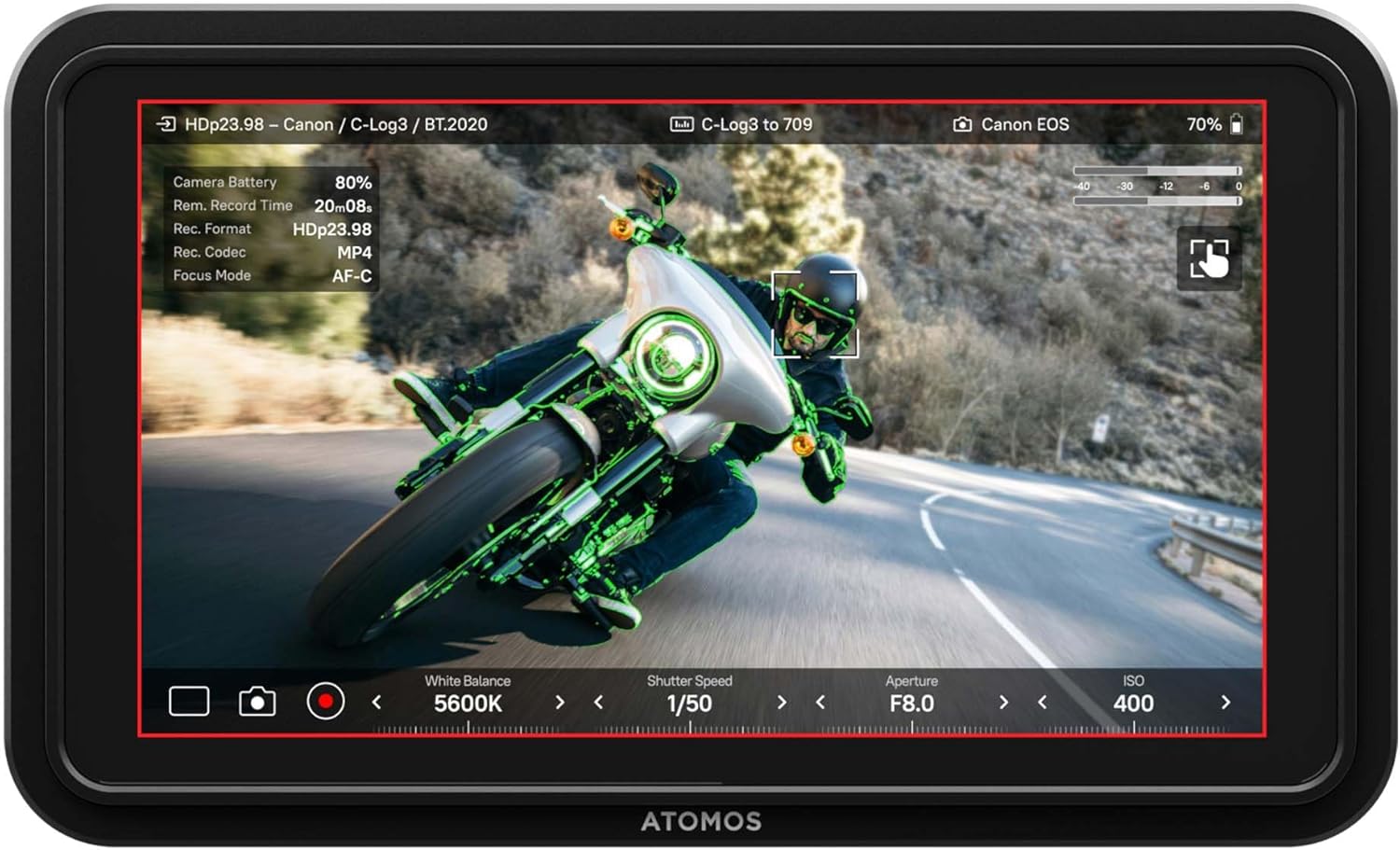
Image: The Shinobi II display showing various camera parameters like White Balance, Shutter Speed, Aperture, and ISO, along with monitoring overlays.
- Analysis Mode: Access waveform, histogram, and vectorscope tools for detailed image analysis.
- Built-in LUTs: прэview your look with up to 8 customizable LUTs. Load additional LUTs via the SD card slot.
- Frame Guides: Utilize various frame guides for precise composition for social media or cinematic productions.
- On-Screen Sliders: Adjust white balance, lens aperture, shutter speed, and ISO directly from the touchscreen.
4.3 Кіраванне камерай
The Shinobi II supports camera control for various mirrorless and DSLR cameras via USB-C and LANC, allowing for immediate and responsive access to camera settings.

Image: The Shinobi II monitor mounted on a camera, illustrating quick white balance adjustments, precise aperture, shutter, and ISO control for real-time shooting.
Video: An official product guide for the Atomos Shinobi II, demonstrating its features and functionality.
Video: A demonstration of the Atomos Shinobi II's touch focus capability.
5. Тэхнічнае абслугоўванне
Proper care and maintenance will extend the life of your Shinobi II monitor.
- Уборка: Use a soft, lint-free cloth to clean the screen and body. For stubborn smudges, a screen-safe cleaning solution can be applied to the cloth (not directly to the screen).
- захоўванне: Store the monitor in a dry, cool place away from direct sunlight and extreme temperatures. Use a protective case during transport.
- Абнаўленні прашыўкі: Regularly check the Atomos website for the latest firmware updates to ensure optimal performance and access new features. Updates can typically be loaded via the SD card slot.
6. Выпраўленне непаладак
If you encounter issues with your Shinobi II, refer to the following common solutions:
- Няма сігналу: Ensure the HDMI cable is securely connected to both the camera and the monitor. Verify that the camera's HDMI output is active and configured correctly.
- Манітор не ўключаецца: Check battery charge or USB-C power connection. Ensure the power button is pressed and held for a few seconds.
- Сэнсарны экран не рэагуе: Restart the monitor. If the issue persists, check for available firmware updates.
- Перагрэў: Ensure proper ventilation around the monitor. Avoid prolonged use in direct sunlight or hot environments.
- Image Ghosting/Artifacts: Verify HDMI cable quality and connection. Check camera output settings and monitor input settings for compatibility.
For persistent issues, contact Atomos customer support.
7. Тэхнічныя характарыстыкі
| Асаблівасць | Спецыфікацыя |
|---|---|
| Нумар мадэлі | SHINOBI2 |
| Памер экрана | 5 цалі |
| дазвол | 1920 x 1080 (FHD 1080p) |
| Яркасць выявы | 1500 ніт |
| Каэфіцыент кантраснасці выявы | 1000:1 |
| Суадносіны бакоў | 16:9 |
| Уваходныя парты | HDMI, USB-C (Power/Control), LANC |
| Выхадныя парты | Раз'ём для навушнікаў |
| Крыніца харчавання | NP-F Batteries, USB-C PD (12V batteries required) |
| Памеры прадукту | 5.12 х 7.87 х 3.15 цалі |
| Вага прадмета | 7.4 унцыі |
8. Гарантыя і падтрымка
Atomos products are designed for reliability and performance. For warranty information, product registration, and technical support, please visit the official Atomos website or contact their customer service department. Keeping your product registered ensures you receive the latest news and information about Atomos updates.
Каб атрымаць дадатковую дапамогу, наведайце: www.atomos.com/support