
1. Уводзіны
This manual provides detailed instructions for the safe and proper installation, operation, and maintenance of your USX STAR SAS202 Ceiling TV Mount. Please read this manual thoroughly before installation and retain it for future reference. This mount is designed to securely hold televisions ranging from 26 to 65 inches, with a maximum weight capacity of 110 lbs, and VESA patterns from 50x50mm to 400x400mm.
2. Інфармацыя па бяспецы
- ПАПЯРЭДЖАННЕ: Do not mount this product on drywall alone. It must be mounted to a solid structural support such as wood studs, concrete, or brick.
- Ensure the mounting surface can safely support the combined weight of the mount and your television.
- Always use the provided hardware. If you are unsure about any part of the installation, consult a qualified professional.
- Не дапускайце дзяцей і хатніх жывёл падчас ўстаноўкі.
- Не перавышайце максімальную грузападымальнасць 110 кг (50 фунтаў).
- Verify your TV's VESA pattern and screen size are compatible with the mount before proceeding.
3. Змесціва ўпакоўкі
Please check to ensure all components are present and undamaged. If any parts are missing or defective, contact customer support immediately.
- Зборка потолочной пліты
- Рэгуляваны полюс
- кранштэйны для тэлевізара
- Vertical TV Brackets (2x)
- Mounting Hardware Kit (screws, washers, spacers, anchors for various ceiling types)
- Ален Кі
4. Тэхнічныя характарыстыкі
| Асаблівасць | Спецыфікацыя |
|---|---|
| Нумар мадэлі | SAS202 |
| Сумяшчальнасць з памерам экрана | ад 26 да 65 цаляў |
| Ёмістасць вагі | Да 110 фунтаў (50 кг) |
| Сумяшчальнасць VESA | Мін. 50x50 мм, макс. 400x400 мм |
| Рэгуляванне вышыні | 21.14" to 29.02" (5 height settings) |
| Кут нахілу | Up to 15 degrees down |
| Кут павароту | 360 degrees (full rotation) |
| Потолочные паваротныя | Up to 90 degrees for sloped ceilings |
| Матэрыял | Метал |
| Колер | Чорны |
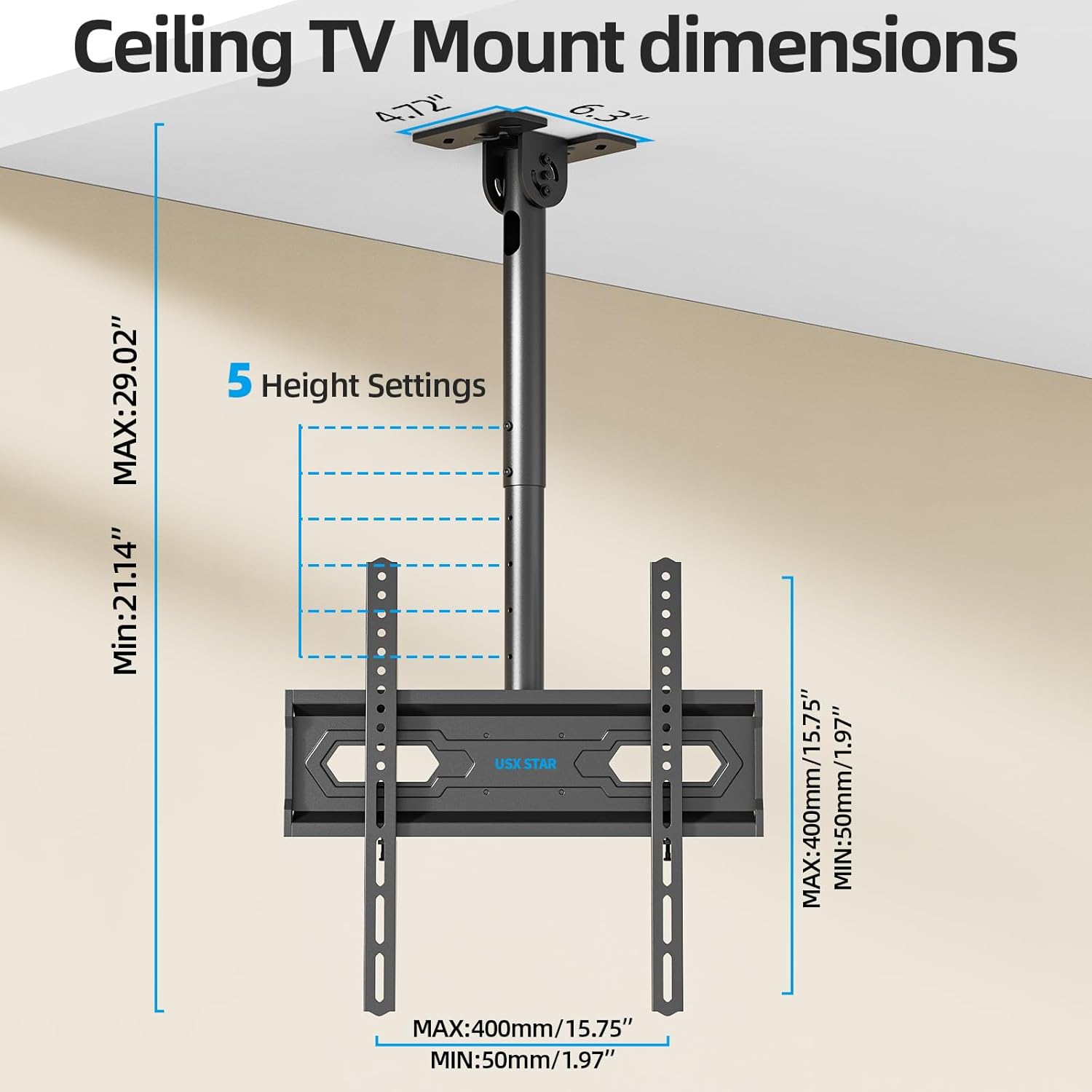
Image: Wide Compatibility Overview
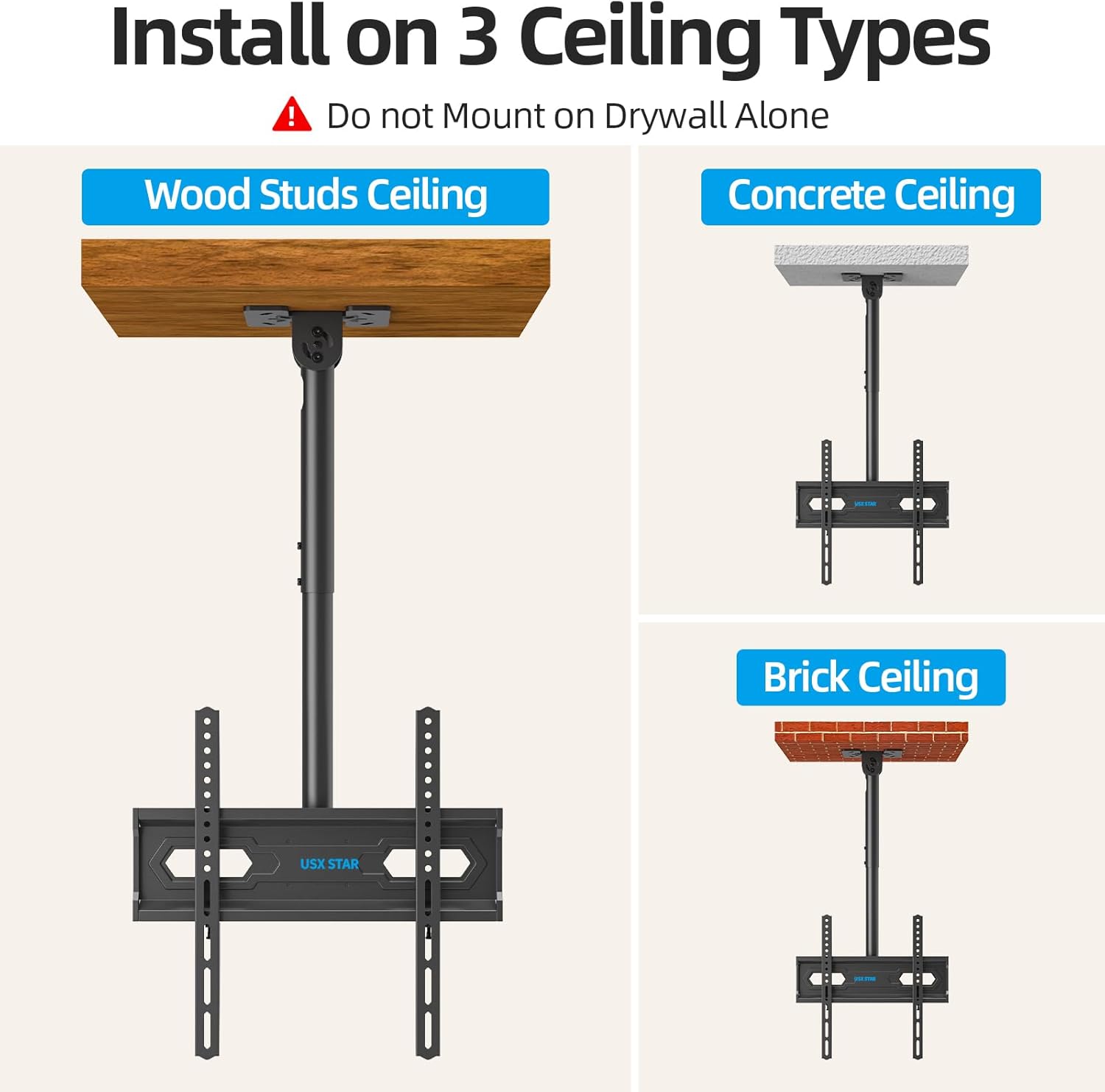
Image: Ceiling TV Mount Dimensions
5. Настройка і ўстаноўка
5.1 Кантрольны спіс перад устаноўкай
- Verify your TV's screen size (26-65 inches), weight (under 110 lbs), and VESA mounting pattern (50x50mm to 400x400mm).
- Identify your ceiling type: wood studs, concrete, or brick. Do not install on drywall alone.
- Gather necessary tools: drill, stud finder (for wood studs), level, screwdriver, pencil, measuring tape.
5.2 Мантаж потолочной пласціны
- Determine the desired location for your TV mount. Use a stud finder to locate wood studs if applicable.
- Position the ceiling plate against the ceiling and mark the drill holes. Ensure it is level.
- Drill pilot holes according to the marked positions and your ceiling type (wood, concrete, or brick).
- Secure the ceiling plate using the appropriate screws and anchors from the hardware kit. Ensure it is firmly attached.
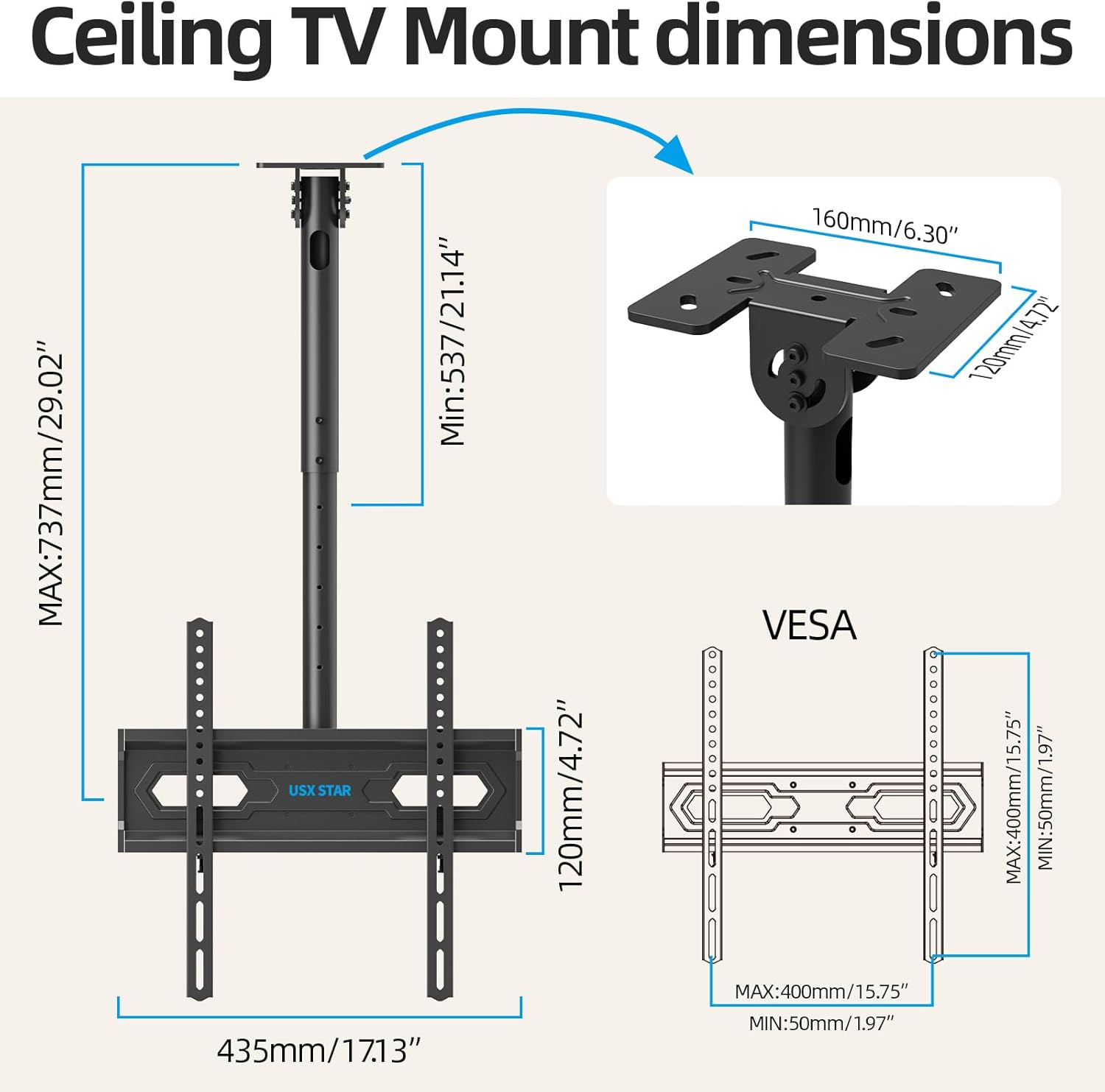
Image: Installation on Various Ceiling Types
5.3 Мацаванне кранштэйнаў для тэлевізара
- Пакладзеце тэлевізар экранам уніз на мяккую, чыстую паверхню, каб пазбегнуць драпін.
- Attach the two vertical TV brackets to the back of your television using the appropriate screws, washers, and spacers from the hardware kit. Ensure the brackets are centered and securely fastened to the TV's VESA holes.
5.4 Падвешванне тэлевізара
- With assistance, carefully lift the television and hook the vertical TV brackets onto the TV bracket plate of the ceiling mount.
- Secure the TV to the mount by tightening the safety screws or locking mechanisms on the vertical brackets.
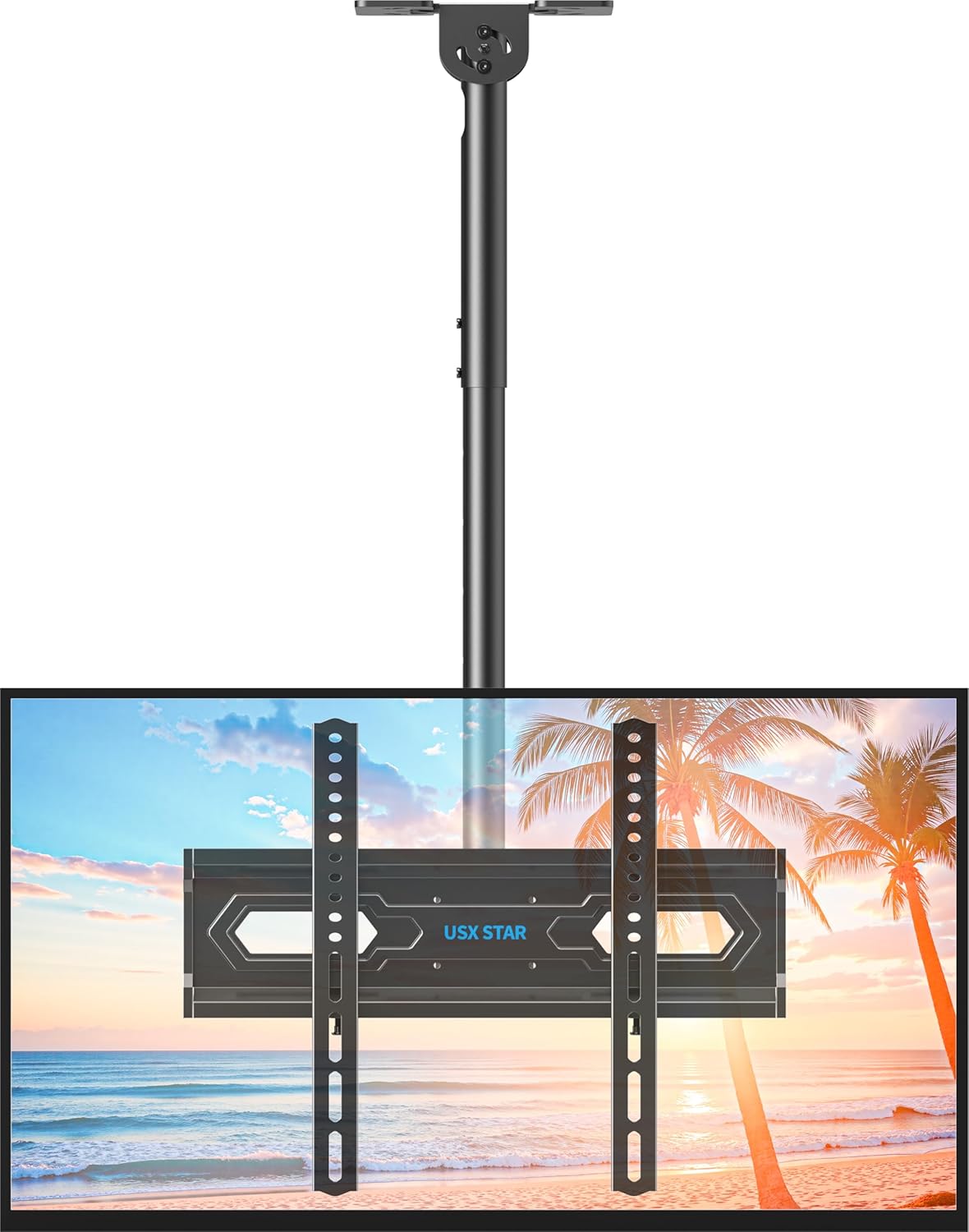
Image: Assembled Ceiling TV Mount with Television
6. Эксплуатацыя і рэгуляванне
The USX STAR SAS202 mount offers multiple adjustment options for optimal viewінж.
6.1 Рэгуляванне вышыні
- The mount features 5 height settings, allowing adjustment from 21.14 inches to 29.02 inches.
- To adjust the height, loosen the locking mechanism on the pole, slide the TV to the desired height, and re-tighten securely.
6.2 Рэгуляванне нахілу
- The TV can be tilted down by up to 15 degrees to reduce glare and achieve a comfortable viewкут нахілу.
- Use the provided Allen key to loosen the tilt adjustment screws, set the desired tilt, and then re-tighten the screws firmly.
6.3 Swivel and Rotation
- The mount allows for a full 360-degree rotation of the TV, enabling viewз розных пазіцый у пакоі.
- Additionally, the base of the mount can swivel up to 90 degrees, making it suitable for installation on angled or sloped ceilings.
- To adjust swivel, loosen the handle on the mount, rotate the TV to the desired angle, and re-tighten the handle.
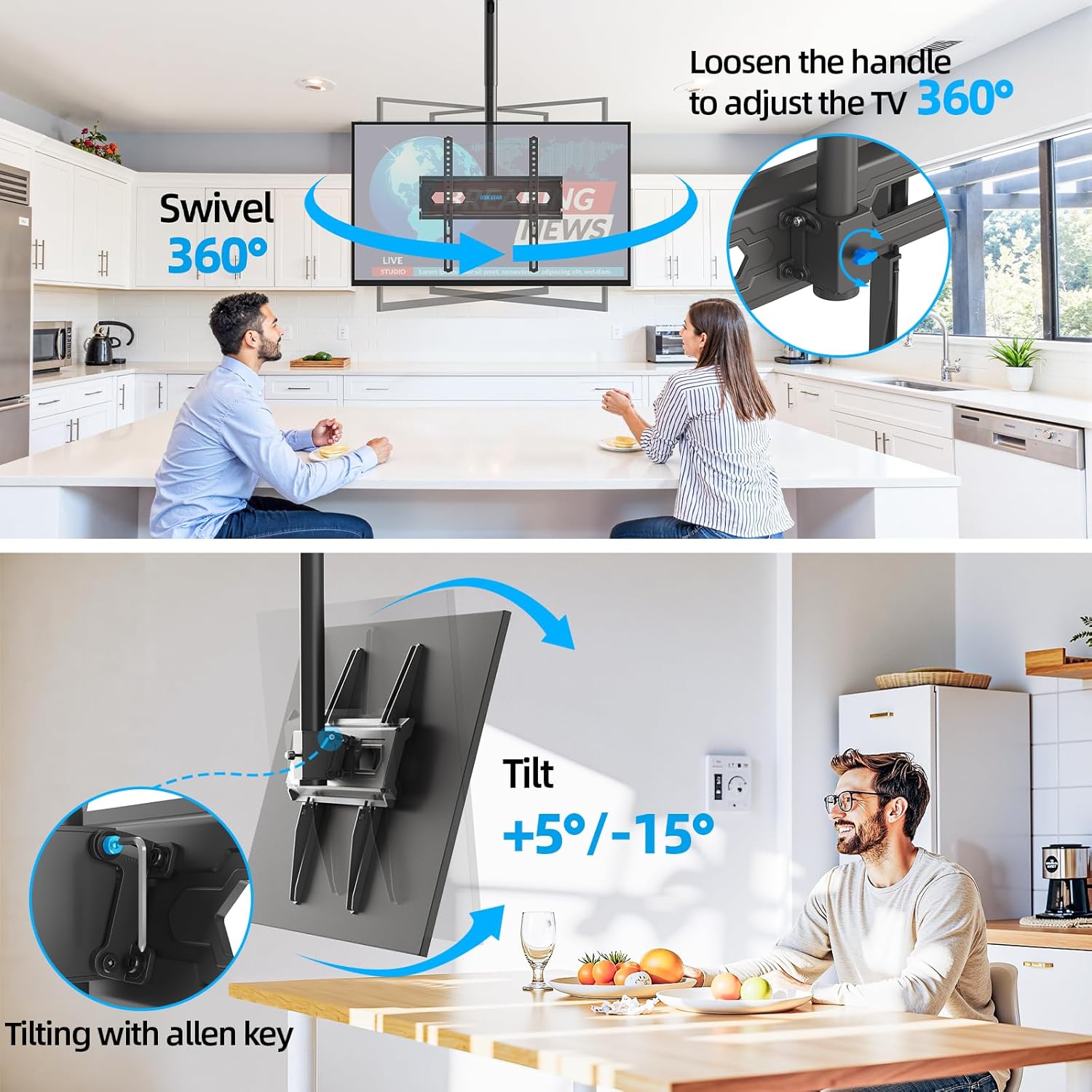
Image: Swivel and Tilt Adjustments

Image: Leveling and Sloped Ceiling Adaptability
7. Тэхнічнае абслугоўванне
- Перыядычна правярайце ўсе шрубы і злучэнні, каб пераканацца, што яны надзейна закручаныя.
- Чысціце мацаванне мяккай сухой тканінай. Пазбягайце абразіўных ачышчальнікаў або растваральнікаў.
- Ensure cables are properly managed through the cable management holes to prevent strain or damage.
8. Выпраўленне непаладак
- Тэлевізар не стаіць роўна: Check the leveling screws on the TV bracket plate and adjust as needed. Ensure the ceiling plate was installed level.
- Мацаванне адчуваецца свабодным: Re-check all mounting screws on the ceiling plate and TV brackets. Ensure they are tightened securely. Do not overtighten.
- Цяжкасці з рэгуляваннем нахілу/павароту: Loosen the adjustment screws/handles slightly before attempting to move the TV, then re-tighten once the desired position is achieved.
9. Гарантыя і падтрымка
USX STAR products are backed by a warranty. For specific warranty details, product support, or assistance with installation, please refer to the warranty card included with your product or visit the official USX STAR website. Our US-based customer service team is available to provide quick responses and support tailored to your needs.
Thank you for choosing USX STAR.