
xTool F1 Ultra
xTool F1 Ultra 20W Fiber & Diode Dual Laser Engraver
Кіраўніцтва па эксплуатацыі
1. Уводзіны
Welcome to the xTool F1 Ultra 20W Fiber & Diode Dual Laser Engraver. This advanced machine combines the power of a 20W fiber laser and a 20W diode laser, offering versatility for engraving and cutting a wide range of materials. Designed for efficiency and precision, the F1 Ultra features an Auto Conveyor system and a 16MP Smart Camera for streamlined production. This manual provides essential information for safe and effective operation of your device.

Figure 1.1: The xTool F1 Ultra 20W Fiber & Diode Dual Laser Engraver with its Auto Conveyor system.
2. Інфармацыя па бяспецы
The xTool F1 Ultra is a Class 4 laser engraver. Adherence to safety guidelines is crucial to prevent injury and damage to the device. Always operate the machine in a well-ventilated area.
2.1 Агульныя меры бяспекі
- Always wear appropriate laser safety goggles when operating the machine, even with the enclosed design.
- Пераканайцеся, што машына размешчана на ўстойлівай роўнай паверхні.
- Трымайце працоўную зону далей ад лёгкаўзгаральных матэрыялаў.
- Не пакідайце машыну без нагляду падчас працы.
- Трымайце дзяцей і хатніх жывёл далей ад працоўнай зоны.
2.2 Enclosed Design and Smoke Extraction
The F1 Ultra features a fully enclosed design and an effective smoke extraction system to enhance safety and maintain a clean working environment. The enclosed cover blocks harmful laser light from both the 455nm diode laser and the fiber laser.

Figure 2.1: The xTool F1 Ultra's safety features, including its fully enclosed design and integrated smoke extraction.

Figure 2.2: Key safety components of the xTool F1 Ultra.


Figure 2.3: The machine's efficient smoke extraction and laser-proof enclosure for user safety.
3. Змесціва ўпакоўкі
Пасля распакавання пераканайцеся, што ўсе пералічаныя ніжэй прадметы наяўныя і знаходзяцца ў добрым стане:
- xTool F1 Ultra Laser Engraver Unit
- Auto Conveyor Module
- Адаптар сілкавання і кабель
- Кабель USB
- Ахоўныя акуляры
- Матэрыял Samples (for testing)
- Кіраўніцтва карыстальніка (гэты дакумент)
- Accessory Kit (includes tools for maintenance and setup)
4. Настройка
4.1 Распакоўка і размяшчэнне
Carefully remove all components from the packaging. Place the xTool F1 Ultra on a sturdy, flat surface with adequate space around it for ventilation and operation. Ensure the area is free from dust and direct sunlight.
4.2 Connecting the Auto Conveyor
Attach the Auto Conveyor module to the main engraver unit according to the diagrams provided in the quick start guide. Ensure all connections are secure.
4.3 Падключэнне харчавання і перадачы дадзеных
- Connect the power adapter to the engraver and then to a suitable power outlet.
- Падключыце гравёр да кампутара з дапамогай прыкладанага кабеля USB.
- Alternatively, the F1 Ultra features a 7GB offline-use control panel, allowing for operation without a direct computer connection once project files are loaded.

Figure 4.1: The F1 Ultra's touchable control panel for offline operation.
4.4 Усталёўка праграмнага забеспячэння
Download and install the latest version of the xTool software from the official xTool website. Follow the on-screen instructions for installation. The software is compatible with various operating systems and devices.
Figure 4.2: The xTool software interface, accessible on various devices.
5. Інструкцыя па эксплуатацыі
5.1 Сумяшчальнасць матэрыялаў
The xTool F1 Ultra supports a wide array of materials thanks to its dual laser system:
- Fiber Laser (20W): Ideal for all metals (gold, silver, copper, stainless steel, brass, titanium, etc.).
- Diode Laser (20W): Suitable for wood, acrylic, leather, glass, rubber, fabric, and more.

Малюнак 5.1: Закончанаview of materials compatible with the F1 Ultra's dual laser system.

Figure 5.2: The internal dual laser system of the xTool F1 Ultra.

Малюнак 5.3: Выпamples of metal engraving capabilities, including deep engraving, embossing, and color engraving.
5.2 Auto Streamline Production with Smart Camera
The Auto Streamline Production feature, powered by the 16MP Smart Camera and Auto Conveyor, simplifies batch engraving. The system automatically recognizes shapes, intelligently fills patterns, and processes items non-stop.
- Place materials on the Auto Conveyor.
- The Smart Camera will detect and map the items.
- The software will automatically arrange designs for efficient batch processing.
- The engraver will process items continuously.

Figure 5.4: The Smart Camera system in action, simplifying material placement and design alignment.
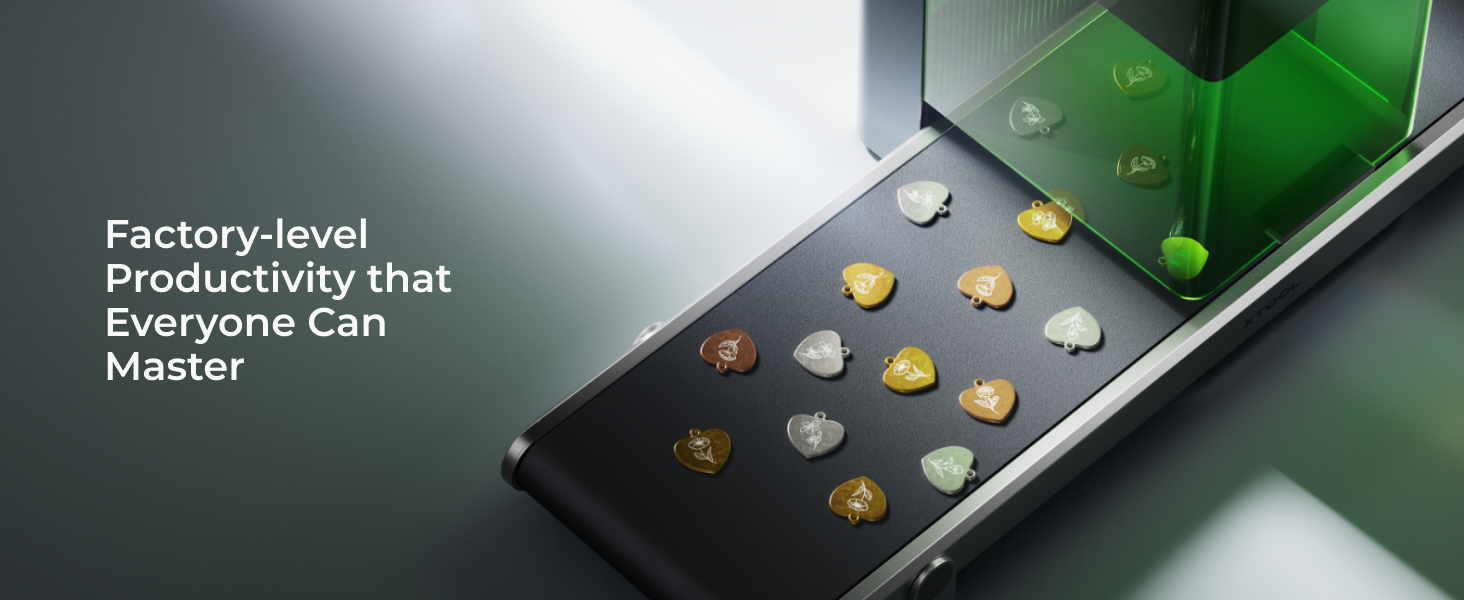
Figure 5.5: The three-step workflow for Auto Streamline Production.
5.3 Працэс гравіроўкі і рэзкі
The F1 Ultra operates at speeds up to 10,000mm/s, significantly reducing production time.
- Design Creation: Use the xTool software or Artimind AI to create or import your designs. Artimind AI can generate word designs, images, and 3D embossing.
- Налады матэрыялу: Select the appropriate material from the Material EasySet Library within the software. This library contains optimized settings for over 400 materials.
- прэview and Adjust: Utilize the Smart Camera for a live preview of your design on the material. Adjust placement and size as needed.
- Start Engraving/Cutting: Initiate the process from the software or the control panel.

Figure 5.6: Artimind AI features for design generation.

Figure 5.7: Engraving on curved surfaces and with rotary attachments (RA2 Pro).

Figure 5.8: Demonstrations of the F1 Ultra's high-speed engraving capabilities.
6. Тэхнічнае абслугоўванне
Regular maintenance ensures optimal performance and extends the lifespan of your xTool F1 Ultra.
6.1 Ачыстка
- Ачыстка аб'ектыва: Periodically clean the laser lens with a lint-free cloth and lens cleaning solution.
- Працоўная зона: Keep the engraving platform and surrounding areas clean from debris and dust.
- Smoke Extraction System: Regularly check and clean the smoke extraction fan and filters to maintain efficiency.
6.2 Laser Care
Avoid touching the laser module directly. If any issues arise with laser performance, refer to the troubleshooting section or contact xTool support.
7. Выпраўленне непаладак
This section addresses common issues you might encounter. For more complex problems, please contact xTool customer support.
| праблема | Магчымая прычына | Рашэнне |
|---|---|---|
| Лазер не страляе | Power cable loose, emergency stop engaged, software error. | Check power connections, disengage emergency stop button, restart software and machine. |
| Дрэнная якасць гравіроўкі | Incorrect material settings, dirty lens, material not flat. | Verify material settings in software, clean laser lens, ensure material is flat on the platform. |
| Auto Conveyor not moving | Connection issue, obstruction. | Check conveyor cable connection, remove any obstructions on the conveyor belt. |
| Software not detecting device | USB cable issue, driver problem, machine not powered on. | Try a different USB port/cable, reinstall software drivers, ensure machine is powered on. |
8. Тэхнічныя характарыстыкі
Key technical specifications of the xTool F1 Ultra:
- Тып лазера: 20W Fiber Laser & 20W Diode Laser (Dual Laser)
- Хуткасць гравіроўкі: Up to 10,000mm/s
- Працоўная зона: 220mm x 220mm (expandable to 220mm x 500mm with Auto Conveyor)
- Камера: 16MP Smart Camera (Auto Focus and Batch Fill)
- Сувязь: USB, Offline Control Panel (7GB storage)
- Функцыі бяспекі: Fully Enclosed Design, Eye-Protection Cover, Effective Smoke Extraction, Fire Safety Alarm & Stop
- Падтрымліваюцца матэрыялы: All metals (Fiber Laser), Wood, Acrylic, Leather, Glass, Rubber, Fabric (Diode Laser)
- Engraving Capabilities: 3D Embossing, Deep Engraving, HD Photo Engraving, Curved Surface Engraving

Figure 8.1: Illustration of the expandable working area.

Figure 8.2: The F1 Ultra offers the largest desktop fiber laser working area.
9. Гарантыя і падтрымка
9.1 Інфармацыя аб гарантыі
The xTool F1 Ultra comes with a standard manufacturer's warranty. Please refer to the warranty card included in your package or visit the official xTool webпадрабязныя ўмовы адносна гарантыйнага пакрыцця і тэрміну дзеяння глядзіце на сайце.
9.2 Падтрымка кліентаў
For technical assistance, troubleshooting, or any inquiries regarding your xTool F1 Ultra, please contact xTool customer support through the following channels:
- Падтрымка па электроннай пошце: Refer to the xTool website for the official support email address.
- Жывы чат: Available on the xTool official webсайт у працоўны час.
- Падтрымка па тэлефоне: Contact numbers can be found on the xTool webсайт.
- Online Community/Facebook Group: Join the xTool community for peer support and shared knowledge.

Figure 9.1: xTool provides dedicated technical support.