
Уводзіны
This manual provides comprehensive instructions for the setup, operation, maintenance, and troubleshooting of your BPXX D463B Bluetooth Thermal Label Printer. Please read this manual thoroughly before using the printer to ensure proper function and longevity of the device.
Інфармацыя па бяспецы
- Use only the original power adapter provided with the printer.
- Не падвяргайце прынтар уздзеянню вады або празмернай вільготнасці.
- Пазбягайце размяшчэння прынтара пад прамымі сонечнымі прамянямі або побач з крыніцамі цяпла.
- Keep the printer away from dust and debris to prevent internal damage.
- Не спрабуйце разбіраць або рамантаваць прынтар самастойна. Звярніцеся па дапамогу ў службу падтрымкі кліентаў.
- Забяспечце належную вентыляцыю вакол прынтара падчас працы.
Змест пакета
Праверце, ці ўсе пералічаныя ніжэй прадметы ўваходзяць у вашу ўпакоўку:
- BPXX D463B USB & Bluetooth Printer
- Кабель USB
- Адаптар сілкавання
- Шнур харчавання
- U Disk (USB flash drive with drivers and guide)
- Адаптар OTG
- Пазнакі (ыampLe roll)
- Кароткае кіраўніцтва

Image: Contents of the BPXX D463B Thermal Label Printer package.
Прадукт скончаныview
The BPXX D463B is a compact and efficient thermal label printer designed for various labeling needs, including shipping labels, product labels, and more. It features both Bluetooth and USB connectivity for versatile use across different operating systems.

Выява: спераду view of the BPXX D463B Thermal Label Printer in operation.
Асноўныя характарыстыкі:
- Высокая якасць друку: 203dpi resolution for clear images, text, and barcodes.
- Падвойнае падключэнне: Supports Bluetooth for iOS, Android, and Windows, and USB for Windows, Mac OS, Linux, and ChromeOS.
- Шырокая сумяшчальнасць: Works with major e-commerce and shipping platforms like Amazon, Shopify, eBay, UPS, USPS, FedEx, and more.
- Высокая хуткасць друку: Up to 152mm/s (72 sheets of 4x6 labels per minute).
- Аўтаматычнае вызначэнне этыкетак: Automatically identifies label size for ease of use.
- Трывалая друкавальная галоўка: Features an aluminum alloy print head with smart temperature control for prolonged service life.
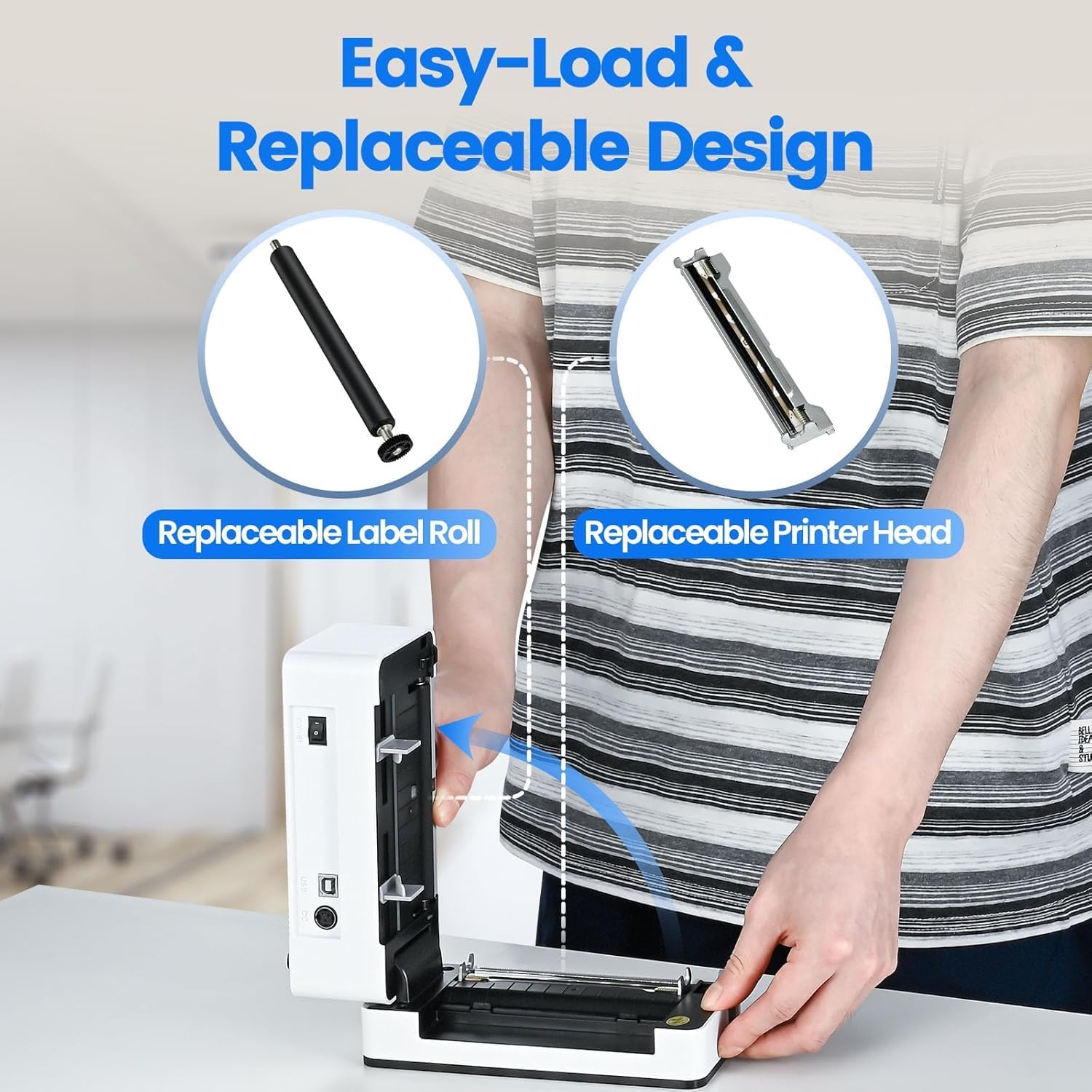
Image: The printer's aluminum alloy print head, designed for durability and extended service life.
Настройка
1. Загрузка этыкетак
- Адкрыйце верхнюю крышку прынтара.
- Insert the thermal labels into the label compartment, ensuring the printable side is facing up.
- Adjust the label guides to fit the width of your labels snugly.
- Close the top cover. The printer will automatically detect the label size and feed a few labels to calibrate.

Image: Illustration of the easy-load label mechanism.
2. Падключэнне да вашай прылады
The D463B printer offers both Bluetooth and USB connectivity.

Image: Connectivity options for the BPXX D463B printer.
Bluetooth Connection (iOS, Android, Windows):
- Ensure the printer is powered on. The indicator light should be blue.
- Download the "4Barcode" APP from your device's app store (iOS/Android) or install the driver for Windows from the provided U Disk.
- Уключыце Bluetooth на мабільнай прыладзе або камп'ютары.
- Open the "4Barcode" APP or the printer driver software.
- Пошук available Bluetooth devices and select "D463B" or a similar name.
- Pair the device. Once paired, you can begin printing wirelessly.
USB Connection (Windows, Mac OS, Linux, ChromeOS):
- Connect one end of the USB cable to the printer and the other end to your computer.
- Insert the provided U Disk into your computer.
- Follow the instructions on the U Disk to install the appropriate printer drivers for your operating system. A detailed installation guide video is included on the U Disk.
- Once drivers are installed, the printer will be recognized by your computer and ready for use.
Кіраванне прынтарам
Працэс друку
After successful setup and connection, you can print labels from various applications and platforms.

Image: Demonstrating the printer's high-speed and high-definition printing capabilities.
- Адкрыйце дакумент або этыкетку file you wish to print (e.g., a shipping label PDF).
- Select the print option within your application.
- Choose the "BPXX D463B" printer from the list of available printers.
- Ensure the correct label size is selected in the print settings (e.g., 4x6 inches). The printer supports various label sizes up to 4.1 inches in width.
- Пацвердзіце налады друку і пачніце друк.

Image: The printer's maximum 4.1-inch label width capability and auto-detection feature.
Сумяшчальнасць з платформай
The BPXX D463B is compatible with a wide range of e-commerce and shipping platforms, streamlining your workflow:
- Amazon
- Shopify
- eBay
- Шапі
- КБС
- USPS
- Шыппо
- FedEx
- Etsy
- Карабельная станцыя
- PayPal
- І многія іншыя.

Image: The printer's compatibility with major e-commerce and shipping platforms.
Тэхнічнае абслугоўванне
Ачыстка друкаркі
Regular cleaning ensures optimal print quality and extends the life of your printer.
- Turn off the printer and unplug it from the power source before cleaning.
- Выкарыстоўвайце мяккую тканіну без ворса. dampened with isopropyl alcohol to clean the print head. Allow it to dry completely before use.
- Wipe down the exterior of the printer with a dry, soft cloth.
- Remove any dust or label debris from the label compartment.
Замена кампанентаў
The BPXX D463B is designed for easy replacement of key components to maximize its lifespan.
Image: Easy-load and replaceable design for label roll and printer head.
Replacing the Label Roll:
Follow the "Loading Labels" instructions in the Setup section to replace an empty label roll.
Replacing the Printer Head:
While the aluminum alloy print head is designed for durability, it is replaceable if needed. Refer to the detailed instructions provided on the U Disk or contact customer support for guidance on replacing the print head.
Ліквідацыю непаладак
| праблема | Магчымая прычына | Рашэнне |
|---|---|---|
| Прынтар не ўключаецца. | Кабель харчавання не падключаны; праблема з разеткай. | Пераканайцеся, што кабель харчавання надзейна падключаны. Паспрабуйце іншую разетку. |
| Немагчыма падключыцца праз Bluetooth. | Bluetooth not enabled; incorrect app/driver; printer not discoverable. | Ensure Bluetooth is on. Use the "4Barcode" APP. Restart printer and device. |
| Poor print quality (faded, unclear). | Print head dirty; incorrect label type; low-quality labels. | Clean the print head. Ensure you are using thermal labels. Try new labels. |
| Этыкеткі падаюцца няправільна. | Labels improperly loaded; label guides not adjusted. | Reload labels, ensuring they are straight and guides are snug. |
| Printer not recognized by computer (USB). | Drivers not installed; faulty USB cable/port. | Install drivers from the U Disk. Try a different USB cable or port. |
Тэхнічныя характарыстыкі
| Асаблівасць | Дэталь |
|---|---|
| Назва мадэлі | D463B |
| Тэхналогія друку | Цеплавы |
| Тэхналогія падлучэння | Bluetooth, USB |
| Раздзяленне друку | 203 DPI (кропак на цалю) |
| Максімальная хуткасць друку (монахромны) | 152mm/s (72 sheets 4x6 labels/min) |
| Max Label Width | 4.1 цаляў |
| Compatible Label Sizes | 4"x6", 3"x2", 3"x1", 2"x1", 2-5/16" x 4" inches |
| Сумяшчальныя прылады | Laptops, PCs, Tablets, Smartphones |
| Падтрымліваюцца АС | iOS, Android, Windows, Mac OS, Linux, ChromeOS |
| Памеры прадукту | 3.35" Г x 3.35" Ш x 7.28" У |
| Вага прадмета | 3.12 фунта |
| Крыніца харчавання | Адаптар пераменнага току (у камплекце) |

Image: The compact size of the BPXX D463B printer.
Гарантыя
The BPXX D463B Thermal Label Printer comes with a адзін год гарантыі from the date of purchase. This warranty covers manufacturing defects and malfunctions under normal use. It does not cover damage caused by misuse, accidents, unauthorized repairs, or natural disasters.
Калі ласка, захавайце доказы пакупкі для прэтэнзій па гарантыі.
Падтрымка кліентаў
For any questions, technical assistance, or warranty claims, please contact BPXX customer support through the following channels:
- электронная пошта: Refer to the contact information provided in your product packaging or on the official BPXX webсайт.
- Інтэрнэт-падтрымка: Visit the BPXX official webсайт з часта задаванымі пытаннямі, драйверамі і рэсурсамі падтрымкі.
When contacting support, please have your printer model (D463B) and purchase information ready.