
Уводзіны
This manual provides essential information for the proper setup, operation, and maintenance of your ONN 24-inch FHD Gaming Monitor, model 100027813. Please read this manual thoroughly before using the product to ensure optimal performance and safety. This monitor is designed to deliver a high-quality gaming experience with its 1080p resolution, 165Hz refresh rate, 1ms response time, and FreeSync technology.
Інфармацыя па бяспецы
Always observe the following safety precautions to prevent damage to the monitor and ensure user safety:
- Не падвяргайце манітор уздзеянню дажджу або вільгаці, каб пазбегнуць узгарання або паражэння электрычным токам.
- Не адчыняйце манітор casing. Унутры няма дэталяў, якія можна абслугоўваць самастойна. Па ўсіх пытаннях абслугоўвання звяртайцеся да кваліфікаванага персаналу.
- Пастаўце манітор на ўстойлівую, роўную паверхню, каб ён не ўпаў.
- Забяспечце належную вентыляцыю вакол манітора. Не блакуйце вентыляцыйныя адтуліны.
- Выкарыстоўвайце толькі адаптар сілкавання, які пастаўляецца з маніторам.
- Адключайце манітор ад разеткі падчас навальніцы або калі ён не выкарыстоўваецца працяглы час.
Змест пакета
Праверце наяўнасць усіх прадметаў у камплекце:
- ONN 24-inch FHD Gaming Monitor
- Падстаўка для манітора (аснова і шыя)
- Адаптар сілкавання
- DisplayPort Cable (6 ft)
- HDMI Cable (6 ft)
- Кіраўніцтва карыстальніка (гэты дакумент)

Image: Retail box of the ONN 24-inch Gaming Monitor, highlighting key features like 165Hz, 1ms response time, DisplayPort, HDMI, and Adaptive-Sync.
Настройка
1. Зборка падстаўкі
- Асцярожна выміце кампаненты манітора і падстаўкі з упакоўкі.
- Прымацуйце шыйку падстаўкі да асновы. Замацуйце яе прыкладзеным шрубам, калі гэта магчыма.
- Align the assembled stand with the mounting slot on the back of the monitor. Gently push until it clicks into place or secure with screws as per the design.
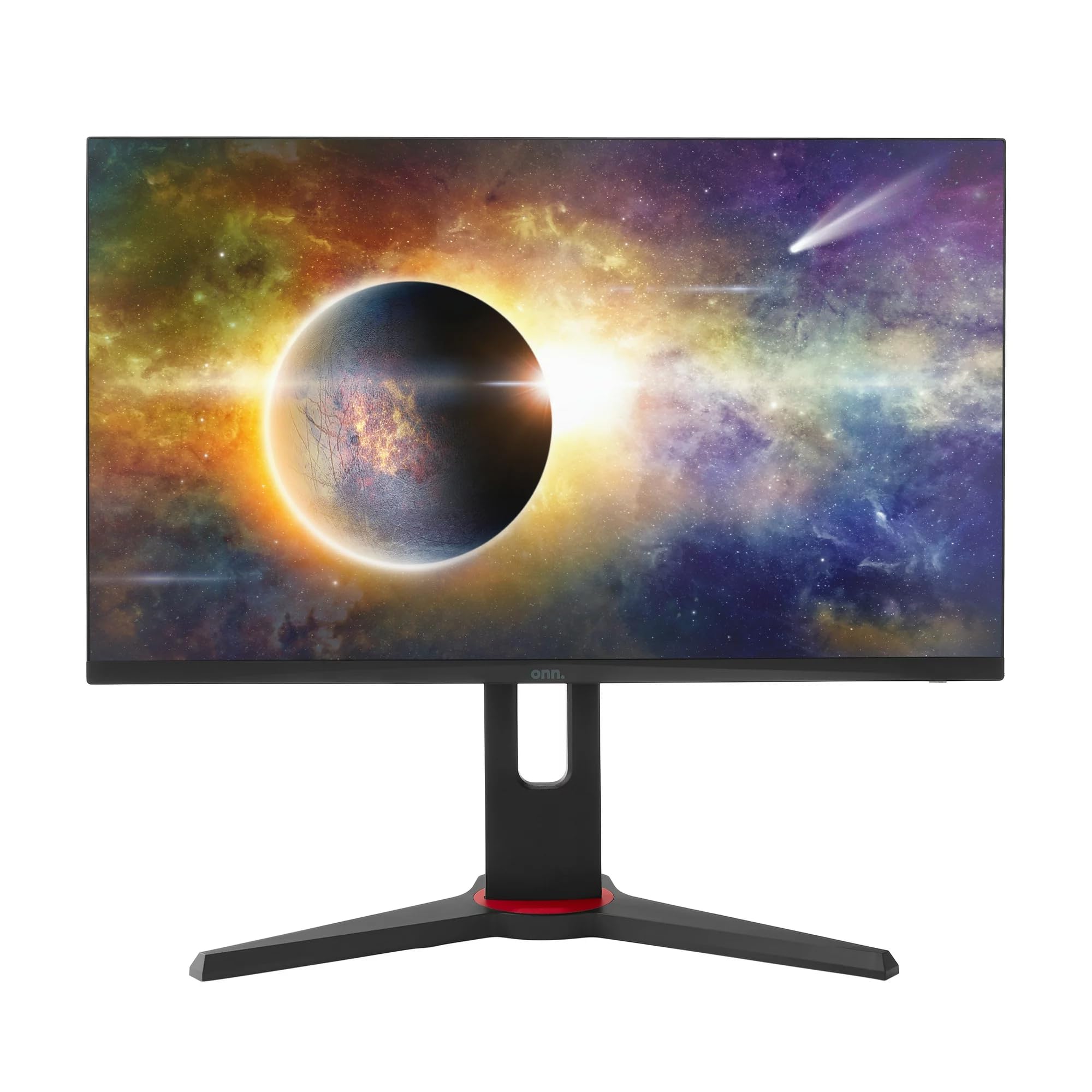
Выява: спераду view of the ONN 24-inch Gaming Monitor, fully assembled with its stand.

Выява: Задняя частка view of the ONN 24-inch Gaming Monitor, illustrating the stand attachment and cable management area.
2. Злучальныя кабелі
Locate the input ports on the back of your monitor:
- Магутнасць: Падключыце адаптар сілкавання да ўваходу сілкавання манітора, а затым да разеткі.
- Відэа ўваход: Connect one end of the provided DisplayPort or HDMI cable to the corresponding port on your computer's graphics card and the other end to the monitor. The monitor supports 2 HDMI inputs and 1 DisplayPort input.
- Аўдыёвыхад (неабавязкова): If your monitor has a 3.5mm audio jack, you can connect external speakers or headphones.

Выява: Крупны план view of the monitor's rear ports, including HDMI 1, HDMI 2, DisplayPort (DP), and power input.
3. Пачатковае ўключэнне
- Пераканайцеся, што ўсе кабелі надзейна падключаны.
- Press the power button on the monitor (usually located on the back or bottom right).
- The monitor should display the ONN logo and then search for an input signal.
- If no image appears, ensure your computer is powered on and the correct input source is selected on the monitor (see Operating section).
Аперацыйная
1. Уключэнне/выключэнне харчавання
Націсніце кнопку харчавання, каб уключыць або выключыць манітор. Індыкатар харчавання будзе паказваць стан манітора (напрыклад, сіні — уключаны, бурштынавы — рэжым чакання).
2. Навігацыя па экранным меню (OSD)
Your monitor features an OSD menu for adjusting various settings. Typically, buttons on the back or bottom of the monitor control the OSD:
- Кнопка меню: Адкрывае экраннае меню.
- Кнопкі навігацыі (Уверх/Уніз/Улева/Управа): Выкарыстоўваецца для навігацыі па пунктах меню.
- Кнопка выбару/ўводу: Пацвярджае выбар або пераходзіць у падменю.
- Кнопка выхаду: Выхад з бягучага меню або экраннага меню.
3. Рэгуляванне параметраў
Асноўныя налады, якія можна змяніць праз экраннае меню, ўключаюць:
- Яркасць/кантраст: Адрэгулюйце агульную яркасць і розніцу паміж светлымі і цёмнымі абласцямі.
- Налады колеру: Змяніць каляровую тэмпературу, гаму і асобныя ўзроўні RGB.
- Крыніца ўводу: Уручную выберыце паміж уваходамі HDMI 1, HDMI 2 або DisplayPort.
- Частата абнаўлення: Ensure your graphics card and monitor are set to 165Hz for the smoothest experience. This is usually configured in your operating system's display settings.
- Час водгуку: Adjust the monitor's response time setting (e.g., 1ms) for reduced motion blur in fast-paced games.
- Тэхналогія FreeSync: Enable FreeSync in the OSD menu and in your AMD graphics card settings to synchronize the monitor's refresh rate with your GPU's frame rate, eliminating screen tearing and stuttering.
- Рэжымы выявы: Select from preset modes optimized for different content (e.g., Standard, Game, Movie, Text).

Image: The ONN 24-inch Gaming Monitor displayed in a typical desk setup, connected to a laptop with gaming peripherals.
Тэхнічнае абслугоўванне
Чыстка манітора
- Перад чысткай заўсёды адключайце манітор ад сеткі.
- Выкарыстоўвайце мяккую тканіну без ворса. dampвадой або мяккім неабразіўным ачышчальнікам для экранаў.
- Не распыляйце ачышчальнік непасрэдна на экран. Спачатку нанясіце яго на тканіну.
- Пазбягайце выкарыстання агрэсіўных хімікатаў, абразіўных губак або растваральнікаў.
Захоўванне
Калі манітор захоўваецца працяглы час, адключыце ўсе кабелі, спакуйце яго ў арыгінальную ўпакоўку (калі яна ёсць) і захоўвайце ў прахалодным, сухім месцы, удалечыні ад прамых сонечных прамянёў і экстрэмальных тэмператур.
Ліквідацыю непаладак
Калі ў вас узніклі праблемы з маніторам, звярніцеся да наступных распаўсюджаных праблем і іх рашэнняў:
| праблема | Магчымае рашэнне |
|---|---|
| Няма выявы на экране |
|
| Image is flickering or distorted |
|
| Няма гуку (пры выкарыстанні дынамікаў манітора/аўдыёвыхаду) |
|
| Манітор не дасягае 165 Гц |
|
Тэхнічныя характарыстыкі
Detailed technical specifications for the ONN 24-inch FHD Gaming Monitor (Model 100027813):
| Асаблівасць | Спецыфікацыя |
|---|---|
| Нумар мадэлі | 100027813 |
| Памер экрана | 24 цалі |
| дазвол | FHD 1080p (1920x1080) |
| Частата абнаўлення | 165 Гц |
| Час водгуку | 1 мілісекунд |
| Тэхналогія адлюстравання | IPS |
| Адаптыўная сінхранізацыя | FreeSync |
| Суадносіны бакоў | 16:9 |
| Каэфіцыент кантраснасці | 2000:1 |
| Паверхня экрана | Matte, Anti-glare with low blue light setting |
| Сувязь | 2 х HDMI, 1 х DisplayPort |
| Памеры прадукту (Д х Ш х У) | 61.3 х 11.3 х 37.3 см |
| Вага прадмета | 6.1 кг |
| Колер | Чорны |
| Тып мацавання | Настольнае мацаванне |
| Канкрэтнае выкарыстанне | Entertainment, Gaming |
Гарантыя
This ONN 24-inch FHD Gaming Monitor is a renewed product. Warranty terms and conditions for renewed products may vary. Please refer to the specific warranty information provided by the seller or retailer at the time of purchase. It is recommended to retain your proof of purchase for any warranty claims.
Падтрымка
For technical assistance, troubleshooting beyond this manual, or warranty inquiries, please contact the retailer or the Amazon Renewed support channel where the product was purchased. Have your model number (100027813) and proof of purchase ready when contacting support.