
Satlink ST-5032
Satlink ST-5032 DVB-S2/S ISDB-T J83B Digital Satellite Signal Detector User Manual
Model: ST-5032 | Brand: Satlink
1. Уводзіны
The Satlink ST-5032 is a portable digital satellite signal detector designed for the installation and verification of digital television services in residential homes or apartment buildings. It is fully compatible with DVB-S2/S, ISDB-T, and J83B standards, offering a compact size, lightweight design, and an intuitive user interface.
This manual provides detailed instructions on how to set up, operate, and maintain your ST-5032 device to ensure optimal performance and longevity.
2. Інфармацыя па бяспецы
Please read all safety instructions before using the device. Failure to follow these instructions may result in electric shock, fire, or damage to the device.
- Не падвяргайце прыладу ўздзеянню дажджу або вільгаці.
- Не разбірайце прыладу. Любое абслугоўванне звяртайцеся да кваліфікаванага персаналу.
- Выкарыстоўвайце толькі адаптар сілкавання, які ўваходзіць у камплект.
- Трымайце прыладу далей ад экстрэмальных тэмператур і прамых сонечных прамянёў.
- Забяспечце належную вентыляцыю, каб прадухіліць перагрэў.
3. Змесціва ўпакоўкі
Праверце, ці ёсць усе прадметы ў вашай упакоўцы:
- Satlink ST-5032 Digital Satellite Signal Detector
- Адаптар харчавання (вілка ЕС)
- Кабель USB
- Плечавы рэмень
- Кіраўніцтва карыстальніка (гэты дакумент)
- Software CD (optional, for PC connection)
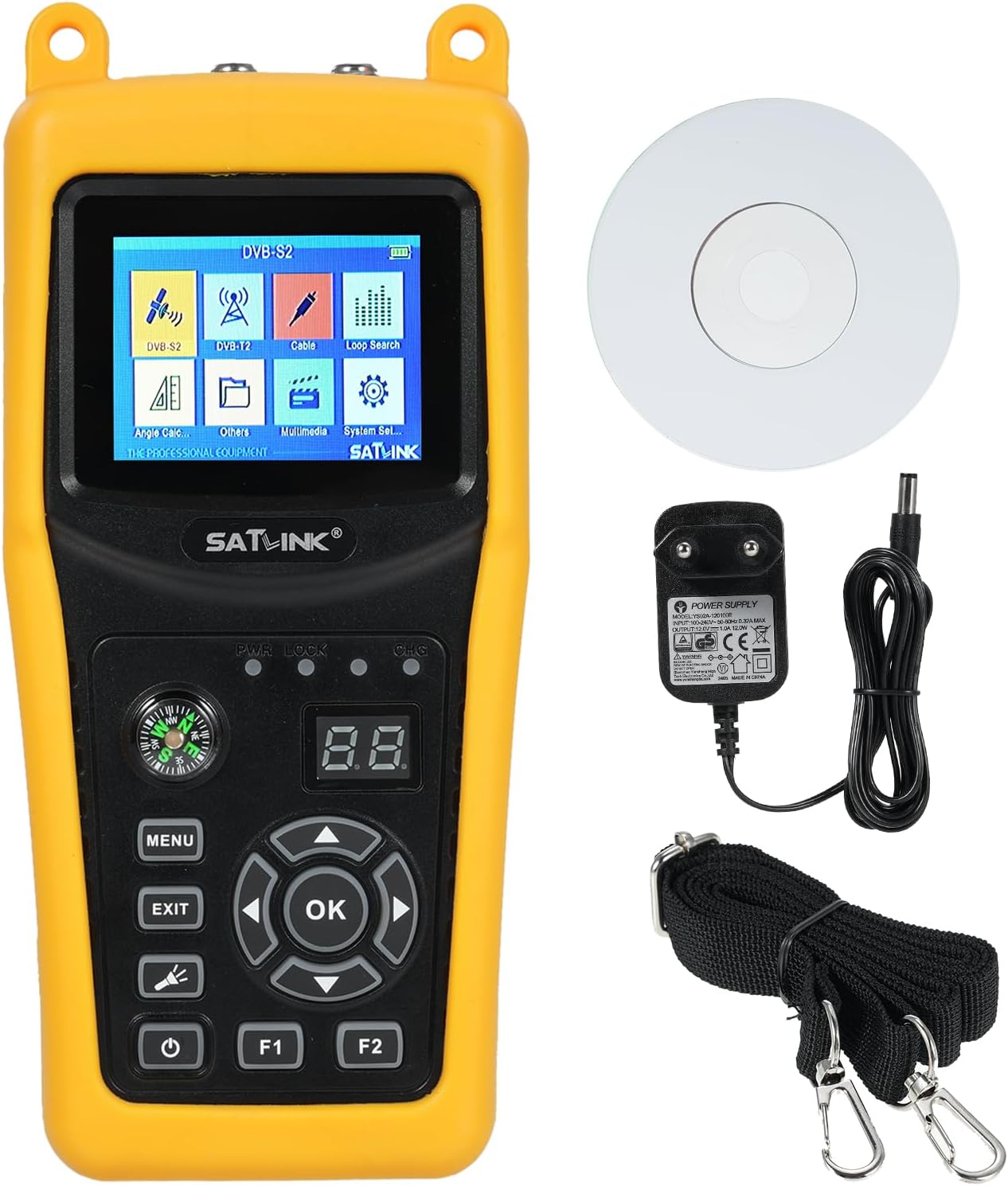
Image 3.1: Satlink ST-5032 device with power adapter, USB cable, shoulder strap, and software CD.
4. Прылада скончанаview
Familiarize yourself with the various parts and controls of your ST-5032 device.
4.1 Пярэдняя панэль

Выява 4.1: Спераду view of the Satlink ST-5032, displaying the 2.4-inch TFT LCD screen and control buttons.
- 2.4" TFT LCD Screen: Displays menus, signal information, and video.
- компас: Integrated for easier and faster position adjustment of the satellite dish.
- Кнопка МЕНЮ: Доступ да галоўнага меню.
- Кнопка ВЫХОД: Вяртанне да папярэдняга экрана або выхад з меню.
- Кнопка ОК: Пацвярджае выбар або пераходзіць да падменю.
- Кнопкі са стрэлкамі (уверх/уніз/налева/направа): Перамяшчайцеся па меню і наладжвайце параметры.
- Кнопка харчавання: Уключае/выключае прыладу.
- F1/F2 Buttons: Function keys, their purpose may vary depending on the current menu.
- PWR/LOCK/CHG Indicators: LED indicators for power, signal lock, and charging status.
4.2 Верхняя і ніжняя панэлі

Малюнак 4.2: Зверху і знізу views of the Satlink ST-5032, highlighting the F-type connectors for satellite and antenna inputs.
- F-Type Connectors: For connecting to the LNB of a satellite dish or a terrestrial antenna.
4.3 бакавыя панэлі

Малюнак 4.3: Збоку views of the Satlink ST-5032, showing the USB port and power input jack.
- Порт USB: Для абнаўлення праграмнага забеспячэння і перадачы дадзеных.
- Уваход пастаяннага току: For connecting the power adapter to charge the device or operate it directly.
5. Настройка
5.1 Першапачатковая зарадка
Before first use, fully charge the device's internal Li-ion battery. Connect the provided power adapter to the DC power input on the side of the device and plug it into a wall outlet. The CHG indicator will illuminate during charging and turn off when fully charged.
5.2 Уключэнне/выключэнне
Press and hold the Power button for a few seconds to turn the device on or off.
5.3 Connecting to a Satellite Dish or Antenna
Connect the LNB cable from your satellite dish to the "Satellite" F-type connector on the top of the device. For terrestrial signals (ISDB-T/J83B), connect your antenna cable to the "Antenna" F-type connector.
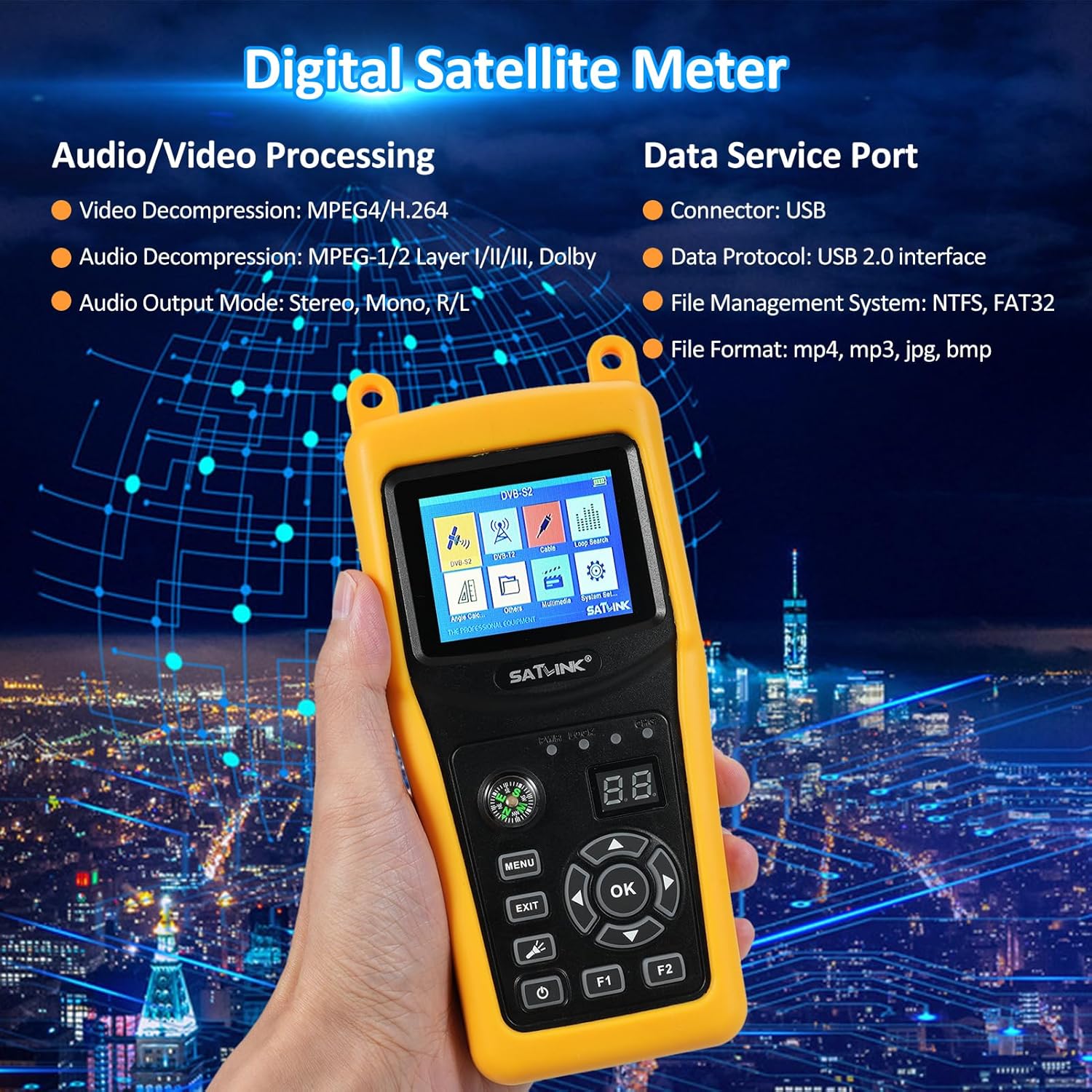
Image 5.1: Diagram illustrating the dimensions of the ST-5032 and how to connect satellite and antenna cables.
6. Інструкцыя па эксплуатацыі
6.1 Навігацыя па галоўным меню
After powering on, the device will display the main menu. Use the directional buttons to navigate between icons and press the OK button to select an option.
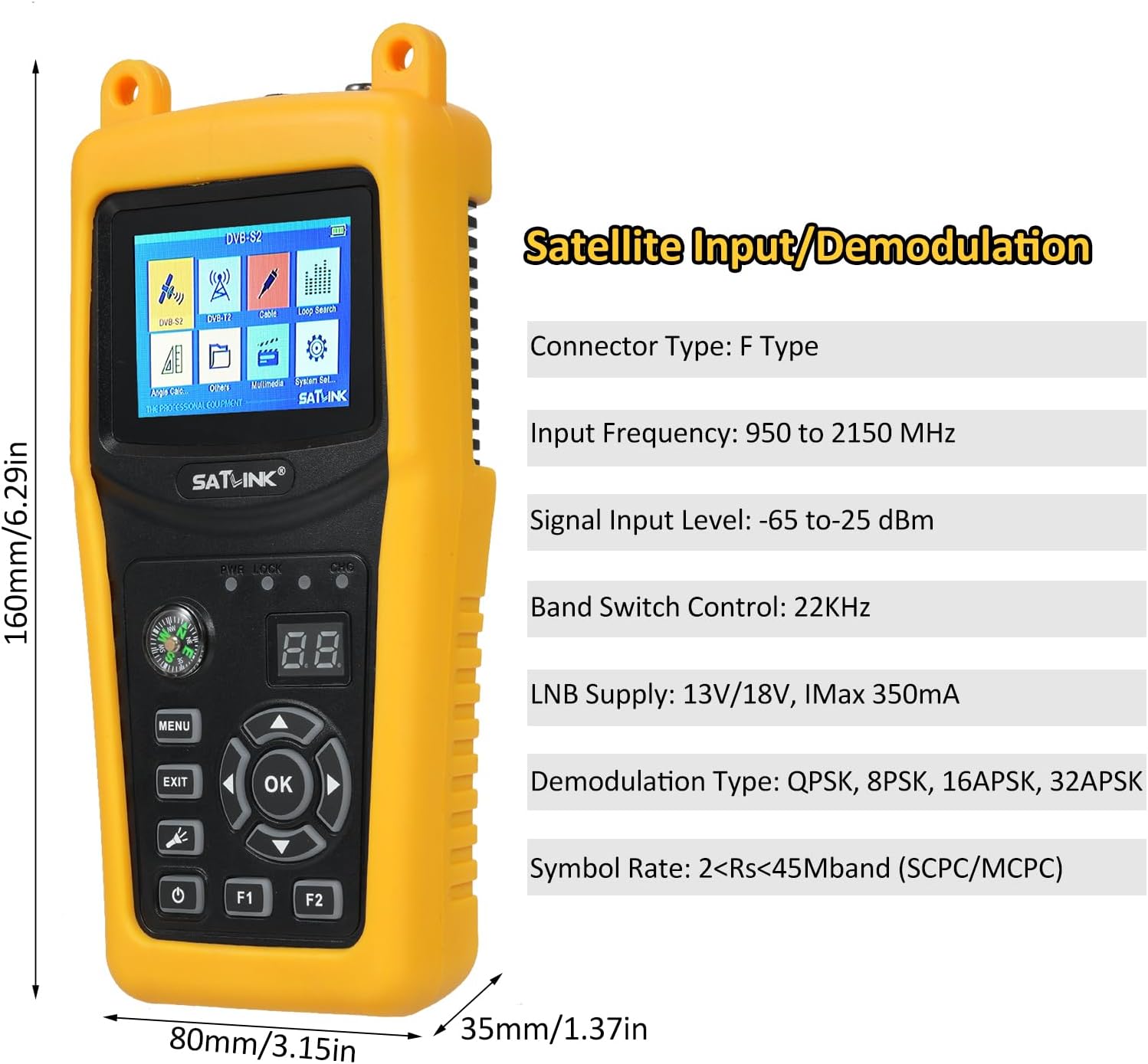
Image 6.1: The main menu of the Satlink ST-5032, showing options like DVB-S2, DVB-T, Cable, Loop Search, Angle Calc, Others, Multimedia, and System Set.
6.2 Satellite Signal Detection (DVB-S2/S)
- From the main menu, select "DVB-S2" or "DVB-S".
- Choose the desired satellite from the list or add a new one.
- Enter the Transponder (TP) frequency, symbol rate, and polarization.
- Adjust your satellite dish using the integrated compass and observe the signal strength and quality bars on the screen.
- Fine-tune the dish position until the signal strength and quality are maximized. The LOCK indicator will illuminate when a signal is acquired.
6.3 Terrestrial Signal Detection (ISDB-T/J83B)
- From the main menu, select "DVB-T" (for ISDB-T) or "Cable" (for J83B).
- Select the appropriate region/channel plan or manually enter the channel frequency.
- Adjust your terrestrial antenna and monitor the signal strength and quality indicators.
- Optimize antenna position for the best signal reception.
6.4 Налады сістэмы
Access the "System Set" menu to configure language, backlight, time, factory reset, and other system parameters.
7. Тэхнічнае абслугоўванне
7.1 Ачыстка
Працірайце прыладу мяккай сухой тканінай. Не выкарыстоўвайце вадкія ачышчальнікі або растваральнікі.
7.2 Сыход за акумулятарам
Каб падоўжыць тэрмін службы батарэі, пазбягайце частай поўнай разрадкі. Калі прылада захоўваецца працяглы час, зараджайце яе прыкладна да 50% і падзараджайце кожныя некалькі месяцаў.
7.3 Захоўванне
Захоўвайце прыладу ў прахалодным, сухім месцы, удалечыні ад прамых сонечных прамянёў і экстрэмальных тэмператур.
8. Выпраўленне непаладак
| праблема | Магчымая прычына | Рашэнне |
|---|---|---|
| Прылада не ўключаецца. | Акумулятар разраджаны. | Падключыце адаптар сілкавання і зарадзіце прыладу. |
| Сігнал не выяўлены. | Incorrect satellite/transponder settings; cable not connected properly; LNB/antenna issue. | Verify settings; check cable connections; inspect LNB/antenna. |
| Poor signal quality. | Dish/antenna misalignment; interference; faulty cable. | Fine-tune dish/antenna position; check for obstructions; replace cable if damaged. |
| Экран пусты або завіс. | Праграмны збой. | Press and hold the power button to force a restart. If issue persists, perform a factory reset (refer to System Settings). |
9. Тэхнічныя характарыстыкі

Image 9.1: Detailed technical specifications of the Satlink ST-5032, including transmission standards, input/demodulation, LCD features, audio/video processing, data service port, power supply, and physical characteristics.
| мадэль | СТ-5032 |
| Вытворца | Ірфара |
| Памеры (Д х Ш х У) | 21.5 х 17 х 5.2 см (8.46 х 6.69 х 2.05 цалі) |
| Вага нета | Прыбл. 0.7 кг |
| Тып раздыма | Тып F |
| Уваходная частата | Ад 950 да 2150 МГц |
| Узровень уваходнага сігналу | -65 да -25 дБм |
| Упраўленне дыяпазонам | 22 кГц |
| Пастаўка LNB | 13V/18V, IMAx 350mA |
| Тып дэмадуляцыі | QPSK, 8PSK, 16APSK, 32APSK |
| Сімвальная хуткасць | 2<Rs<45Mband (SCPC/MCPC) |
| Тып раздыма | Тып F |
| Уваходная частата | Ад 48 да 862 МГц |
| Узровень уваходнага сігналу | -80dBm (ISDB-T), -67dBm (J83B) |
| Тып дэмадуляцыі | 64QAM, 256QAM |
| Тып ВК | Трансмісіўны TFT |
| Колькасць кропак | 320 (RGB) x240 |
| Памер ВК-экрана | 2.4" |
| Дэкампрэсія відэа | MPEG4/H.264 |
| Дэкампрэсія аўдыё | MPEG-1/2 Layer I/II/III, Dolby |
| Рэжым выхаду гуку | Stereo, Mono, R/L |
| Злучальнік | Інтэрфейс USB2.0 |
| File Сістэма кіравання | NTFS, FAT32 |
| File фармат | mp4, mp3, jpg, bmp |
| Літый-іённы акумулятар | 7.4 В/2600 мАг |
| Перахаднік | Output: DC12V/1A, Input: 100-240VAC 50/60Hz |
| Энергаспажыванне | Макс. 10W |
10. Гарантыя і падтрымка
This product comes with a standard manufacturer's warranty. Please refer to the warranty card included in your package for specific terms and conditions. For technical support, troubleshooting assistance, or warranty claims, please contact your retailer or the manufacturer's customer service department.
Manufacturer: Irfora
Model Reference: LAKDEE25971EU