
LAMA V22
Кіраўніцтва карыстальніка
LAMA Fitness Tracker Smart Watch (Model: V22)
Your guide to a healthier, smarter lifestyle.
1. Уводзіны
This user manual provides comprehensive instructions for the LAMA Fitness Tracker Smart Watch, Model V22. It covers setup, operation, maintenance, and troubleshooting to help you maximize your device's potential. This smart watch is designed to assist you in monitoring your health, tracking your fitness activities, and staying connected.
2. Што ў скрынцы
- 1x разумны гадзіннік
- 1x зарадны кабель
- 1x Кіраўніцтва карыстальніка
3. Кіраўніцтва па наладцы
3.1 Першапачатковая зарадка
Before first use, fully charge your LAMA Smart Watch. Connect the provided charging cable to the charging contacts on the back of the watch and to a USB power source. A full charge typically takes approximately 2 hours and provides 5-7 days of normal usage or up to 20 days of standby time.

Image: The LAMA Smart Watch connected to its charging cable, illustrating the charging process.
3.2 Загрузка праграмы і спалучэнне
To unlock all features, download the "GloryFit" app on your smartphone. The app is compatible with iOS 9.0 or higher and Android 4.4 or higher, requiring Bluetooth 5.0. The watch is not compatible with PC, iPad, or Tablet devices.
- Scan the QR code in the manual or search for "GloryFit" in your smartphone's app store.
- Install and open the "GloryFit" app.
- Follow the in-app instructions to create an account and set up your personal profile.
- Уключыце Bluetooth на вашым смартфоне.
- In the "GloryFit" app, navigate to the device section and search for your LAMA Smart Watch.
- Select your watch from the list to pair. Confirm the pairing request on both your phone and the watch if prompted.
4. Інструкцыя па эксплуатацыі
4.1 Bluetooth Call & Smart Notifications
Once paired with the "GloryFit" app via Bluetooth, your smart watch can answer and make calls directly. It features a built-in microphone and speaker. You can also store contacts and view call records. Additionally, the watch displays message notifications from various apps like Text, Messenger, Gmail, Facebook, Whatsapp, Snapchat, Skype, and Twitter.

Image: The smartwatch screen showing an incoming call and icons for various social media and messaging applications, indicating smart notification capabilities.
4.2 Шматфункцыянальныя функцыі
The LAMA Smart Watch serves as a comprehensive life assistant with numerous useful functions:
- Будзільнік: Усталюйце некалькі будзільнікаў для штодзённых напамінаў.
- Прагнозы надвор'я: Атрымлівайце абнаўленні надвор'я ў рэжыме рэальнага часу непасрэдна на запясце.
- Кіраванне музычным плэерам: Кіруйце прайграваннем музыкі на падлучаным смартфоне.
- Напаміны пра жаночы цыкл: Адсочваць і прагназаваць менструальныя цыклы.
- Кіраванне камерай: Дыстанцыйна ўключайце камеру вашага смартфона.
- Знайсці тэлефон: Знайдзіце страчаны смартфон, прымусіўшы яго званіць.
- Таймер і секундамер: Useful for various activities and time management.
- Калькулятар і каляндар: Basic utility tools for convenience.
- Наладжвальныя цыферблаты: Choose from over 300 watch faces in the GloryFit app or use your own photos.

Image: A collage of smartwatch screens showing different functions like music control, calculator, weather, timer, and more, highlighting its versatility.
4.3 Маніторынг здароўя
The LAMA Smart Watch provides 24/7 health monitoring capabilities:
- Манітор сардэчнага рытму: Continuously tracks your heart rate. You can view real-time data on your wrist and all-day records in the app.
- Манітор кіслароду ў крыві: Measures your blood oxygen levels. Check real-time data on the watch and historical data in the app.
- Адсочванне сну: Monitors your sleep patterns, including REM, light sleep, deep sleep, and wake-up times, to help you understand and improve your sleep quality.

Image: Visual representations of heart rate, blood oxygen saturation, and sleep duration as displayed on the smartwatch and accompanying app, with a person meditating and another sleeping.
4.4 Activity Tracking and Sport Modes
The watch tracks your daily activity, including steps, distance, and calories burned, to help you achieve your fitness goals. It supports over 100 sport modes, providing real-time data for heart rate, steps, distance, and calories during your workouts.

Image: A collage of smartwatch screens showing different functions like music control, calculator, weather, timer, and more, highlighting its versatility.
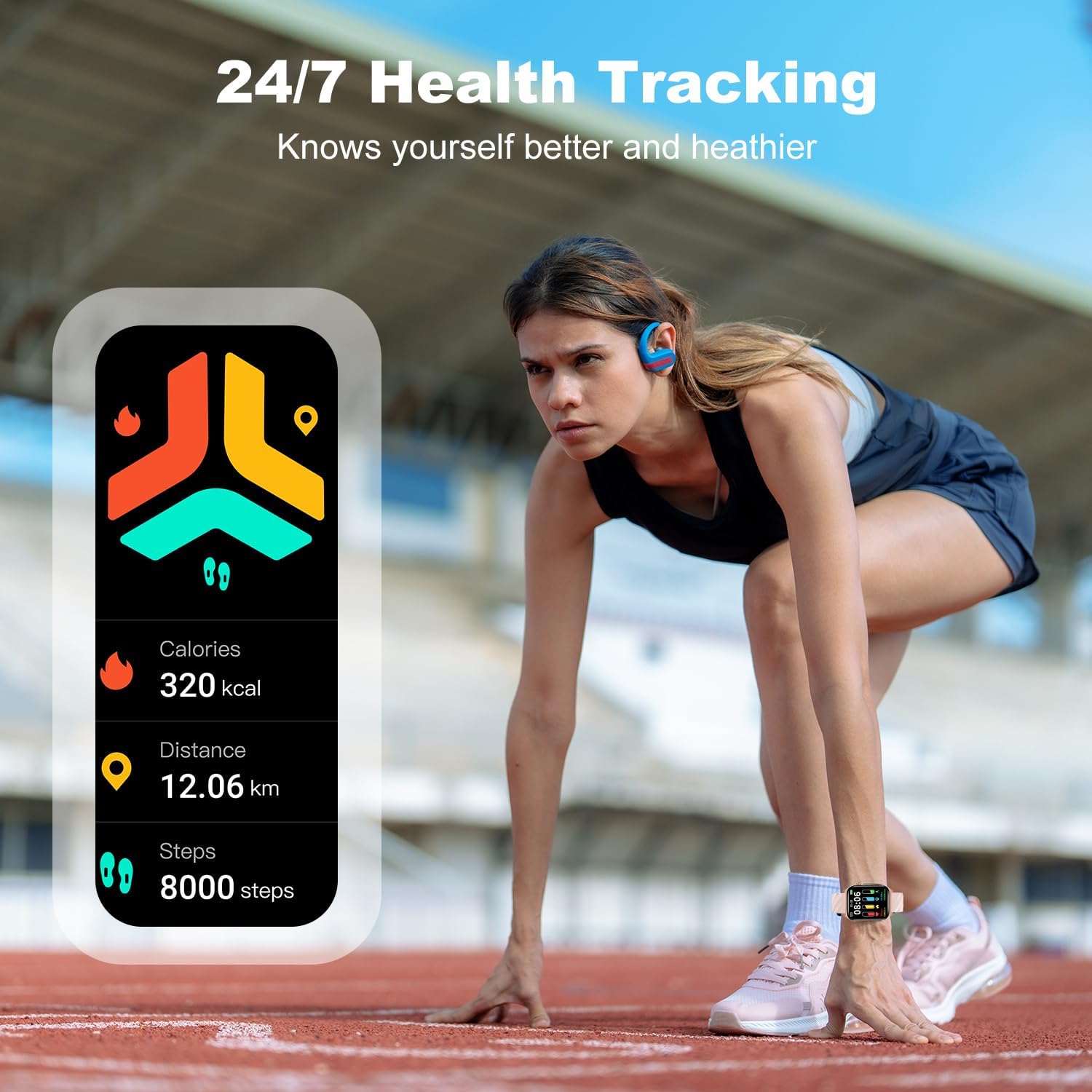
Image: A smartwatch screen displaying daily activity metrics such as calories burned, distance covered, and steps taken, with a person preparing to run on a track.
4.5 Дысплей і налада
The 1.85" HD touch screen offers clear visuals. You can personalize your watch with over 300 watch faces available in the GloryFit app, or even upload your own photos to create custom dials.

Image: A smartwatch screen displaying various watch face designs, illustrating the variety of customization options available through the app.
5. Тэхнічнае абслугоўванне
5.1 Рэйтынг воданепранікальнасці
The LAMA Smart Watch has an IP68 waterproof rating, meaning it is resistant to dust and can withstand immersion in water up to 1.5 meters for up to 30 minutes. It is suitable for daily use, hand washing, and light rain. However, it is not recommended for hot showers, saunas, or diving, as steam and hot water can damage the seals.

Image: The smartwatch partially submerged in water, visually confirming its IP68 waterproof capability.
5.2 Чыстка і догляд
To maintain your watch's condition and ensure accurate sensor readings:
- Рэгулярна чысціце гадзіннік і раменьчык мяккай губкайamp тканіна.
- Перад зарадкай пераканайцеся, што кантакты зараднай прылады чыстыя і сухія.
- Пазбягайце ўздзеяння на гадзіннік экстрэмальных тэмператур або агрэсіўных хімічных рэчываў.
5.3 Сыход за акумулятарам
Каб падоўжыць тэрмін службы батарэі:
- Пазбягайце частай поўнай разрадкі акумулятара.
- Charge the watch when the battery level is low, rather than waiting for it to completely die.
- Store the watch in a cool, dry place if not used for an extended period.

Image: The smartwatch displaying its battery level and charging status, alongside a view of the watch's rear with charging contacts, emphasizing battery life and charging features.
6. Выпраўленне непаладак
- Гадзіннік не ўключаецца: Пераканайцеся, што гадзіннік цалкам зараджаны. Падключыце яго да зараднай прылады і пачакайце некалькі хвілін, перш чым спрабаваць уключыць.
- Немагчыма спалучыць прыладу са смартфонам:
- Пераканайцеся, што Bluetooth уключаны на вашым смартфоне.
- Пераканайцеся, што гадзіннік знаходзіцца ў зоне дзеяння Bluetooth вашага тэлефона.
- Перазагрузіце гадзіннік і смартфон.
- Check if the "GloryFit" app is updated to the latest version.
- Калі прылада была спалучана раней, паспрабуйце адключыць яе і зноў спалучыць у наладах Bluetooth вашага тэлефона.
- Недакладныя дадзеныя пра здароўе:
- Пераканайцеся, што гадзіннік шчыльна прылягае да запясця, але не занадта туга.
- Keep the back of the watch clean and free from debris.
- For heart rate and blood oxygen measurements, remain still during the measurement.
- Апавяшчэнні не атрыманы:
- Verify that notifications are enabled in the "GloryFit" app for the desired applications.
- Check your smartphone's notification settings to ensure the "GloryFit" app has permission to send notifications.
- Пераканайцеся, што гадзіннік падключаны праз Bluetooth.
7. Тэхнічныя характарыстыкі
| Асаблівасць | Дэталь |
|---|---|
| Нумар мадэлі | V22 |
| Памер экрана | 1.85 цалі |
| Тып дысплея | HD сэнсарны экран |
| Сувязь | Bluetooth 5.0 |
| Тэрмін службы батарэі (пры нармальным выкарыстанні) | 5-7 дня |
| Тэрмін службы батарэі (у рэжыме чакання) | Да 20 дзён |
| Час зарадкі | Прыбл. 2 гадзіны |
| Рэйтынг воданепранікальнасці | IP68 |
| Сумяшчальнасць | iOS 9.0+ & Android 4.4+ |
| Вага прадмета | 3.17 унцыі (90 грама) |
| Ёмістасць памяці | 100 Мб |
8. Гарантыя і падтрымка
LAMA products are designed with quality and reliability in mind. For warranty information, technical support, or customer service inquiries, please refer to the contact details provided on the product packaging or visit the official LAMA webсайт. Захоўвайце чэк аб пакупцы на выпадак прэтэнзій па гарантыі.
Ask a question about this manual
Ask about setup, troubleshooting, compatibility, parts, safety, or missing instructions. Manuals+ will review the question and use this page’s manual context to help answer it.