
Уводзіны
This manual provides detailed instructions for the safe and effective use of your Andis 560980 Limited Edition Galaxy Envy Li Cordless Clipper and Slimline Pro Cordless Beard Trimmer Combo Kit. Please read all instructions carefully before operating the devices and retain this manual for future reference.
Важная інфармацыя па бяспецы
УВАГА: Каб знізіць рызыку паражэння электрычным токам, траўмаў або пашкоджанняў, заўсёды выконвайце наступныя асноўныя меры бяспекі:
- Пазбягайце кантакту з вачыма, скурай і вадой.
- Захоўваць удалечыні ад крыніц цяпла і адкрытага агню.
- Не выкарыстоўвайце падчас зарадкі.
- Always unplug or remove the battery before cleaning.
- Не выкарыстоўвайце немаўлятам або дзецям без нагляду дарослых.
- Выконвайце рэкамендаваныя працэдуры чысткі і абслугоўвання.
Змест пакета
Your Andis 560980 Combo Kit includes the following items:
- Andis Galaxy Envy Li Cordless Clipper
- Andis Slimline Pro Cordless Beard Trimmer
- Multiple Attachment Guide Combs (various sizes)
- Зарадныя адаптары
- Лязо алею
- Шчотка для чысткі
- Пратэктар ляза

Падрабязны view of the accessories included with the Andis 560980 kit, showing the range of guide combs, power adapters, and lubricating oil for maintenance.
Настройка
1. Зарадка прылад
Both the clipper and trimmer are equipped with rechargeable lithium-ion batteries, providing up to two hours of run-time. For optimal performance, fully charge the device before its first use.
- Connect the appropriate charging adapter to the device and plug it into a suitable power outlet.
- Індыкатар зарадкі загарыцца.
- Дайце прыладзе цалкам зарадзіцца.
- The devices can also be used corded if the battery is low or for continuous operation.
2. Attaching and Removing Guide Combs
The kit includes various guide combs to achieve different cutting lengths. To attach a comb:
- Пераканайцеся, што прылада выключана.
- Align the guide comb with the blade and slide it firmly into place until it clicks.
Каб зняць грэбень:
- Пераканайцеся, што прылада выключана.
- Gently lift the back of the comb and slide it off the blade.
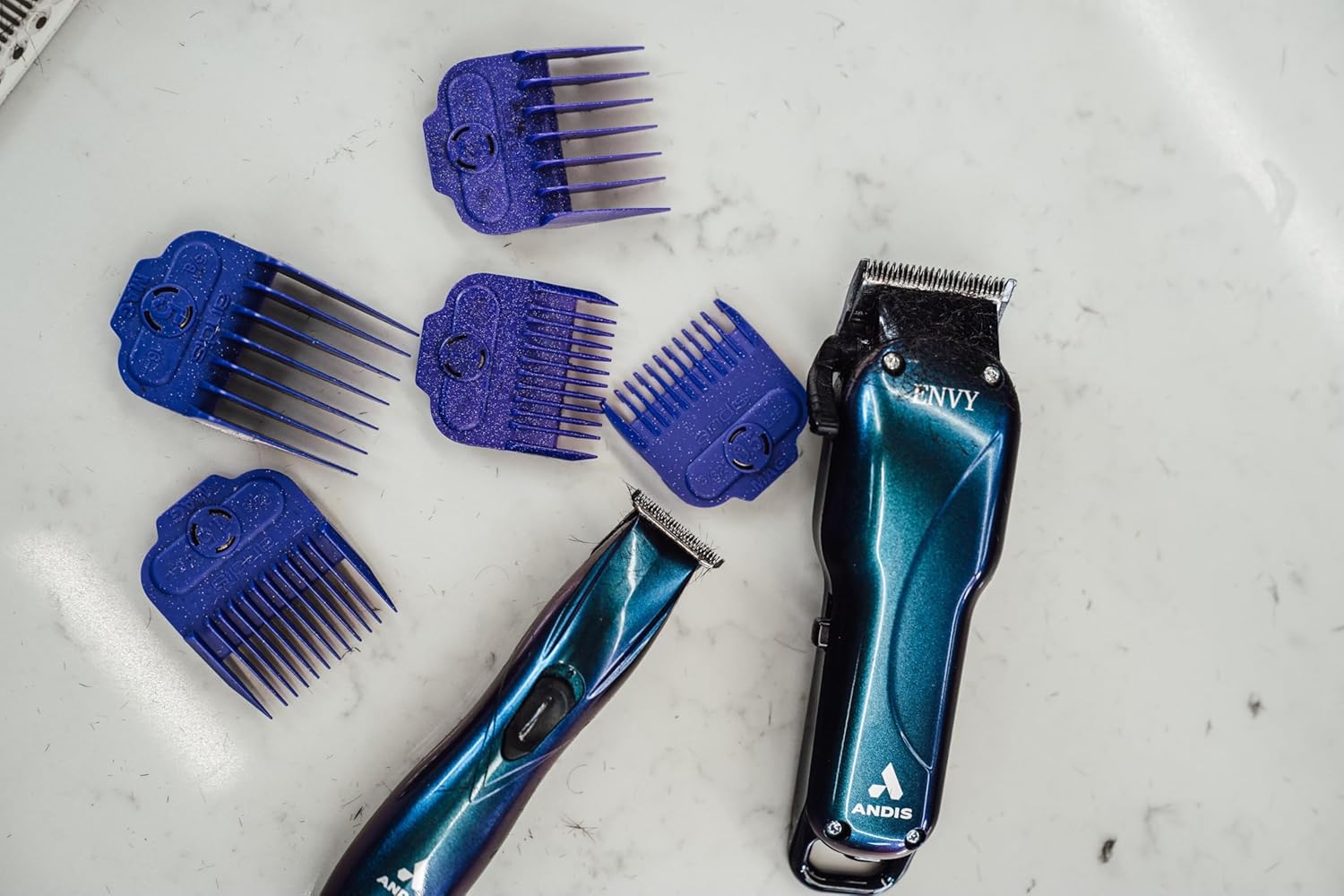
The Andis Galaxy Envy Clipper displayed with a selection of its included attachment combs, demonstrating the different cutting lengths available.
Інструкцыя па эксплуатацыі
1. Using the Clipper (Galaxy Envy Li)
The Galaxy Envy Li Cordless Clipper is designed for cutting, tapering, and fading hair. Its carbon-steel blade adjusts from 000 to 1.
- Select the desired guide comb and attach it securely.
- Уключыце машынку для стрыжкі з дапамогай выключальніка.
- For tapers and fades, use the adjustable lever on the side of the clipper to change the blade height. The lever allows for precise adjustments between 000 (closest cut) and 1 (longer cut).
- For razor-sharp lines, the blade can be zero-gapped by a professional.
- Для роўнай стрыжкі рухайце машынку супраць кірунку росту валасоў.
- Turn off the clipper after use.
2. Using the Trimmer (Slimline Pro)
The Slimline Pro Cordless Beard Trimmer is ideal for trimming beards, designing, and texturizing.
- Choose the appropriate guide comb for your desired beard length or use without a comb for close trimming and detailing.
- Уключыце трымер.
- For beard trimming, move the trimmer in the direction of hair growth for a uniform trim.
- For detailing and sharp lines, use the edge of the blade carefully.
- Turn off the trimmer after use.

A professional barber using the Andis Slimline Pro Trimmer to create intricate designs on a client's hair, highlighting its precision capabilities.
Тэхнічнае абслугоўванне
1. Чыстка лязоў
Regular cleaning ensures optimal performance and longevity of your devices.
- Turn off and unplug the device (if corded).
- Use the provided cleaning brush to remove loose hair from the blades.
- For a more thorough cleaning, detach the blades if possible and clean under running water (refer to specific device instructions for water resistance). Ensure blades are completely dry before reattaching.
2. Змазка лязоў
Apply blade oil regularly to keep the blades sharp and moving smoothly.
- After cleaning, apply a few drops of the provided blade oil across the top of the blades.
- Turn on the device for a few seconds to distribute the oil evenly.
- Вытрыце лішкі алею чыстай тканінай.
3. Захоўванне
Store your clipper and trimmer in a cool, dry place. Use the blade protector to prevent damage to the blades when not in use.
Ліквідацыю непаладак
If you encounter any issues with your Andis devices, please refer to the following common solutions:
- Прылада не ўключаецца: Пераканайцеся, што прылада цалкам зараджана. Пры выкарыстанні праваднога падключэння праверце падключэнне да сілкавання.
- Нізкая прадукцыйнасць рэзкі: Clean and oil the blades. Ensure blades are free of hair and debris. Blades may need sharpening or replacement if dull.
- Перагрэў: Ensure blades are clean and oiled. Allow the device to cool down if it feels excessively warm.
For persistent issues, please contact Andis customer support.
Тэхнічныя характарыстыкі
| Асаблівасць | Дэталь |
|---|---|
| Нумар мадэлі | 560980 |
| Марка | Andis |
| Крыніца харчавання | Працуе ад акумулятара (літый-іённы акумулятар) |
| Час выканання | Да 2 гадзін |
| Матэрыял клінка | Нержавеючая сталь |
| Clipper Blade Adjustment | 000 to 1 (adjustable lever) |
| Колер | Galaxy (Limited Edition) |
| Вага прадмета | 1.02 кілаграма (2.24 фунта) |
| Памеры | 9.41 х 9.29 х 3.03 цалі (упакоўка) |
| Мэтавая аўдыторыя | Унісекс-дарослыя |
| Тып валасоў | Усе |
Гарантыя і падтрымка
Your Andis 560980 Combo Kit is covered by a Manufacturer’s 12-month limited warranty. Please retain your proof of purchase for warranty claims.
For product support, warranty information, or to purchase replacement parts, please visit the official Andis Store or contact their customer service directly.