
Уводзіны
This manual provides essential instructions for the setup, operation, and maintenance of your BLOW Portable Internet Radio RI 1. Please read this manual thoroughly before using the device to ensure proper functionality and to prevent damage.
Важная інфармацыя па бяспецы
- Не падвяргайце прыладу ўздзеянню дажджу або вільгаці.
- Не разбірайце прыладу. Любое абслугоўванне звяртайцеся да кваліфікаванага персаналу.
- Выкарыстоўвайце толькі адаптар сілкавання, які ўваходзіць у камплект.
- Пазбягайце экстрэмальных тэмператур і прамых сонечных прамянёў.
- Трымайце прыладу далей ад моцных магнітных палёў.
Змест пакета
Пераканайцеся, што ўсе прадметы прысутнічаюць у пасылцы:
- BLOW Internet Radio RI 1
- Адаптар сілкавання
- User Manual (in Polish and English)

Image: The BLOW Internet Radio RI 1 packaging, showing the radio unit, power adapter, and user manual.
Прадукт скончаныview
The BLOW Portable Internet Radio RI 1 offers a wide range of features for an enhanced audio experience. It includes internet radio access, FM tuner, Bluetooth connectivity, and a clear LCD display.

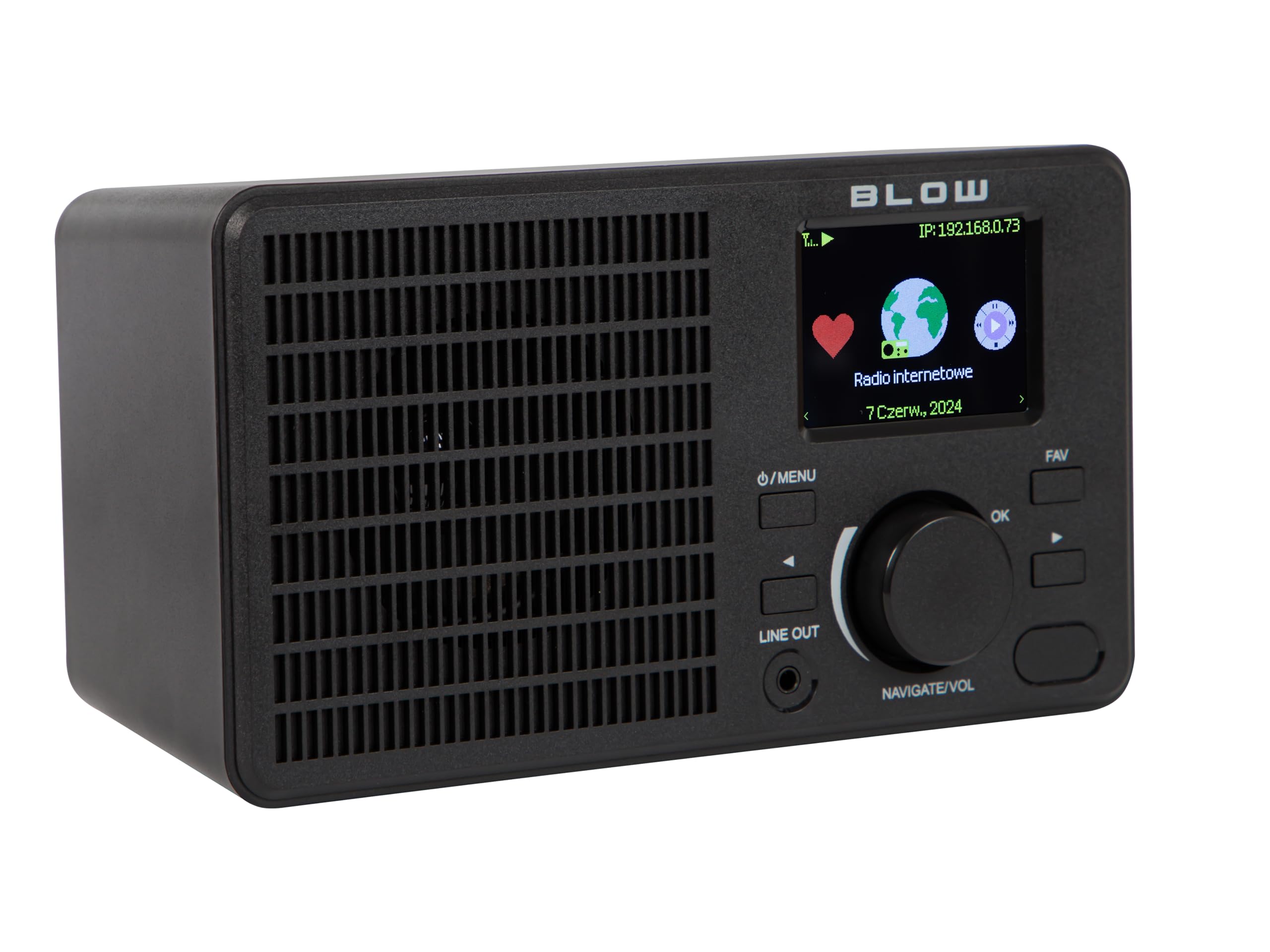
Выява: спераду view of the BLOW Internet Radio RI 1, showcasing the display, speaker grille, and control buttons.
Асноўныя характарыстыкі:
- Інтэрнэт-радыё: Access thousands of stations worldwide via Wi-Fi.
- Падключэнне Wi-Fi: Wireless access to internet radio and network features.
- Bluetooth: Stream music from mobile devices.
- 2.4-цалевы каляровы TFT-дысплей: Shows station information and track details.
- Dual Alarm with Snooze: Wake up to music or news.
- Лінейны выхад: Падключыцеся да an amplifier or external audio system.
- Кампактны дызайн: Elegant black design suitable for various interiors.
- FM-цюнэр: For local radio broadcasts.
Выява: Задняя частка view of the BLOW Internet Radio RI 1, showing the DC 5V power input and product information label.
Настройка
1. Падключэнне сілкавання
- Connect the provided power adapter to the DC 5V input port on the back of the radio.
- Падключыце адаптар сілкавання да стандартнай электрычнай разеткі.
- Радыёпрыёмнік уключыцца аўтаматычна або пяройдзе ў рэжым чакання.

Image: The power adapter included with the BLOW Internet Radio RI 1, showing the plug and DC connector.
2. Пачатковая налада Wi-Fi
- Upon first power-on, the radio will guide you through the initial setup process.
- Use the navigation dial and OK button to select your preferred language.
- Радыё пачне пошук даступных сетак Wi-Fi. Выберыце сваю сетку са спісу.
- Enter your Wi-Fi password using the navigation controls. Confirm with the OK button.
- Пасля падключэння радыё адлюструе пацвярджальнае паведамленне.

Image: The BLOW Internet Radio RI 1 display showing the internet radio interface with network status.
Інструкцыя па эксплуатацыі
Асноўныя элементы кіравання
- Кнопка харчавання/меню: Press to turn on/off or access the main menu.
- Navigate/Volume Dial: Rotate to navigate menus or adjust volume. Press to confirm selection.
- Кнопка ОК: Пацвярджае выбар.
- Кнопка FAV: Доступ да любімых станцый.
- Лінейны выхад: 3.5mm jack for connecting to external audio systems.

Выява: буйны план view of the BLOW Internet Radio RI 1's control panel, highlighting the display and buttons.
Рэжым Інтэрнэт -радыё
- У галоўным меню абярыце «Інтэрнэт-радыё».
- Browse stations by location, genre, or search by name.
- Select a station and press OK to start playback.
- To save a station as a favorite, navigate to the station and press the FAV button.
Рэжым FM-радыё
- У галоўным меню абярыце «FM-радыё».
- Use the navigation dial to tune to a frequency or perform an auto-scan for stations.
- Press OK to select a station.
рэжым Bluetooth
- У галоўным меню абярыце «Bluetooth». Радыё ўвойдзе ў рэжым спалучэння.
- On your mobile device (smartphone, laptop), enable Bluetooth and search for "BLOW RI 1".
- Select the radio to pair. Once connected, you can stream audio from your device to the radio.

Image: The BLOW Internet Radio RI 1 shown alongside a smartphone, illustrating Bluetooth connectivity for music streaming.
Функцыя будзільніка
- Access the "Alarm" settings from the main menu.
- Наладзьце да двух незалежных сігналізацый.
- Configure alarm time, source (buzzer, internet radio, FM), and snooze duration.
- Ensure the radio is connected to power for the alarm to function reliably.
Тэхнічнае абслугоўванне
- Уборка: Use a soft, dry cloth to clean the radio's surface. Do not use liquid cleaners or abrasive materials.
- захоўванне: Калі радыё не выкарыстоўваецца працяглы час, захоўвайце яго ў прахалодным, сухім месцы.
- Абнаўленні праграмнага забеспячэння: Periodically check for firmware updates through the radio's system settings to ensure optimal performance and access to new features.
Ліквідацыю непаладак
| праблема | Магчымае рашэнне |
|---|---|
| Няма ўлады | Check if the power adapter is securely connected to the radio and the electrical outlet. Try a different outlet. |
| Немагчыма падключыцца да Wi-Fi | Ensure your Wi-Fi password is correct. Check if your router is working. Try restarting the radio and your router. Ensure the radio is within range of your Wi-Fi signal. |
| Internet radio stations not playing | Verify your internet connection is active. Some stations may be temporarily offline. Try other stations. |
| Збой спалучэння Bluetooth | Ensure the radio is in Bluetooth pairing mode. Make sure Bluetooth is enabled on your mobile device and it's within range. Try unpairing and re-pairing. |
| Дрэнны прыём FM | Adjust the radio's position. Ensure there are no strong interference sources nearby. |
Тэхнічныя характарыстыкі
| Асаблівасць | Дэталь |
|---|---|
| Марка | Удар |
| мадэль | 5900804137467 |
| Тэхналогія падлучэння | Wi-Fi, Bluetooth, Aux, Line Out |
| Тэхналогія цюнэра | FM |
| Тып дысплея | LCD (2.4-inch TFT Color Display) |
| Крыніца харчавання | Corded Electric (AC: 100-240V, 50/60Hz; DC: 5V/1A) |
| Сумяшчальныя прылады | Smartphone, Laptop, Headphones |
| Асаблівасці | Lightweight, Portable, Dustproof, Built-in Clock, Dual Alarm with Snooze |
| Памеры прадукту | 19.4 см (Д) х 8.8 см (Ш) х 11 см (У) |
| Колер | Чорны |
Гарантыя і падтрымка
For warranty information and technical support, please refer to the contact details provided in the separate warranty card included with your product or visit the official BLOW webсайт.
вытворца: УДАР
Webсайт: www.blow.pl


