
ELEHEAR Alpha Pro
ELEHEAR Alpha Pro Hearing Aids User Manual
Model: Alpha Pro
Уводзіны
Welcome to the ELEHEAR Alpha Pro Hearing Aids user manual. This guide provides comprehensive instructions for setting up, operating, maintaining, and troubleshooting your new hearing aids. Designed for individuals with mild to moderate hearing loss, the Alpha Pro features advanced AI noise cancellation, Bluetooth connectivity, and app control for a personalized listening experience.
Што ў скрынцы
Please check the contents of your ELEHEAR Alpha Pro package. If any items are missing or damaged, please contact customer support.

Малюнак 1: Змест пакета - The image displays the charging case, ear caps (6 pairs), a pair of hearing aids, a multifunction tool, a USB cable, the user manual, and a quick start guide.
- 1 х чахол для зарадкі
- 6 pairs of Ear Caps (various sizes)
- 1 pair of Hearing Aids (Left and Right)
- 1 x Multifunction Tool
- 1 х USB-кабель (тыпу C)
- 1 х Кіраўніцтва карыстальніка
- 1 х Кароткае кіраўніцтва
Прадукт скончаныview
The ELEHEAR Alpha Pro hearing aids are designed for comfort and superior sound clarity. They feature a lightweight, receiver-in-canal design that is barely noticeable when worn.

Малюнак 2: Кампаненты прадукту - The image shows the compact charging case, the two hearing aids, and a smartphone screen illustrating the accompanying control application.
Асноўныя характарыстыкі:
- Super Clear Sound: Powered by VocClear AI Technology, offering noise reduction and feedback control with up to 37dB gain.
- Customizable Smart Features: Adjust volume, frequency, directionality, and environment settings via the ELEHEAR app.
- Павялічаны тэрмін службы батарэі: Up to 20 hours on a single charge for the hearing aids, with the charging case providing an additional seven full charges (total 160 hours).
- Easy Operation & Comfortable Fit: Auto-On/Off feature, lightweight receiver-in-canal design, and multiple dome sizes for optimal comfort.
- Потнепроницаемый дызайн: Advanced vacuum coating on PCBA and batteries ensures durability.
Настройка
1. Пачатковая аплата
Before first use, fully charge your ELEHEAR Alpha Pro hearing aids and their charging case. Connect the provided USB Type-C cable to the charging case and a power source.

Малюнак 3: Зарадка прылады - The image shows the charging case connected to a power source via its USB-C port, highlighting its long battery life.
2. Спампуйце праграму ELEHEAR
For full control and customization, download the official ELEHEAR app from the App Store (iOS) or Google Play Store (Android). Пошук "ELEHEAR" to find the application.

Figure 4: App Download and Control - This image illustrates the ELEHEAR app interface on a smartphone, showing options for customization and connection via Bluetooth 5.3.
3. Спалучэнне з вашай прыладай
- Open the ELEHEAR app and create an account.
- Remove the hearing aids from the charging case. They will automatically enter pairing mode.
- Follow the in-app instructions to connect your hearing aids via Bluetooth. Select "ELEHEAR Alpha Pro" from your device's Bluetooth settings if prompted.
Інструкцыя па эксплуатацыі
Wearing the Hearing Aids
The ELEHEAR Alpha Pro hearing aids are designed for a comfortable and discreet fit. Choose the ear dome size that best fits your ear canal for optimal sound quality and comfort.

Figure 5: Comfortable Fit - The image shows a user wearing the hearing aid, highlighting its lightweight and discreet design behind the ear.
Basic Controls (On-Device)
- Уключэнне/выключэнне харчавання: The hearing aids automatically turn on when removed from the charging case and turn off when placed back in.
- Рэгуляванне гучнасці: Use the physical buttons on the hearing aid to adjust the volume up or down.
App Control and Customization
The ELEHEAR app provides extensive control over your hearing experience. You can fine-tune settings to match your specific needs and environment.
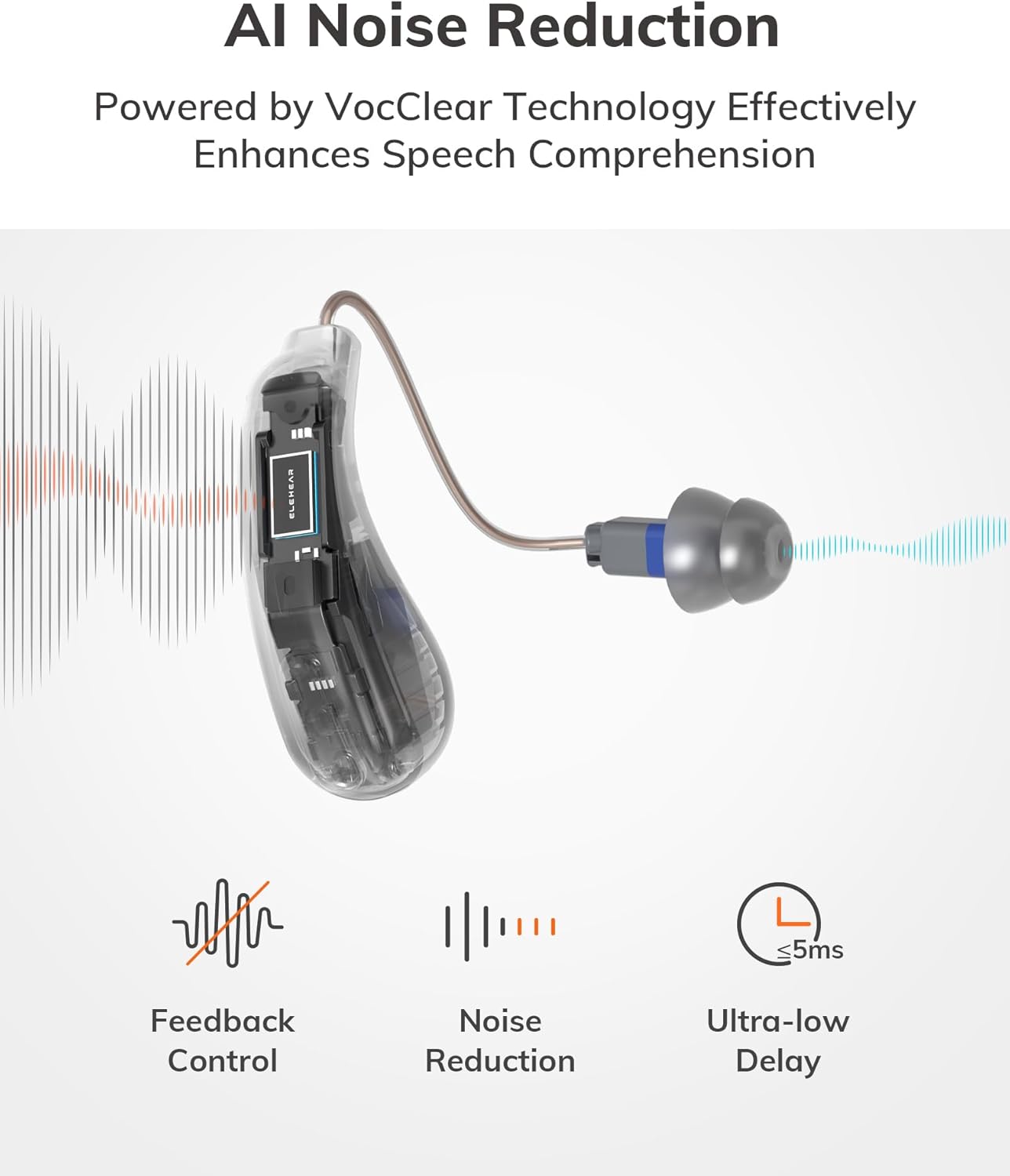
Figure 6: AI Noise Reduction - This diagram visually explains how VocClear AI Technology enhances speech comprehension by filtering background noise and controlling feedback.
- Рэгулятар гучнасці: Adjust the volume for each hearing aid independently.
- Рэжымы гуку: Switch between 4 preset modes for different listening scenarios:
- Агульны рэжым
- Рэстаранны рэжым
- Рэжым ТБ
- Рэжым на адкрытым паветры
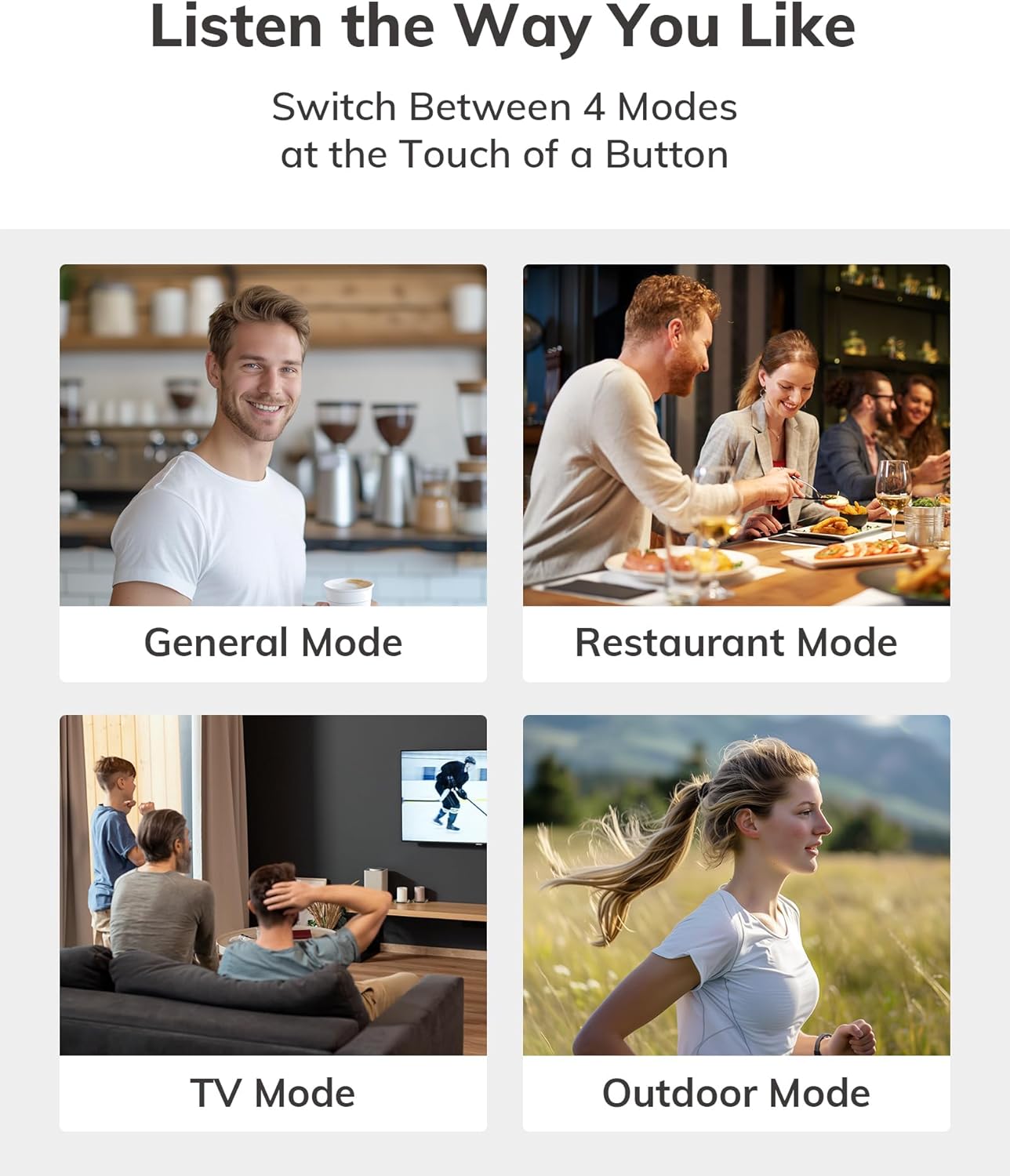
Figure 7: Adaptive Sound Modes - Visual representation of the four distinct sound modes available for various environments.
- Паляпшэнне маўлення: Optimize clarity for conversations.
- налада: Fine-tune frequency settings for a personalized auditory experience.
- Паток Bluetooth: Stream audio from your phone, TV, or other Bluetooth-enabled devices directly to your hearing aids.
Зарадка і тэрмін службы батарэі
The ELEHEAR Alpha Pro offers impressive battery life for extended use.
- Слыхавыя апараты: Да 20 гадзін бесперапыннага выкарыстання ад адной зарадкі.
- Чахол для зарадкі: Provides an additional 7 full charges, extending total usage time to approximately 160 hours.
Працэс зарадкі:
- Place the hearing aids securely into their respective slots in the charging case.
- Close the charging case. The indicator lights on the case will show the charging status.
- To charge the case itself, connect it to a USB power adapter using the provided USB Type-C cable.

Малюнак 8: Павялічаны тэрмін службы батарэі - The image highlights the impressive 160-hour total battery life provided by the hearing aids and their charging case.
Тэхнічнае абслугоўванне і догляд
Proper maintenance ensures the longevity and optimal performance of your hearing aids.
- Штодзённая ўборка: Gently wipe the hearing aids and ear domes with a soft, dry cloth to remove any earwax or debris. Use the provided multifunction tool for hard-to-reach areas.
- Замена вушных куполаў: Replace ear domes regularly (e.g., every 1-3 months, or as needed) to maintain hygiene and sound quality.
- захоўванне: Store the hearing aids in their charging case when not in use to protect them from dust, moisture, and physical damage.
- Пазбягайце вільгаці: Although sweatproof, avoid prolonged exposure to excessive moisture. Do not submerge the devices in water.
- тэмпература: Store and operate the hearing aids within recommended temperature ranges to prevent damage to the battery and internal components.

Figure 9: Sweatproof Design - The image emphasizes the durable, sweatproof construction of the hearing aids, suitable for active lifestyles.
Ліквідацыю непаладак
If you encounter any issues with your ELEHEAR Alpha Pro hearing aids, please refer to the following common solutions:
| праблема | Магчымая прычына | Рашэнне |
|---|---|---|
| Няма гуку/нізкая гучнасць | Low battery; clogged ear dome; incorrect volume setting. | Charge hearing aids/case; clean or replace ear dome; adjust volume via app or on-device. |
| Зваротная сувязь / Свіст | Improper fit; earwax buildup; ear dome too small. | Re-insert hearing aid for a snug fit; clean ear canal; try a larger ear dome. |
| Cannot Connect to App/Bluetooth | Bluetooth off; hearing aids not in pairing mode; app issue. | Ensure Bluetooth is on; remove/re-insert aids to re-enter pairing mode; restart app/phone. |
| Кароткі тэрмін службы батарэі | Aging battery; frequent streaming; extreme temperatures. | Ensure full charge; reduce streaming time; avoid extreme temperatures. |
If the issue persists after trying these solutions, please contact ELEHEAR customer support.
Тэхнічныя характарыстыкі
- Нумар мадэлі: Альфа Pro
- Памеры прадукту: 1.29 х 0.35 х 0.6 цалі
- Вага прадмета: 5.78 унцыі
- батарэі: Патрабуецца 2 літый-іённыя батарэі (у камплекце)
- вытворца: ЭЛЕХАР
- ASIN: B0DDXYB7CP
- Падключэнне: Bluetooth 5.3
- Узмацненне: Да 37 дБ
Важная інфармацыя па бяспецы
Please read and understand all safety information before using your ELEHEAR Alpha Pro hearing aids.
- This device is intended for adults 18 years and older with mild to moderate hearing loss.
- Do not attempt to self-diagnose or treat severe hearing loss. Consult a healthcare professional if you experience sudden or significant hearing changes.
- Захоўваць у месцах, недаступных для дзяцей і хатніх жывёл. Дробныя дэталі могуць прадстаўляць небяспеку ўдушша.
- Пазбягайце ўздзеяння на прыладу экстрэмальных тэмператур, прамых сонечных прамянёў або высокай вільготнасці.
- Do not use if the device appears damaged.
- Заявы адносна харчовых дабавак не былі ацэнены FDA і не прызначаны для дыягностыкі, лячэння, вылечвання або прафілактыкі якіх-небудзь захворванняў або станаў здароўя.Note: This disclaimer is from the original product data and is included as per instructions to use provided information.)
Гарантыя і падтрымка
ELEHEAR provides professional local support to ensure your satisfaction.
- Перыяд падтрымкі: 12-month support is provided.
- Кантакты: For any questions, technical assistance, or warranty claims, please contact ELEHEAR customer support. Refer to the contact information provided in your Quick Start Guide or on the official ELEHEAR webсайт.

Figure 10: Dedicated Support - The image represents the 12-month professional support offered by ELEHEAR for their products.
Ask a question about this manual
Ask about setup, troubleshooting, compatibility, parts, safety, or missing instructions. Manuals+ will review the question and use this page’s manual context to help answer it.