
1. Уводзіны
Дзякуй за пакупкуasing the Salange HY300Pro Mini Projector. This manual provides essential information for setting up, operating, and maintaining your projector. Please read it thoroughly before use to ensure optimal performance and longevity of your device.
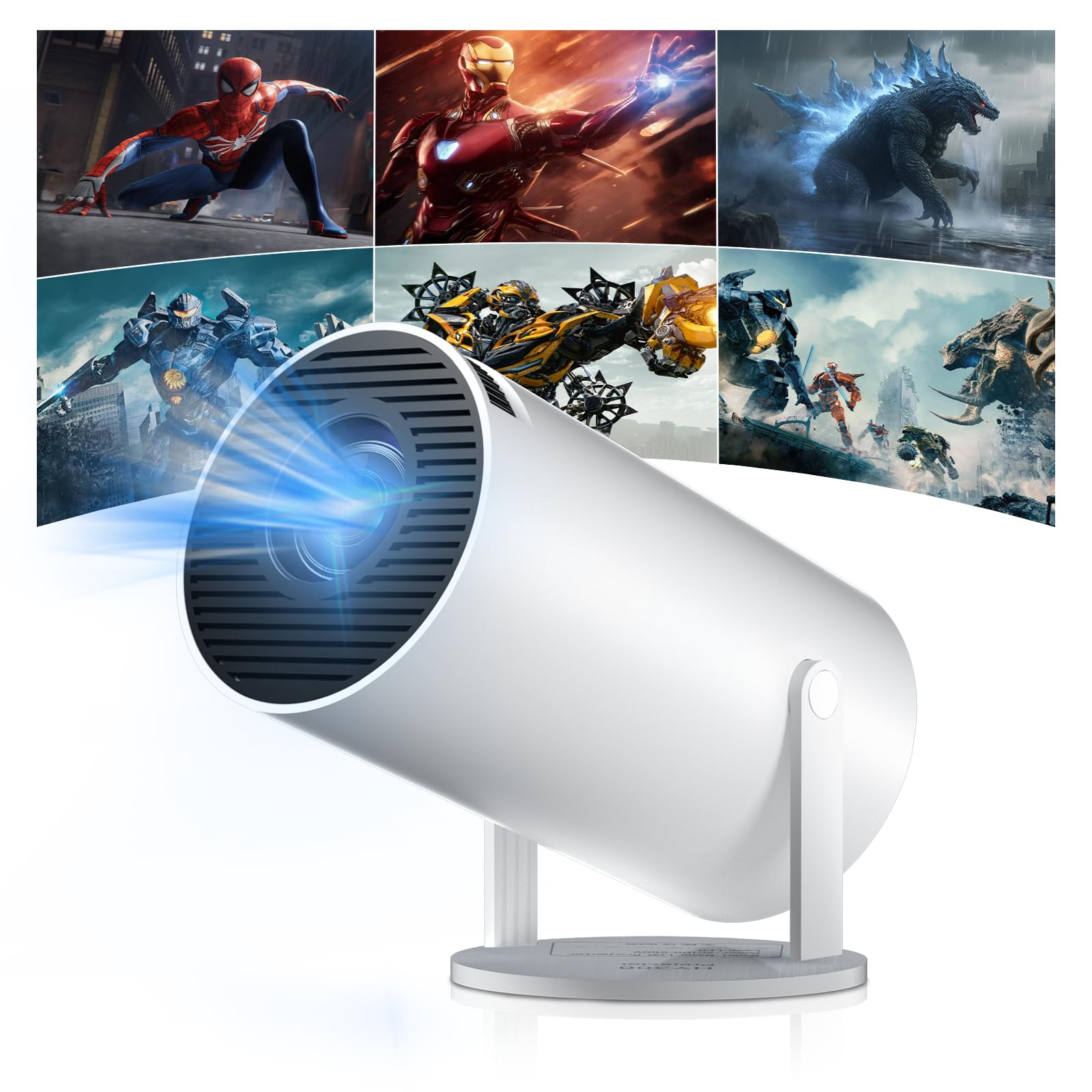
Figure 1: Salange HY300Pro Mini Projector
2. Прадукт скончыўсяview
Асноўныя характарыстыкі
- Dual-Band WiFi 6 & Bluetooth 5.4: Ensures fast and stable network connectivity and seamless audio pairing with external speakers or headphones.
- Аперацыйная сістэма Android 11.0: Supports installation of various applications directly on the projector for versatile entertainment and productivity.
- 4K Support & Native 720P Resolution: Delivers clear and vibrant images, supporting 1080P and 4K video playback.
- Паварот на 180°: Flexible projection angles for various setups, including ceiling, wall, or angled surfaces.
- Automatic Keystone Correction & Manual Focus: Intelligently corrects image distortion and allows for fine-tuning clarity.
- Кампактны і партатыўны дызайн: Weighs only 700g, making it easy to transport for outdoor activities or different rooms.

Малюнак 2: Закончанаview of Salange HY300Pro features including 8K support, WiFi 6, Bluetooth 5.4, 180° rotation, and auto keystone correction.
Што ў скрынцы
- 1 x Salange HY300Pro Projector
- 1 х Кіраўніцтва карыстальніка
- 1 х кабель харчавання
- 1 х пульт дыстанцыйнага кіравання

Figure 3: Contents of the Salange HY300Pro package.
3. Настройка
3.1 Распакоўка і размяшчэнне
- Акуратна дастаньце ўсе кампаненты з упакоўкі.
- Размясціце праектар на ўстойлівай, роўнай паверхні. Забяспечце дастатковую вентыляцыю вакол прылады.
- The projector's 180° rotation feature allows flexible placement. Adjust the projector's angle to project onto a wall, ceiling, or screen as desired.

Figure 4: Projector demonstrating 180-degree rotation for various projection surfaces.
3.2 Падключэнне харчавання
Connect the provided power cable to the projector's power input and then to a power outlet.
3.3 Initial Power On and Focus Adjustment
- Націсніце кнопку харчавання на праектары або пульце дыстанцыйнага кіравання, каб уключыць прыладу.
- The projector features automatic keystone correction. It will intelligently detect and correct image distortion to ensure a square image.
- For fine-tuning the image clarity, use the manual focus adjustment ring on the projector.

Figure 5: Illustration of automatic keystone correction and manual focus adjustment.
3.4 Network Connection (WiFi)
- Navigate to the 'Settings' menu on the projector's home screen.
- Select 'Network & Internet' and enable Wi-Fi.
- Choose your desired Wi-Fi network from the list and enter the password if prompted. The projector supports dual-band 2.4G + 5G WiFi 6 for fast and stable connections.

Figure 6: Visual representation of the projector's WiFi 6 capabilities for ultra-fast streaming.
3.5 Спалучэнне па Bluetooth
- From the 'Settings' menu, select 'Connected Devices' or 'Bluetooth'.
- Уключыце Bluetooth і знайдзіце даступныя прылады.
- Выберыце са спісу Bluetooth-калонку або навушнікі для спалучэння.

Figure 7: Projector connected to various Bluetooth audio devices.
3.6 Падключэнне знешніх прылад
The projector supports HDMI and USB connections.
- HDMI: Connect your laptop, game console, Blu-ray player, or TV stick using an HDMI cable. Select the corresponding HDMI input source from the projector's input menu.
- USB: Устаўце USB-назапашвальнік для прайгравання медыяфайлаў files directly. Access the files through the media player application on the Android OS.
4. Інструкцыя па эксплуатацыі
4.1 Навігацыя па аперацыйнай сістэме Android
The Salange HY300Pro runs on Android 11.0, providing a smart TV experience.
- Use the remote control to navigate through the home screen, applications, and settings.
- The interface is intuitive, similar to an Android smartphone or tablet.

Figure 8: Projector displaying the Android OS home screen with various streaming apps.
4.2 Кіраванне праграмамі
You can install and manage applications directly on the projector.
- Access the app store (e.g., Google Play Store) to download streaming services, games, and productivity tools.
- To uninstall an app, go to 'Settings' > 'Apps' and select the desired app.
4.3 Адлюстраванне экрана
Mirror your smartphone or tablet screen to the projector wirelessly.
- Ensure both your device and the projector are connected to the same Wi-Fi network.
- On the projector, select the screen mirroring function (e.g., 'Miracast', 'AirPlay', or 'Screen Share').
- On your smartphone/tablet, enable screen mirroring and select the projector from the list of available devices.
4.4 Налады выявы і гуку
Adjust various settings to optimize your viewвопыту.
- Налады малюнка: Access 'Settings' > 'Display' to adjust brightness, contrast, color, and aspect ratio.
- Налады гуку: Access 'Settings' > 'Sound' to adjust volume, sound mode, and output device.

Figure 9: Projector displaying a large image, illustrating its ability to create a home cinema experience.
5. Тэхнічнае абслугоўванне
5.1 Ачыстка аб'ектыва
Выкарыстоўвайце мяккую тканіну без ворса, спецыяльна распрацаваную для аптычных лінзаў, каб акуратна працерці аб'ектыў праектара. Не выкарыстоўвайце абразіўныя ачышчальнікі або празмерныя сілы.
5.2 Вентыляцыя
Ensure the projector's ventilation vents are clear of dust and obstructions. Blocked vents can lead to overheating and reduced performance. Periodically clean the vents with a soft brush or compressed air.
5.3 Захоўванне
Калі праектар не выкарыстоўваецца працяглы час, захоўвайце яго ў прахалодным, сухім месцы, удалечыні ад прамых сонечных прамянёў і экстрэмальных тэмператур. Выкарыстоўвайце арыгінальную ўпакоўку або ахоўны чахол, каб прадухіліць назапашванне пылу і пашкоджанні.
6. Выпраўленне непаладак
| праблема | Магчымая прычына | Рашэнне |
|---|---|---|
| Не адлюстроўваецца выява | Power cable disconnected; Incorrect input source; Projector in standby mode. | Check power connection; Select correct HDMI/USB input; Press power button to wake up. |
| Відарыс размыты | Focus not adjusted; Projector too far/close to screen. | Adjust manual focus ring; Ensure projector is within optimal projection distance. |
| Няма гуку | Volume too low; Muted; Incorrect audio output selected; Bluetooth device not paired. | Increase volume; Unmute; Check audio settings; Re-pair Bluetooth device. |
| Праблемы з падключэннем Wi-Fi/Bluetooth | Няправільны пароль; па-за зонай дзеяння; перашкоды. | Verify password; Move closer to router/device; Reduce interference from other electronics. |
| Пульт дыстанцыйнага кіравання не працуе | Dead batteries; Obstruction; Not paired. | Замяніце батарэйкі; прыбярыце перашкоды; пры неабходнасці адрамантуйце падключэнне пульта. |
7. Тэхнічныя характарыстыкі
| Асаблівасць | Дэталь |
|---|---|
| Марка | Саланж |
| Нумар мадэлі | X-HY300PRO |
| серыял | Salange Mini Beamer |
| Колер | Белы |
| Тып дысплея | ВК |
| Роднае дазвол | 1280 x 720P |
| Максімальнае дазвол дысплея | 3840 x 2160 (падтрымліваецца 4K) |
| Тэхналогія падлучэння | Bluetooth, Wi-Fi (WiFi 6) |
| Абсталяванне інтэрфейсу | Bluetooth, HDMI, USB |
| Сумяшчальныя прылады | Smartphones, Laptops, Game Consoles, Blu-ray Players, Media Players |
| Памеры прадмета (Д х Ш х У) | 9.5 х 9.5 х 15.7 сантыметраў |
| Асаблівасці | Wi-Fi Compatible, Digital Keystone Correction, Lightweight, Portable, 180° Rotation |
| Рэкамендуемае выкарыстанне | Business, Home Cinema, Gaming, Education |
| Формаў-фактар | Партатыўны |
| Тып мацавання | Настольнае мацаванне |
8. Гарантыя і падтрымка
For warranty information and technical support, please refer to the documentation included with your purchase or visit the official Salange webсайт. Захоўвайце пацвярджэнне пакупкі для прэтэнзій па гарантыі.