
1. Уводзіны
This manual provides essential instructions for setting up, operating, and maintaining your SUAAT S10 10-inch Android 14 Tablet. Please read this manual thoroughly before using your device to ensure proper functionality and to maximize its lifespan. The SUAAT S10 tablet features an Octa-Core processor, 22GB RAM, 128GB ROM (expandable to 1TB), 5G+2.4G WiFi, Bluetooth 5.0, an 8000mAh battery, and an 8MP rear camera with a 5MP front camera.
2. Змесціва ўпакоўкі
Пераканайцеся, што ўсе пералічаныя ніжэй элементы прысутнічаюць у камплекце з вашым прадуктам:
- Планшэт SUAAT S10
- Bluetooth клавіятура
- Бесправадная мыш
- Ахоўны футляр
- Screen Protector (Tempered Glass)
- Зарадны кабель USB Type-C
- Адаптар сілкавання
- Адаптар OTG
- SIM Ejector Pin (for microSD card slot)
- Кіраўніцтва карыстальніка

Figure 2.1: Included accessories with the SUAAT S10 tablet.
3. Пачатковая налада
3.1 Зарадка планшэта
Before first use, fully charge the tablet. Connect the USB Type-C charging cable to the tablet's charging port and the power adapter to a wall outlet. The charging indicator will show the charging status. A full charge typically takes several hours.
3.2 Уключэнне/выключэнне
- Каб уключыць: Націсніце і ўтрымлівайце кнопку харчавання, пакуль не загарыцца экран.
- Каб выключыць: Націсніце і ўтрымлівайце кнопку харчавання, затым абярыце «Выключыць харчаванне» з опцый на экране.
- Каб перазапусціць: Press and hold the Power button, then select "Restart" from the options on the screen.
3.3 Падключэнне да Wi-Fi
- Перайсці да Налады > Сетка і інтэрнэт > Wi-Fi.
- Уключыць/выключыць Wi-Fi On.
- Выберыце патрэбную сетку Wi-Fi са спісу.
- Увядзіце пароль сеткі, калі будзе запытана, а затым націсніце Злучыцца.
3.4 Pairing Bluetooth Accessories (Keyboard & Mouse)
- Ensure the Bluetooth keyboard and mouse are powered on and in pairing mode (refer to their respective manuals for specific instructions).
- На планшэце перайдзіце па спасылцы Налады > Падключаныя прылады > Bluetooth.
- Пераключыць Bluetooth On.
- Націсніце Спалучыце новую прыладу.
- Select the keyboard or mouse from the list of available devices and follow any on-screen prompts to complete pairing.

Figure 3.1: SUAAT S10 tablet with keyboard and mouse accessories.
4. Кіраванне планшэтам
4.1 Інтэрфейс Android 14
Your SUAAT S10 tablet runs on Android 14, offering a user-friendly interface. Navigate by tapping, swiping, and pinching the screen. The home screen provides quick access to applications and widgets. Swipe down from the top for notifications and quick settings.

Figure 4.1: Android 14 operating system on SUAAT S10.
4.2 Выкарыстанне камер
Планшэт абсталяваны задняй камерай на 8 Мп і франтальнай камерай на 5 Мп. Адкрыйце праграму «Камера», каб рабіць фота і відэа. Націсніце на экран, каб сфакусавацца, і націсніце кнопку спуску засаўкі, каб зрабіць здымак.

Малюнак 4.2: Функцыі і функцыі камерыampвыявы.
4.3 Спажыванне медыя
The 10-inch display with 1920x1200 resolution and Widevine L1 support provides an optimal viewing experience for videos and other media. The 8000mAh battery supports extended usage for video playback, music, and gaming.

Figure 4.3: High-definition display of the SUAAT S10 tablet.
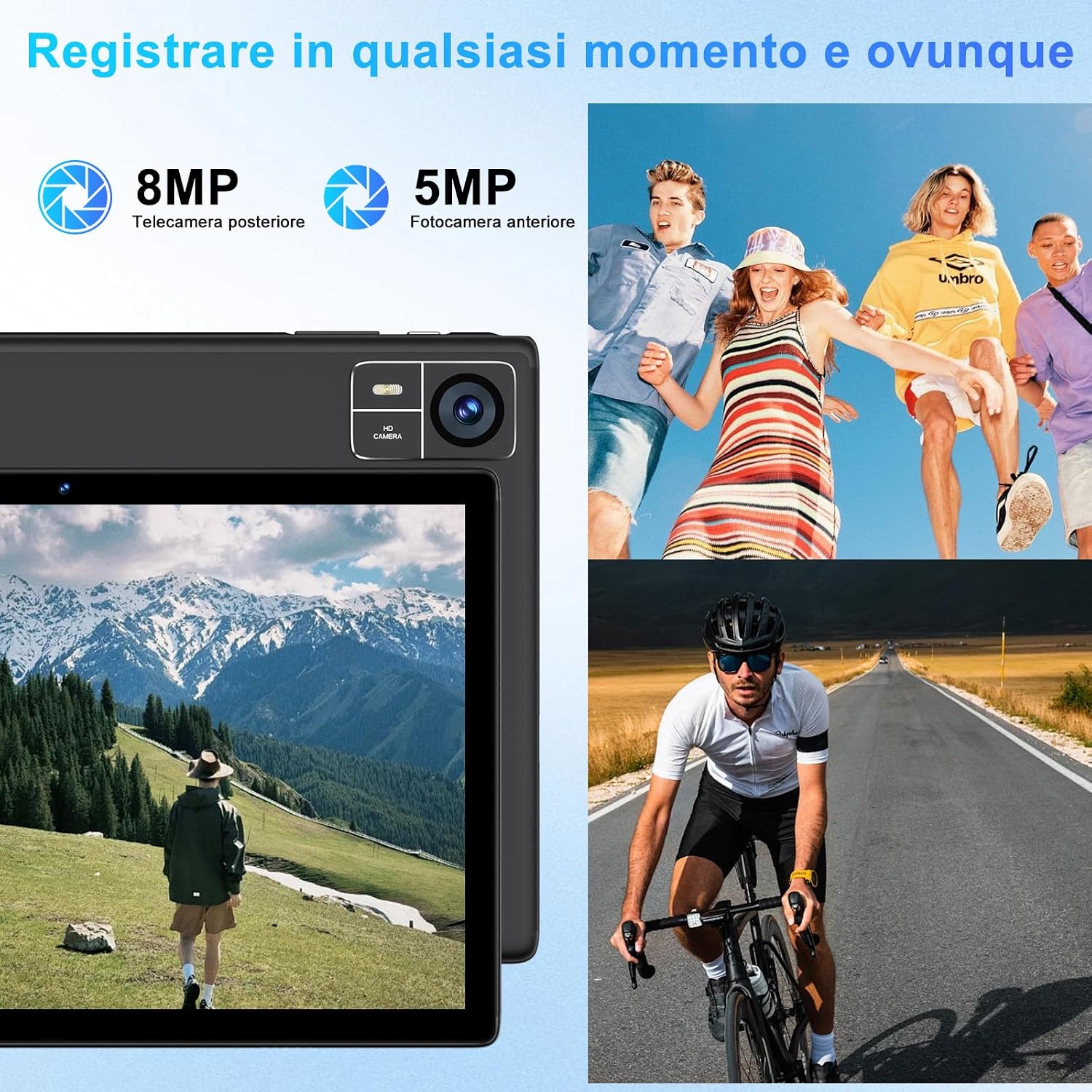
Figure 4.4: 8000mAh battery for extended use.

Figure 4.5: Tablet performance for media and applications.
5. Тэхнічнае абслугоўванне
5.1 Ачыстка планшэта
Use a soft, lint-free cloth to clean the screen and body of the tablet. Avoid using harsh chemicals or abrasive materials, which can damage the screen coating or finish. For stubborn smudges, slightly dampпрацярыце тканіну вадой або спецыяльным растворам для чысткі экранаў.
5.2 Сыход за акумулятарам
- Пазбягайце ўздзеяння экстрэмальных тэмператур (высокіх або нізкіх), бо гэта можа пагоршыць прадукцыйнасць батарэі.
- Не пакідайце планшэт цалкам разраджаным на працяглы час.
- For optimal battery longevity, avoid constantly charging the tablet to 100% or letting it frequently drop to 0%.
5.3 Абнаўленне праграмнага забеспячэння
Рэгулярна правярайце наяўнасць абнаўленняў праграмнага забеспячэння і ўсталёўвайце іх, каб пераканацца, што ваш планшэт мае найноўшыя функцыі, патчы бяспекі і паляпшэнні прадукцыйнасці. Перайдзіце па спасылцы Налады > сістэма > Абнаўленне сістэмы.
6. Выпраўленне непаладак
6.1 Планшэт не ўключаецца
- Пераканайцеся, што планшэт дастаткова зараджаны. Падключыце яго да зараднай прылады як мінімум на 30 хвілін.
- Націсніце і ўтрымлівайце кнопку харчавання на працягу 10-15 секунд, каб выканаць прымусовы перазапуск.
6.2 Праблемы з падключэннем да Wi-Fi
- Check if Wi-Fi is enabled in Налады.
- Перазагрузіце Wi-Fi-роўтар і планшэт.
- Забудзьцеся пра сетку ў Налады > Сетка і інтэрнэт > Wi-Fi, then reconnect.
6.3 Павольная праца
- Зачыніце непатрэбныя фонавыя праграмы.
- Clear cache data for frequently used apps in Налады > Праграмы > [Назва праграмы] > Сховішча і кэш.
- Ensure sufficient storage space is available. Delete unused files або прыкладання.
- Перазапусціце планшэт.
6.4 Bluetooth Accessories Not Connecting
- Ensure the accessories are charged and in pairing mode.
- Check if Bluetooth is enabled on the tablet.
- Unpair and re-pair the accessories.
- Restart both the tablet and the accessories.
7. Тэхнічныя характарыстыкі
| Асаблівасць | Спецыфікацыя |
|---|---|
| Марка | СУААТ |
| Нумар мадэлі | S10 |
| Аперацыйная сістэма | Android 14 |
| Марка працэсара | Unisoc Octa-Core (2.0 GHz) |
| АЗП | 22GB (Note: This typically includes virtual RAM expansion. Actual physical RAM may be lower.) |
| Унутраная памяць | 128 ГБ |
| Сховішча з магчымасцю пашырэння | Да 1 ТБ праз карту памяці TF (microSD) |
| Памер экрана | 10 цалі |
| Дазвол дысплея | 1920x1200 pixels (FHD) |
| Задняя камера | 8 МП |
| Пярэдняя камера | 5 МП |
| Ёмістасць батарэі | 8000 мАг |
| Бесправоднае падключэнне | 5G+2.4G WiFi (802.11ac, 802.11b, 802.11g, 802.11n), Bluetooth 5.0 |
| Тып падключэння | USB Type-C |
| Памеры (Д х Ш х У) | 17 х 12 х 0.8 см |
| Асаблівасці | Widevine L1 Support, Includes Keyboard and Mouse |
8. Гарантыя і падтрымка
SUAAT is committed to providing professional technical assistance and 24-hour after-sales service. For any issues, questions, or warranty claims, please contact SUAAT customer support through the official channels provided with your purchase or on the SUAAT brand webсайт.

Figure 8.1: SUAAT customer support details.