
Logitech M550
Кіраўніцтва карыстальніка бесправадной мышы Logitech Signature M550
Мадэль: M550 | Марка: Logitech
Уводзіны
The Logitech Signature M550 mouse is designed for enhanced comfort and productivity, featuring SmartWheel scrolling for versatile navigation. It offers seamless wireless connectivity and silent clicks, making it suitable for various computing environments. This manual provides instructions for setting up, operating, maintaining, and troubleshooting your Signature M550 mouse.
Асноўныя характарыстыкі
- SmartWheel Scrolling: Provides both line-by-line precision and super-fast scrolling, automatically switching modes based on your scrolling speed.
- Эрганамічны дызайн: Contoured shape with a soft thumb area and rubber side grips for comfortable use over extended periods.
- Тэхналогія SilentTouch: Reduces click noise by over 90% compared to standard Logitech mice, creating a quieter workspace.
- Падвойнае падключэнне: Connects via Bluetooth Low Energy or the Logi Bolt USB receiver, offering a reliable wireless connection up to 10 meters.
- Мультыплатформенная сумяшчальнасць: Works with Windows, macOS, Linux, iPadOS, Android, and is Works With Chromebook Certified.
- Павялічаны тэрмін службы батарэі: Up to 24 months of battery life with the included AA battery.
- Праграмуемыя кнопкі: Features 3 programmable buttons for customized functionality.
Настройка
Follow these steps to set up your Logitech Signature M550 mouse:
- Устаўце батарэю: Open the battery compartment on the underside of the mouse and insert the included AA battery, ensuring correct polarity.
- Уключэнне: Уключыце мыш з дапамогай перамыкача ўключэння/выключэння, размешчанага ўнізе.
- Выберыце спосаб падключэння:
- USB-прыёмнік Logi Bolt: Plug the Logi Bolt USB receiver into an available USB port on your computer. The mouse should connect automatically.
- Bluetooth:
- Press and hold the Easy-Switch button on the bottom of the mouse until the LED light starts blinking rapidly, indicating pairing mode.
- On your computer or device, go to Bluetooth settings and select "Logitech M550" from the list of available devices to pair.
- Усталяванне праграмнага забеспячэння (неабавязкова): For advanced customization of buttons and SmartWheel settings, download and install the Logitech Options+ software from the official Logitech webсайт.

Figure 1: Connect via Bluetooth or Logi Bolt USB Receiver.
Інструкцыя па эксплуатацыі
The Logitech Signature M550 mouse is designed for intuitive use. Here are some key operational aspects:
- SmartWheel Scrolling: The scroll wheel automatically switches between line-by-line precision and hyper-fast scrolling. Scroll slowly for precise control, or flick the wheel for rapid navigation through long documents or web старонкі.
- Left and Right Clicks: Standard left and right click functionality. The SilentTouch technology ensures minimal noise during clicks.
- Праграмуемыя кнопкі: The mouse features additional buttons that can be customized using the Logitech Options+ software. This allows you to assign specific functions, shortcuts, or gestures to these buttons for increased productivity.
- Пераключэнне некалькіх прылад: If you have paired the mouse with multiple devices using Bluetooth, use the Easy-Switch button on the bottom of the mouse to quickly switch between connected devices.
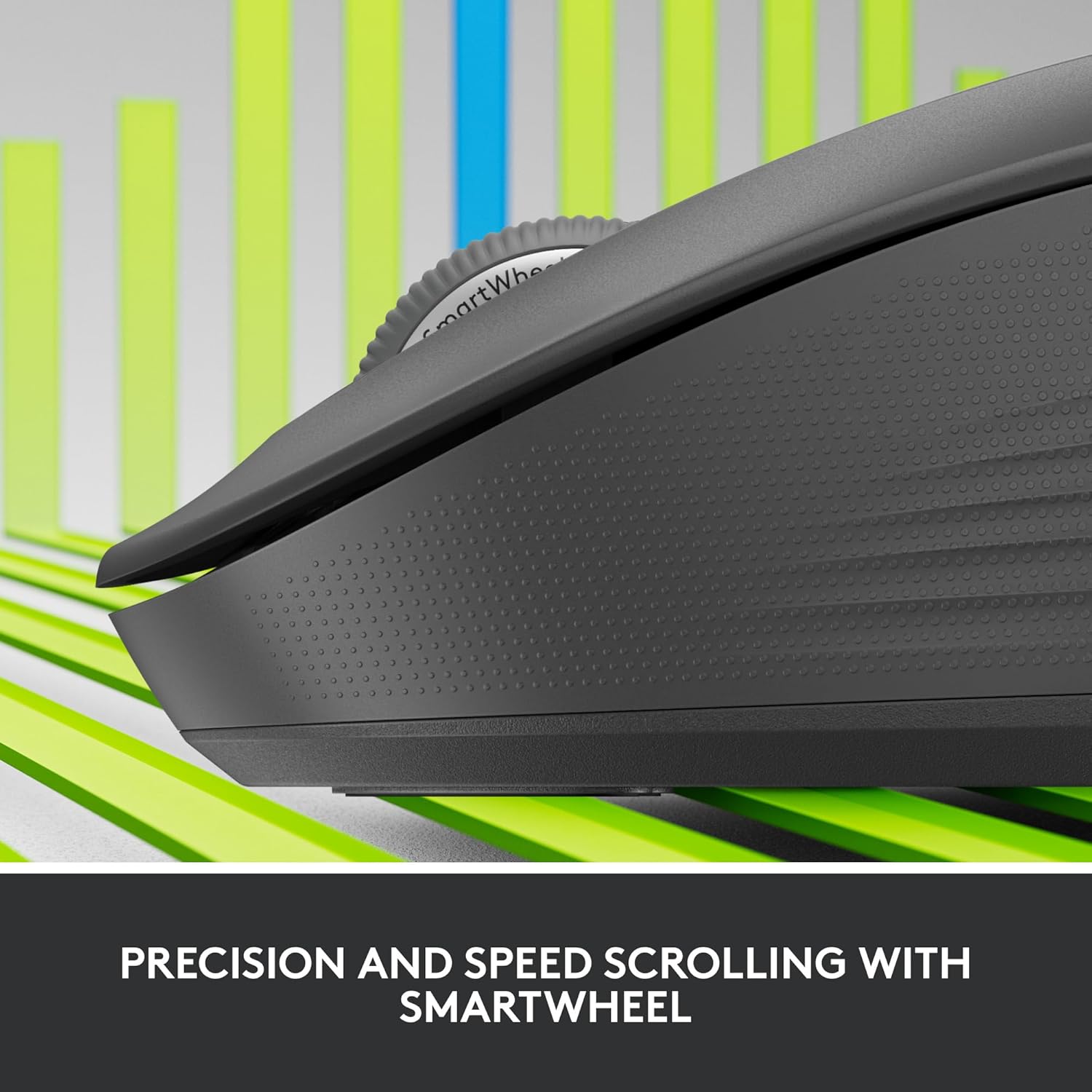
Figure 2: Precision and Speed Scrolling with SmartWheel.

Figure 3: Experience 90% Less Clicking Noise.
Тэхнічнае абслугоўванне
- Уборка: Выкарыстоўвайце мяккую безворсовую тканіну, злёгку dampened with water or an electronics cleaner to wipe the surface of the mouse. Avoid using harsh chemicals or abrasive materials.
- Замена батарэі: The mouse uses one AA battery. When the battery indicator light (if present) signals low power, or if performance degrades, replace the battery. The battery compartment is located on the underside of the mouse.
- захоўванне: When not in use for extended periods, turn off the mouse to conserve battery life. Store in a cool, dry place away from direct sunlight.
Ліквідацыю непаладак
| праблема | Магчымае рашэнне |
|---|---|
| Мышка не рэагуе |
|
| Рух курсора няўстойлівы або скачковы |
|
| Немагчыма падключыцца праз Bluetooth |
|
Тэхнічныя характарыстыкі
| Асаблівасць | Дэталь |
|---|---|
| мадэль | М550 |
| Тэхналогія падлучэння | Wireless (Bluetooth Low Energy, Logi Bolt USB Receiver) |
| Дыстанцыя бесправадной сувязі | Да 10 метраў (32.81 футаў) |
| Выяўленне руху | Аптычны |
| Разрозненне руху (DPI) | 4000 dpi |
| Гузікі | 3 Button(s), 3 Programmable Button(s) |
| Кола пракруткі | Yes (SmartWheel) |
| Тып батарэі | 1 x AA (у камплекце) |
| Тэрмін службы батарэі | Да 24 месяцаў |
| Колер | Графіт |
| Вага прадмета | 4.6 унцыі |
| Памеры ўпакоўкі | 6.89 х 4.65 х 2.52 цалі |
| Сумяшчальнасць | Windows, macOS, Linux, iPadOS, Android, Works With Chromebook Certified |

Figure 4: Key features and specifications of the Logitech Signature M550 mouse.

Figure 5: The perfect fit for your hand, illustrating M550 and M550 L sizes.
Гарантыя і падтрымка
Каб атрымаць інфармацыю аб гарантыі і тэхнічнай падтрымцы, звярніцеся да афіцыйнага пастаўшчыка Logitech. webсайт або звярніцеся ў службу падтрымкі кліентаў Logitech. Захоўвайце пацвярджэнне пакупкі для прэтэнзій па гарантыі.
Служба падтрымкі Logitech Webсайт: support.logi.com
Ask a question about this manual
Ask about setup, troubleshooting, compatibility, parts, safety, or missing instructions. Manuals+ will review the question and use this page’s manual context to help answer it.