
1. Уводзіны
This manual provides detailed instructions for setting up, operating, and maintaining your YOOSEE KAP X330 Wireless WiFi Repeater Router. Please read this manual carefully before using the device to ensure optimal performance, extended network coverage, and safety. This device is designed to easily expand the range of your existing WLAN network or create a new access point.
2. Прадукт скончыўсяview
2.1 Асноўныя магчымасці
- Extends the range of your WLAN network easily.
- Provides Internet access for computers located at the edge or outside the range of your main access point.
- Supports both Wireless Repeater Mode and standard Access Point (AP) Mode.
- Utilizes WLAN 802.11N for high-speed wireless access.
- Compatible with 802.11G (54 Mbps) and 802.11B (11 Mbps) standards.
- Operates on the 2.4GHz WLAN frequency.
- Ensures maximum WLAN network security with WPA2, WPA, and WEP (64/128-bit) encryptions.
- Features integrated antennas for compact design.
- Bivolt (110V / 220V) power input for versatile use.
- Supports WPS (Wi-Fi Protected Setup) for easy connection.
2.2 Змест пакета
- 1x YOOSEE KAP X330 Wireless WiFi Repeater Router
- 1x Кіраўніцтва карыстальніка
2.3 Фізічнае апісанне
The KAP X330 is a compact, white device designed to plug directly into a wall outlet. It features indicator lights on the front panel and an Ethernet port on the side for wired connections.
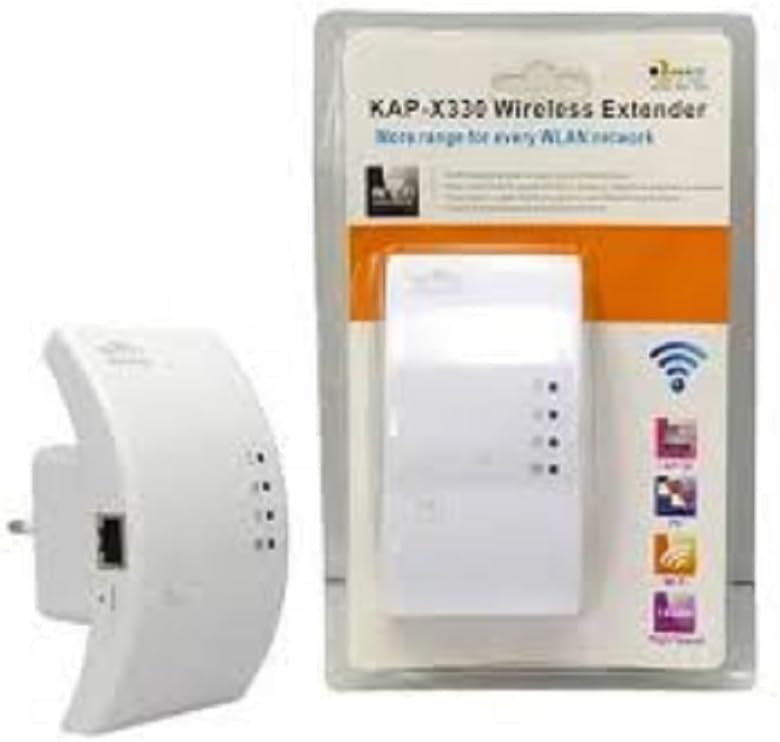
Figure 2.1: YOOSEE KAP X330 Wireless Repeater in its retail packaging and as a standalone unit. The packaging highlights its 'KAP-X330 Wireless Extender' name and 'More range for every WLAN network' slogan. The device itself is white with indicator lights and an Ethernet port visible.
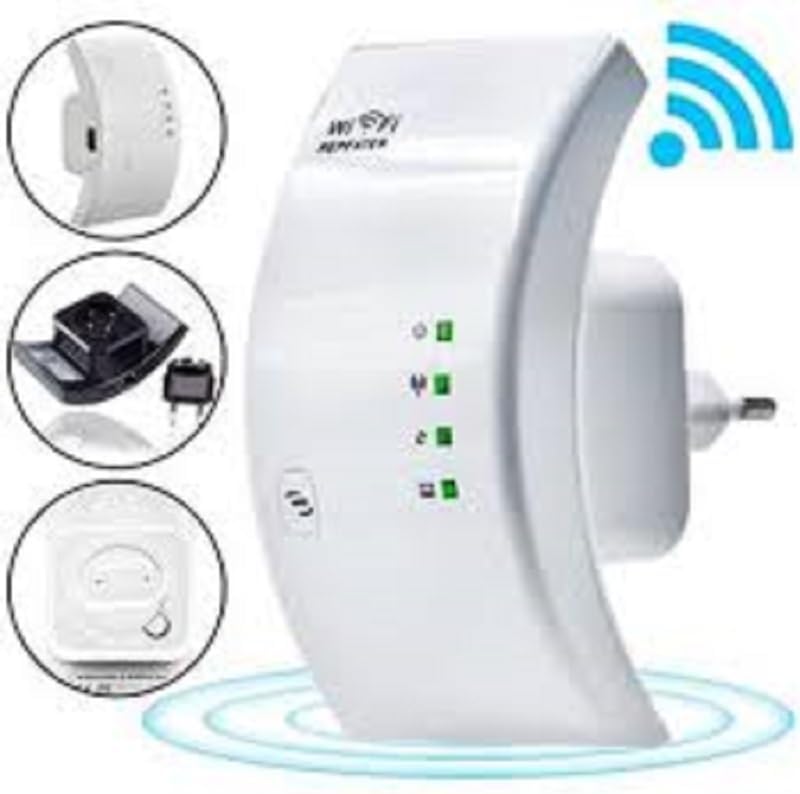
Figure 2.2: A closer look at the YOOSEE KAP X330 Wireless Repeater, emphasizing its design and features. It shows the device plugged into an outlet, with indicator lights illuminated. Insets highlight the side view with an Ethernet port, the power plug, and a reset button, along with a prominent WiFi signal icon.
3. Кіраўніцтва па наладцы
3.1 Уключэнне
- Plug the KAP X330 into a standard electrical outlet within the range of your existing WiFi network (for Repeater Mode) or near your wired internet source (for AP Mode).
- Wait for the power indicator light to turn on, indicating the device is ready.
3.2 Рэжымы падключэння
The KAP X330 supports two main operational modes:
- Рэжым рэтранслятара: Пашырае зону пакрыцця існуючай бесправадной сеткі.
- Рэжым кропкі доступу (AP): Creates a new wireless network from a wired Ethernet connection.
3.3 Configuration Steps (Repeater Mode)
- Connect to the Repeater: On your computer or smartphone, connect to the repeater's default WiFi network (SSID usually starts with 'Wireless-N' or similar, without a password).
- Доступ Web інтэрфейс: Адкрыйце a web браўзер і ўвядзіце IP-адрас па змаўчанні (напрыклад,
192.168.1.1or192.168.10.1) or the default domain name (e.g.,repeater.net). Refer to the label on the device or the quick start guide for the exact address. - Увайсці: Enter the default username and password (commonly 'admin' for both).
- Выберыце рэжым паўтаральніка: On the setup page, select 'Repeater Mode'.
- Сканіраванне сетак: The device will scan for available wireless networks. Select your home WiFi network from the list.
- Увядзіце пароль: Enter the password for your home WiFi network.
- Наладзьце пашыраны SSID (неабавязкова): You can choose to keep the same SSID as your main network or create a new one (e.g., 'YourNetwork_EXT').
- Захаваць налады: Click 'Apply' or 'Save'. The repeater will restart.
- Паўторнае падключэнне: After the restart, connect your devices to the extended WiFi network.
3.4 Configuration Steps (AP Mode)
- Падключэнне кабеля Ethernet: Connect an Ethernet cable from your router or modem to the LAN/WAN port on the KAP X330.
- Connect to the Repeater: On your computer or smartphone, connect to the repeater's default WiFi network (SSID usually starts with 'Wireless-N' or similar, without a password).
- Доступ Web інтэрфейс: Адкрыйце a web браўзер і ўвядзіце IP-адрас па змаўчанні (напрыклад,
192.168.1.1or192.168.10.1) or the default domain name (e.g.,repeater.net). - Увайсці: Enter the default username and password (commonly 'admin' for both).
- Выберыце рэжым AP: On the setup page, select 'AP Mode'.
- Configure New Network: Усталюйце новы SSID (назва сеткі) і надзейны пароль для новай бесправадной сеткі.
- Захаваць налады: Click 'Apply' or 'Save'. The device will restart.
- Паўторнае падключэнне: After the restart, connect your devices to the newly created WiFi network.
3.5 WPS Setup (Wi-Fi Protected Setup)
WPS allows for a quick and easy connection to your main router without needing to enter the password manually.
- Plug in the KAP X330 and wait for it to power on.
- Націсніце кнопку WPS на галоўным маршрутызатары.
- Within two minutes, press the WPS button on the KAP X330.
- The devices will automatically connect and configure the repeater. The signal indicator lights on the repeater should show a strong connection.
4. Аперацыя
4.1 Светавыя індыкатары
The KAP X330 features several indicator lights on its front panel to provide status information:
- Святлодыёд харчавання: Паказвае, ці ўключана прылада.
- WLAN/WiFi LED: Shows wireless activity and connection status.
- Святлодыёдны індыкатар LAN/WAN: Паказвае актыўнасць порта Ethernet.
- Святлодыёды магутнасці сігналу: (If present) Indicate the strength of the signal received from the main router in Repeater Mode. More lights usually mean a stronger signal.
4.2 Аптымальнае размяшчэнне
For best performance in Repeater Mode, place the KAP X330 halfway between your main router and the area where you need extended WiFi coverage. Avoid placing it near large metal objects, concrete walls, or other devices that emit radio frequency interference (e.g., microwaves, cordless phones).
5. Тэхнічнае абслугоўванне
5.1 Ачыстка
To clean the device, unplug it from the power outlet. Use a soft, dry cloth to wipe the exterior. Do not use liquid cleaners or aerosol sprays.
5.2 Абнаўленне прашыўкі
Periodically check the YOOSEE official website for firmware updates. Firmware updates can improve performance, add new features, or fix bugs. Follow the instructions provided with the firmware update package carefully.
6. Выпраўленне непаладак
6.1 Няма доступу да Інтэрнэту пасля ўстаноўкі
- Ensure the repeater is receiving a strong signal from your main router (check signal strength LEDs).
- Verify that you entered the correct WiFi password for your main network during setup.
- Try restarting both your main router and the KAP X330.
- If in AP Mode, ensure the Ethernet cable is securely connected and your main router is providing internet.
6.2 Слабы сігнал або нізкая хуткасць
- Relocate the KAP X330 closer to your main router, ensuring it's still within the desired coverage area.
- Avoid physical obstructions like thick walls or large metal objects.
- Праверце наяўнасць перашкод ад іншых электронных прылад.
6.3 Немагчыма атрымаць доступ Web Інтэрфейс
- Ensure your device is connected to the repeater's WiFi network (or via Ethernet if in AP mode).
- Verify the IP address or domain name entered in the browser is correct.
- Ачысціце кэш браўзера або паспрабуйце іншы браўзер.
- Часова адключыце любое праграмнае забеспячэнне VPN або брандмаўэра на вашым кампутары.
6.4 Скід да заводскіх налад
If you encounter persistent issues or forget your login credentials, you can perform a factory reset:
- With the device powered on, use a paperclip or a thin object to press and hold the reset button (usually located in a small pinhole) for about 5-10 seconds.
- Release the button when the indicator lights flash or the device restarts.
- The device will revert to its factory default settings, and you will need to reconfigure it.
7. Тэхнічныя характарыстыкі
| Асаблівасць | Спецыфікацыя |
|---|---|
| Вытворца | ЮСІ |
| мадэль | KAP-X330 |
| бесправадной стандарт | 802.11n (compatible with 802.11g/b) |
| Частата | 2.4 ГГц |
| Пратаколы бяспекі | WPA2, WPA, WEP (64/128-bit) |
| Асаблівасці | WPS, Standard AP Mode |
| Увод магутнасці | Bivolt 110V / 220V |
| Памеры (Д х Ш х У) | 15 х 12 х 8 см |
| Вага | 200 грам |
| Сумяшчальныя прылады | Laptop, Smartphone, Tablet, Smart TV |
8. Гарантыя і падтрымка
For warranty information and technical support, please refer to the contact details provided by your retailer or visit the official YOOSEE webсайт. Захоўвайце чэк аб куплі як пацвярджэнне пакупкі для гарантыйных прэтэнзій.