
Уводзіны
Thank you for choosing the GGSTOPWATER Open Ear Headphones, Model JM13. These headphones are designed to provide a comfortable listening experience while maintaining awareness of your surroundings. Featuring Bluetooth 5.4 connectivity and an IPX5 waterproof rating, they are suitable for various activities including sports, gaming, and driving.
Please read this manual carefully to ensure proper use and to maximize the performance and lifespan of your device.
Змест пакета
Праверце, ці ёсць усе прадметы ў вашай упакоўцы:
- True Wireless Bluetooth Headphones (2 units)
- Headset Charging Compartment (1 unit)
- Зарадны кабель Type-C (1 шт.)
- Кіраўніцтва карыстальніка (1 адзінка)
- Silicone Lanyard (1 unit)

Прадукт скончаныview
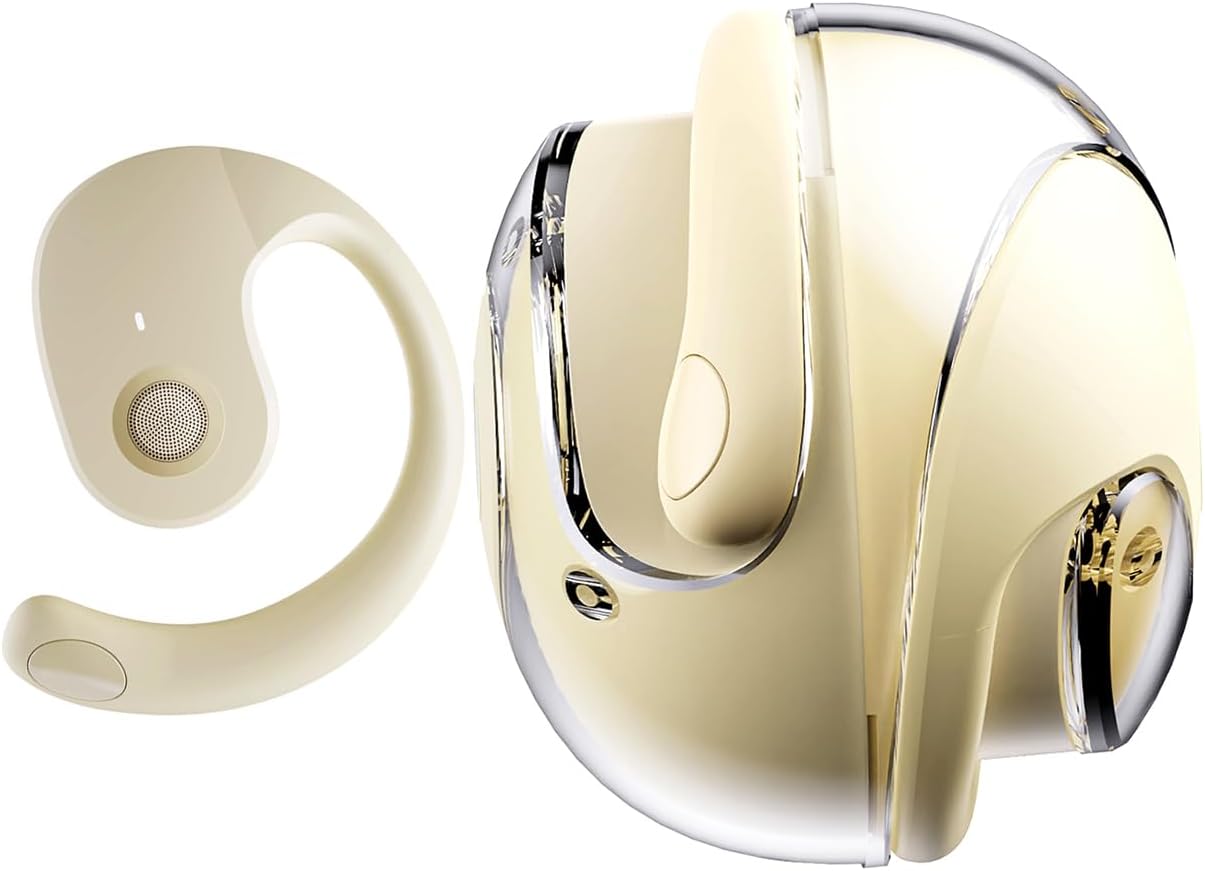
The GGSTOPWATER JM13 headphones feature an open-ear design with ear hooks for a secure and comfortable fit. The charging case is designed for portability and convenience.
Настройка
1. Зарадка навушнікаў і чахла
Before first use, fully charge the headphones and the charging case. Place the headphones into the charging case. Connect the Type-C charging cable to the charging port on the case and plug the other end into a USB power source.
- Час зарадкі: Прыкладна 1.5 гадзіны для поўнай зарадкі.
- Headset Usage Time: Да 4 гадзін на адной зарадцы.
- Час чакання: Да 120 гадзін.


2. Нашэнне навушнікаў
The open-ear design with ear hooks ensures a stable and comfortable fit without entering the ear canal.
- Pick up the headset from the charging case.
- Wear it along the back of your ear, positioning the speaker over your ear canal.
- Gently adjust the headphones to a comfortable and secure position.

3. Спарванне Bluetooth
The headphones utilize Bluetooth 5.4 for a stable and fast connection. They support multi-device linking and are compatible with iOS, Android, and Windows systems.
- Пераканайцеся, што навушнікі зараджаныя і ўключаныя.
- Open the Bluetooth settings on your device (smartphone, tablet, laptop).
- Пошук available devices and select "JM13" from the list.
- Once connected, you will hear a confirmation tone, and the device will show as 'Connected'.

Інструкцыя па эксплуатацыі
Сэнсарныя элементы кіравання
The headphones feature intuitive touch controls for managing calls and music playback.

| Дзеянне | Function (Telephone Mode) | Функцыя (Музычны рэжым) |
|---|---|---|
| Доўгі націск 2с | Адхіліць выклік | Н/Д |
| Націсніце | Адказаць на ўваходны званок | Н/Д |
| Націсніце яшчэ раз | Тэлефануйце | Н/Д |
| Double touch (L) | Н/Д | Прайграць папярэднюю песню |
| Double touch (R) | Н/Д | Прайграйце наступную песню |
| Адзіны дотык | Н/Д | Прайграванне/Паўза |
| Доўгі націск 3с | Уключэнне/выключэнне харчавання | Уключэнне/выключэнне харчавання |
| Three touch (L) | Н/Д | Памяншэнне гучнасці |
| Three touch (R) | Н/Д | Павялічыць гучнасць |
Шматкропкавае злучэнне
The headphones support connecting to multiple devices simultaneously. This allows you to seamlessly switch between, for example, your smartphone and laptop without needing to re-pair each time. Ensure both devices are paired with the headphones. The headphones will prioritize audio from the active device.
Тэхнічнае абслугоўванне
Уборка
Рэгулярная ўборка дапамагае падтрымліваць якасць гуку і гігіену:
- Use a soft, dry, lint-free cloth to wipe the headphones and charging case.
- Не выкарыстоўвайце агрэсіўныя хімічныя рэчывы, ачышчальныя растваральнікі або моцныя мыйныя сродкі.
- Пазбягайце траплення вільгаці ў любыя адтуліны.
Захоўванне
Калі навушнікі не выкарыстоўваюцца, захоўвайце іх у зарадным чахле, каб абараніць ад пылу і пашкоджанняў. Захоўвайце ў прахалодным, сухім месцы, удалечыні ад экстрэмальных тэмператур.
Воданепранікальнасць (IPX5)
The headphones are rated IPX5 water-resistant, meaning they can withstand splashes of water and sweat. This makes them suitable for workouts and light rain exposure. However, they are not designed for submersion in water or for use during heavy rain or showering. Ensure the charging port is dry before charging.
Ліквідацыю непаладак
If you encounter issues with your GGSTOPWATER JM13 headphones, please refer to the following common solutions:
- Няма харчавання: Пераканайцеся, што навушнікі і зарадны футляр цалкам зараджаны.
- Немагчыма спалучыць:
- Ensure Bluetooth is enabled on your device and the headphones are within range.
- Turn off and then turn on the headphones.
- Delete "JM13" from your device's Bluetooth list and attempt to re-pair.
- If only one earbud connects, try placing both back in the case, closing it, and then reopening to reset.
- Няма гуку або нізкая гучнасць:
- Check the volume level on both your connected device and the headphones using the touch controls.
- Ensure the headphones are properly seated on your ears.
- Confirm that the headphones are connected to the correct audio output on your device.
- Сэнсарныя элементы кіравання не рэагуюць:
- Пераканайцеся, што вашы пальцы чыстыя і сухія, калі карыстаецеся сэнсарнымі элементамі кіравання.
- Restart the headphones by placing them in the charging case and taking them out again.
- Праблемы з зарадкай:
- Пераканайцеся, што зарадны кабель надзейна падключаны як да корпуса, так і да крыніцы харчавання.
- Try a different Type-C cable and power adapter.
- Ensure the charging contacts on the headphones and inside the case are clean and free of debris.
Калі гэтыя дзеянні не вырашаць вашу праблему, звярніцеся ў службу падтрымкі кліентаў.
Тэхнічныя характарыстыкі
| Асаблівасць | Дэталь |
|---|---|
| Назва мадэлі | JM13 |
| Марка | GGSTOPWATER |
| Тэхналогія падлучэння | Бесправадная сувязь (Bluetooth) |
| Версія Bluetooth | 5.4 |
| Размяшчэнне вушэй | Адкрытае вуха |
| Форма навушніка | Кручок для вушэй |
| Узровень воданепранікальнасці | IPX5 (Water Resistant, Sweatproof) |
| Кантроль шуму | Актыўнае падаўленне шуму |
| Тып аўдыё драйвера | Дынамічны драйвер (16 мм) |
| Дыяпазон частот | 20 Гц - 20 000 Гц |
| Імпеданс | 32 Ом |
| Метад кантролю | Пульт дыстанцыйнага кіравання (сэнсарны) |
| Тып батарэі | Літый-палімерны |
| Вага прадмета | 4.6 унцыі |
| Матэрыял | Сілікон |
| Сумяшчальныя прылады | Laptops, Tablets, Cellphones (iOS, Android, Windows) |
Гарантыя і падтрымка
GGSTOPWATER products are manufactured to high-quality standards. For information regarding warranty coverage, please refer to the warranty card included in your product packaging or contact your retailer. Keep your purchase receipt as proof of purchase.
Падтрымка кліентаў
If you have any questions, concerns, or require technical assistance, please contact GGSTOPWATER customer support through the retailer's platform or the official GGSTOPWATER website. Please have your product model (JM13) and purchase details ready when contacting support.