
1. Уводзіны
This manual provides detailed instructions for setting up, operating, and maintaining your THOMSON 40-inch FHD Fire TV. Please read this manual thoroughly before using the television to ensure proper functionality and safety. Keep this manual for future reference.
2. Інфармацыя па бяспецы
Заўсёды выконвайце асноўныя меры бяспекі пры выкарыстанні гэтага вырабу, каб знізіць рызыку пажару, паражэння электрычным токам і траўмаў.
- Не падвяргайце тэлевізар уздзеянню дажджу або вільгаці.
- Не перакрывайце вентыляцыйныя адтуліны.
- Забяспечце належнае зазямленне вілкі харчавання.
- Адключайце тэлевізар ад сеткі падчас навальніцы або калі ён не выкарыстоўваецца працяглы час.
- Звяртайцеся да кваліфікаванага абслугоўваючага персаналу.
3. Змесціва ўпакоўкі
Праверце, ці ўсе прадметы ўваходзяць у ваш пакет:
- THOMSON 40-inch FHD Fire TV
- Пульт дыстанцыйнага кіравання (з батарэйкамі)
- Шнур харчавання
- Тумба пад тэлевізар (2 штукі)
- Шрубы для падстаўкі пад тэлевізар
- Кіраўніцтва карыстальніка (гэты дакумент)

Image: The product box illustrating the TV, remote control, and various features like Fire TV, Alexa, and Dolby Audio.
4. Прадукт скончыўсяview
Familiarize yourself with the components and connections of your THOMSON Fire TV.
4.1 фронт View

Image: The front of the TV, showcasing its slim bezel and the Fire TV smart interface with popular streaming applications.
4.2 бок View і Памеры
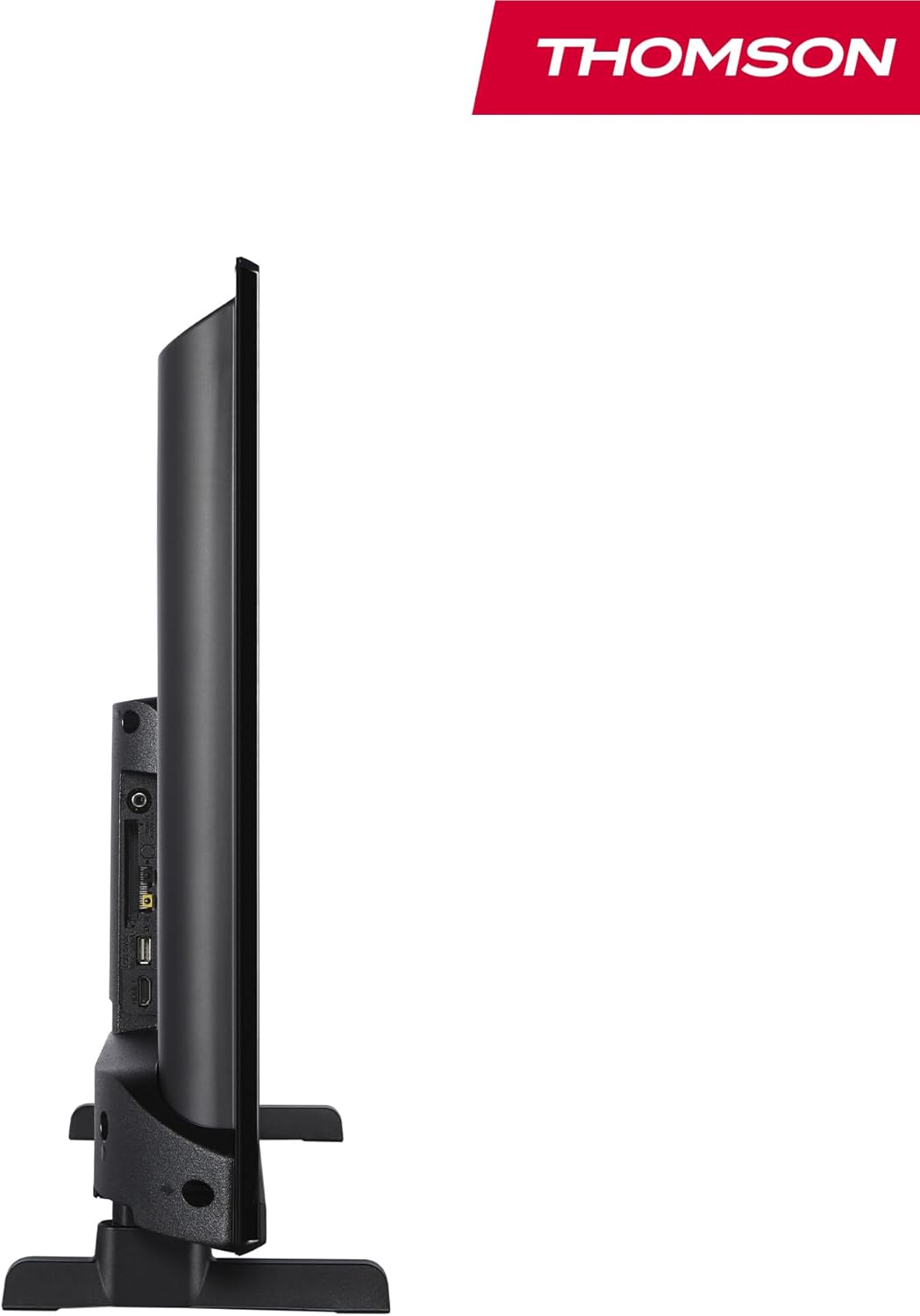
Выява: бок А view of the television, demonstrating its thin profile.

Image: A diagram illustrating the physical dimensions of the TV, including width, height, and depth with the stand.
4.3 Ззаду View і парты
The rear panel of your TV features various input and output ports for connecting external devices.

Выява: Падрабязны view of the TV's rear panel, highlighting all connectivity ports such as HDMI, USB, Audio Out, CI+, and antenna inputs.
- Аўдыёвыхад: Для падлучэння знешніх аўдыёсістэм.
- CI+: Слот Common Interface Plus для модуляў умоўнага доступу.
- Навушнікі: 3.5-мм раз'ём для праслухоўвання ў прыватным парадку.
- AV IN: For connecting older devices with composite video and stereo audio.
- USB 2.0: Для прайгравання медыяфайлаў з USB-назапашвальнікаў.
- HDMI 1.4 (2 раздымы): High-Definition Multimedia Interface for connecting Blu-ray players, game consoles, etc.
- Антэна: For connecting a terrestrial antenna (DVB-T2).
- Спадарожнік: For connecting a satellite dish (DVB-S2).
- LAN: Порт Ethernet для падлучэння да правадной сеткі.
5. Настройка
5.1 Мацаванне падстаўкі для тэлевізара
- Асцярожна пакладзеце тэлевізар экранам уніз на мяккую, роўную паверхню, каб пазбегнуць пашкоджання экрана.
- Сумясціце дэталі падстаўкі з адпаведнымі пазы ў ніжняй частцы тэлевізара.
- Замацуйце стойкі з дапамогай прадугледжаных шруб.
5.2 Пачатковае ўключэнне і падключэнне да сеткі
- Падключыце шнур сілкавання да тэлевізара і разеткі.
- Націсніце кнопку харчавання на тэлевізары або пульце дыстанцыйнага кіравання, каб уключыць яго.
- Follow the on-screen instructions for initial setup, including language selection and network connection (Wi-Fi or Ethernet).
- Log in with your Amazon account to activate Fire TV features.
5.3 Tuner Setup (Triple-Tuner)
Your TV is equipped with a triple-tuner for DVB-C (cable), DVB-S2 (satellite), and DVB-T2 (terrestrial) reception.

Image: The DVB-T2/C/S2 tuner inputs, allowing connection to various broadcast sources.
- Connect your antenna or satellite cable to the appropriate input on the TV.
- Navigate to the TV settings and select 'Channel Scan' or 'Tuner Setup'.
- Choose your broadcast type (Antenna, Cable, or Satellite) and follow the prompts to scan for available channels.
6. Інструкцыя па эксплуатацыі
6.1 Інтэрфейс пажарнага тэлебачання
The Fire TV interface provides easy access to your favorite streaming services, apps, and live TV.
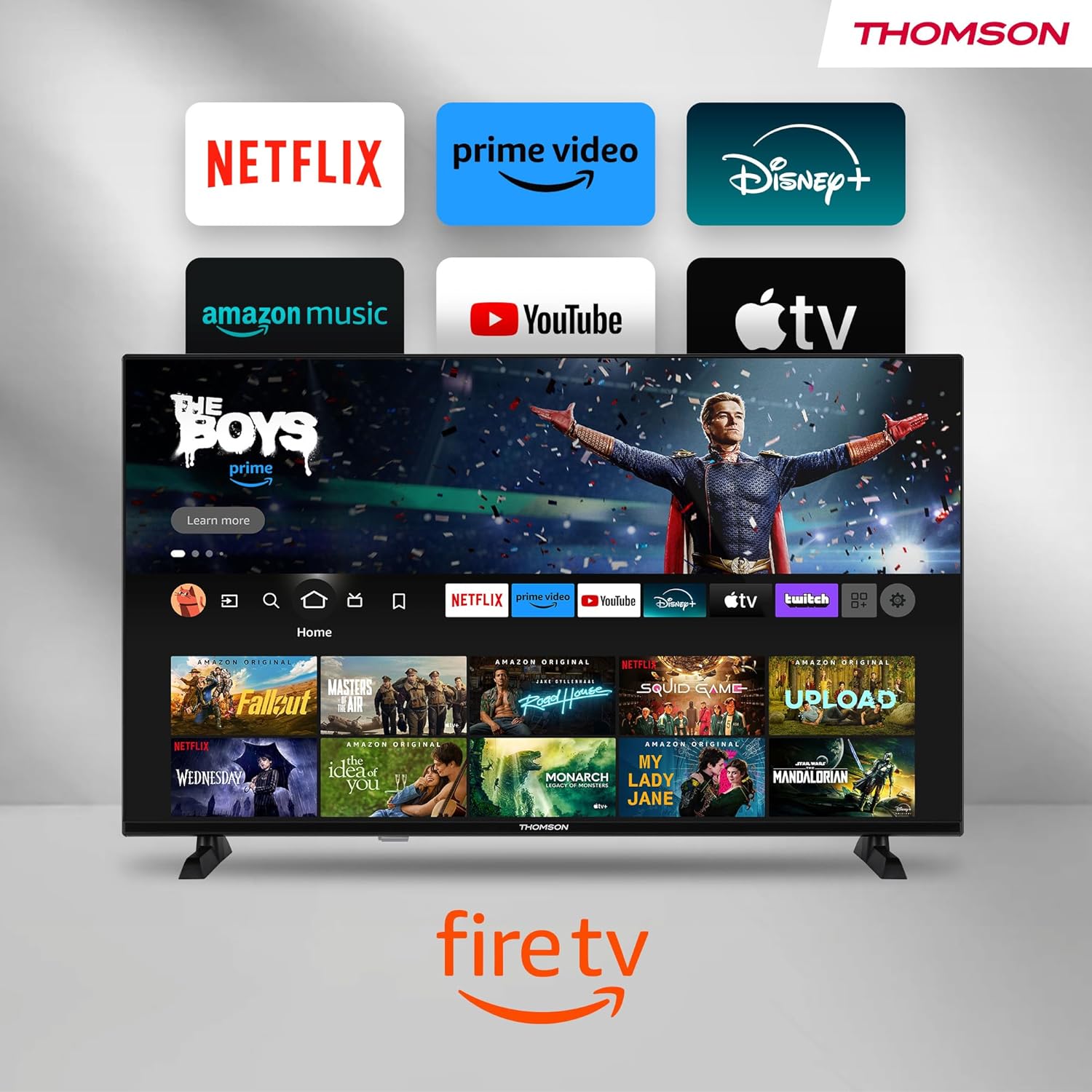
Image: The Fire TV home screen, showing a selection of popular streaming apps and content recommendations.
Navigate using the remote control's directional pad. The home screen provides personalized recommendations and quick access to your installed applications.
6.2 Галасавое кіраванне Alexa
Use the integrated Alexa voice control for hands-free operation.
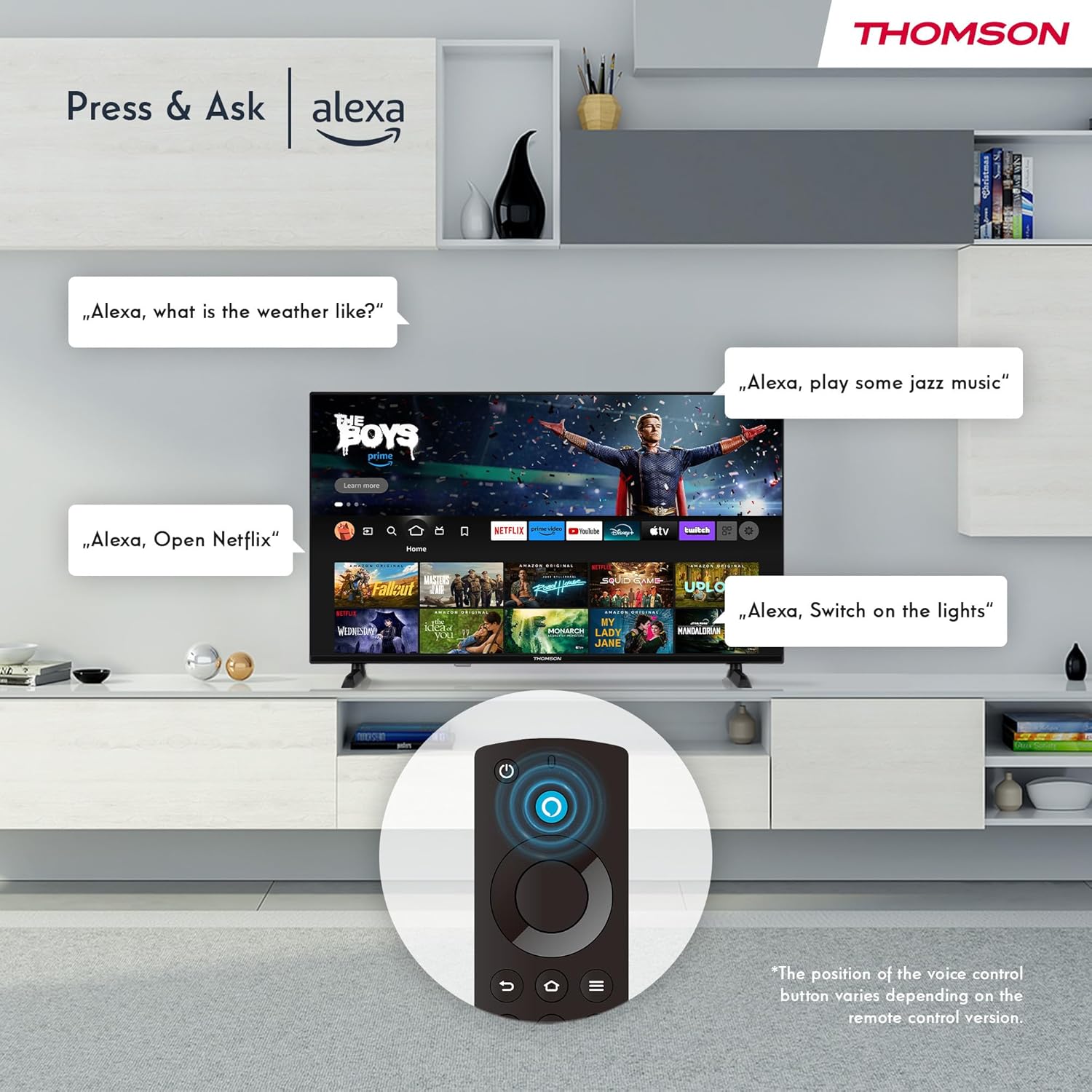
Image: Demonstrating Alexa voice commands for controlling the TV, searching content, and managing smart home devices.
Націсніце кнопку Alexa на пульце дыстанцыйнага кіравання і прамоўце сваю каманду. Вы можаце папрасіць Alexa:
- Пошук фільмы ці тэлеперадачы.
- Запуск прыкладанняў.
- Control playback (pause, play, skip).
- Check the weather or news.
- Кіруйце сумяшчальнымі прыладамі разумнага дома.
6.3 Інтэграцыя разумнага дома
Manage your connected smart home devices directly from your TV's integrated dashboard.

Image: The Smart Home dashboard, providing a centralized control panel for various smart devices in your home.
Access the Smart Home dashboard to monitor and control devices such as cameras, lights, and plugs.
6.4 Функцыянальнасць AirPlay
Stream content directly from your Apple devices (iPhone, iPad, Mac) to your THOMSON Fire TV using AirPlay.

Image: A demonstration of Apple AirPlay, showing content being mirrored from an iOS device to the television screen.
Ensure both your Apple device and the TV are connected to the same Wi-Fi network. Select the AirPlay icon on your Apple device and choose your THOMSON TV from the list of available devices.
6.5 Creating User Profiles
Стварэнне некалькіх карыстальнікаў Profiles for personalized content recommendations and settings.

Выява: Карыстальнік-прафесіяналfile selection screen on Fire TV, allowing different users to have their own personalized viewвопыту.
From the Fire TV home screen, navigate to the profile selection to add or switch profileс. Кожны праfile can have its own watch history and app preferences.
6.6 HDR10 and Dolby Audio
Experience enhanced picture quality with HDR10 and immersive sound with Dolby Audio.

Image: A visual comparison demonstrating the improved contrast and color vibrancy offered by HDR10 technology.

Image: A graphic illustrating the immersive sound experience provided by Dolby Audio.
HDR10 provides a wider range of colors and contrasts, while Dolby Audio delivers rich, clear, and powerful sound.
6.7 Пульт дыстанцыйнага кіравання
The ergonomic Bluetooth remote control provides easy navigation and direct access to key features.
- Кнопка Alexa: Press and hold to activate voice commands.
- Навігацыйная панэль: For moving through menus and selecting items.
- Кнопкі Netflix/Prime Video: Прамы доступ да гэтых струменевых сэрвісаў.
- Amazon Silk Button: Прамы доступ да web браўзер.
7. Тэхнічнае абслугоўванне
Каб забяспечыць даўгавечнасць і аптымальную працу вашага тэлевізара, выконвайце наступныя рэкамендацыі па тэхнічным абслугоўванні:
- Ачыстка экрана: Акуратна працярыце экран мяккай тканінай без ворса. Для выдалення ўстойлівых плям выкарыстоўвайце сродак для чысткі экранаў, спецыяльна прызначаны для тэлевізараў, наносячы яго на тканіну, а не непасрэдна на экран.
- Уборка шафы: Выкарыстоўвайце мяккую сухую тканіну для працірання корпуса тэлевізара. Не выкарыстоўвайце абразіўныя ачышчальнікі або растваральнікі.
- Вентыляцыя: Каб пазбегнуць перагрэву, пераканайцеся, што вентыляцыйныя адтуліны на задняй панэлі тэлевізара не заблакаваныя.
- Шнур харчавання: Рэгулярна правярайце шнур харчавання на наяўнасць пашкоджанняў. Калі ён пашкоджаны, неадкладна заменіце яго.
8. Выпраўленне непаладак
Калі ў вас узніклі праблемы з тэлевізарам, звярніцеся да наступных распаўсюджаных праблем і іх рашэнняў:
| праблема | Магчымая прычына / рашэнне |
|---|---|
| Няма ўлады | Праверце, ці шнур сілкавання надзейна падключаны да тэлевізара і разеткі. Пераканайцеся, што разетка працуе. |
| Няма выявы, але гук ёсць | Check input source. Ensure external devices are properly connected and powered on. |
| Няма гуку, але выява ёсць | Check volume level. Ensure Mute is not activated. Check audio cables for external devices. |
| Пульт дыстанцыйнага кіравання не працуе | Check batteries. Ensure there are no obstructions between the remote and the TV. Re-pair the Bluetooth remote if necessary. |
| Немагчыма падключыцца да Wi-Fi | Ensure Wi-Fi is enabled on the TV. Check Wi-Fi password. Restart your router. Move TV closer to router. |
| Праграмы працуюць павольна або завісаюць | Restart the TV. Clear app cache or data in settings. Ensure sufficient internet speed. |
Калі праблема не знікне, звярніцеся ў службу падтрымкі кліентаў.
9. Тэхнічныя характарыстыкі
| Асаблівасць | Дэталь |
|---|---|
| Нумар мадэлі | 40FF2S34 |
| Памер экрана | 40.0 цаляў (100 см) |
| Тэхналогія адлюстравання | святлодыёд |
| дазвол | 1080p (поўны HD) |
| Частата абнаўлення | 60 Гц |
| Суадносіны бакоў | 16:9 |
| Сувязь | Wi-Fi, Bluetooth 5.0, 2x HDMI 1.4, USB 2.0, AV IN, Audio Out, CI+, LAN |
| Цюнеры | DVB-C, DVB-S2, DVB-T2 |
| Асаблівасці | Fire TV, Alexa Voice Control, AirPlay, HDR10, Dolby Audio, Smart Home Dashboard, User Profiles |
| Памеры (з падстаўкай) | 90.2 x 55.4 x 17.5 см (Ш x У x Г) |
| Вага | 9 кг |
| Рэйтынг энергаэфектыўнасці | E |
| Уключаныя кампаненты | Пульт дыстанцыйнага кіравання |
| Падтрымліваюцца мовы | Spanish, French, English, Italian, Germanic languages |
10. Гарантыя і падтрымка
Your THOMSON Fire TV comes with a manufacturer's warranty. Please refer to the warranty card included in your package for specific terms and conditions.
For technical support, troubleshooting assistance, or warranty claims, please visit the official THOMSON support website or contact their customer service line. Keep your purchase receipt and model number (40FF2S34) handy when contacting support.
Інтэрнэт-падтрымка: www.thomsonconsumer.com/support