
Уводзіны
This manual provides comprehensive instructions for the setup, operation, maintenance, and troubleshooting of your Divoom Ditoo and Tiivoo-2 Pixel Art Bluetooth Speakers. Please read this manual carefully before using your device to ensure optimal performance and longevity.
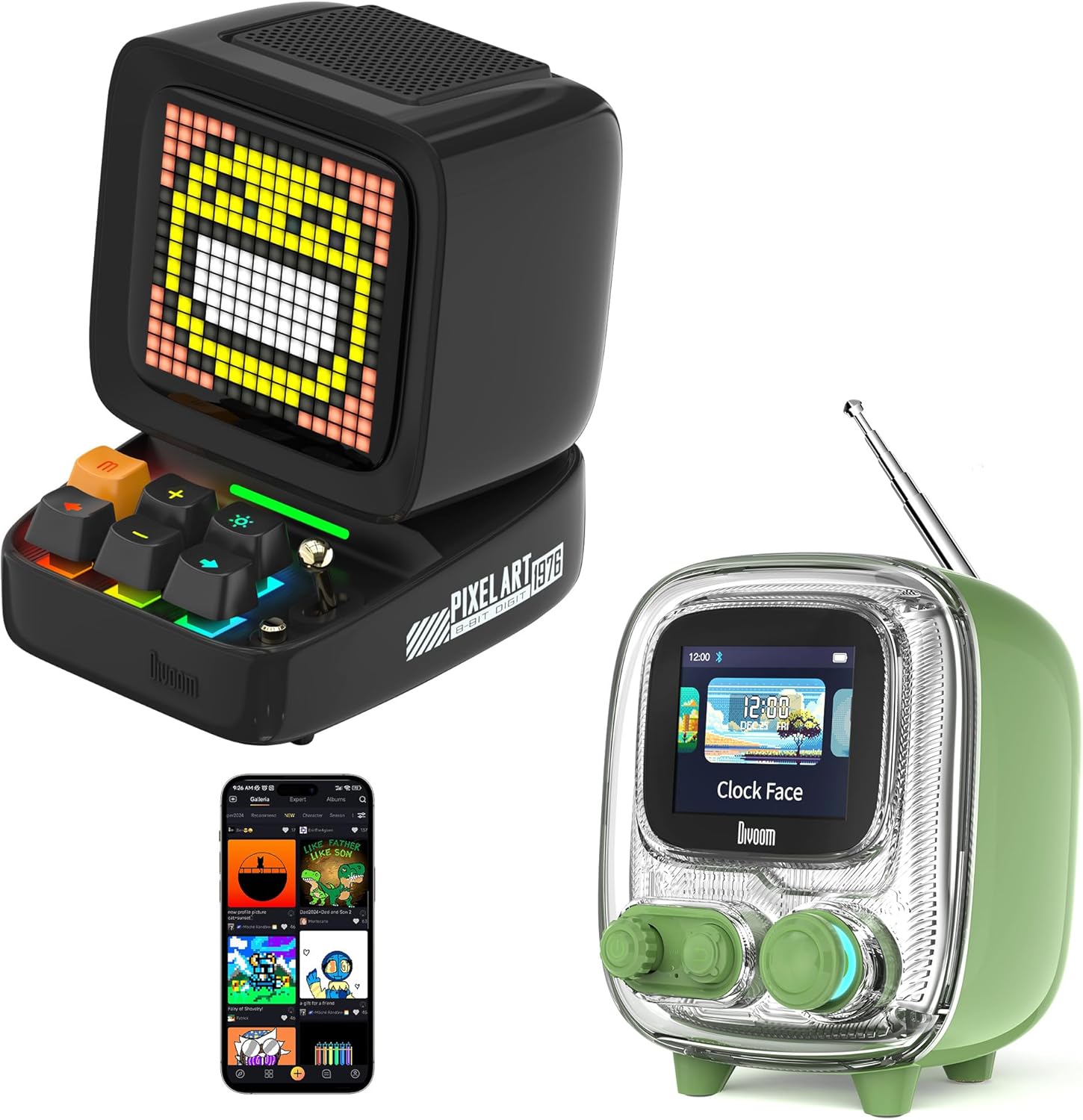
Image: The Divoom Ditoo (left) and Tiivoo-2 (right) Pixel Art Bluetooth Speakers, showcasing their distinct retro designs and pixel displays.
1. Настройка
1.1 Распакоўка і змесціва ўпакоўкі
Carefully unpack your Divoom speaker and verify that all components are present.
- Divoom Ditoo or Tiivoo-2 Speaker
- Шнур харчавання
- Адаптар сілкавання
- Кіраўніцтва карыстальніка (гэты дакумент)
1.2 Уключэнне і зарадка
Before first use, it is recommended to fully charge your speaker. Connect the provided power cord and adapter to the speaker's charging port and a power outlet. The charging indicator will show the charging status.
1.3 Спалучэнне па Bluetooth
- Ensure your Divoom speaker is powered on.
- Уключыце Bluetooth на вашай мабільнай прыладзе (смартфоне, планшэце і г.д.).
- Пошук даступныя прылады Bluetooth.
- Select "Divoom Ditoo" or "Divoom Tiivoo-2" from the list to pair.
- A confirmation sound or message on the speaker's display will indicate successful pairing.
1.4 Усталёўка праграмы Divoom
To unlock the full potential of your Divoom speaker, download the official Divoom app. The app allows for pixel art creation, access to the pixel art community, advanced settings, and more.
- Для прылад iOS: Пошук "Divoom" in the Apple App Store.
- Для прылад Android: Пошук "Divoom" in the Google Play Store.

Image: The Divoom Ditoo speaker displaying pixel art, alongside a smartphone screen showing the Divoom app interface for pixel art creation.
2. Інструкцыя па эксплуатацыі
2.1 Basic Controls (Ditoo)
The Ditoo speaker features a retro keyboard and joystick for intuitive control.

Выява: буйны план view of the Divoom Ditoo speaker, highlighting its mechanical keyboard-style buttons and joystick for interaction.
- Кнопка харчавання: Націсніце і ўтрымлівайце, каб уключыць/выключыць прыладу. Кароткатэрмінова націсніце, каб пераключыць рэжымы дысплея.
- Джойстык: Navigate menus, adjust volume, or change tracks depending on the mode.
- Keyboard Buttons: Specific functions vary by mode (e.g., play/pause, next/previous track, confirm selection). Refer to the in-app guide for detailed button mappings.
2.2 Basic Controls (Tiivoo-2)
The Tiivoo-2 speaker features rotary knobs and buttons for control, resembling a vintage television.

Выява: буйны план view of the Divoom Tiivoo-2 speaker, showing its two rotary knobs and central display, designed to resemble a retro TV.
- Паваротныя ручкі: Typically control volume, menu navigation, or FM radio tuning.
- кнопкі: Power, play/pause, mode selection, etc.
2.3 Pixel Art Creation and Community
Utilize the Divoom app to design your own pixel art. You can draw images, create animations, and share them with a global community of over 1000 designers. Explore the gallery for inspiration and download existing pixel art to display on your speaker.

Image: The Divoom Tiivoo-2 speaker displaying pixel art, with a smartphone screen showing the Divoom app's pixel art creation interface, surrounded by various pixel art designs.
2.4 Прайграванне музыкі
Once paired via Bluetooth, your Divoom speaker functions as a high-quality audio output device. Play music from your connected device, and control playback (play/pause, skip tracks, volume) using the speaker's physical controls or the Divoom app.

Image: A Divoom Ditoo speaker displaying an equalizer, with text overlays indicating "Super Bass," "360° Surround Sound," and "10H Playback Time," emphasizing its audio capabilities.
2.5 FM Radio (Tiivoo-2 Specific)
The Tiivoo-2 model includes an FM radio tuner. Extend the antenna for better reception. Use the rotary knobs to scan for and select FM stations. The current station frequency will be displayed on the screen.
2.6 Smart Alarm and Clock Functions
Your Divoom speaker can function as a smart alarm clock. Set alarms, customize alarm tones, and utilize built-in white noise features through the Divoom app to aid sleep or focus. The speaker can display time and weather conditions.
2.7 Social Media Notifications
Configure the Divoom app to receive visual notifications from your social media accounts directly on the speaker's display.
2.8 Pixel Games
The Divoom app offers a selection of pixel games that can be played directly on your speaker's display, providing entertainment and interaction.
2.9 Photo Album Casting
The Divoom app allows you to cast images from your photo album to the speaker's display, turning it into a digital photo frame for preserving moments.
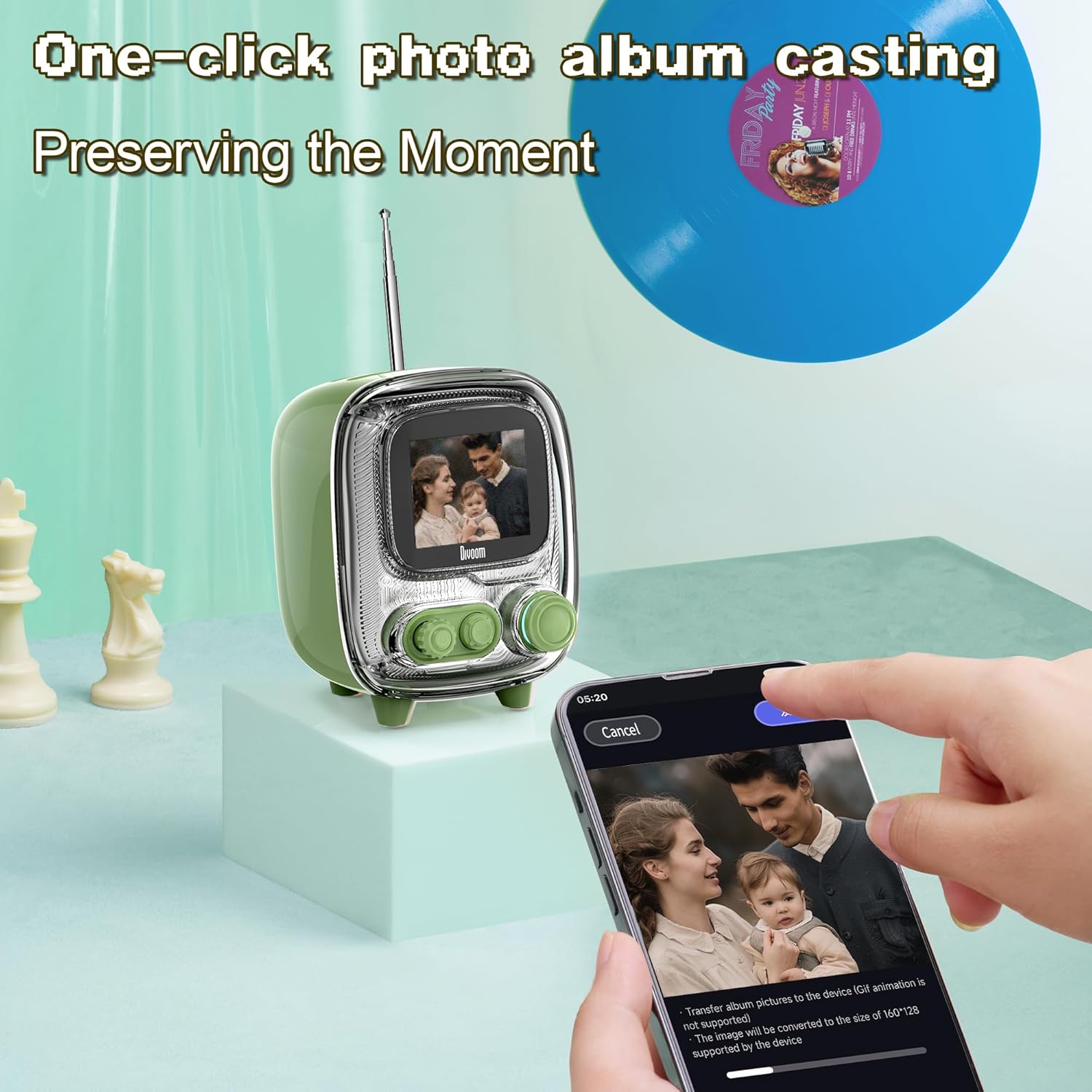
Image: The Divoom Tiivoo-2 speaker displaying a family photo, with a smartphone screen showing the Divoom app's interface for casting images from a photo album.

Выява: Выстава калажаўasing four key features of the Divoom speakers: White Noise for sleeping aid, Alarm Clock with countdown timer, Pixel Games with 15 relaxation games, and DIY Pixel Art creation.
3. Тэхнічнае абслугоўванне
To ensure the longevity and optimal performance of your Divoom speaker, follow these maintenance guidelines:
- Уборка: Use a soft, dry, lint-free cloth to clean the speaker's exterior. Avoid abrasive cleaners, solvents, or spray cleaners directly on the device.
- захоўванне: Калі дынамік не выкарыстоўваецца працяглы час, захоўвайце яго ў прахалодным, сухім месцы, удалечыні ад прамых сонечных прамянёў і экстрэмальных тэмператур.
- Ўздзеянне вады: The speaker is not waterproof. Avoid exposing it to water or high humidity.
- Зарадка: Use only the provided power cord and adapter.
4. Выпраўленне непаладак
If you encounter issues with your Divoom speaker, refer to the following common solutions:
- Дынамік не ўключаецца: Ensure the speaker is charged. Connect it to the power adapter and allow it to charge for at least 30 minutes before attempting to power on again.
- Немагчыма падключыць праз Bluetooth:
- Ensure Bluetooth is enabled on your mobile device and the speaker.
- Make sure the speaker is in pairing mode (usually indicated by a blinking Bluetooth icon on the display).
- Перамясціце прыладу бліжэй да дынаміка.
- Паспрабуйце адлучыць прыладу і зноў падлучыць яе.
- Перазагрузіце і дынамік, і мабільную прыладу.
- Няма гуку або нізкі гук:
- Праверце ўзровень гучнасці як на дынаміку, так і на падлучанай прыладзе.
- Пераканайцеся, што дынамік правільна спалучаны і падключаны.
- Паспрабуйце прайграць аўдыё з іншай праграмы або крыніцы.
- App not connecting to speaker:
- Ensure Bluetooth is active and the speaker is paired with your phone.
- Verify that the Divoom app has necessary permissions (e.g., location, Bluetooth).
- Restart the app and the speaker.
- FM Radio reception poor (Tiivoo-2):
- Цалкам выцягніце антэну.
- Паспрабуйце змяніць становішча дынаміка, каб палепшыць прыём сігналу.
- Зноў праскануйце станцыі.
If problems persist, contact Divoom customer support for further assistance.
5. Тэхнічныя характарыстыкі
| Асаблівасць | Дэталь |
|---|---|
| Марка | Водаправод |
| Нумары мадэляў | Ditoo, Tiivoo-2 (Internal: 813ac9f0-874d-4e1b-872a-503bb163ca4f) |
| Тэхналогія падлучэння | Bluetooth |
| Асаблівасці | Bluetooth, Pixel Art Display, Smart Alarm, Notifications, Games |
| Тэхналогія адлюстравання | ВК |
| Крыніца харчавання | Правадная электрычная |
| Tuner Technology (Tiivoo-2) | FM |
| Уключаныя кампаненты | Power Cord, Power Adapter |
| Рэкамендуемае выкарыстанне | Music, News, Pixel Art Display, Alarm Clock |
6. Гарантыя і падтрымка
Каб атрымаць інфармацыю аб гарантыі і падтрымцы кліентаў, звярніцеся да афіцыйнага сайта Divoom. webсайт або звярніцеся ў службу падтрымкі кліентаў. Захоўвайце чэк аб куплі як пацверджанне пакупкі.
You can visit the Divoom store for more information: Афіцыйная крама Divoom