
SUAAT S6
SUAAT S6 11-inch Android Tablet User Manual
Model: S6 | Brand: SUAAT
1. Уводзіны
Welcome to the user manual for your new SUAAT S6 11-inch Android Tablet. This tablet is designed to provide a versatile and powerful computing experience, whether for work, study, or entertainment. Featuring the latest Android 14 system, an octa-core processor, ample memory, and a vibrant HD touchscreen, it is built for efficiency and enjoyment.

Image: The SUAAT S6 11-inch Android Tablet, showcasing its sleek design and key features like 8000mAh battery, Android 14, 24GB RAM, 256GB storage, 5G Wi-Fi, and Widevine L1 support.
2. Што ў скрынцы
Пасля адкрыцця ўпакоўкі пераканайцеся, што ўсе наступныя рэчы наяўныя:
- SUAAT S6 11-inch Android Tablet
- Ахоўны футляр
- Ахоўная плёнка для экрана (папярэдне налепленая або ўключаная асобна)
- Зарадная прылада
- Зарадны кабель
3. Пачатковая налада
3.1 Зарадка планшэта
Before first use, it is recommended to fully charge your tablet. Connect the provided charging cable to the tablet's Type-C port and the charger to a power outlet. The battery indicator on the screen will show charging progress.
3.2 Уключэнне/выключэнне сілкавання
- Каб уключыць: Press and hold the Power button located on the side of the tablet until the SUAAT logo appears.
- Каб выключыць: Націсніце і ўтрымлівайце кнопку харчавання, пакуль не з'явіцца меню параметраў харчавання. Выберыце «Выключыць харчаванне» і пацвердзіце.
- Каб перазапусціць: У меню параметраў харчавання абярыце «Перазагрузка» і пацвердзіце.
3.3 Пачатковая канфігурацыя
Пры першым уключэнні планшэт правядзе вас праз працэс пачатковай налады. Выконвайце падказкі на экране, каб:
- Выберыце сваю мову.
- Падключыцеся да сеткі Wi-Fi.
- Увайдзіце ў свой уліковы запіс Google або стварыце новы.
- Наладзьце блакаванне экрана (PIN-код, узор, пароль або разблакіроўка па твары).
- Review і прыняць умовы.
4. Кіраванне планшэтам
4.1 Android 14 System and Performance
Your SUAAT S6 tablet runs on the latest Android 14 operating system, offering enhanced privacy features, improved performance, and a user-friendly interface. The high-quality T606 octa-core processor ensures smooth multitasking and efficient operation for all your applications.

Image: Visual representation of the Android 14 system, highlighting features like convenient multitasking with Taskbar, enhanced Privacy & Security for managing permissions, and Parental Control options.
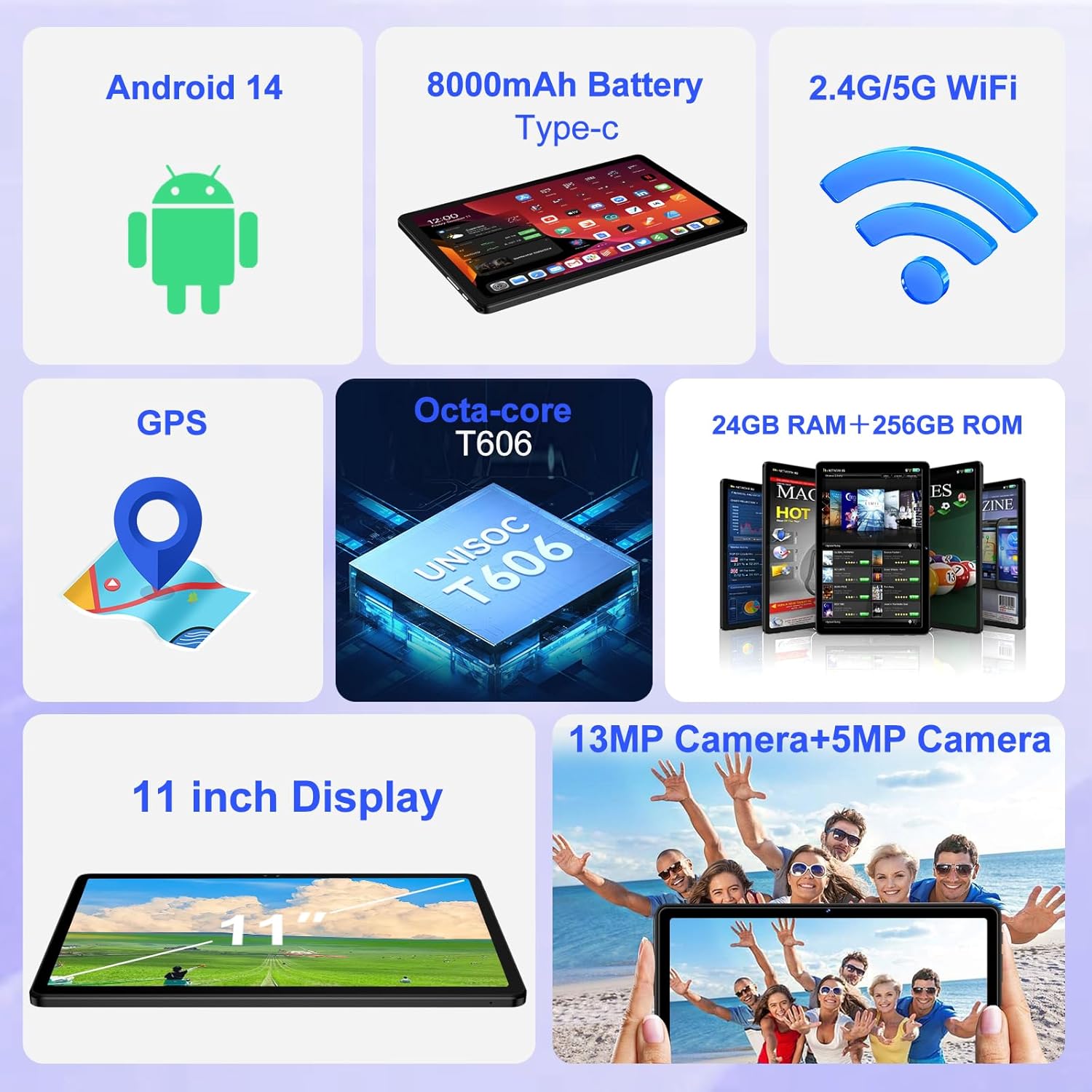
Выява: Оверview of the tablet's core features, including Android 14, 8000mAh battery, 2.4G/5G WiFi, GPS, Octa-core T606 processor, 24GB RAM + 256GB ROM, 13MP + 5MP cameras, and an 11-inch display.
4.2 Дысплей
The tablet features a large 11-inch IPS HD touchscreen with a resolution of 1280x800 pixels, providing clear and vibrant visuals. The screen is made with tempered glass for increased durability. It also supports Widevine L1, allowing you to stream high-definition content from popular services.

Image: The 11-inch HD display, illustrating its 1280x800 FHD resolution, 16:10 aspect ratio, and In-cell multi-touch technology.

Image: Comparison showing the difference between Widevine L1 (1080P) and L3, demonstrating the superior high-definition streaming quality supported by SUAAT tablets.
4.3 Памяць і захоўванне
The tablet comes with 24GB of RAM (8GB physical + 16GB virtual) and 256GB of internal storage. Storage can be expanded up to 1TB using a Micro SD card (not included), providing ample space for apps, photos, videos, and documents.
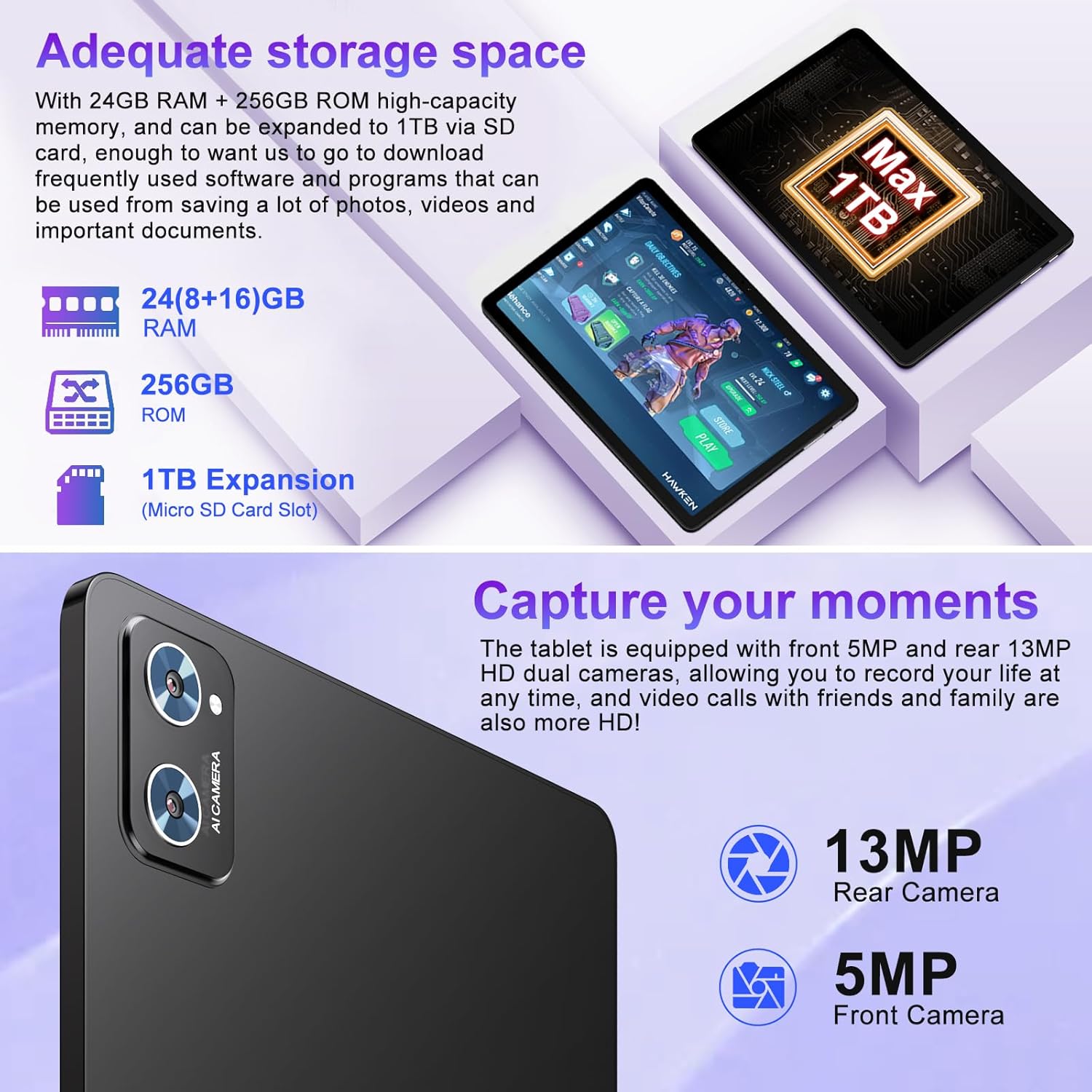
Image: Illustration of the tablet's storage capabilities, showing 24GB RAM, 256GB ROM, and 1TB Micro SD card expansion.
4.4 Камеры
Capture your moments with the tablet's dual cameras: a 5MP front camera for clear video calls and selfies, and a 13MP rear camera for high-resolution photos and videos.
Выява: Крупны план view of the tablet's rear camera module, indicating the 13MP rear camera and 5MP front camera capabilities for capturing moments and high-definition video calls.
4.5 Battery Life and Connectivity
Equipped with an 8000mAh battery, the tablet offers extended usage times, with an average of 8 hours of battery life. It supports both 5G and 2.4G Wi-Fi for fast and stable internet connections, and Bluetooth 5.0 for seamless pairing with accessories and easy file transfers. GPS functionality is also integrated for navigation.

Image: Visual representation of the tablet's 8000mAh high-capacity battery, indicating approximate usage times: 8 hours for music, 6 hours for web browsing, and 5 hours for gaming.
5. Тэхнічнае абслугоўванне і догляд
- Уборка: Для чысткі экрана і корпуса выкарыстоўвайце мяккую тканіну без ворса. Пазбягайце выкарыстання абразіўных ачышчальнікаў або растваральнікаў.
- захоўванне: Захоўвайце таблетку ў прахалодным, сухім месцы, удалечыні ад прамых сонечных прамянёў і экстрэмальных тэмператур.
- Сыход за батарэяй: To prolong battery life, avoid fully discharging the tablet frequently. Charge it regularly, but do not leave it plugged in for extended periods after it's fully charged.
- Абнаўленні праграмнага забеспячэння: Рэгулярна правярайце наяўнасць абнаўленняў сістэмы і ўсталёўвайце іх, каб забяспечыць аптымальную прадукцыйнасць і бяспеку.
- Абарона: Always use the provided protective case and screen protector to guard against drops and scratches.
6. Выпраўленне непаладак
| праблема | Магчымая прычына | Рашэнне |
|---|---|---|
| Планшэт не ўключаецца. | Нізкі зарад батарэі; збой сістэмы. | Зараджайце планшэт не менш за 30 хвілін. Націсніце і ўтрымлівайце кнопку харчавання на працягу 10-15 секунд, каб прымусова перазагрузіць яго. |
| Праблемы з падключэннем да Wi-Fi. | Няправільны пароль; праблема з маршрутызатарам; Wi-Fi планшэта адключаны. | Ensure correct password. Restart your Wi-Fi router. Toggle Wi-Fi off/on in tablet settings. |
| Павольная прадукцыйнасць. | Занадта шмат запушчаных праграм; мала месца для захоўвання; састарэлае праграмнае забеспячэнне. | Close unused apps. Clear cache. Free up storage. Check for system updates. |
| Акумулятар хутка разраджаецца. | Высокая яркасць экрана; фонавыя праграмы; дрэнны сігнал. | Reduce screen brightness. Close background apps. Disable unused features like GPS/Bluetooth. |
7. Тэхнічныя характарыстыкі
| Асаблівасць | Дэталь |
|---|---|
| Марка | СУААТ |
| Назва мадэлі | S6 |
| Аперацыйная сістэма | Android 14 |
| Працэсар | Octa-core T606 (2 GHz) |
| АЗП | 24 ГБ (8 ГБ фізічнай + 16 ГБ віртуальнай) |
| Унутраная памяць | 256 ГБ |
| Сховішча з магчымасцю пашырэння | Да 1 ТБ праз карту Micro SD |
| Памер экрана | 11 цалі |
| Дазвол экрана | 1280 x 800 пікселяў (IPS HD) |
| Пярэдняя камера | 5 МП |
| Задняя камера | 13 МП |
| Ёмістасць батарэі | 8000 мАг |
| Сярэдні тэрмін службы батарэі | 8 гадзін |
| Бесправоднае падключэнне | 802.11ac (5G/2.4G Wi-Fi), Bluetooth 5.0 |
| Навігацыя | GPS |
| Вага прадмета | 1.15 фунта |
| Памеры прадукту | 10.16 х 6.61 х 0.32 цалі |
| Колер | Чорны |
8. Гарантыя і падтрымка
Your SUAAT S6 tablet comes with a Гарантыя 2 год, as mentioned by customer reviews. For any technical assistance, troubleshooting beyond this manual, or warranty claims, please contact SUAAT customer support. Refer to the contact information provided with your product packaging or visit the official SUAAT webсайт для падрабязнай інфармацыі аб падтрымцы.
SUAAT is committed to providing professional technical support and 24-hour after-sales service to ensure customer satisfaction.