
BNCF Bpad Mini
BNCF Bpad Mini Android 14 Tablet User Manual
Model: Bpad Mini | Brand: BNCF
1. Уводзіны
Thank you for choosing the BNCF Bpad Mini Android 14 Tablet. This manual provides essential information to help you set up, operate, and maintain your device. The Bpad Mini is a versatile 8.4-inch tablet featuring a powerful Snapdragon 685 octa-core processor, ample memory and storage, high-resolution cameras, and comprehensive connectivity options, designed for both productivity and entertainment.
2. Інфармацыя па бяспецы
Please read the following safety guidelines carefully before using your tablet:
- Handle the tablet gently to prevent damage from drops or impacts.
- Always perform a proper shutdown. Avoid forced shutdowns, especially when applications are running, as this may corrupt system files або дадзеныя.
- Трымайце прыладу далей ад экстрэмальных тэмператур, прамых сонечных прамянёў і вадкасцей.
- Use only BNCF-approved chargers and accessories.
- Не спрабуйце разбіраць або рамантаваць планшэт самастойна. Звярніцеся па дапамогу ў службу падтрымкі кліентаў.
- Periodically clear unnecessary data to maintain optimal performance.
3. Змесціва ўпакоўкі
Пераканайцеся, што ў скрынцы з вашым прадуктам ёсць усе неабходныя рэчы:
- Міні-планшэт BNCF Bpad
- Standard Charger (5V/2A)
- Type-C USB Cable (5V/2A)
- Штыфт для вымання SIM-карты
- Кіраўніцтва карыстальніка

4. Прадукт скончыўсяview
Familiarize yourself with the physical components of your Bpad Mini tablet:
- Пярэдняя камера: For selfies and video calls (5MP).
- Задняя камера: For high-resolution photos and videos (32MP).
- Ліхтарык: For illumination when taking photos or as a torch.
- Датчык святла: Automatically adjusts screen brightness based on ambient light.
- Кнопка харчавання: Уключае/выключае прыладу або блакуе/разблакуе экран.
- Кнопкі рэгулявання гучнасці (+/-): Adjusts the device volume.
- Дакладчыкі: Integrated dual speakers for audio output.
- Порт тыпу C: Для зарадкі і перадачы дадзеных.
- Мікрафон: Для аўдыёўваходу падчас званкоў або запісаў.
- Слот для SIM-карты/MicroSD: Для ўстаўкі SIM-карт і пашырэння памяці.
5. Настройка
5.1 Зарадка прылады
Before first use, fully charge your tablet using the provided charger and Type-C USB cable. Connect the Type-C cable to the tablet's port and the charger to a power outlet. The battery indicator on the screen will show charging progress.

5.2 Устаўка SIM-карты/карты MicroSD
To use 4G LTE connectivity or expand storage, insert a SIM card or MicroSD card into the designated slot:
- Знайдзіце слот для SIM-карты/MicroSD на бакавой панэлі планшэта.
- Use the provided SIM eject pin to open the tray.
- Carefully place the SIM card(s) and/or MicroSD card into the tray, ensuring correct orientation.
- Акуратна ўстаўце латок назад у слот, пакуль ён не зафіксуецца пачуўшы пстрычку.
APN Settings for 4G LTE
For some carriers (e.g., Rakuten Mobile, IIJmio, BIGLOBE Mobile, OCN Mobile ONE, UQ mobile), manual APN (Access Point Name) settings are required after SIM insertion. For others (e.g., docomo, au, SoftBank, Y!mobile, LINEMO), APN settings may be automatic.
If manual setup is needed:
- Перайсці да Налады > Сетка і інтэрнэт > Мабільная сетка.
- Check if the APN is correctly displayed. If blank, you will need to manually input the APN details provided by your carrier.
- Refer to your carrier's official website for specific APN configuration details.
5.3 Першапачатковае ўключэнне
Press and hold the Power button until the BNCF logo appears. Follow the on-screen prompts to complete the initial setup, including language selection, Wi-Fi connection, and Google account setup.
6. Інструкцыя па эксплуатацыі
6.1 Аперацыйная сістэма Android 14
Your Bpad Mini runs on Android 14, offering enhanced features for a smoother and more secure user experience. Key features include:
- Шматзадачнасць: Utilize split-screen mode to run two apps simultaneously.
- Improved Privacy & Security: Enhanced controls over app permissions and data access.
- Эфектыўнае кіраванне батарэяй: Optimized power usage for longer battery life.
- Smart Screen Cast: Wirelessly share your tablet screen to a larger display.
- Здымак экрана трыма пальцамі: Capture screenshots quickly with a simple gesture.
- Бацькоўскі кантроль: Manage screen time and content access for children.

6.2 Прадукцыйнасць
The Bpad Mini is powered by the Snapdragon 685 Octa-core Chipset with a clock speed of up to 2.8GHz, ensuring smooth and efficient performance for all your tasks, from browsing to gaming. It features an advanced 6nm manufacturing process for optimized power consumption.
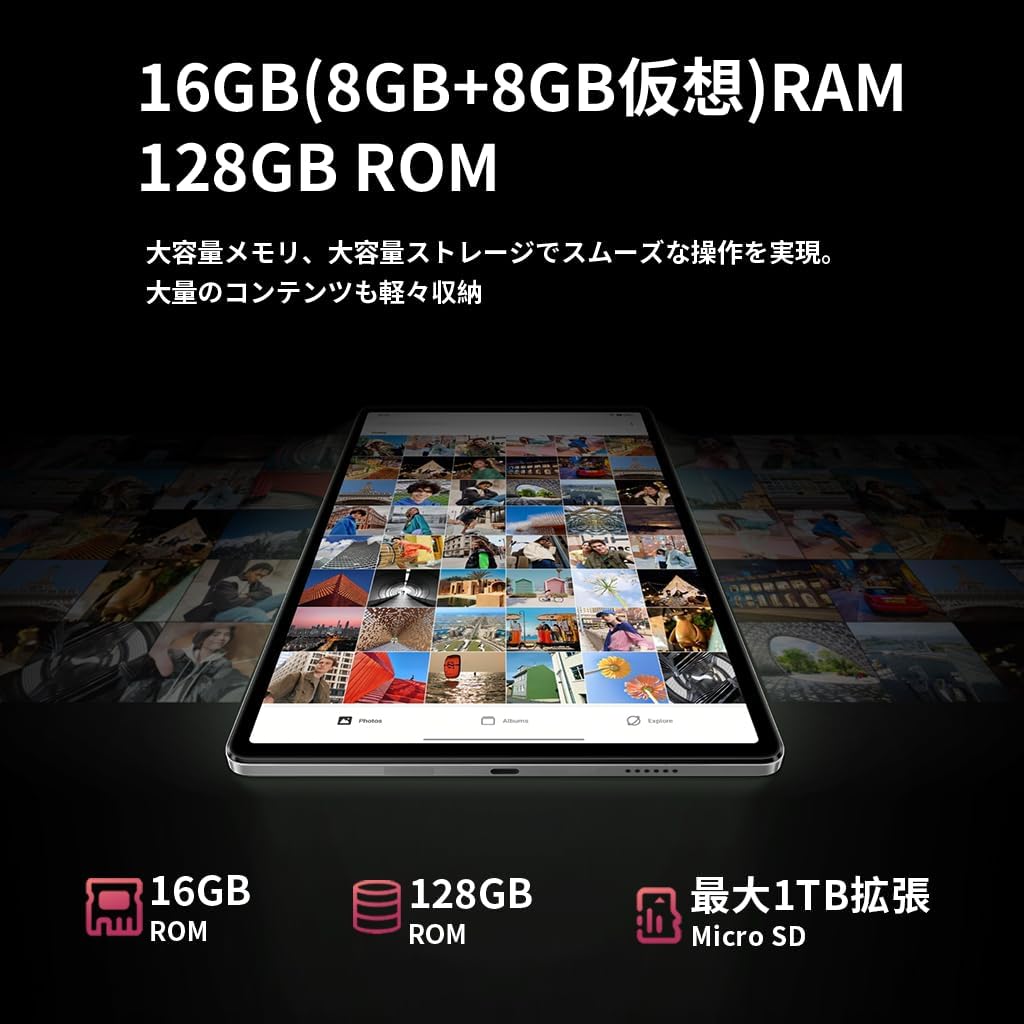
з 16GB of RAM (8GB physical + 8GB virtual), the tablet can handle multiple applications simultaneously without lag. The 128GB UFS internal storage provides fast read/write speeds and ampле месца для вашага files, expandable up to 1TB via MicroSD card.


6.3 Дысплей
The 8.4-inch FHD IPS display with 1920x1200 resolution provides vivid and clear visuals. It features in-cell full lamination technology for improved transparency and touch responsiveness. With Widevine L1 support, you can enjoy high-definition content from streaming services like Netflix, Amazon Prime Video, and Disney+ in HD, Full HD, and even 4K resolutions.

6.4 Камера
Capture moments with the tablet's dual cameras:
- Пярэдняя камера: 5MP, ideal for selfies and high-quality video calls.
- Задняя камера: 32MP, capable of shooting high-resolution photos and videos, including 4K, making it suitable for content creation and live streaming.

6.5 Падключэнне
Stay connected with various options:
- 4G LTE: Insert a SIM card to access the internet and make calls like a smartphone, even without Wi-Fi.
- 2.4G/5G Dual-band Wi-Fi: Enjoy fast and stable internet browsing and online gaming.
- Bluetooth 5.0: Easily connect to wireless headphones, speakers, and other Bluetooth devices for a seamless experience.
- GPS: Utilize accurate navigation services for travel and location-based applications.

6.6 Кіраванне батарэяй
The Bpad Mini is equipped with a Акумулятар вялікай ёмістасці 6050 мАг, providing extended usage time. It supports Хуткая зарадка 18 Вт PD, allowing for quick recharges (fast charger sold separately; standard charger included).
6.7 Датчыкі
The tablet integrates several sensors for enhanced functionality:
- Датчык гіраскопа: Automatically adjusts screen orientation and improves gaming experience with smoother rotation effects and precise control.
- Датчык святла: Detects ambient light to automatically adjust screen brightness, optimizing battery consumption.
- Датчык набліжэння: Automatically turns off the screen during calls to prevent accidental touches and save power.

6.8 Бяспека
The Bpad Mini supports Распазнаванне твараў for quick and secure unlocking, protecting your privacy with ease.

7. Тэхнічнае абслугоўванне
To ensure the longevity and optimal performance of your BNCF Bpad Mini, follow these maintenance tips:
- Сыход за экранам: Clean the screen with a soft, lint-free cloth. Avoid harsh chemicals or abrasive materials.
- Абнаўленні праграмнага забеспячэння: Рэгулярна правярайце наяўнасць абнаўленняў сістэмы і ўсталёўвайце іх, каб пераканацца, што ваша прылада мае найноўшыя функцыі і патчы бяспекі.
- Кіраванне дадзенымі: Перыядычна пераview і выдаліце непатрэбнае files, apps, and cached data to free up storage space and prevent performance slowdowns.
- Зарад батарэі: Пазбягайце частай поўнай разрадкі акумулятара. Для працяглага захоўвання зараджайце акумулятар прыкладна да 50-60%.
- Умовы навакольнага асяроддзя: Store and use the tablet in moderate temperatures. Extreme heat or cold can damage the battery and internal components.
8. Выпраўленне непаладак
Вось рашэнні распаўсюджаных праблем, з якімі вы можаце сутыкнуцца:
| праблема | Магчымая прычына | Рашэнне |
|---|---|---|
| Прылада не ўключаецца | Нізкі зарад батарэі; збой сістэмы | Зараджайце прыладу не менш за 30 хвілін. Націсніце і ўтрымлівайце кнопку харчавання на працягу 10-15 секунд, каб прымусова перазагрузіць яе. |
| Poor 4G LTE connection | Incorrect APN settings; Weak signal area | Restart the device in a good signal area. Verify APN settings in Налады > Сетка і Інтэрнэт > Мабільная сетка. Consult your carrier for correct APN details. |
| Tablet is slow/lagging | Занадта шмат запушчаных праграм; мала месца ў памяці; састарэлае праграмнае забеспячэнне | Close background apps. Clear unnecessary data and cache. Check for system updates in Налады > Сістэма > Абнаўленне сістэмы. |
| Сэнсарны экран не рэагуе | Temporary software glitch; Screen protector interference | Restart the tablet. Ensure screen is clean. If using a screen protector, ensure it is properly applied and not interfering. |
| Праблемы з падключэннем да Wi-Fi | Incorrect password; Router issue; Tablet Wi-Fi disabled | Пераканайцеся, што Wi-Fi уключаны. Забудзьцеся пра сетку і падключыцеся зноў. Перазапусціце маршрутызатар Wi-Fi. |
9. Тэхнічныя характарыстыкі
| Асаблівасць | Спецыфікацыя |
|---|---|
| Марка | БНКФ |
| Назва мадэлі | Bpad Mini |
| Аперацыйная сістэма | Android 14 |
| працэсар | Qualcomm Snapdragon 685 Octa-core (up to 2.8 GHz) |
| графічны працэсар | Адрено 610 |
| АЗП | 16 ГБ (8 ГБ фізічнай + 8 ГБ віртуальнай) |
| Унутраная памяць | 128 ГБ UFS |
| Сховішча з магчымасцю пашырэння | Да 1 ТБ праз карту MicroSD |
| Памер дысплея | 8.4 цаляў |
| Дазвол дысплея | 1920x1200 пікселяў (FHD IPS) |
| Тэхналогія адлюстравання | In-cell full lamination |
| Падтрымка струменевай перадачы | Widevine L1 (Netflix, Amazon Prime Video, Disney+ in HD/FHD/4K) |
| Задняя камера | 32 МП |
| Пярэдняя камера | 5 МП |
| Сотавая сувязь | 4G LTE (GSM, WCDMA, LTE-TDD, LTE-FDD bands) |
| Wi-Fi | 2.4G/5G Dual-band (802.11a/b/g/n/ac) |
| Bluetooth | Bluetooth 5.0 |
| GPS | так |
| Ёмістасць батарэі | 6050 мАг |
| Зарадка | Type-C, supports 18W PD fast charging |
| Датчыкі | Gyro Sensor, Light Sensor, Proximity Sensor |
| Функцыі бяспекі | Распазнаванне твараў |
| Памеры (Д х Ш х У) | 200.8 х 124.2 х 7.6 мм |
| Вага | 310 г |
10. Гарантыя і падтрымка
BNCF offers a 12-месячная гарантыя на прадукцыю for the Bpad Mini tablet. For any inquiries or issues, please contact customer support through your Amazon account:
- Перайсці да Your Amazon Account > Гісторыя заказаў.
- Select the relevant order for your BNCF Bpad Mini.
- Націсніце на Звязацца з прадаўцом.
Our support team typically responds within 6 hours. Please provide your order details for faster assistance.