
1. Уводзіны
This manual provides detailed instructions for the setup, operation, and maintenance of your ProtoArc EKM01 Plus Ergonomic Wireless Keyboard and Mouse Combo. This combo is designed to enhance comfort and productivity with its ergonomic features and multi-device connectivity.
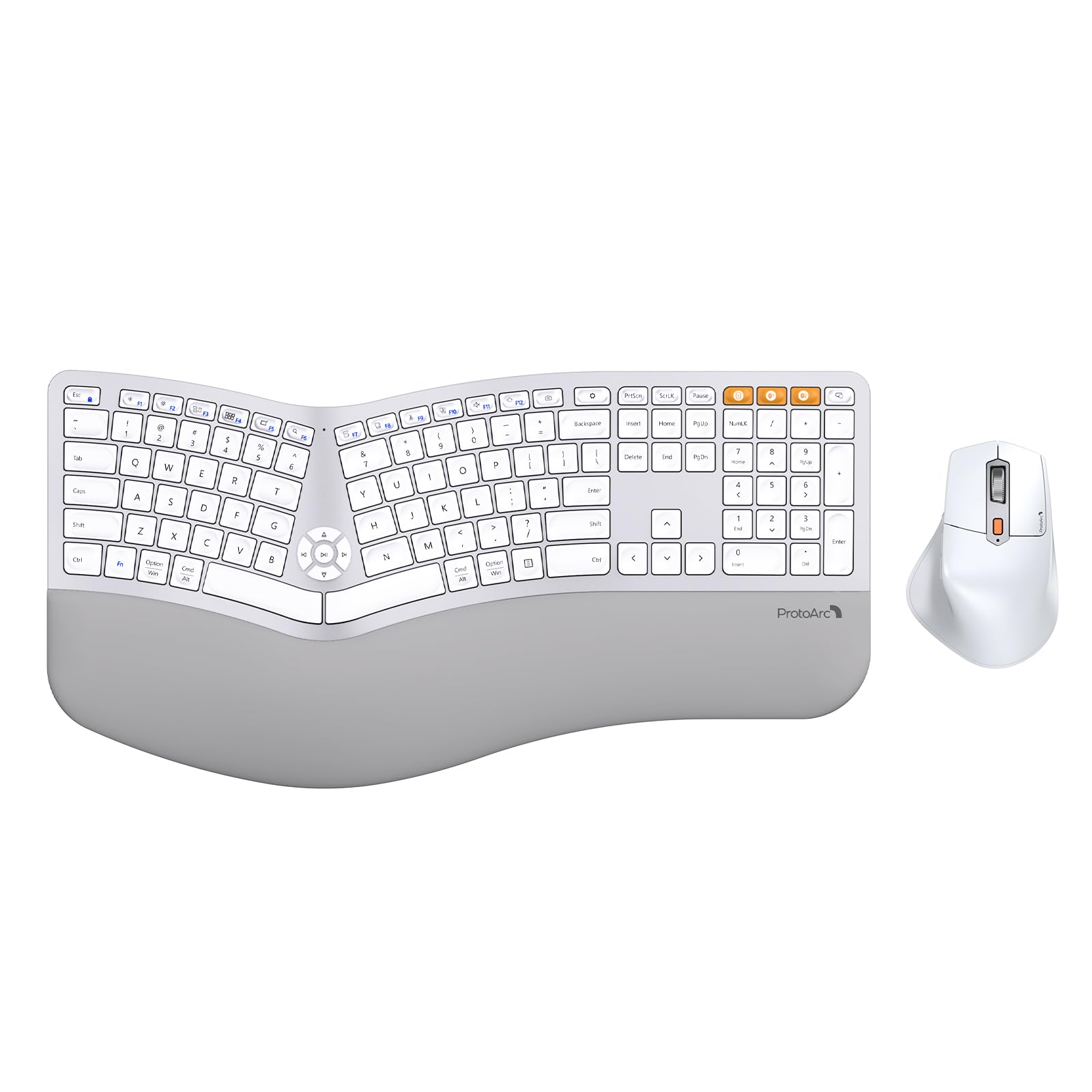
Image 1.1: ProtoArc EKM01 Plus Ergonomic Wireless Keyboard and Mouse Combo (White Silver).
2. Змесціва ўпакоўкі
Пераканайцеся, што ўсе прадметы прысутнічаюць у вашай упакоўцы:
- ProtoArc EKM01 Plus Ergonomic Wireless Keyboard
- ProtoArc Ergonomic Wireless Mouse
- USB-A to USB-C Charging Cable (31 inches)
- 2.4G USB Receiver (stored in the keyboard's back compartment)
- Кіраўніцтва карыстальніка
- Кароткае кіраўніцтва
3. Прадукт скончыўсяview
The ProtoArc EKM01 Plus combo features a full-size, curved, and split ergonomic design for natural hand and wrist positioning. Both the keyboard and mouse are rechargeable and support multi-device connectivity.
3.1. Эрганамічны дызайн
The keyboard's split keyframe and curved layout promote a natural, relaxed posture for your wrists and forearms. Scooped keys are designed to fit your fingertips for comfortable typing. The integrated cushioned wrist rest provides additional support.

Image 3.1.1: Full-size, curved, split design of the keyboard and mouse.

Image 3.1.2: Hands positioned on the ergonomic keyboard.
3.2. Cushioned Wrist Rest
The keyboard features a soft memory foam layer wrist rest, reducing wrist bending and providing comfort during extended use. Adjustable tilt legs allow you to set the keyboard at an optimal angle.
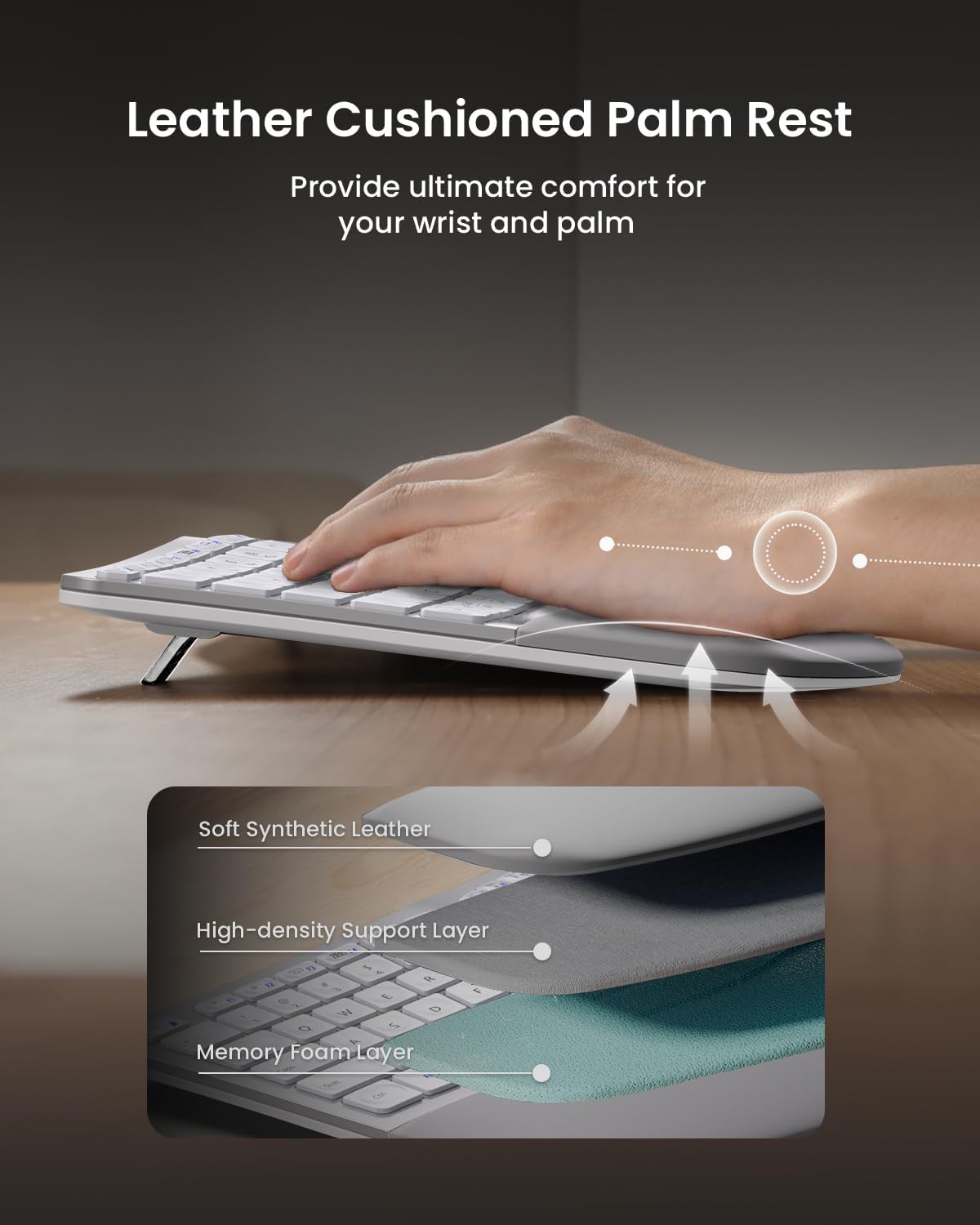
Image 3.2.1: Leather cushioned palm rest construction.

Image 3.2.2: Adjustable tilt legs for customized keyboard angle.
3.3. Ergonomic Mouse
The wireless ergonomic mouse is sculpted to fit the hand naturally, with a palm and thumb rest to reduce wrist strain. It features 2000 DPI for precise control and includes forward/backward buttons for convenient web прагляд.

Image 3.3.1: Comfortable contoured shape of the ergonomic mouse.
4. Настройка
4.1. Зарадка прылад
Both the keyboard and mouse are equipped with built-in 500mAh lithium batteries. Use the included USB-A to USB-C cable to recharge them. An auto-sleep mode activates after 30 minutes of inactivity to conserve power.

Image 4.1.1: Type-C rechargeable design for keyboard and mouse.
4.2. Падключэнне да прылад
The combo supports connection to up to three devices simultaneously via a 2.4G USB receiver or Bluetooth. Quick switching between devices is possible with a single button press.
4.2.1. Падключэнне 2.4G USB-прыёмніка
- Знайдзіце USB-прыёмнік 2.4 ГГц, які знаходзіцца ў заднім адсеку клавіятуры.
- Падключыце USB-прыёмнік да вольнага порта USB на вашым кампутары.
- Turn on the keyboard and mouse. They should automatically connect to your computer.
4.2.2. Злучэнне Bluetooth
- Уключыце клавіятуру і мыш.
- On the keyboard, press the Bluetooth channel button (B1 or B2) for 3 seconds until the indicator light flashes, indicating pairing mode.
- On your device (computer, laptop, tablet), go to Bluetooth settings and select 'ProtoArc EKM01 Plus' to pair.
- Repeat for the mouse by pressing its Bluetooth channel button.
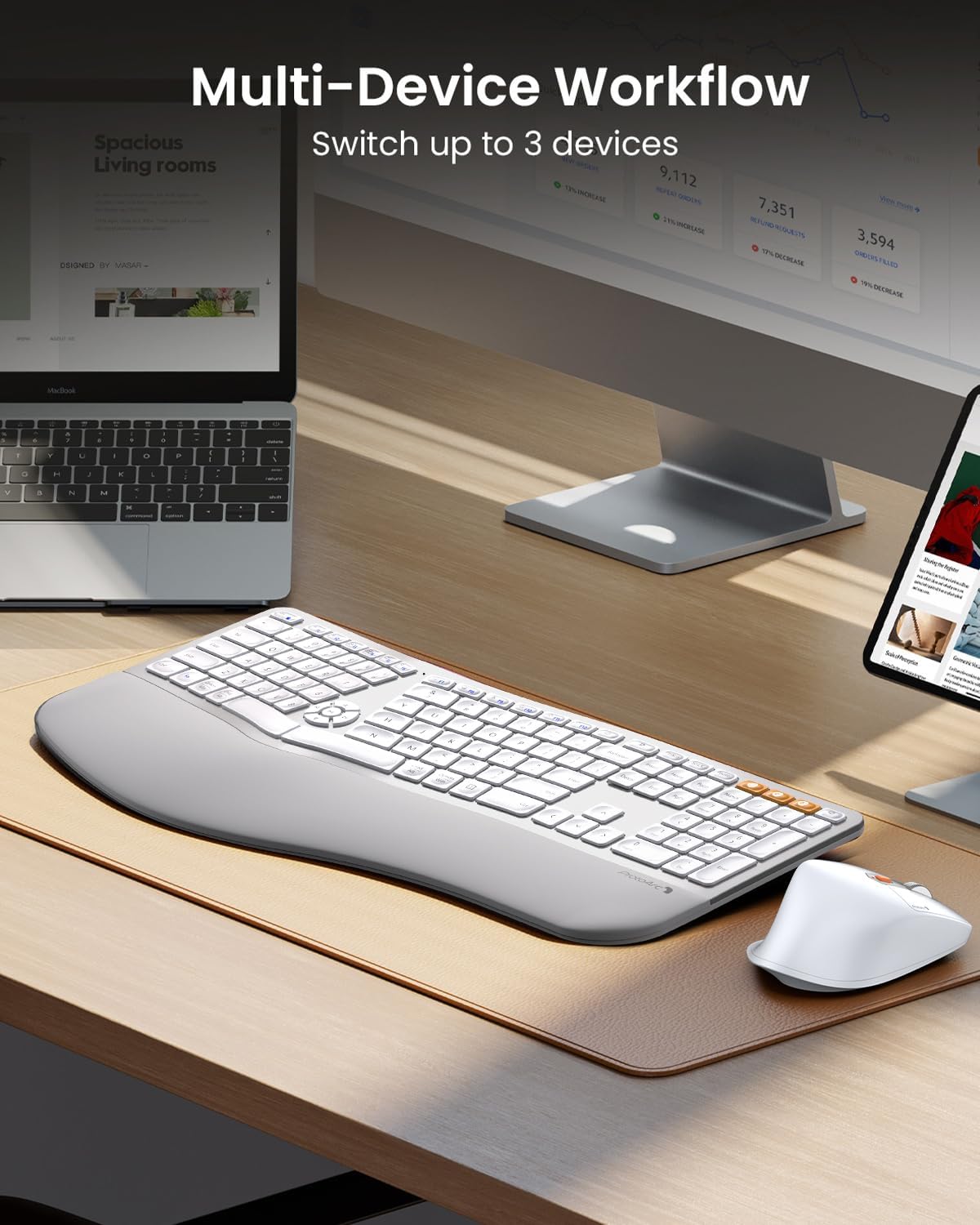
Image 4.2.1: Multi-device workflow setup.
5. Інструкцыя па эксплуатацыі
5.1. Функцыі клавіятуры
- Спліт-дызайн: Reduces wrist strain by allowing a more natural hand position.
- Cushioned Wrist Rest: Provides comfort and support for your wrists.
- Рэгуляваныя па нахіле ножкі: Customize the keyboard angle for optimal comfort.
- Мультымедыйныя ключы: Dedicated keys for media control (play/pause, volume, etc.) are centrally located.
- Сумяшчальнасць: Compatible with Windows 7/8/10, Mac OS X 10.12 or higher, and Android 4.3 or higher.

Image 5.1.1: Key switch mechanism for quiet typing.
5.2. Функцыі мышы
- Ergonomic Sculpted Shape: Designed for palm and thumb rest, reducing wrist strain.
- Рэгуляваны DPI: 2000 DPI for precise cursor control.
- Кнопкі наперад/назад: Convenient for web навігацыя па старонцы.

Image 5.2.1: Mouse DPI settings indicator.

Image 5.2.2: Mouse side buttons for enhanced functionality.
5.3. Пераключэнне некалькіх прылад
To switch between connected devices, simply press the corresponding channel button (e.g., B1, B2 for Bluetooth, or the 2.4G indicator) on the keyboard or the mode switch button on the mouse. The devices will seamlessly transition to the selected connection.
6. Тэхнічнае абслугоўванне
- Уборка: Выкарыстоўвайце мяккі, damp cloth to clean the surfaces of the keyboard and mouse. Avoid harsh chemicals.
- Пылаахоўны чахол: Utilize the included dust cover to protect the keyboard from dust and spills when not in use.
- Зарадка: Recharge the devices when the low battery indicator appears to ensure uninterrupted use.
- захоўванне: Store the USB receiver in its designated slot on the keyboard's back when not in use to prevent loss.
7. Выпраўленне непаладак
| выпуск | Магчымае рашэнне |
|---|---|
| Keyboard/Mouse not connecting via 2.4G USB receiver | Ensure the USB receiver is securely plugged into a working USB port. Turn the keyboard/mouse off and on again. Try a different USB port. |
| Клавіятура/мыш не падключаецца праз Bluetooth | Ensure Bluetooth is enabled on your device. Press and hold the Bluetooth channel button (B1/B2 on keyboard, mode switch on mouse) for 3 seconds to enter pairing mode. Re-pair the device in your computer's Bluetooth settings. Ensure the device is within range. |
| Затрымка або адтэрмінаваная рэакцыя | Check battery levels and recharge if necessary. Ensure no strong interference sources (e.g., other wireless devices) are nearby. Move the receiver closer to the devices if using 2.4G. |
| Клавішы не адказваюць | Check if the keyboard is powered on and connected. Recharge the keyboard. Clean under the affected keys if debris is suspected. |
| Курсор мышы рухаецца нераўнамерна або не рухаецца | Check if the mouse is powered on and connected. Recharge the mouse. Clean the optical sensor on the bottom of the mouse. Ensure you are using the mouse on a suitable surface. |
8. Тэхнічныя характарыстыкі
- мадэль: EKM01 плюс
- Марка: Пратаарк
- Тэхналогія падключэння: Bluetooth, USB (2.4G Wireless)
- Асаблівасці: Ergonomic, Rechargeable, Wrist Rest, Split Design, Multi-Device
- Сумяшчальныя прылады: Laptop, Personal Computer (Windows 7/8/10, Mac OS X 10.12+, Android 4.3+)
- Keyboard Battery Capacity: Літыевая батарэя 500 мАг
- Ёмістасць батарэі мышы: Літыевая батарэя 500 мАг
- Мыш DPI: Да 2000 DPI
- Вага прадмета: 4.24 pounds (approximate for combo)
- Памеры ўпакоўкі: 20.7 х 12.8 х 2.6 цалі
9. Гарантыя і падтрымка
The ProtoArc EKM01 Plus Ergonomic Wireless Keyboard and Mouse Combo comes with a Гарантыя 2 год. For customer support, please refer to the contact information provided on your warranty card or visit the official ProtoArc webсайт.
Contact information for support is typically available via phone number and email address on the warranty card.