
1. Уводзіны
This manual provides comprehensive instructions for the installation, operation, and maintenance of your Gravity MGR5 Marine Stereo Receiver. Please read this manual thoroughly before using the product to ensure proper function and to prevent damage. Keep this manual for future reference.
2. Інфармацыя па бяспецы
- крыніца харчавання: Ensure the power supply is 12V DC (direct current) only. Incorrect voltagе можа пашкодзіць прыладу.
- Праводка: All wiring should be performed by a qualified technician. Incorrect wiring can lead to electrical shock or fire.
- Воданепранікальнасць: The MGR5 is designed with IPX5 water resistance. While it can withstand splashes and light rain, it is not designed for submersion.
- тэмпература: Пазбягайце працяглага ўздзеяння экстрэмальных тэмператур або прамых сонечных прамянёў на прыладу.
- Уборка: Для чысткі выкарыстоўвайце мяккую сухую тканіну. Не выкарыстоўвайце абразіўныя ачышчальнікі або растваральнікі.
- Вентыляцыя: Забяспечце дастатковую вентыляцыю вакол прылады, каб прадухіліць перагрэў.
3. Змесціва ўпакоўкі
Праверце наяўнасць усіх прадметаў у камплекце:
- Gravity MGR5 Marine Stereo Receiver
- Пульт дыстанцыйнага кіравання
- Электраправодка
- Мантажнае абсталяванне
- Кіраўніцтва карыстальніка (гэты дакумент)
4. Прадукт скончыўсяview
The Gravity MGR5 is a versatile marine stereo receiver featuring a 4.1-inch LCD display, multi-mode playback options, and Bluetooth connectivity. It is designed for use in various environments, including marine, automotive, and recreational vehicles.

Малюнак 4.1: Спераду view of the Gravity MGR5 Marine Stereo Receiver, showcasing its 4.1-inch LCD display and control buttons. The display shows a vibrant image of a harbor.
4.1. Функцыі панэлі кіравання
Refer to the diagram below for an explanation of the main control buttons on the MGR5 unit.

Figure 4.2: Detailed diagram illustrating the MGR5 control buttons and their corresponding functions.
- PWR/SEL/VOL: Controls power, sound settings, and volume levels.
- MODE/SUB-: Switches audio sources and controls subwoofer levels.
- BAND/AV/SUB+: Changes radio bands and audio/video output, adjusts subwoofer.
- TUNE/TRACK BUTTONS: Selects radio stations or media tracks, fast-forwards or rewinds.
- МЕНЮ: Accesses the main menu for various system settings.
- AMS: Searches and stores radio stations automatically, toggles play/pause in media mode.
- CH +: Skips through or saves radio presets.
- Кнопка прайгравання/паўзы: Manages playback of media.
- Налада: Enters detailed settings for the system like color, light, time, and language.
4.2. Асноўныя магчымасці
- 4.1" LCD Display for video playback and navigation.
- Падключэнне Bluetooth для бесправадной перадачы аўдыё.
- Multi-mode playback: USB, SD card, AUX input, FM radio.
- Subwoofer control and preset equalizer modes.
- IPX5 water-resistant and durable construction.
- Multi-color buttons for enhanced usability.

Figure 4.3: Visual representation of key features such as AUX, USB, Preset EQ, Subwoofer control, and IPX5 water resistance.
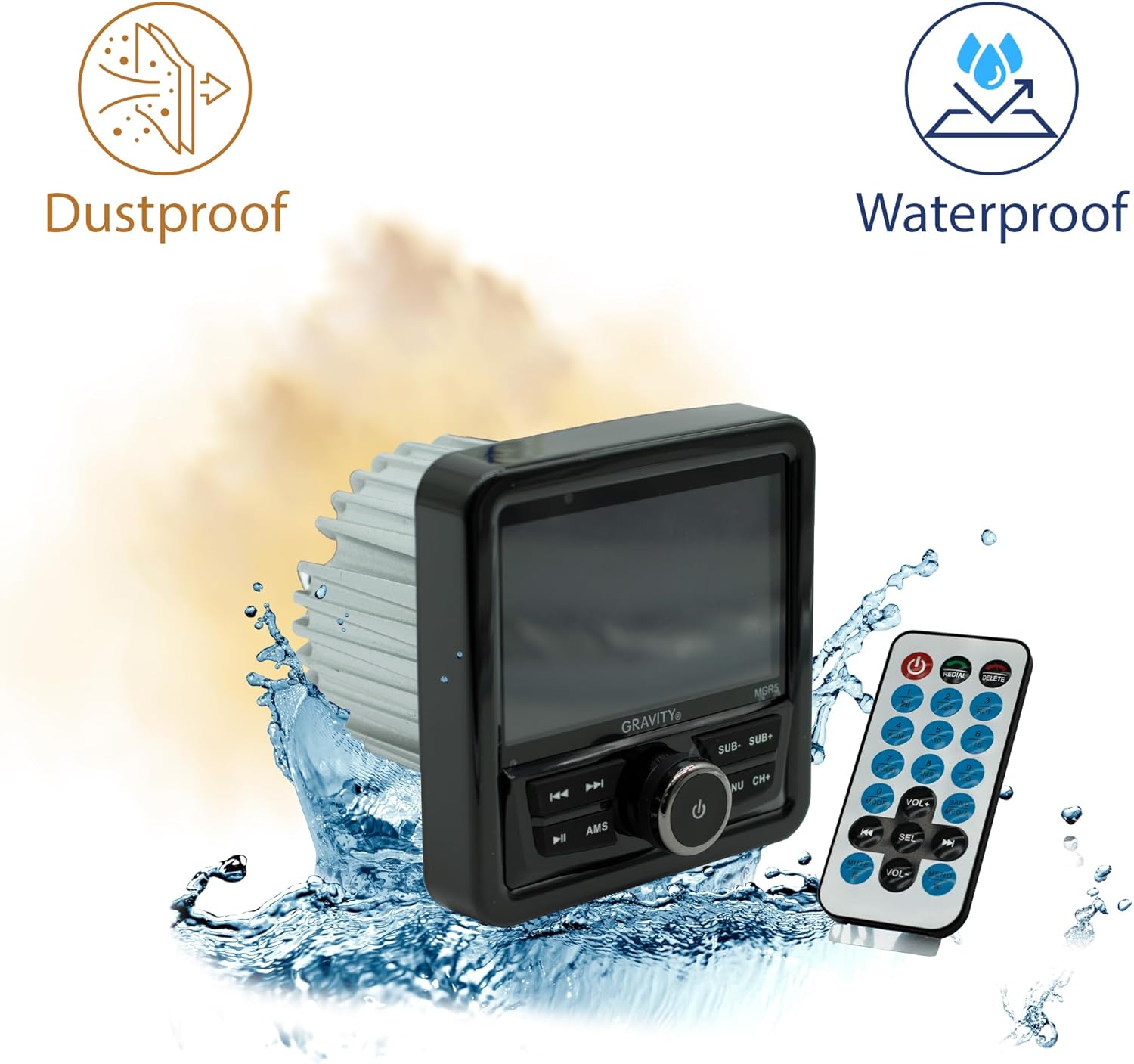
Figure 4.4: The MGR5 unit highlighting its dustproof and waterproof design, suitable for challenging environments.
5. Ўстаноўка
Proper installation is crucial for the performance and longevity of your MGR5 receiver. Consult a professional if you are unsure about any steps.
5.1. Мантажныя памеры
Before installation, ensure you have adequate space for the unit. Refer to the dimensions below.

Figure 5.1: Detailed dimensions of the MGR5 unit, including front panel and chassis measurements, essential for proper mounting.
- Front Panel Width: Прыблізна 4.33 цалі
- Глыбіня шасі: Прыблізна 3.98 цалі
- Вышыня шасі: Прыблізна 2.89 цалі
5.2. Схема падлучэння
Connect the wiring harness according to the diagram provided in the separate wiring guide (if applicable) or the labels on the harness itself. Ensure all connections are secure and insulated.
- Чырвоны провад: ACC (Accessory Power)
- Жоўты провад: B+ (Constant 12V Power)
- Чорны провад: GND (зямля)
- Сіні провад: Дыстанцыйнае ўключэнне (для ampантэна/жыхараднік)
- Правады акустычных сістэм: Connect to appropriate speakers (Front Left, Front Right, Rear Left, Rear Right). Ensure correct polarity.
Папярэджанне: Incorrect wiring can cause severe damage to the unit or vehicle's electrical system. Always disconnect the vehicle's battery before beginning installation.
6. Аперацыя
6.1. Асноўныя функцыі
- Уключэнне/выключэнне харчавання: Націсніце PWR/SEL/VOL knob to turn the unit on or off.
- Рэгулятар гучнасці: Павярнуць PWR/SEL/VOL ручка для рэгулявання гучнасці.
- Выбар крыніцы: Націсніце MODE/SUB- button to cycle through available audio sources (FM, AM, Bluetooth, USB, SD, AUX).
6.2. Аперацыя Bluetooth
- Спалучэнне:
- Select Bluetooth as the source. The unit will enter pairing mode automatically.
- On your mobile device, search for Bluetooth devices and select "MGR5".
- Пасля спалучэння прылада пацвердзіць злучэнне.
- Паток аўдыё: Play audio from your paired device. Use the TUNE/TRACK кнопкі для пераключэння трэкаў і AMS button for play/pause.
6.3. Прайграванне з USB/SD-карты
- Устаўце USB-назапашвальнік або SD-карту ў адпаведны слот.
- The unit will automatically switch to USB/SD mode and begin playback. If not, select USB/SD as the source using the MODE/SUB- кнопка.
- Выкарыстоўвайце TUNE/TRACK кнопкі для навігацыі па трэках і AMS для прайгравання/паўзы.
6.4. FM-радыё
- Select FM as the source.
- Аўтаматычнае сканаванне: Націсніце і ўтрымлівайце AMS кнопку для аўтаматычнага сканавання і захоўвання станцый з моцным сігналам.
- Ручная настройка: Выкарыстоўвайце TUNE/TRACK buttons for fine-tuning.
- Запраграмаваныя станцыі: Выкарыстоўвайце CH+ кнопку для пераключэння паміж захаванымі прэсетамі.
6.5. Subwoofer Control and EQ Settings
- Узровень сабвуфера: Прэса MODE/SUB- or BAND/AV/SUB+ to adjust subwoofer output.
- Папярэднія налады эквалайзера: Націсніце МЕНЮ button to access audio settings, then navigate to EQ presets (e.g., Pop, Rock, Classic, Flat).
7. Тэхнічнае абслугоўванне
- Ачыстка прылады: Use a soft, dry cloth to wipe the exterior of the unit. For stubborn dirt, slightly dampпрамыйце тканіну вадой. Не выкарыстоўвайце агрэсіўныя хімікаты або абразіўныя матэрыялы.
- Сыход за дысплеем: The LCD display is sensitive. Clean it gently with a microfiber cloth. Avoid pressing hard on the screen.
- Праверкі злучэння: Перыядычна правярайце ўсе злучэнні правадоў, каб пераканацца ў іх надзейнасці і адсутнасці карозіі, асабліва ў марскім асяроддзі.
- Абнаўленні праграмнага забеспячэння: Праверце вытворцы webсайт для атрымання даступных абнаўленняў прашыўкі, каб забяспечыць аптымальную прадукцыйнасць і сумяшчальнасць.
8. Выпраўленне непаладак
| праблема | Магчымая прычына | Рашэнне |
|---|---|---|
| Няма ўлады | Incorrect wiring, blown fuse, loose connection. | Check power and ground connections. Inspect fuse. Ensure battery is connected. |
| Няма гуку | Volume too low, incorrect source selected, speaker wires disconnected, ampпраблемы Lifier. | Increase volume. Select correct source. Check speaker wiring. Verify external ampЗапальвальнік (калі выкарыстоўваецца) уключаны. |
| Bluetooth не падключаецца | Device not in pairing mode, MGR5 not in Bluetooth mode, interference. | Ensure MGR5 is in Bluetooth mode. Put mobile device in pairing mode. Try restarting both devices. |
| USB/SD не прайграваецца | Не падтрымліваецца file format, corrupted media, incorrect source. | Праверыць file formats (e.g., MP3, WMA). Try a different USB/SD card. Select USB/SD source. |
| Дрэнны прыём радыё | Antenna not connected, weak signal, interference. | Ensure antenna is properly connected. Try auto-scanning for stations. Move to an area with better signal. |
9. Тэхнічныя характарыстыкі
| Асаблівасць | Дэталь |
|---|---|
| Нумар мадэлі | MGR5 |
| Выхадная магутнасць | 200W (50W x 4 channels) |
| Дысплей | 4.1-цалевы ВК-дысплей |
| Сувязь | Bluetooth, USB, SD, AUX, FM-радыё |
| Воданепранікальнасць | IPX5 |
| Электразабеспячэнне | 12 В пастаяннага току |
| Рэжым выхаду гуку | Стэрэа |
| Канфігурацыя канала аб'ёмнага гуку | 4.1 |
| Вага прадмета | 1.2 фунта |
| Памеры ўпакоўкі | 6 х 6 х 6 цалі |
10. Гарантыя і падтрымка
Gravity products are designed for reliability and performance. For warranty information and technical support, please refer to the warranty card included with your product or visit the official Gravity webсайт.
For assistance, please contact Gravity customer support with your model number (MGR5) and purchase details ready.