
SABLUTE B0DHG83QYC
SABLUTE Large Print Backlit Wired USB Keyboard Instruction Manual
Model: B0DHG83QYC
1. Уводзіны
Thank you for choosing the SABLUTE Large Print Backlit Wired USB Keyboard. This keyboard is designed to provide a comfortable and efficient typing experience with its oversized characters, 7-color backlighting, integrated wrist rest, and convenient phone holder. This manual will guide you through the setup, operation, and maintenance of your new keyboard.
2. Што ў скрынцы
- SABLUTE Large Print Backlit Wired USB Keyboard
3. Інструкцыі па ўсталёўцы
- Распакуйце клавіятуру: Асцярожна дастаньце клавіятуру з упакоўкі.
- Падключыцеся да кампутара: Locate an available USB-A port on your computer (desktop, laptop, or compatible device). Insert the USB connector of the keyboard firmly into the USB-A port.
- Ўстаноўка драйвера: The keyboard is plug-and-play. Your operating system (Windows, macOS, Linux) will automatically detect and install the necessary drivers. No additional software is required.
- Праверце злучэнне: Once connected, the keyboard should be ready for use. Test by typing in a text editor or browser.
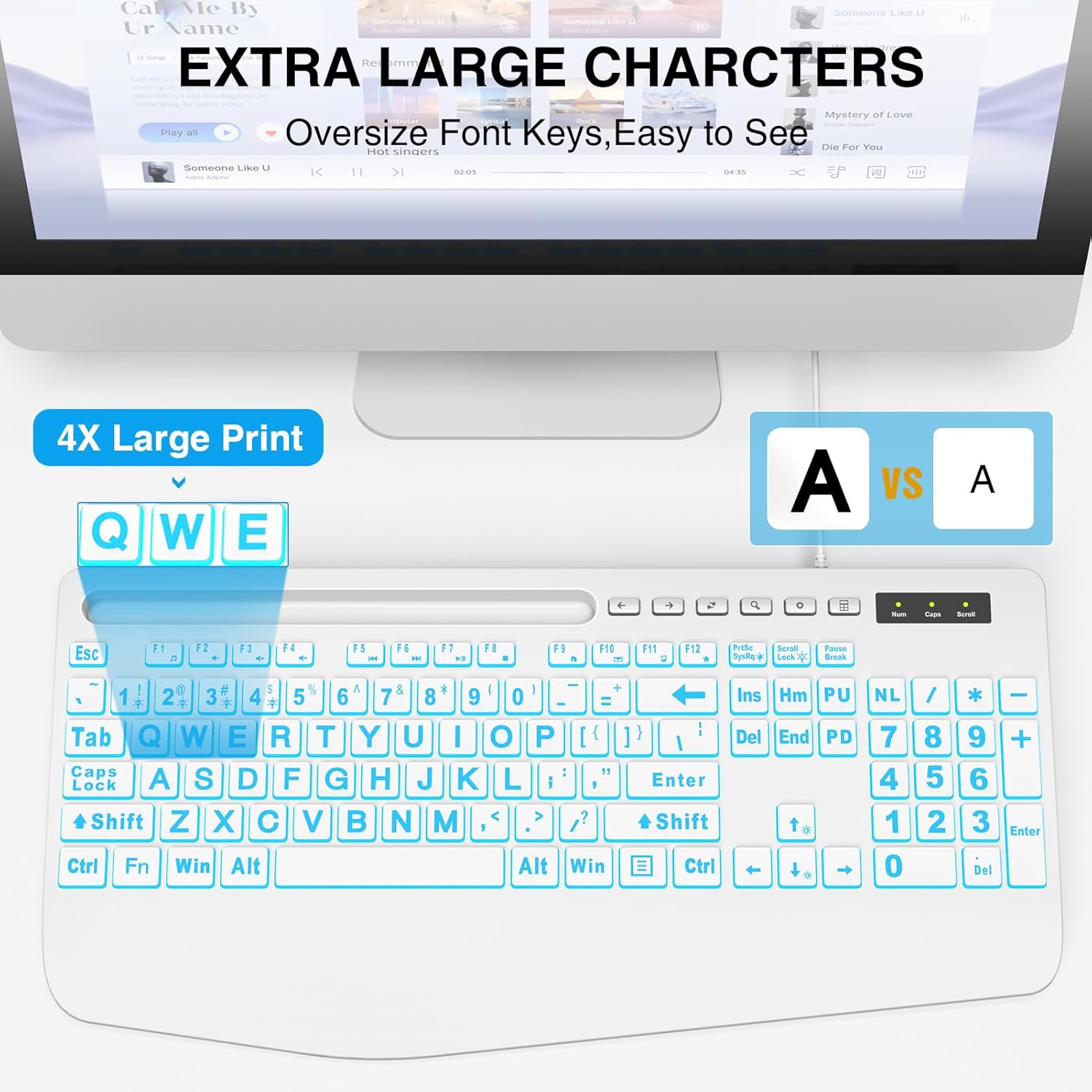
This image illustrates the large print keys on the SABLUTE keyboard, designed for enhanced visibility and reduced eye strain. A comparison highlights the increased character size compared to standard keyboards.
4. Інструкцыя па эксплуатацыі
4.1 Кантроль падсветкі
The keyboard features a 7-color backlight with adjustable brightness and multiple modes. Use the following key combinations to control the backlighting:
- Наладзіць яркасць: Прэса Fn + Page Up to increase brightness. Press Fn + Page Down to decrease brightness. There are 7 levels of brightness.
- Уключэнне/выключэнне падсветкі: Прэса Fn + Scroll Lock каб уключыць або выключыць падсветку.
- Пераключыць колер падсветкі: Прэса Fn + 1 to cycle through the 7 available backlight colors.
- Keep One Backlight Color: Прэса Fn + 2 to select and maintain a single backlight color.
- Backlighting While Typing Mode: Прэса Fn + 3 to activate a reactive mode where keys illuminate upon typing.
- Backlight Color Changes Back and Forth Mode: Прэса Fn + 4 to activate a dynamic mode where colors transition back and forth.
This image displays the keyboard with its keys illuminated in various colors, demonstrating the 7-color backlight feature.

This diagram illustrates how to adjust the backlight brightness of the keyboard using the 'Fn' key combined with the brightness up/down keys.

This diagram demonstrates how to cycle through the available backlight colors by pressing the 'Fn' key simultaneously with the '1' key.

This diagram explains how to select and maintain a single backlight color by pressing the 'Fn' key along with the '2' key.

This diagram illustrates the reactive backlighting mode, where keys illuminate upon typing, activated by pressing 'Fn' + '3'.

This diagram demonstrates the dynamic backlight mode where colors transition back and forth, activated by pressing 'Fn' + '4'.
4.2 Integrated Phone/Tablet Holder
The keyboard features a built-in slot at the top, designed to hold your smartphone or tablet. This allows for convenient viewing of videos, video conferencing, or reading materials while using your computer. Please note that this holder does not provide charging functionality.

This image shows a smartphone securely placed in the keyboard's built-in holder, illustrating its convenience for multitasking.
4.3 Эрганамічная падстаўка для запясцяў
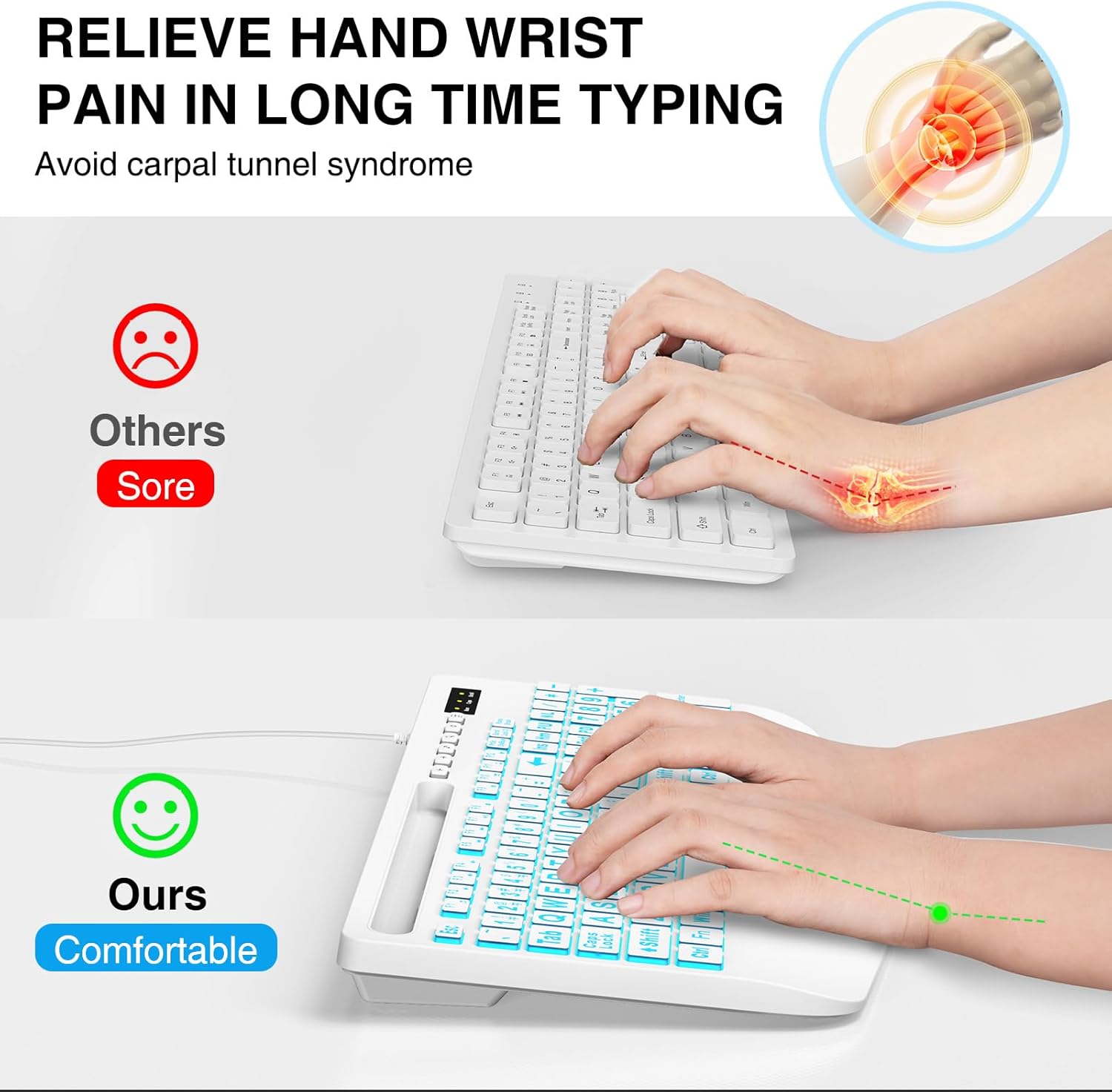
The keyboard is designed with an integrated palm rest to provide ergonomic support. This feature helps reduce wrist fatigue and discomfort during prolonged typing sessions, promoting a more natural hand position.
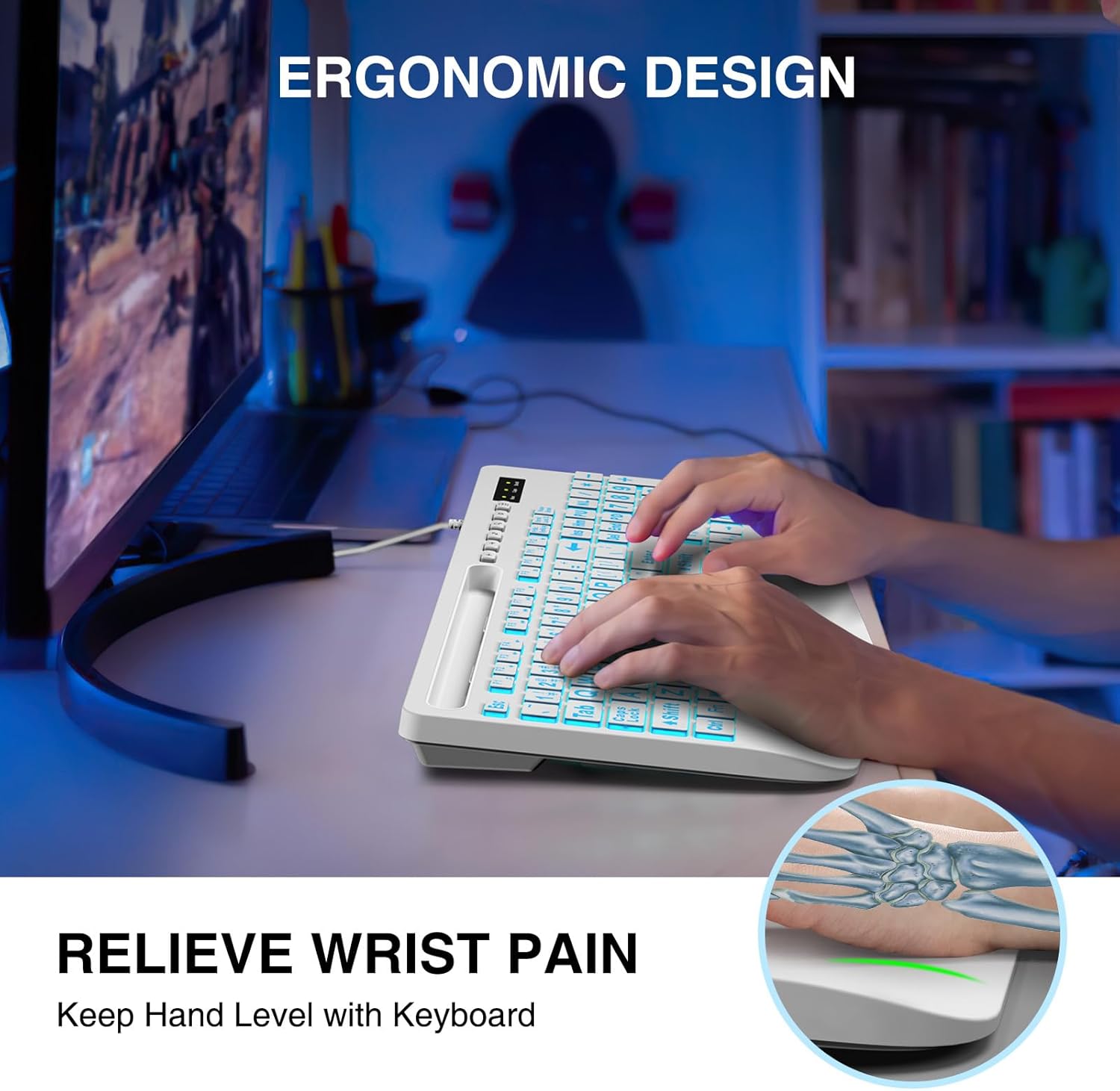
This image shows a user typing on the keyboard, emphasizing the integrated wrist rest designed to provide support and reduce discomfort during extended use.
4.4 Мультымедыйныя функцыянальныя клавішы
The keyboard includes dedicated function keys (F1-F12) that, when pressed with the Fn key, provide quick access to multimedia controls and other system functions. Refer to the key legends for specific functions such as volume control, media playback, and launching applications.
5. Тэхнічнае абслугоўванне
- Уборка: To clean the keyboard, disconnect it from your computer. Use a soft, damp cloth to wipe the surface. For stubborn dirt, a mild cleaning solution can be applied to the cloth (not directly to the keyboard). Avoid excessive moisture.
- Выдаленне пылу: Выкарыстоўвайце сціснутае паветра, каб выдаліць пыл і смецце паміж клавішамі.
- захоўванне: Захоўвайце клавіятуру ў сухім, прахалодным месцы, удалечыні ад прамых сонечных прамянёў і экстрэмальных тэмператур.
6. Выпраўленне непаладак
- Клавіятура не адказвае:
- Пераканайцеся, што USB-кабель надзейна падключаны як да клавіятуры, так і да кампутара.
- Паспрабуйце падключыць клавіятуру да іншага USB-порта на вашым кампутары.
- Перазагрузіце кампутар.
- Праверце клавіятуру на іншым камп'ютары, каб вызначыць, у чым праблема: у клавіятуры ці ў камп'ютары.
- Падсвятленне не працуе:
- Ensure the backlight is turned on by pressing Fn + Scroll Lock.
- Adjust the brightness using Fn + Page Up / Page Down.
- Keys Are Sticky or Unresponsive:
- Clean the keyboard as described in the Maintenance section to remove any debris that might be affecting key presses.
7. Тэхнічныя характарыстыкі
| Марка | САБЛЮТ |
| мадэль | B0DHG83QYC |
| Тэхналогія падлучэння | USB-A (правадны) |
| Сумяшчальныя прылады | Mac, PC, Windows |
| Апісанне клавіятуры | Backlit, Wired, Large print keyboard with wrist rest |
| Асаблівасці | Large print keys, Phone/Tablet Holder, Wrist Rest, 7-Color Backlight |
| Падтрымка колеру падсвятлення клавіятуры | RGB (7 XNUMX XNUMX колераў) |
| Памеры прадукту | 17"Д х 8.5"Ш х 1.25"В (43.18 см х 21.59 см х 3.18 см) |
| Вага прадмета | 1.9 фунта (0.86 кг) |
8. Інфармацыя аб гарантыі
SABLUTE products are manufactured to high-quality standards. For specific warranty details, please refer to the warranty card included with your purchase or contact SABLUTE customer support. Keep your proof of purchase for warranty claims.
9. Падтрымка
If you encounter any issues or have questions not covered in this manual, please contact SABLUTE customer support. Contact information can typically be found on the product packaging or the official SABLUTE webсайт.
Ask a question about this manual
Ask about setup, troubleshooting, compatibility, parts, safety, or missing instructions. Manuals+ will review the question and use this page’s manual context to help answer it.