
1. Уводзіны
The FunFlix G1 Mini Projector is a compact and versatile device designed for home entertainment and portable use. This manual provides essential information for setting up, operating, and maintaining your projector to ensure optimal performance and longevity.
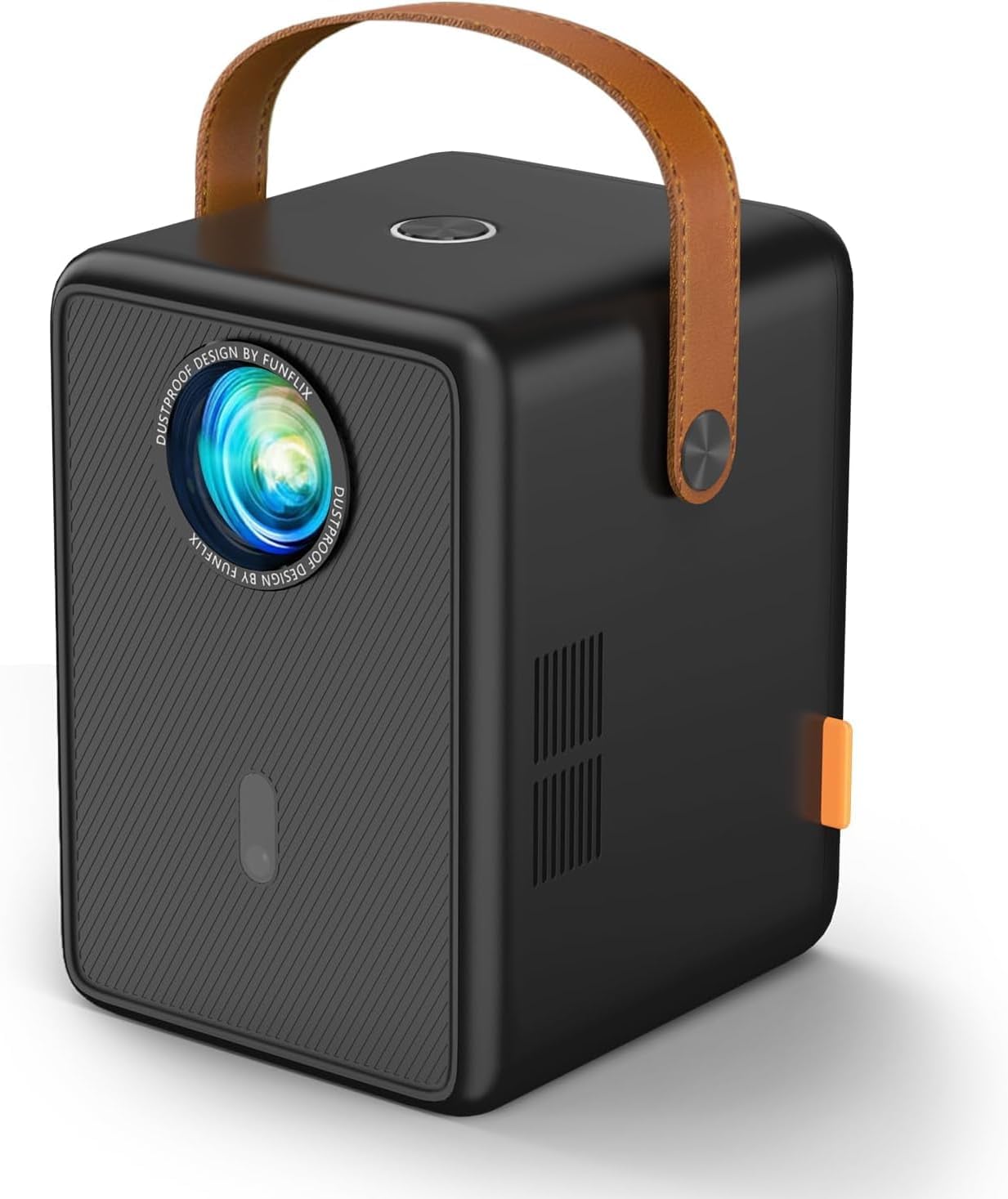
Figure 1: FunFlix G1 Mini Projector. This compact device features a sleek design with a leather handle for easy portability.
2. Што ў скрынцы
- FunFlix G1 Mini Projector (x1)
- Кіраўніцтва па эксплуатацыі (x1)
- Кабель HDMI (x1)
- AV Cable (x1)
- Кабель харчавання (x1)
3. Настройка
3.1 Падключэнне харчавання
- Падключыце кабель харчавання да ўваходнага порта харчавання праектара.
- Падключыце другі канец кабеля сілкавання да адпаведнай разеткі.
- Націсніце кнопку харчавання на праектары або пульце дыстанцыйнага кіравання, каб уключыць прыладу.
3.2 Рэгуляванне фокусу і трапецападобнага скажэння
The projector features electric focus and 4P/4D keystone correction for optimal image clarity and shape.
- Электрычны фокус: Use the remote control to adjust the focus until the image is sharp and clear. This feature allows for quick and precise adjustments.
- 4P/4D Keystone Correction: If the projected image appears trapezoidal, use the remote control to access the keystone correction settings. Adjust the four corners or four sides of the image to achieve a perfect rectangular display.
- Функцыя маштабавання: The projector supports 50%-100% zoom, allowing you to adjust the screen size without moving the projector.

Figure 2: Illustrates the 4D Keystone Correction feature, allowing for flexible image adjustment from various angles.

Figure 3: Demonstrates the electric focus and 50%-100% zoom capabilities, enabling precise image sizing and clarity.
3.3 Падключэнне
The FunFlix G1 offers multiple connectivity options:
- HDMI: Connect devices like laptops, TV sticks, gaming consoles (PS5), and Chromecast using the provided HDMI cable.
- USB: Plug in USB drives for direct media playback.
- 3.5 мм аўдыявыхад: Connect external headphones or speakers for enhanced audio.
- WiFi 6: Supports 2.4G and 5G dual WiFi for stable and fast wireless mirroring from Android and iOS devices.
- Bluetooth 5.2: Connect Bluetooth headphones or speakers wirelessly.
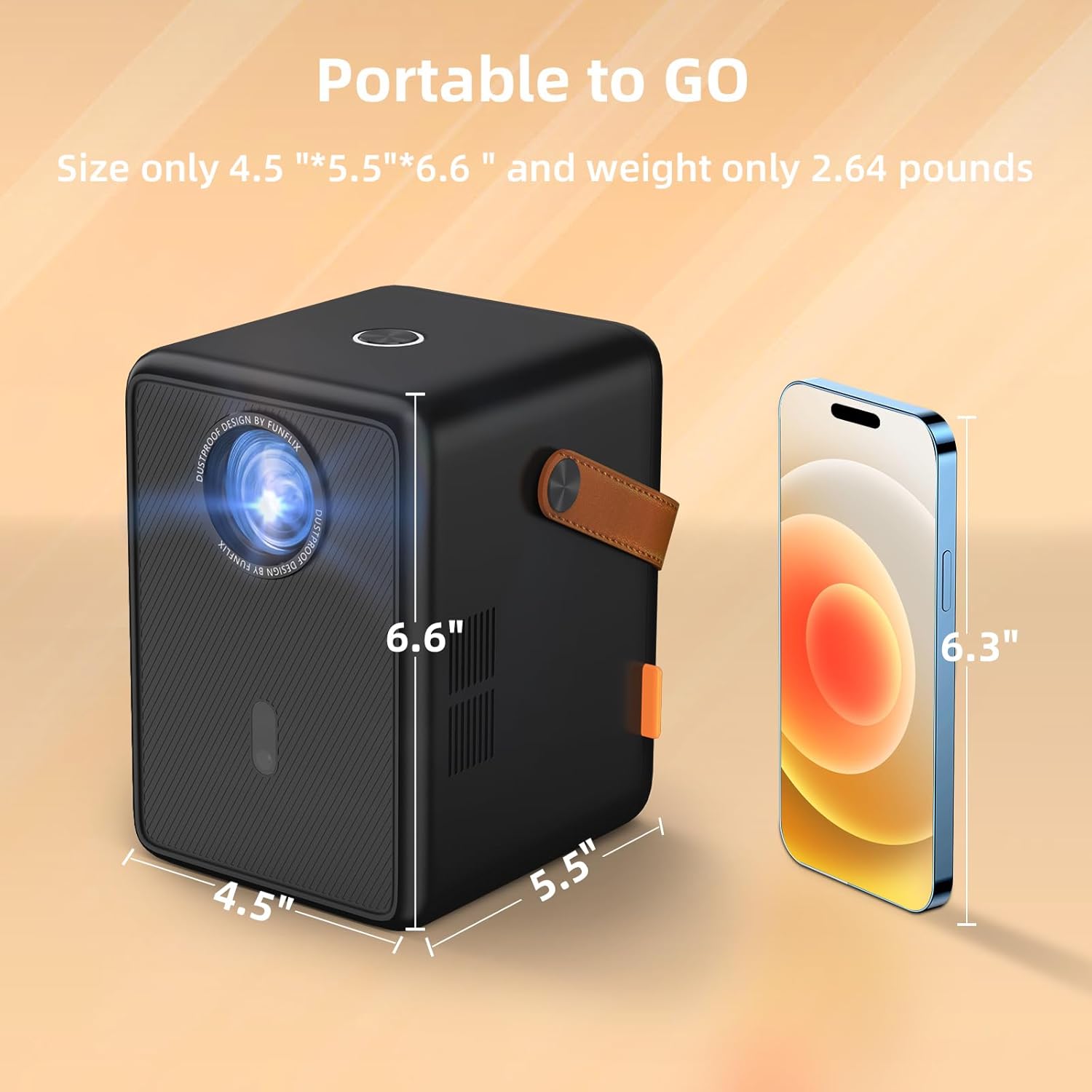
Малюнак 4: Задняя частка view of the projector showing HDMI, USB, and audio ports for diverse connectivity.

Figure 5: Illustration of the upgraded Bluetooth 5.2 function, allowing seamless connection to external audio devices.
4. Інструкцыя па эксплуатацыі
4.1 Асноўныя аперацыі
- Уключэнне/выключэнне харчавання: Націсніце кнопку харчавання на праектары або пульце дыстанцыйнага кіравання.
- Навігацыя: Use the arrow keys and OK button on the remote control to navigate through the on-screen menu.
- Выбар крыніцы: Select the desired input source (HDMI, USB, Screen Mirroring) from the main menu.
4.2 Адлюстраванне экрана
The projector supports wireless screen mirroring via WiFi 6 for Android and iOS devices.
- Пераканайцеся, што ваша мабільная прылада і праектар падключаны да адной сеткі Wi-Fi.
- Select 'Screen Mirroring' from the projector's main menu.
- On your mobile device, activate the screen mirroring function (e.g., 'Screen Mirroring' on iOS, 'Smart View' or 'Cast' on Android) and select the projector from the list of available devices.
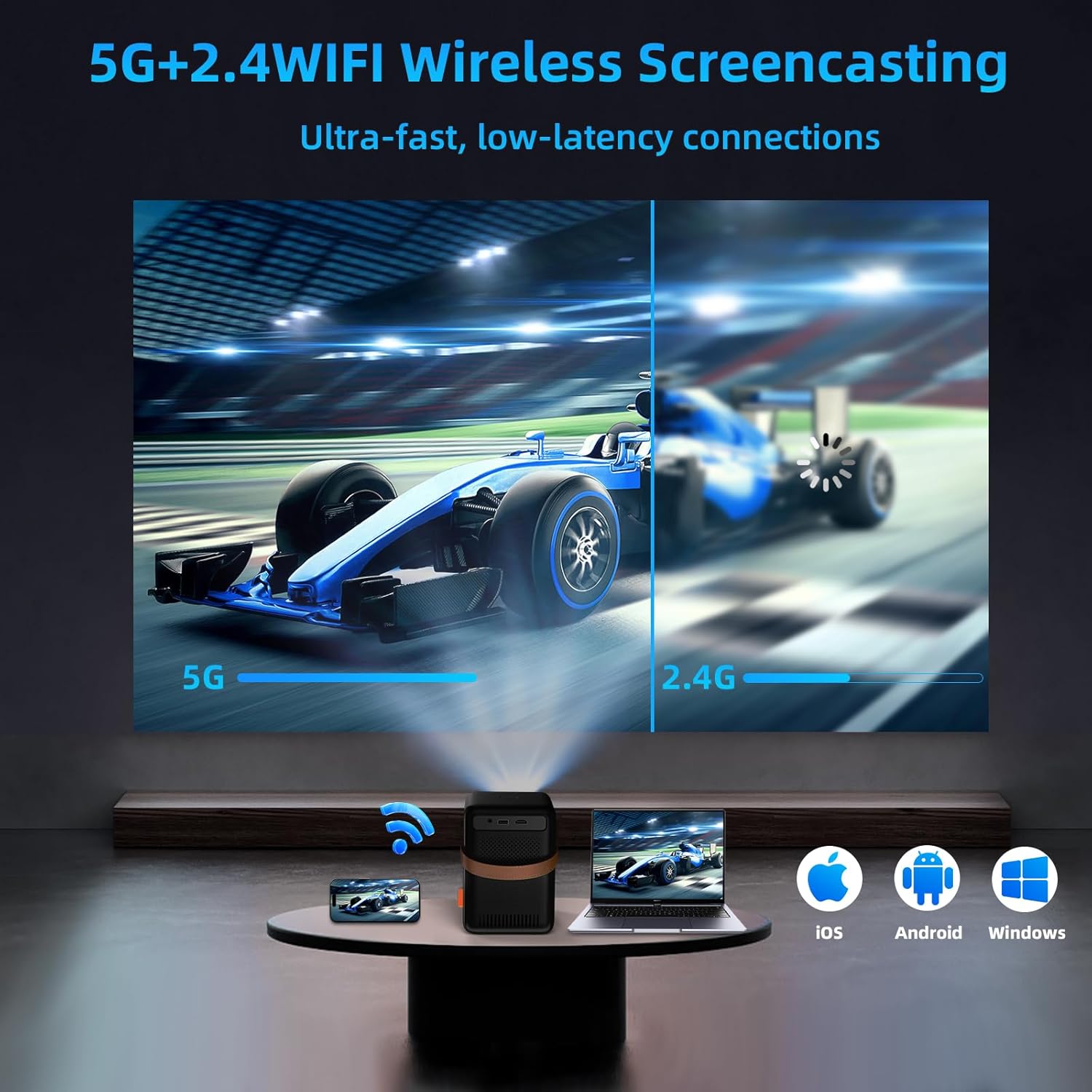
Figure 6: Demonstrates wireless screencasting from various devices (iOS, Android, Windows) using 5G+2.4 WiFi.
4.3 Прайграванне медыяфайлаў
Play media directly from a USB drive or connected HDMI device.
- Прайграванне праз USB: Insert a USB drive into the USB port. Select 'Media' or 'File Manager' from the main menu to browse and play your files.
- HDMI Playback: Connect your device via HDMI. Select 'HDMI' as the input source.
4.4 Налады праекцыі
Access the 'Settings' menu to fine-tune your projection experience.
- Рэжым праекцыі: Adjust settings for front, rear, ceiling, or desktop projection.
- Zoom Settings: Fine-tune the 50%-100% zoom level.
- Auto Trapezoid: Enable or disable automatic keystone correction.
- Ручная трапецыя: Manually adjust 4-point or 4-side keystone correction for precise image shaping.
5. Тэхнічнае абслугоўванне
5.1 Ачыстка
The FunFlix G1 projector features an IP5X dustproof design to minimize dust accumulation and extend its lifespan.
- Regularly wipe the projector's exterior with a soft, dry cloth.
- For the lens, use a specialized lens cleaning cloth and solution. Avoid abrasive materials.
- Пераканайцеся, што вентыляцыйныя адтуліны не загароджаныя, каб прадухіліць перагрэў.

Figure 7: Highlights the IP5X dustproof feature, designed to prevent dust from entering and ensure a clearer picture over time.
6. Выпраўленне непаладак
- Няма харчавання: Check if the power cable is securely connected and the power outlet is functional.
- Няма выявы: Ensure the correct input source is selected. Check HDMI/USB cable connections. Adjust focus.
- Размытая выява: Adjust the electric focus ring. Use keystone correction if the image is distorted.
- Няма гуку: Check volume levels on both the projector and the connected device. Ensure external speakers/headphones are properly connected or paired via Bluetooth.
- Праблемы з бесправадным падключэннем: Verify both devices are on the same WiFi network. Restart the projector and mobile device.
7. Тэхнічныя характарыстыкі
- Уласнае раздзяленне: 1280 x 720P (Supports 1080P Full HD)
- Яркасць: 13000 люмен
- Каэфіцыент кантраснасці: 15000:1
- Памер праекцыі: Да 300 цаляў
- Фокус: Электрычны фокус
- Карэкцыя трапецеідальных скажэнняў: 4P/4D Keystone Correction
- Маштаб: 50%-100%
- WiFi: WiFi 6 (2.4G & 5G Dual Band)
- Bluetooth: Bluetooth 5.2
- Аўдыё: Built-in High-Fidelity Stereo Surround Speakers
- Падключэнне: HDMI, USB, 3.5mm Audio Out
- Памеры: 5.2 х 6.18 х 6.88 цалі (13.2 х 15.7 х 17.5 см)
- Вага: 2.64 фунта (1.2 кг)
- Асаблівасці: IP5X Dustproof, Low Noise
8. Гарантыя і падтрымка
FunFlix offers a three-year warranty for this product. In case of damage, a free replacement service will be provided. For further assistance or support, please refer to the contact information provided in your product packaging or visit the official FunFlix webсайт.