
HUNTVISION E3-E3Z
HUNTVISION E3-Z Security Camera User Manual
Model: E3-Z (E3-E3Z)
1. Уводзіны
This user manual provides comprehensive instructions for the installation, operation, and maintenance of your HUNTVISION E3-Z Security Camera. Please read this manual thoroughly before using the product to ensure proper function and safety. Keep this manual for future reference.
2. Інфармацыя па бяспецы
Заўсёды выконвайце наступныя правілы бяспекі, каб пазбегнуць пашкоджання прылады або траўмаў:
- Ensure the power source matches the camera's requirements.
- Не падвяргайце камеру ўздзеянню экстрэмальных тэмператур або прамых сонечных прамянёў на працягу доўгага часу.
- Avoid placing the camera near strong magnetic fields.
- Не спрабуйце разбіраць або мадыфікаваць камеру. Звяртайцеся па ўсё абслугоўванне да кваліфікаванага персаналу.
- Трымайце камеру і яе аксэсуары ў месцах, недаступных для дзяцей.
- Ensure proper mounting to prevent the camera from falling.
3. Змесціва ўпакоўкі
Праверце наяўнасць усіх прадметаў у камплекце:
- HUNTVISION E3-Z Security Camera (1)
- Адаптар сілкавання (1)
- Data Line (1)
- Auxiliary Package (1)
- User Guide (This manual)
Note: If any items are missing or damaged, please contact customer support.
4. Прадукт скончыўсяview
The HUNTVISION E3-Z is a 3MP PTZ (Pan-Tilt-Zoom) outdoor security camera designed for comprehensive surveillance. It features AI motion tracking, full-color night vision, and two-way audio communication.

Малюнак 4.1: Фронт view of the HUNTVISION E3-Z Security Camera, showing the lens, IR LEDs, and dual antennas.
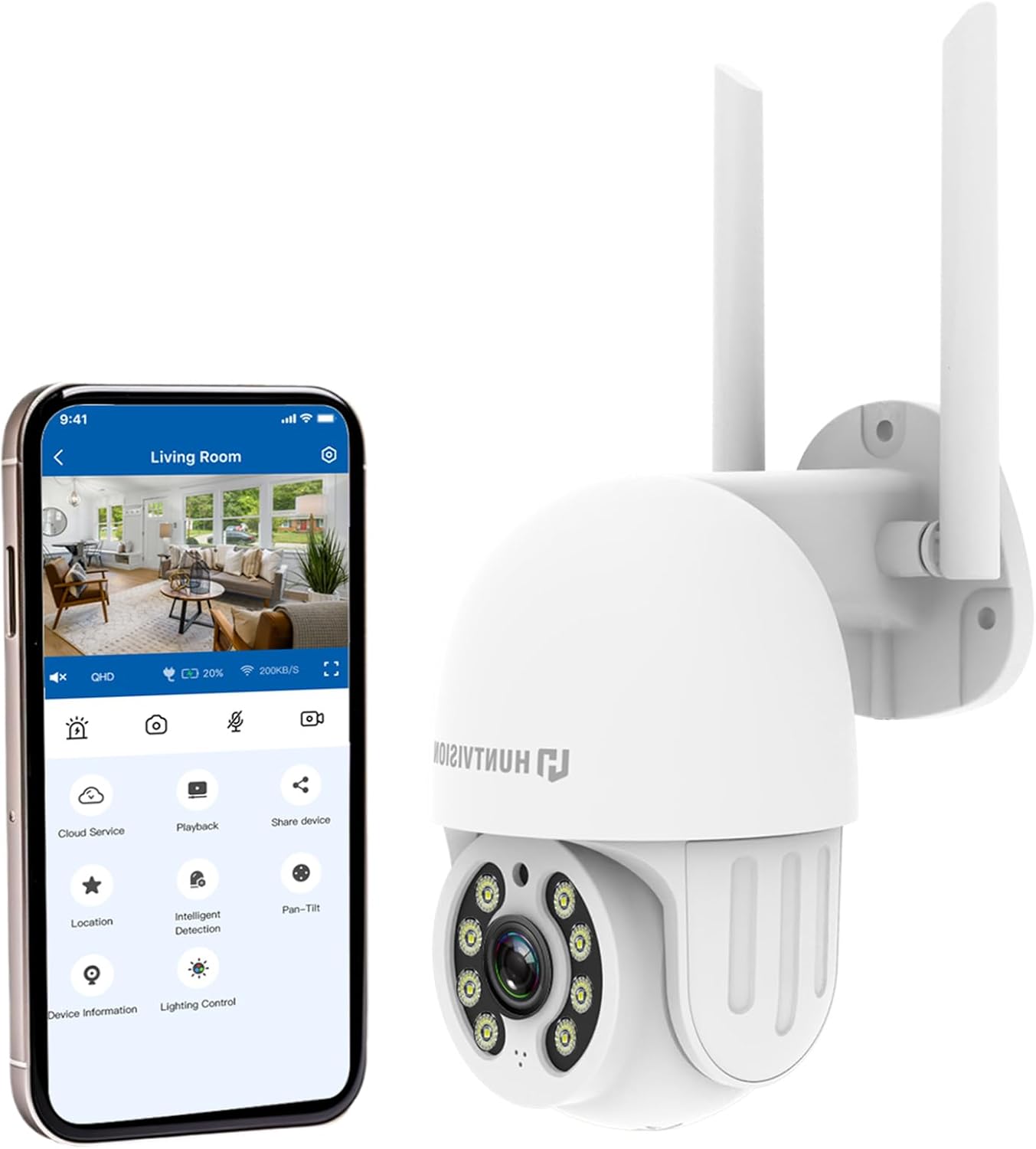
Малюнак 4.2: The HUNTVISION E3-Z camera alongside a smartphone displaying the companion mobile application interface, illustrating remote control capabilities.
Асноўныя характарыстыкі:
- 3MP Full HD Resolution: Captures clear 2304×1296 footage.
- 24/7 Color Night Vision: Advanced starlight technology for full-color monitoring in low light.
- Разумнае выяўленне AI: Distinguishes people, vehicles, and animals with AI-powered motion tracking.
- 360° PTZ Control: Remote pan, tilt, and zoom via the Huntvision app.
- Двухбаковы аўдыё: Убудаваны мікрафон і дынамік для сувязі.
- IP65 Воданепранікальнасць: Designed to withstand outdoor conditions (rain, snow, dust).
- Dual Storage: Supports up to 128GB TF card and cloud storage options.
- Лёгкая ўстаноўка: 2.4G WiFi and Bluetooth 4.2 for quick installation.
5. Настройка і ўстаноўка
5.1 Выбар месца
Select a suitable outdoor location that provides the desired viewing angle and is within range of your 2.4G WiFi network. The camera is IP65 weatherproof, making it suitable for various outdoor environments.

Малюнак 5.1: Examples of suitable installation environments, including residential homes, farms, construction sites, and commercial properties.
5.2 Мантаж камеры
The camera supports wall mounting. Use the provided auxiliary package for secure installation.
- Адзначце кропкі свідравання на сцяне, выкарыстоўваючы мантажны кранштэйн у якасці шаблону.
- Прасвідруйце адтуліны і пры неабходнасці ўстаўце анкеры.
- Замацуеце мантажны кранштэйн да сцяны з дапамогай шруб.
- Attach the camera to the mounting bracket, ensuring it is firmly in place.
5.3 Уключэнне і пачатковая налада
- Падключыце адаптар сілкавання да камеры і ўстаўце яе ў разетку.
- Download the "Huntvision" app from your mobile app store (available for iOS).
- Open the app and follow the on-screen instructions to add your camera. The camera uses Bluetooth 4.2 for initial configuration, simplifying the WiFi connection process.
- Ensure your mobile device is connected to a 2.4G WiFi network during setup.
6. Кіраванне камерай
6.1 У прамым эфіры View і кіраванне PTZ
Once connected, access the live view through the Huntvision app. You can remotely control the camera's pan (355°) and tilt (85°) functions to adjust the viewкут нахілу.

Малюнак 6.1: Illustration of the camera's remote pan (355°) and tilt (85°) capabilities, controlled via the mobile application, along with 6X digital zoom.
6.2 Выяўленне руху і абвесткі
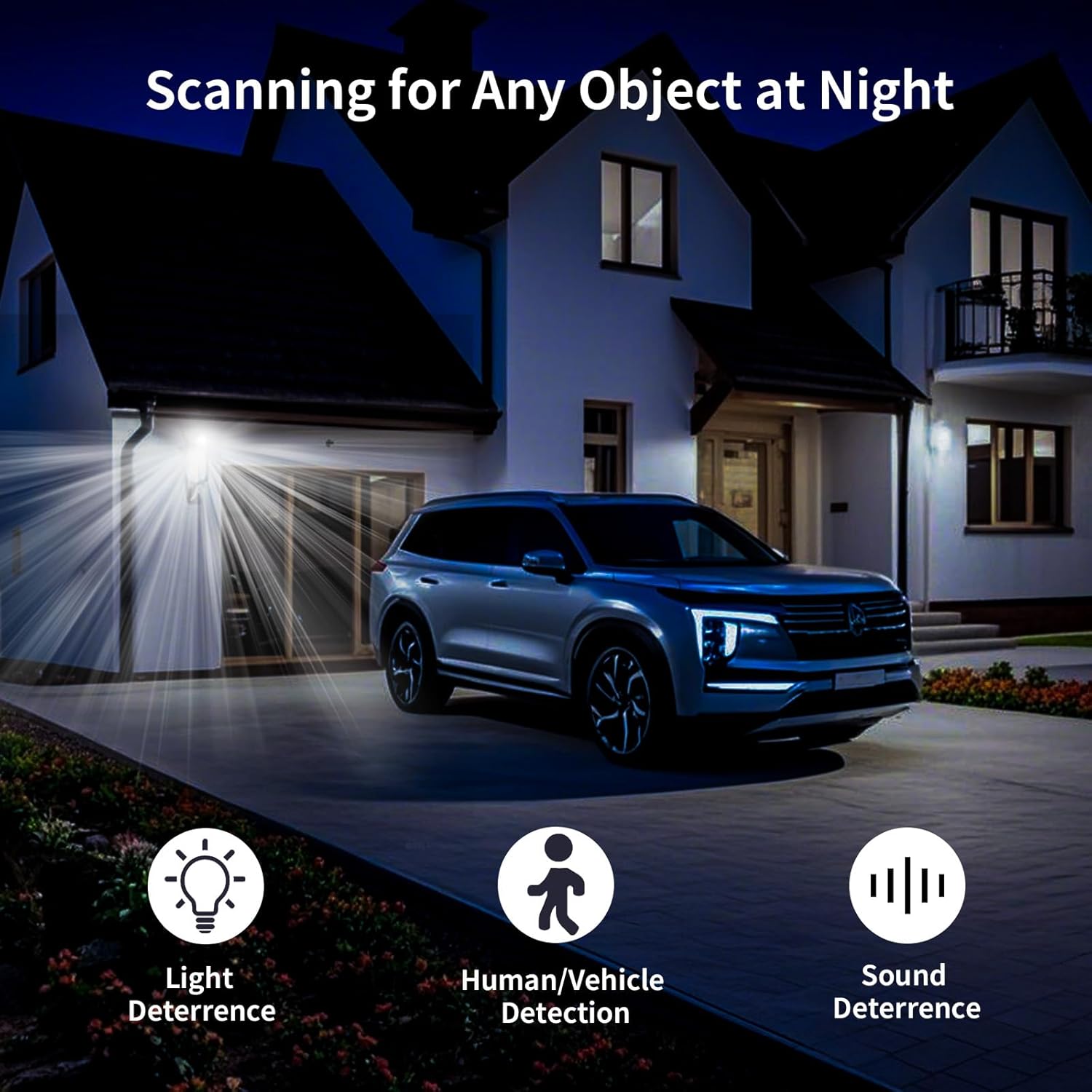
The camera features smart AI detection to distinguish between people, vehicles, and animals. Configure alert settings in the app to receive instant notifications on your mobile device when motion is detected.

Малюнак 6.2: Depiction of motion detection triggering a siren alert, spotlight alarm, and app notification push, alongside the two-way audio function.
6.3 Рэжымы начнога бачання
The E3-Z offers multiple night vision modes:
- Поўнакаляровы начны бачанне: Utilizes advanced starlight technology to provide color images in low-light conditions.
- IR Начны бачанне: Standard black and white infrared vision for complete darkness.
- Разумнае начное бачанне: Automatically switches between IR and color night vision based on detected motion or light conditions.
Малюнак 6.3: Visual comparison of Color Night Vision, IR Night Vision, and Smart Night Vision modes, demonstrating clear visibility in various nighttime scenarios.
6.4 Двухбаковае аўдыё
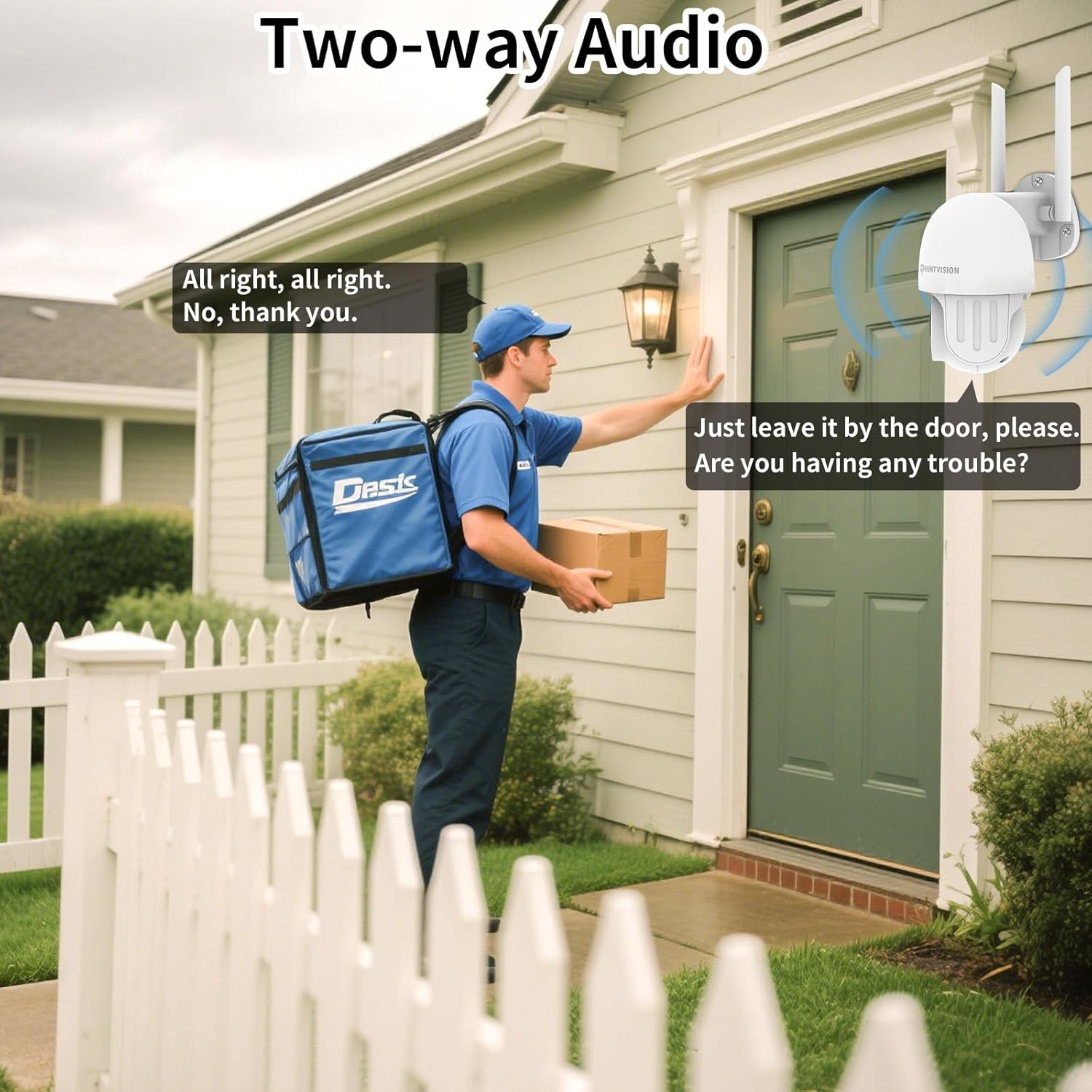
Use the two-way audio feature to communicate with individuals near the camera. This is useful for deterring intruders or speaking with delivery personnel.

Малюнак 6.4: Былыample of two-way audio in use, showing a user communicating with a delivery person through the camera.
6.5 Варыянты захоўвання
The camera supports local storage via a TF (microSD) card up to 128GB and cloud storage services. Insert the TF card into the designated slot on the camera.
Малюнак 6.5: Буйны план view of the TF card slot on the camera and a list of compatible memory card brands (Kingston, SanDisk, PNY) with supported capacities.
7. Тэхнічнае абслугоўванне
Regular maintenance ensures optimal performance and longevity of your security camera:
- Уборка: Акуратна працярыце аб'ектыў і корпус камеры мяккай сухой тканінай. Не выкарыстоўвайце агрэсіўныя хімікаты або абразіўныя ачышчальнікі.
- Абнаўленні прашыўкі: Check the Huntvision app regularly for firmware updates. Keeping your camera's firmware up-to-date ensures access to the latest features and security enhancements.
- Цыкл харчавання: If the camera becomes unresponsive, try unplugging it from the power source for a few seconds and then plugging it back in.
- Кіраванне сховішчам: Перыядычна пераview і кіраваць запісаным footage. If using a TF card, ensure it has sufficient space or consider setting up automatic overwriting.
8. Выпраўленне непаладак
If you encounter issues with your HUNTVISION E3-Z camera, refer to the following common problems and solutions:
| праблема | Магчымая прычына | Рашэнне |
|---|---|---|
| Камера афлайн у дадатку | No power; WiFi disconnected; Router issues | Check power connection; Verify WiFi signal strength; Restart router and camera; Re-add camera to app if necessary. |
| Дрэнная якасць выявы | Dirty lens; Low light; Network bandwidth issues | Clean the lens; Ensure adequate lighting or proper night vision mode; Check network speed. |
| Папярэджанні аб руху не атрыманы | App notifications disabled; Detection sensitivity too low; Incorrect detection zone settings | Enable app notifications; Adjust detection sensitivity; Configure detection zones in the app. |
| Двухбаковы аўдыё не працуе | Microphone/speaker muted in app; Network latency | Check audio settings in the app; Ensure stable network connection. |
| TF card not recording | Card full; Card not formatted; Incompatible card | Format the TF card via the app; Replace with a compatible card (up to 128GB); Check recording settings. |
For further assistance, please contact HUNTVISION customer support.
9. Тэхнічныя характарыстыкі
| Асаблівасць | Дэталь |
|---|---|
| Назва мадэлі | 3MP Outdoor PTZ Camera (E3-Z) |
| дазвол | 3MP (2304 x 1296p) |
| Тэхналогія падлучэння | Wireless (2.4G WiFi, Bluetooth 4.2 for setup) |
| Дыяпазон павароту/нахілу | Панарамаванне 355°, нахіл 85° |
| Начное бачанне | Full-Color Night Vision, IR Night Vision, Smart Night Vision |
| Аўдыё | 2-баковае аўдыё |
| Параметры захоўвання | TF-карта (да 128 ГБ), воблачнае сховішча |
| Ацэнка ўстойлівасці да надвор'я | IP65 |
| Крыніца харчавання | Правадная электрычная |
| Тып мацавання | Насценнае мацаванне |
| Памеры (Д х Ш х У) | 6.36 х 5.31 х 3.62 цалі |
| Вага прадмета | 1 фунт |
| Уключаныя кампаненты | Camera, Power adapter, Data line, Auxiliary package, User guide |
10. Гарантыя і падтрымка
HUNTVISION products come with a standard manufacturer's warranty. Please refer to the warranty card included in your package or visit the official HUNTVISION webсайт для атрымання падрабязных гарантыйных умоў.
Падтрымка кліентаў:
If you require technical assistance or have questions regarding your HUNTVISION E3-Z Security Camera, please contact our customer support team. For the most up-to-date contact information, please visit the official HUNTVISION webсайт або звярніцеся да кантактнай інфармацыі, указанай на ўпакоўцы прадукту.
Please have your model number (E3-Z) and purchase information ready when contacting support.
Звязаныя дакументы - E3-E3Z
 |
HUNTVISION Wi-Fi Camera Quick Start Manual Quick start guide for the HUNTVISION Wi-Fi camera, covering app download, device setup, equipment functions, safety tips, and frequently asked questions. |
 |
Huntvision P2/P4 User Manual: Setup, Configuration, and Troubleshooting Guide Comprehensive user manual for Huntvision P2 and P4 IP cameras, covering initial installation, network setup (Wi-Fi and wired), remote access methods (WAN IP, DDNS, Foscam App), features, settings, and troubleshooting FAQs. |
 |
Huntvision P2/P4 Quick Start Guide - Setup and Installation This Quick Start Guide provides instructions for setting up your Huntvision P2/P4 IP camera. It covers Ethernet WiFi setup, EZ-Link WiFi setup, software installation, WiFi configuration, and frequently asked questions. Learn how to connect your camera quickly and efficiently. |
 |
Кіраўніцтва па хуткім запуску Wi-Fi камеры HUNTVISION - Кіраўніцтва па ўсталёўцы і выкарыстанні Падрабязнае кіраўніцтва па наладзе і выкарыстанні вашай Wi-Fi камеры HUNTVISION. Уключае пакрокавыя інструкцыі, функцыі абсталявання, парады па бяспецы, часта задаваныя пытанні і інфармацыю аб адпаведнасці патрабаванням FCC. |
 |
Кароткае кіраўніцтва па выкарыстанні Wi-Fi камеры HUNTVISION Падрабязнае кіраўніцтва па наладзе і выкарыстанні Wi-Fi камеры HUNTVISION, якое ахоплівае ўсталёўку праграм, падключэнне прылад, функцыі, меры бяспекі і ліквідацыю непаладак. |
 |
HUNTVISION 4G Solar HD Camera User Guide Comprehensive user guide for the HUNTVISION 4G Solar HD Camera, covering installation, setup, app usage, and troubleshooting. Learn how to connect, configure, and operate your solar-powered security camera. |