
1. Уводзіны
Thank you for choosing the Edifier X1 Lite True Wireless Earbuds. This manual provides detailed instructions for setting up, operating, and maintaining your new earbuds to ensure optimal performance and longevity. Please read this manual thoroughly before use.

Image: Edifier X1 Lite True Wireless Earbuds in their open charging case.
2. Што ў скрынцы
The Edifier X1 Lite package includes the following components:
- Бесправадныя навушнікі Edifier X1 Lite (левыя і правыя)
- Чахол для зарадкі
- USB-кабель для зарадкі
- Кіраўніцтва карыстальніка (гэты дакумент)
3. Настройка
3.1 Першапачатковая зарадка
Перад першым выкарыстаннем цалкам зарадзіце навушнікі і зарадны футляр.
- Устаўце абодва навушнікі ў чахол для зарадкі.
- Падключыце кабель зарадкі USB да порта зарадкі на корпусе і да крыніцы харчавання (напрыклад, да разеткі USB, USB-адаптара або USB-порта кампутара).
- The indicator light on the charging case will show charging status. Refer to the LED indicator section for details.
- A full charge typically takes approximately 1.5 hours for the case and earbuds.
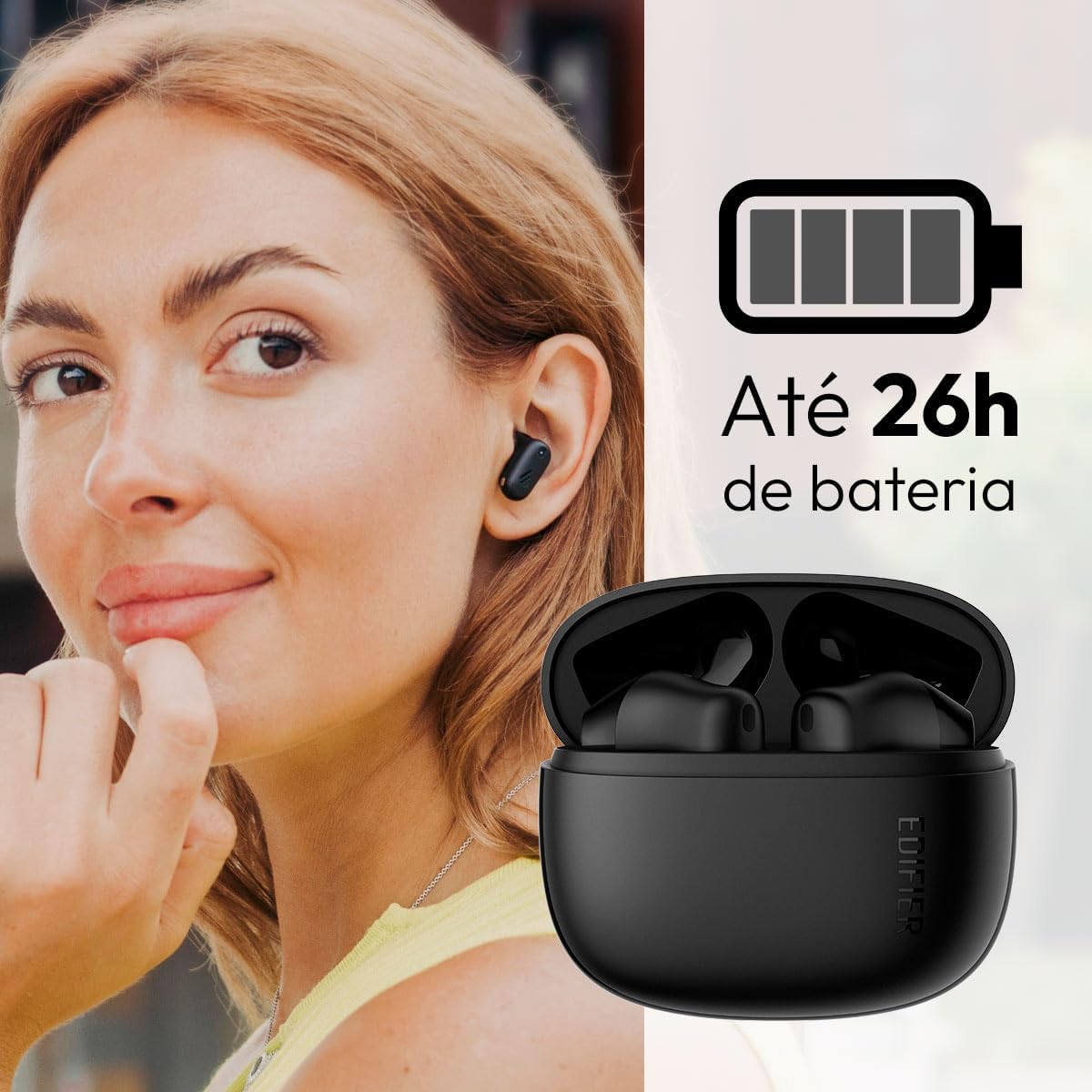
Image: Woman wearing an earbud, with the charging case and a battery icon indicating charging.
Fast Charging Feature:
A 15-minute quick charge can provide approximately 1.5 hours of playtime for the earbuds.

Image: Visual representation of battery life and fast charging capabilities.
3.2 Спалучэнне па Bluetooth
Follow these steps to pair your Edifier X1 Lite earbuds with your device:
- Першае спалучэнне: Open the charging case. The earbuds will automatically power on and enter pairing mode. The indicator light on the earbuds will flash rapidly.
- На вашай прыладзе (смартфоне, планшэце, ноўтбуку) уключыце Bluetooth.
- Пошук «EDIFIER X1 Lite» у спісе даступных прылад Bluetooth.
- Select "EDIFIER X1 Lite" to connect. Once connected, the indicator lights on the earbuds will turn off, and you will hear a confirmation tone.
- Re-pairing/Connecting to a New Device: If the earbuds are already connected to another device, disconnect them first. Alternatively, with the earbuds in the case and the lid open, press and hold the button on the charging case for 3 seconds to enter pairing mode.

Image: Man using earbuds, highlighting Bluetooth 5.4 connectivity.
3.3 Edifier ConneX App Installation
For enhanced features and customization, download the EDIFIER ConneX app:
- Scan the QR code provided in the image below or visit the official Edifier app download page.
- Усталюйце прыкладанне на свой смартфон або планшэт.
- Open the app and follow the on-screen instructions to connect your X1 Lite earbuds.
- The app allows for sound effect customization, game mode activation, and touch control settings.

Image: EDIFIER ConneX app interface with QR code. Download the Edifier ConneX App
4. Інструкцыя па эксплуатацыі
4.1 Нашэнне навушнікаў
Proper fit ensures optimal sound quality and comfort:
- Вызначце левы (L) і правы (R) навушнікі.
- Акуратна ўстаўце кожны навушнік-ўкладыш у адпаведны слыхавы праход.
- Злёгку павярніце навушнік-ўкладыш, пакуль ён не будзе надзейна і камфортна замацаваны.

Image: Man demonstrating proper earbud placement.
4.2 Уключэнне/выключэнне сілкавання
- Уключэнне: Навушнікі аўтаматычна ўключаюцца пры выманні з зараднага кейса.
- Выключэнне: Навушнікі аўтаматычна выключаюцца і пачынаюць зараджацца, калі іх зноў змясціць у зарадны кейс і зачыніць вечка.
4.3 Сэнсарнае кіраванне
The Edifier X1 Lite earbuds feature touch-sensitive controls on each earbud. These controls can be customized via the EDIFIER ConneX app.
| Дзеянне | Левы навушнік (L) | Правы навушнік (R) |
|---|---|---|
| Адказаць/завяршыць выклік | Двайны дотык | Двайны дотык |
| Адхіліць выклік | Трайны кран | Трайны кран |
| Прайграванне/прыпыненне музыкі | Двайны дотык | Двайны дотык |
| Наступны трэк | N/A (Customize via App) | Трайны кран |
| Папярэдні трэк | Трайны кран | N/A (Customize via App) |
| Уключэнне/выключэнне гульнявога рэжыму | Чатырохразовае націсканне | Чатырохразовае націсканне |
Note: These are default settings. Functions can be reconfigured using the EDIFIER ConneX app.

Выява: Візуальны дапаможнік па сэнсарным кіраванні навушнікамі-ўкладышамі.
5. Тэхнічнае абслугоўванне
5.1 Ачыстка
- Рэгулярна працірайце навушнікі і зарадны футляр мяккай, сухой тканінай без ворса.
- Не выкарыстоўвайце абразіўныя ачышчальнікі, спірт або хімічныя растваральнікі.
- Пераканайцеся, што кантакты зарадкі на навушніках і ў чахле чыстыя і без смецця, каб падтрымліваць належную зарадку.
5.2 Воданепранікальнасць (IP54)
The Edifier X1 Lite earbuds are IP54 rated, meaning they are protected against dust ingress and splashing water from any direction. This makes them suitable for workouts and light rain.
- Не апускайце навушнікі ў ваду.
- The charging case is not water-resistant. Keep it dry.
- If earbuds get wet, wipe them dry completely before placing them back in the charging case to prevent damage.

Image: Demonstrating IP54 sweat resistance during exercise.
5.3 Сыход за акумулятарам
- Пазбягайце ўздзеяння экстрэмальных тэмператур (высокіх або нізкіх) на навушнікі і чахол.
- Калі прылада не выкарыстоўваецца, захоўвайце яе ў прахалодным сухім месцы.
- Рэгулярна зараджайце прыладу, нават калі яна выкарыстоўваецца рэдка, каб падтрымліваць яе ў працоўным стане.
6. Выпраўленне непаладак
If you encounter issues with your Edifier X1 Lite earbuds, refer to the following common problems and solutions:
6.1 Няма гуку або перарывістае падключэнне
- Праверце акумулятар: Пераканайцеся, што і навушнікі, і зарадны футляр дастаткова зараджаныя.
- Паўторная пара: Disconnect the earbuds from your device's Bluetooth settings and then re-pair them.
- Адлегласць: Пераканайцеся, што навушнікі знаходзяцца ў зоне дзеяння Bluetooth вашай прылады (звычайна 10 метраў).
- Перашкоды: Move away from strong Wi-Fi signals or other Bluetooth devices that might cause interference.
- Скінуць: Place both earbuds in the charging case, close the lid, wait a few seconds, then open the lid and try pairing again.
6.2 Навушнікі не зараджаюцца
- Праверце кабель: Ensure the USB charging cable is securely connected to both the case and the power source.
- Крыніца харчавання: Паспрабуйце іншы USB-порт або адаптар для разеткі.
- Чыстыя кантакты: Clean the charging contacts on the earbuds and inside the charging case with a dry cotton swab.
- Правільнае размяшчэнне: Пераканайцеся, што навушнікі правільна ўстаўлены ў зарадны футляр.
6.3 Нізкая якасць званка
- Перашкода мікрафону: Ensure the microphone on the earbuds is not covered.
- Асяроддзе: Move to a quieter environment if possible. The AI algorithm helps, but extreme noise can still affect clarity.
- Стабільнасць злучэння: Забяспечце стабільнае злучэнне Bluetooth.

Image: Man using earbuds for a clear call, highlighting AI voice pick-up technology.
6.4 Праблемы з падключэннем да праграмы
- Bluetooth уключаны: Ensure Bluetooth is enabled on your device and the earbuds are connected.
- Дазволы праграмы: Check if the EDIFIER ConneX app has necessary Bluetooth and location permissions.
- Restart App/Device: Зачыніце і зноў адкрыйце праграму або перазапусціце смартфон.
- Абнаўленне праграмы: Пераканайцеся, што праграма абноўлена да апошняй версіі.
7. Тэхнічныя характарыстыкі
| Асаблівасць | Дэталь |
|---|---|
| Назва мадэлі | X1 Lite |
| Тэхналогія падлучэння | Бесправадная сувязь (Bluetooth) |
| Версія Bluetooth | 5.4 |
| Тып аўдыё драйвера | Dynamic Driver (Φ13mm) |
| Дыяпазон частот | 20 Гц-20 кГц |
| Тэрмін службы батарэі | Да 7 гадзін (навушнікі), да 26 гадзін (з зарадным футлярам) |
| Хуткая зарадка | 15 хвілін зарадкі, 1.5 гадзіны прайгравання |
| Нізкая затрымка | 60 мс |
| Воданепранікальнасць | IP54 (толькі навушнікі-ўкладышы) |
| Мікрафон | Single Mic AI algorithm voice pick-up |
| Метад кантролю | Touch Control, App (EDIFIER ConneX) |
| Матэрыял | Пластыкавыя |
| Вага навушніка | Прыблізна 4 г на навушнік |
| Колер | Чорны |
8. Гарантыя і падтрымка
Edifier products are designed with quality and reliability in mind. For warranty information and customer support, please refer to the official Edifier webсайт або звярніцеся непасрэдна ў службу падтрымкі кліентаў.
- Афіцыйны Webсайт: Наведайце www.edifier.com для рэгістрацыі прадукту, часта задаваных пытанняў і рэсурсаў падтрымкі.
- Абслугоўванне кліентаў: Contact Edifier customer support for technical assistance or warranty claims. Contact details can typically be found on the official webсайце або ва ўпакоўцы прадукту.
Калі ласка, захавайце пацвярджэнне пакупкі для гарантыйных мэт.