
Уводзіны
Thank you for choosing the Defender ARGA GM-049 Gaming Mouse. This manual provides detailed instructions for setting up, operating, maintaining, and troubleshooting your new gaming mouse. Please read this manual carefully before use to ensure optimal performance and longevity of your device.
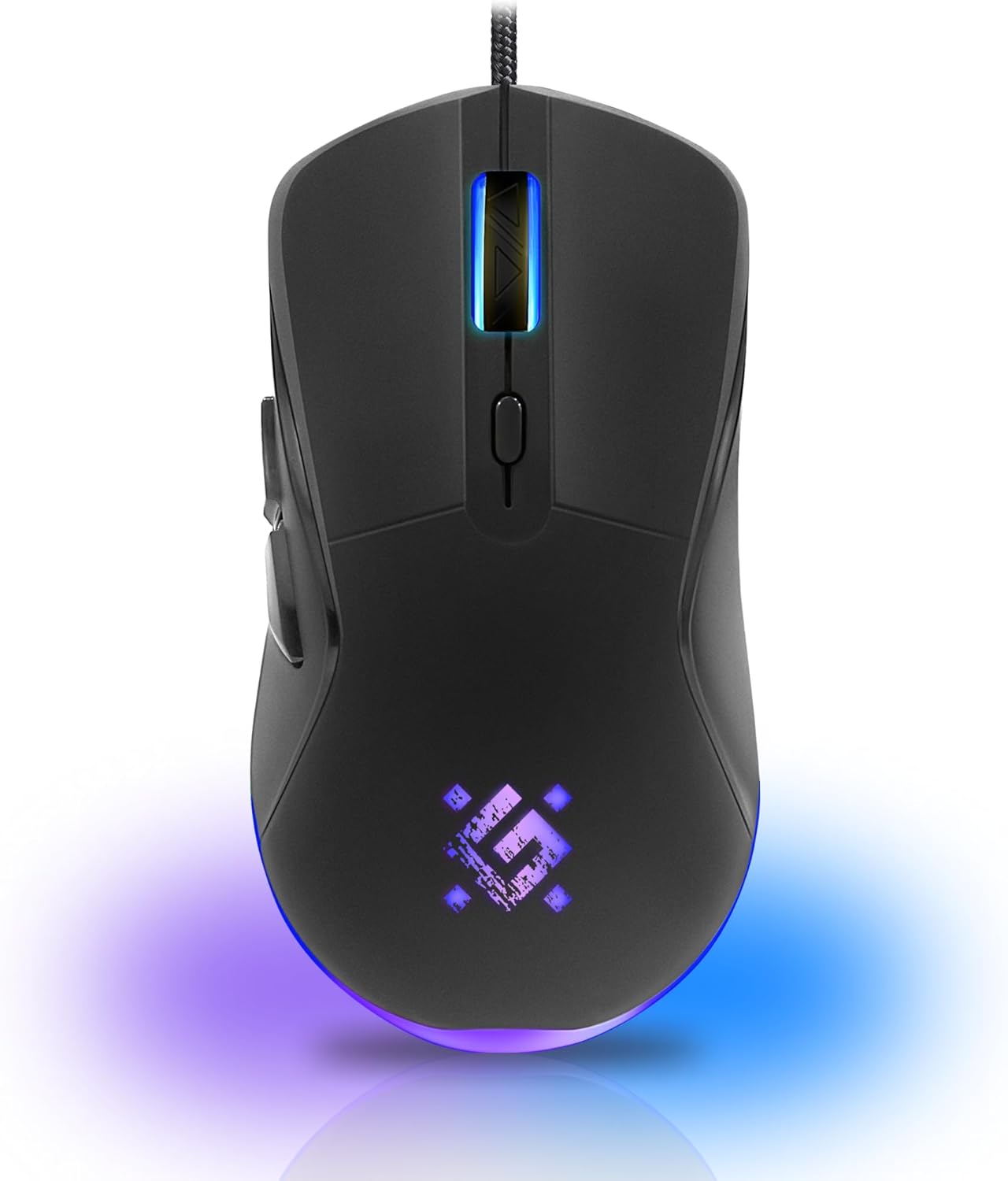
Выява: спераду view of the Defender ARGA GM-049 Gaming Mouse, showcasing its ergonomic design and customizable RGB lighting.
Настройка
1. Падключэнне мышы
- Знайдзіце даступны USB-порт на вашым кампутары.
- Plug the gold-plated USB connector of the Defender ARGA GM-049 mouse into the USB port.
- Аперацыйная сістэма аўтаматычна выявіць і ўсталюе неабходныя драйверы. Гэты працэс можа заняць некалькі хвілін.
2. Усталёўка праграмнага забеспячэння (неабавязкова)
For advanced customization, including macro programming and button remapping, install the Defender Game Center Software.
- Visit the official Defender website to download the latest version of the Defender Game Center Software.
- Выконвайце інструкцыі на экране, каб завяршыць усталёўку.
- Пасля ўсталёўкі запусціце праграму, каб наладзіць параметры мышы.

Image: Diagram illustrating the Defender Game Center Software, macro editor, optical sensor, and compatibility with Windows 2000/XP/Vista/7/8/10+ and macOS X10+.
Інструкцыя па эксплуатацыі
1. Асноўныя функцыі
- Пстрычка левай кнопкай мышы: Першаснае дзеянне.
- Пстрыкніце правай кнопкай мышы: Secondary action, typically opens context menus.
- Кола пракруткі: Scroll up/down documents or web старонкі. Націсканне кола пракруткі часта выконвае ролю сярэдняга кліку.
2. Рэгуляванне DPI
The Defender ARGA GM-049 features adjustable DPI (Dots Per Inch) settings, allowing you to change mouse sensitivity on the fly. The available DPI levels are 1200, 1800, 2400, and 3600.
- Press the dedicated DPI button (usually located behind the scroll wheel) to cycle through the preset DPI levels.
- Each DPI level may correspond to a different LED lighting color for easy identification (refer to software for customization).
3. Праграмуемыя кнопкі
The mouse is equipped with 6 buttons, 5 of which are programmable using the Defender Game Center Software. These include the two main clicks, the scroll wheel click, and two side buttons.
- Launch the Defender Game Center Software.
- Navigate to the button assignment section.
- Select a button and assign a desired function, macro, or key combination.
4. RGB-падсветка
The ARGA GM-049 features customizable RGB lighting. The lighting effects and colors can be configured through the Defender Game Center Software to match your preferences or current DPI setting.

Image: Visual representation of the mouse's features including 10 million clicks lifespan, 5 programmable buttons, RGB lighting, and DPI settings (1200/1800/2400/3600).
Тэхнічнае абслугоўванне
Правільнае абслугоўванне забяспечвае даўгавечнасць і аптымальную прадукцыйнасць вашай гульнявой мышы.
1. Уборка
- Адключыце мыш ад кампутара перад чысткай.
- Выкарыстоўвайце мяккую, сухую тканіну без ворса, каб праціраць паверхню мышы.
- Для ўстойлівага бруду злёгку ачысціцеampПрацярыце тканіну вадой або мяккім неабразіўным ачышчальнікам. Пазбягайце агрэсіўных хімічных рэчываў.
- Use a cotton swab or compressed air to clean around the buttons and scroll wheel.
- Do not allow liquids to enter the mouse casing.
2. Агульны догляд
- Avoid dropping the mouse or subjecting it to strong impacts.
- Keep the mouse away from extreme temperatures and direct sunlight.
- Do not attempt to disassemble the mouse, as this may void your warranty.
Ліквідацыю непаладак
If you encounter issues with your Defender ARGA GM-049 mouse, refer to the following common solutions:
| праблема | Магчымае рашэнне |
|---|---|
| Мышка не рэагуе |
|
| Няўстойлівы рух курсора |
|
| Кнопкі або кола пракруткі не працуюць |
|
| Не працуе святлодыёднае асвятленне |
|
Тэхнічныя характарыстыкі
| Асаблівасць | Дэталь |
|---|---|
| Марка | Абаронца |
| мадэль | ARGA GM-049 |
| Тэхналогія падлучэння | Wired USB (Gold-plated connector) |
| Тэхналогія выяўлення руху | Аптычны |
| Ўзроўні DPI | 1200/1800/2400/3600 |
| Колькасць кнопак | 6 (5 праграмуемых) |
| Асаблівасці | RGB LED lighting, Programmable buttons, Macro editor, Durable rubberized surface, Teflon feet, Ferrite noise filter |
| Даўжыня кабеля | 1.5 meters (Braided cable structure) |
| Тэрмін службы кнопкі | Да 10 мільёнаў клікаў |
| Сумяшчальнасць | Windows 2000/XP/Vista/7/8/10+, macOS X10+ |
| Аксэсуар у камплекце | Mouse Pad (220 x 180 mm) |

Image: Product packaging highlighting key features such as rainbow backlight, 2 thumb buttons, 4 resolution modes up to 3600 DPI, wide rubberized backlit scroll wheel, 5 customizable buttons, durable Teflon feet, ferrite noise filter, gold-plated USB connector, and bonus mouse pad.

Image: The Defender ARGA GM-049 Gaming Mouse shown alongside its included mouse pad, indicating dimensions of 220mm by 180mm.
Гарантыя і падтрымка
Інфармацыя аб гарантыі
For detailed warranty information regarding your Defender ARGA GM-049 Gaming Mouse, please refer to the warranty card included with your product or consult the retailer from whom you purchased the device. Warranty terms and conditions may vary by region and retailer.
Тэхнічная падтрымка
If you require further assistance or encounter issues not covered in this manual, please visit the official Defender website for support resources, FAQs, and contact information for technical support.