
Merkury Smart B0CJ3DQNB5
Merkury Smart Plug User Manual
Model: B0CJ3DQNB5
Уводзіны
The Merkury Smart Plug allows you to control your appliances and devices remotely using your smartphone or voice commands. This manual provides detailed instructions for setting up, operating, maintaining, and troubleshooting your smart plug to ensure optimal performance and convenience.

Image: Merkury Smart Plug and its retail packaging, highlighting its compact design and smart features.
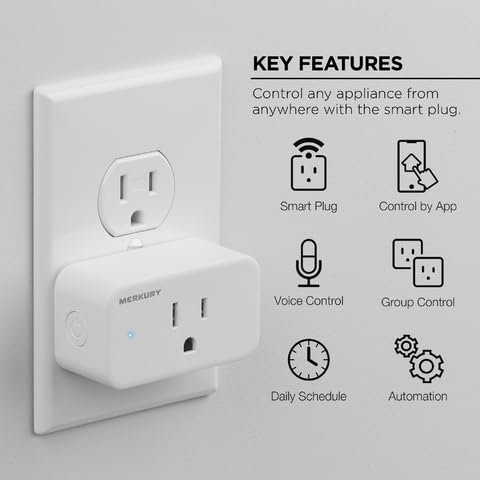
Image: Visual representation of the smart plug's key features including app control, voice control, daily scheduling, and automation.
Што ў скрынцы
- 1x Merkury Smart Plug
- Кіраўніцтва карыстальніка (гэты дакумент)
Настройка і ўстаноўка
Follow these steps to set up your Merkury Smart Plug:
- Download the Merkury Smart App: Scan the QR code below or search for "Merkury Smart" in your device's app store. Create an account or log in if you already have one.
- Power on the Plug: Plug the Merkury Smart Plug into a standard wall outlet. The indicator light on the plug will begin to blink, indicating it's ready for pairing.
- Connect with the Plug: Open the Merkury Smart App, tap the "+" icon to add a new device, and follow the in-app instructions to connect to your smart plug. Ensure your phone is connected to a 2.4 GHz Wi-Fi network.
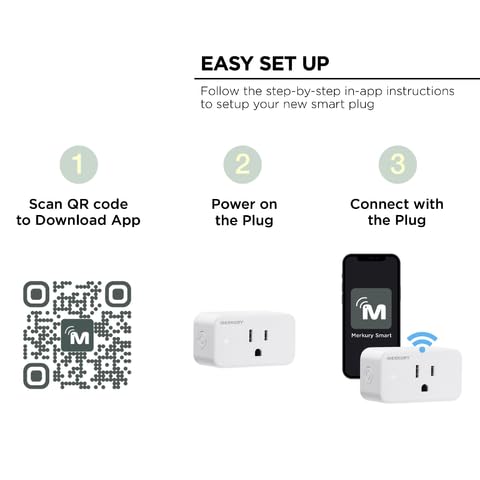
Image: Step-by-step guide for easy setup, including scanning a QR code for app download, powering on the plug, and connecting via the app.
Scan to Download App: https://qr.link/QJKDcN

Image: A hand inserting a Merkury Smart Plug into a wall outlet, demonstrating its compact design that allows for multiple plugs in one outlet.
Кіраванне разумнай разеткай
Кантроль прыкладанняў
Control your smart plug from anywhere using the Merkury Smart App. You can turn devices on or off, monitor their status, and manage settings directly from your smartphone.
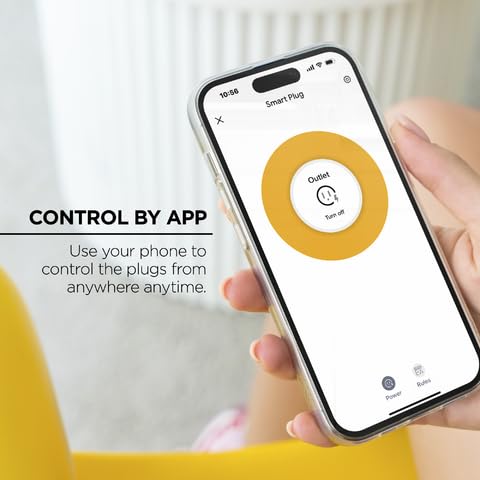
Image: A smartphone displaying the Merkury Smart App interface, showing the option to turn an outlet on or off.

Image: The Merkury Smart App displaying a home screen with various smart devices, including smart plugs, allowing for centralized control.
Галасавое кіраванне
Integrate your Merkury Smart Plug with Amazon Alexa or Google Home for convenient hands-free control. Once linked, you can use simple voice commands to operate your connected devices.
- «Алекса, уключы кававарку».
- "Hey Google, turn off the lamp."
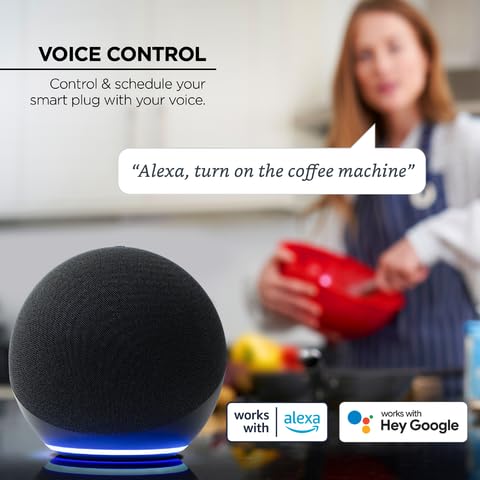
Image: An Amazon Echo device demonstrating voice control, with a speech bubble showing "Alexa, turn on the coffee machine."
Планаванне і таймеры
Automate your devices by setting schedules and timers. This feature helps save energy and simplifies your daily routines.
- Расклад: Set specific times for your plug to turn on or off daily or on selected days of the week.
- Таймеры: Use countdown timers for devices to automatically switch off after a set duration.
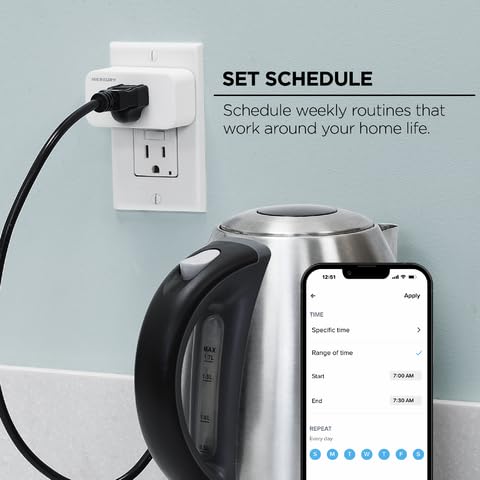
Image: A smartphone displaying the scheduling interface within the Merkury Smart App, allowing users to set specific times and repeat days for automation.

Image: A smartphone screen showing a countdown timer for a smart plug, with a child sleeping in the background, illustrating the use of timers for bedtime routines.
Доля кантролю
Allow family members to control the smart plug by sharing access through the Merkury Smart App. This ensures everyone in the household can manage connected devices.

Выява: Дзве асобы viewing a smartphone, symbolizing the shared control feature of the Merkury Smart App among family members.
Сумяшчальная тэхніка
The Merkury Smart Plug is suitable for a wide range of indoor appliances, including lamps, fans, coffee makers, toasters, and even fish tank pumps. Ensure the appliance's power consumption does not exceed the smart plug's maximum rating.
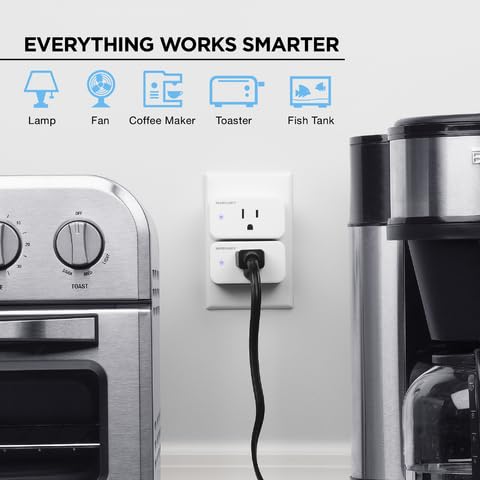
Image: Icons representing various household appliances like lamps, fans, coffee makers, toasters, and fish tanks, indicating compatibility with the smart plug.

Image: An iron and a hair straightener, illustrating common household items that can be made smart with the plug for safety and convenience.
Тэхнічнае абслугоўванне
To ensure the longevity and proper functioning of your Merkury Smart Plug, follow these simple maintenance guidelines:
- Уборка: Перад чысткай адключыце разумную вілку ад разеткі. Выцірайце вонкавыя паверхні мяккай сухой тканінай. Не выкарыстоўвайце вадкія ачышчальнікі або абразіўныя матэрыялы.
- Асяроддзе: Use the smart plug indoors only. Avoid exposing it to water, high humidity, extreme temperatures, or direct sunlight.
- Абарона ад перагрузкі: Do not exceed the maximum electrical rating of the smart plug. Overloading can cause damage to the device and pose a safety risk.
Ліквідацыю непаладак
| праблема | Магчымая прычына | Рашэнне |
|---|---|---|
| Plug is offline/Cannot connect to Wi-Fi | Incorrect Wi-Fi password; Plug too far from router; Router is 5GHz only; Network congestion. | Ensure correct 2.4 GHz Wi-Fi network and password. Move plug closer to router. Restart router and plug. If issues persist, try re-pairing the device through the app. |
| Кіраванне праграмамі не адказвае | Internet connection issue; App glitch; Plug is offline. | Check your phone's internet connection. Close and reopen the Merkury Smart App. Verify the plug's status in the app. If offline, refer to the Wi-Fi connectivity solutions. |
| Не працуе галасавое кіраванне | Incorrect device name; Voice assistant not linked; Internet connection issue. | Ensure the device name in the Merkury Smart App matches the name used with your voice assistant. Relink the Merkury Smart skill/action in your Alexa/Google Home app. Check internet connection. |
| Plug indicator light is off | No power; Plug malfunction. | Check if the outlet has power by plugging in another device. Try plugging the smart plug into a different outlet. If still no light, the plug may be faulty. |
Тэхнічныя характарыстыкі
- Памеры прадукту: 1.13 х 2.68 х 1.5 цалі
- Вага: 2.08 унцыі
- Рэжым працы: Аўтаматычны
- Тып кантакту: Звычайна адкрыты
- Тып раздыма: Падключыць
- Марка: Меркурый Смарт
- тэрмінал: Клінок
- Тып ланцуга: 1-баковы
- Колькасць пазіцый: 2
- Тып кантролера: Amazon Alexa, Google Home
- Метад кантролю: Прыкладанне, пульт, голас
- Сумяшчальнасць з Wi-Fi: Толькі 2.4 Ггц
Гарантыя і падтрымка
The Merkury Smart Plug comes with a 1-гадовая абмежаваная гарантыя з даты пакупкі. Гэтая гарантыя распаўсюджваецца на дэфекты матэрыялаў і вырабу пры нармальным выкарыстанні. Яна не распаўсюджваецца на пашкоджанні, выкліканыя няправільным выкарыстаннем, няшчаснымі выпадкамі, несанкцыянаванымі мадыфікацыямі або знешнімі прычынамі.
For technical support or warranty claims, please contact Merkury Smart customer service. Refer to the contact information provided on the product packaging or the Merkury Smart webсайт.