
1. Уводзіны
This manual provides essential instructions for the proper setup, operation, and maintenance of your RayNeo HDMI-C to AR Glasses Charging Adapter (Model HC 2.0). This adapter allows for simultaneous video transmission to your AR glasses and charging of your source device, ensuring an uninterrupted experience.
2. Змесціва ўпакоўкі
Калі ласка, пераканайцеся, што ўсе пералічаныя ніжэй прадметы ўваходзяць у ваш пакет:
- 1 x RayNeo HDMI-C to AR Glasses Charging Adapter
- 1 х зарадны кабель USB-A да USB-C
- 1 х кабель HDMI
- 1 х Кароткае кіраўніцтва

Выява: Усе кампаненты ў камплекце з прадуктам.
3. Асноўныя магчымасці
- Адначасовая праца: Connect your AR glasses and charge your source device concurrently.
- Высакахуткасная зарадка: Delivers up to 50W of power to your AR glasses. Actual charging speed depends on the connected device's specifications.
- Шырокая сумяшчальнасць прылад: Compatible with devices adhering to the USB-C standard protocol, including Steam Deck, ROG Ally, and Legion Go.
- Падтрымка высокага дазволу: Supports resolutions up to 8K for crisp, lossless image quality. Features are dependent on source device and display capabilities.
- Трывалая канструкцыя: Made from aluminum alloy for enhanced durability.
- Smart Hardware Protection: Safeguards against overvoltagе пашкоджанне.
- Зручны: Supports hot-swapping, plug-and-play functionality, and requires no software installation.
4. Інструкцыі па ўсталёўцы
Follow these steps to connect your RayNeo HDMI-C to AR Glasses Charging Adapter:
- Connect AR Glasses: Plug your AR glasses into the USB-C output port on the adapter.
- Падключыце зыходную прыладу: Use the provided HDMI cable to connect your source device (e.g., gaming console, PC, laptop) to the HDMI-IN port on the adapter.
- Падключыце харчаванне: Connect the USB-A to USB-C charging cable to a power adapter (not included) and then to the DC 5V or Type-C charging input port on the adapter. This will provide power to both your AR glasses and charge your source device.

Image: Connection diagram for the adapter with AR glasses, a gaming console, and a power source.
5. Інструкцыя па эксплуатацыі
Once connected, the adapter operates on a plug-and-play basis. Your AR glasses should automatically display content from your source device, and your source device will begin charging.
- Gaming/Streaming: Enjoy uninterrupted gaming or streaming sessions as the adapter ensures continuous power supply to your AR glasses while simultaneously charging your connected device.
- дазвол: The adapter will automatically adapt to the highest supported resolution up to 8K, based on the capabilities of your source device and AR glasses.

Image: Adapter connected to a laptop, AR glasses, and power for simultaneous use and charging.
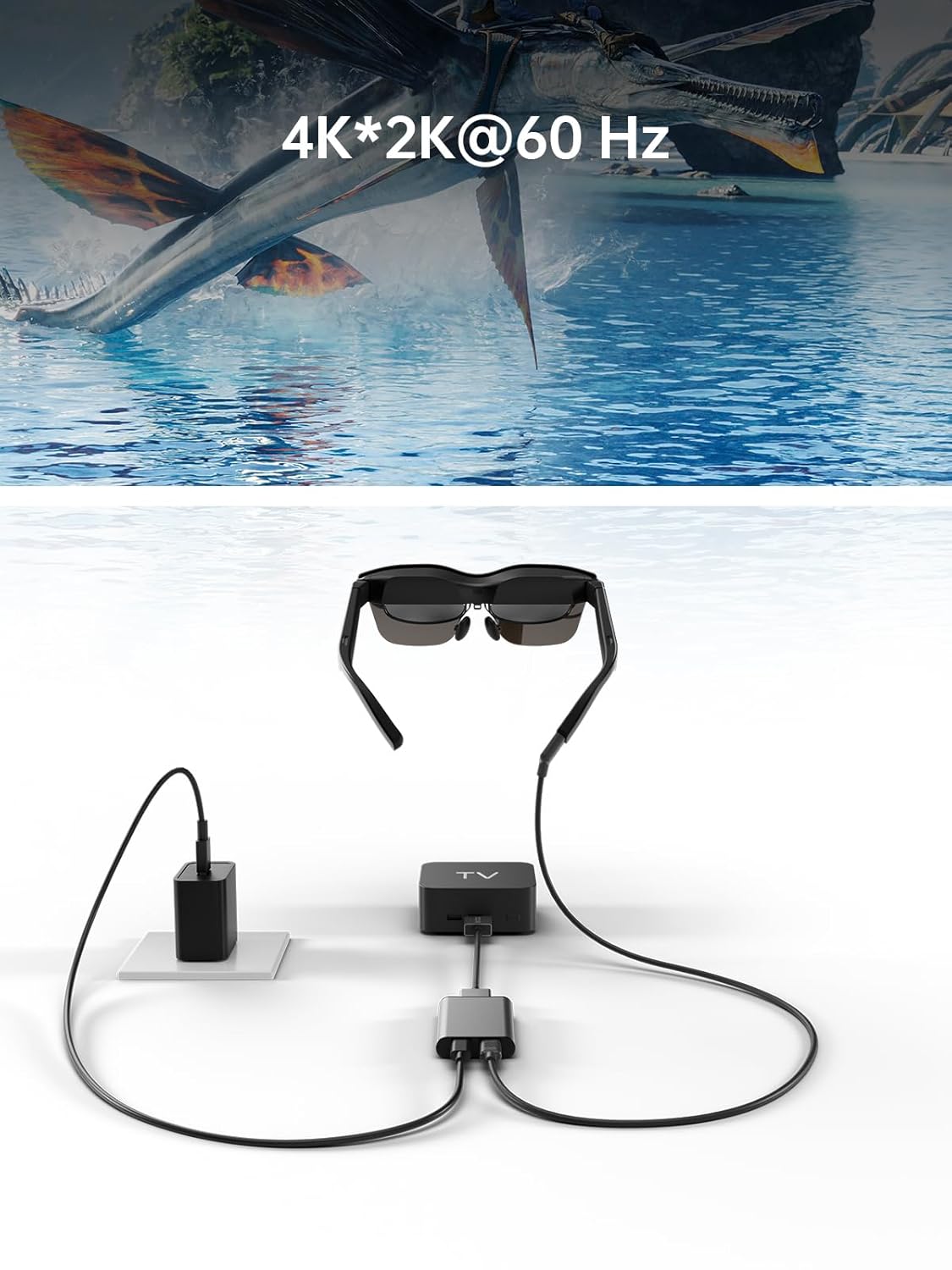
Image: Adapter facilitating 4K*2K@60Hz video output from a TV box to AR glasses.
6. Сумяшчальнасць
The RayNeo HDMI-C to AR Glasses Charging Adapter is designed for broad compatibility. Ensure your devices meet the following criteria:
6.1. Source Devices (HDMI-IN)
Compatible with any device that outputs video via HDMI, including but not limited to:
- Gaming Consoles (e.g., PlayStation 5/4, Xbox Series X/S, Nintendo Switch, Steam Deck, ROG Ally, Legion Go)
- Персанальныя кампутары (ПК)
- Ноўтбукі
- Streaming Devices (e.g., Apple TV)
6.2. AR Glasses (USB-C OUT)
Compatible with AR glasses that accept video input via USB-C, such as:
- RayNeo Air 2s
- RayNeo Air 2
- TCL NXTWEAR S
Заўвага: Your source device must adhere to the USB-C standard protocol for charging and data transmission to function correctly with this adapter.

Image: Visual representation of the adapter's wide compatibility with various input devices and AR glasses.
7. Выпраўленне непаладак
Калі ў вас узнікнуць праблемы, звярніцеся да наступных распаўсюджаных рашэнняў:
- No Display on AR Glasses:
- Ensure all cables (HDMI, USB-C to AR glasses) are securely connected.
- Verify that your source device is powered on and outputting video.
- Check if your AR glasses are powered on and functioning correctly.
- Test with different HDMI or USB-C cables if available.
- Source Device Not Charging:
- Confirm the power adapter is connected to the adapter's charging port and to a working power outlet.
- Ensure the power adapter provides sufficient wattage (up to 50W supported).
- Verify that your source device supports charging via its USB-C port when connected to an external adapter.
- Low Resolution or Poor Image Quality:
- Check the resolution settings on your source device.
- Ensure your HDMI and USB-C cables are high-quality and support the desired resolution.
- The maximum resolution is dependent on both the source device and the AR glasses.
- Адаптар не распазнаны:
- Disconnect and reconnect all cables.
- Перазапусціце зыходную прыладу.
8. Тэхнічнае абслугоўванне
Каб забяспечыць даўгавечнасць і аптымальную прадукцыйнасць вашага адаптара, выконвайце наступныя рэкамендацыі па тэхнічным абслугоўванні:
- Уборка: Use a soft, dry cloth to clean the adapter. Avoid liquid cleaners or abrasive materials.
- захоўванне: Захоўвайце адаптар у прахалодным, сухім месцы, удалечыні ад прамых сонечных прамянёў і экстрэмальных тэмператур.
- Апрацоўка: Пазбягайце падзення адаптара і моцных удараў. Не спрабуйце разбіраць прыладу.
- Сыход за кабелем: Do not bend cables excessively or pull them forcefully from the ports.
9. Тэхнічныя характарыстыкі
| Асаблівасць | Спецыфікацыя |
|---|---|
| Нумар мадэлі | HC 2.0 |
| Марка | RayNeo |
| Тып раздыма | USB Type C (Output), HDMI (Input) |
| Уваход для зарадкі | DC 5V / USB Type C |
| Максімальная магутнасць | Да 50 Вт |
| Падтрымка максімальнага дазволу | 8K |
| Матэрыял | Алюмініевы сплаў |
| Колер | Серабро |
| Вага прадмета | 2.89 унцыі |
| Памеры ўпакоўкі | 5.39 х 2.64 х 0.94 цалі |

Image: Dimensional drawing of the adapter.
10. Гарантыя і падтрымка
For warranty information and customer support, please refer to the documentation included with your product or visit the official RayNeo webсайт. Захоўвайце чэк аб пакупцы на выпадак прэтэнзій па гарантыі.