
Уводзіны
Welcome to your new Tinewa DLE8 Fingerprint Smart Door Lock. This manual provides detailed instructions for installation, setup, operation, and maintenance to ensure optimal performance and security.
Змест пакета
The following items are included in your Tinewa DLE8 Fingerprint Smart Door Lock package:
- Tinewa Exterior Door Lever
- Рычаг міжпакаёвых дзвярэй
- Зашчапка
- Striking Plate Box
- Ударная пласціна
- Screw A (5pcs, 1pc spare)
- Screw B (3pcs, 1pc spare)
- Screw C (1pc spare)
- Ключы (2шт)
- Шаблон
- Кіраўніцтва карыстальніка

Image: All components included in the Tinewa DLE8 Fingerprint Smart Door Lock package.
Тэхнічныя характарыстыкі
| Асаблівасць | Дэталь |
|---|---|
| Матэрыял | цынк |
| Колер | Бронза, нацёртая алеем |
| стыль | Рычаг дзвярэй |
| Памеры прадукту | 10"Д х 2"Ш |
| Знешняя аздабленне | цынк |
| Форма | Прамавугольны |
| Тып замка | Біяметрычны |
| Механізм мацавання ручкі | Шрубы |
| Вага прадмета | 1 фунт |
| Канкрэтнае выкарыстанне | Up to 50 Fingerprints Unlock, App Unlock, Smart Control with App, Share E-Key, Auto Lock, Passage Mode, Security Mode, Easy Install |
| Гарантыя вытворцы | At least 1 year product warranty and lifetime customer service. |
Ўстаноўка
Сумяшчальнасць дзвярэй
The Tinewa DLE8 lock is designed to fit most standard single-cylinder US doors. Please ensure your door meets the following specifications before installation:
- Таўшчыня дзвярэй: Between 1-3/8" (35mm) to 2-3/16" (55mm)
- Adjustable Latch Backset: 2-3/8 цалі (60 мм) або 2-3/4 цалі (70 мм)
- Hole Width: 1 цалі (25 мм)
- Bore Hole: 2-1/8 цалі (54 мм)
No extra drilling is required for installation.

Image: Diagram illustrating door dimensions and compatibility for the Tinewa DLE8 lock, including backset, hole width, and bore hole measurements.
Этапы ўстаноўкі
Installation of the Tinewa DLE8 lock is designed to be straightforward and typically takes minutes with a screwdriver (included). For detailed, step-by-step instructions, please refer to the dedicated user guide provided in your package.
Настройка
Спампаваць праграму і рэгістрацыя
To utilize the smart features of your Tinewa DLE8 lock, download the "Tinewa" app. Пошук "Tinewa" in the Apple App Store (for iOS devices) or Google Play Store (for Android devices). Once downloaded, open the app and register for a new account.
Connecting the Lock to the App
Ensure your phone's Bluetooth is enabled and keep your phone within 2 meters of the lock during the pairing process. In the app, touch the fingerprint reader on the lock to activate it. The app will detect the lock; follow the on-screen prompts to connect and assign a name to your lock.
Video: This video demonstrates the process of downloading the Tinewa app, registering an account, and connecting the smart door lock to the app via Bluetooth. (Relevant section: 0:00:09 - 0:00:31)
Рэгістрацыя адбіткаў пальцаў
The first fingerprint you register will automatically be designated as the Admin fingerprint. From the app, navigate to the fingerprint settings and select "Add Fingerprint." Follow the on-screen instructions to place your finger on the sensor multiple times until the registration process is complete. The lock supports up to 50 unique fingerprints.
Video: This video illustrates how to set up and enroll fingerprints using the Tinewa app. (Relevant section: 0:00:42 - 0:00:57)
Інструкцыя па эксплуатацыі
Метады разблакоўкі
The Tinewa DLE8 offers multiple convenient ways to unlock your door:
- Разблакіроўка адбіткам пальца: Place a registered fingerprint on the sensor for quick and secure access. The lock boasts a recognition rate of up to 98% and unlocks in approximately 0.3 seconds.
- Разблакіроўка праграмы: Use the Tinewa app on your smartphone to unlock the door. This method works via Bluetooth when you are within range of the lock. For remote unlocking from anywhere, a separate gateway device (sold separately) is required.
- Механічныя ключы: Two mechanical keys are provided as a reliable backup for manual unlocking.

Image: Visual representation of the three unlocking methods available for the Tinewa DLE8 smart door lock: fingerprint, app, and traditional mechanical key.

Выява: Падрабязная view of the biometric fingerprint unlocking mechanism, highlighting its speed and accuracy.
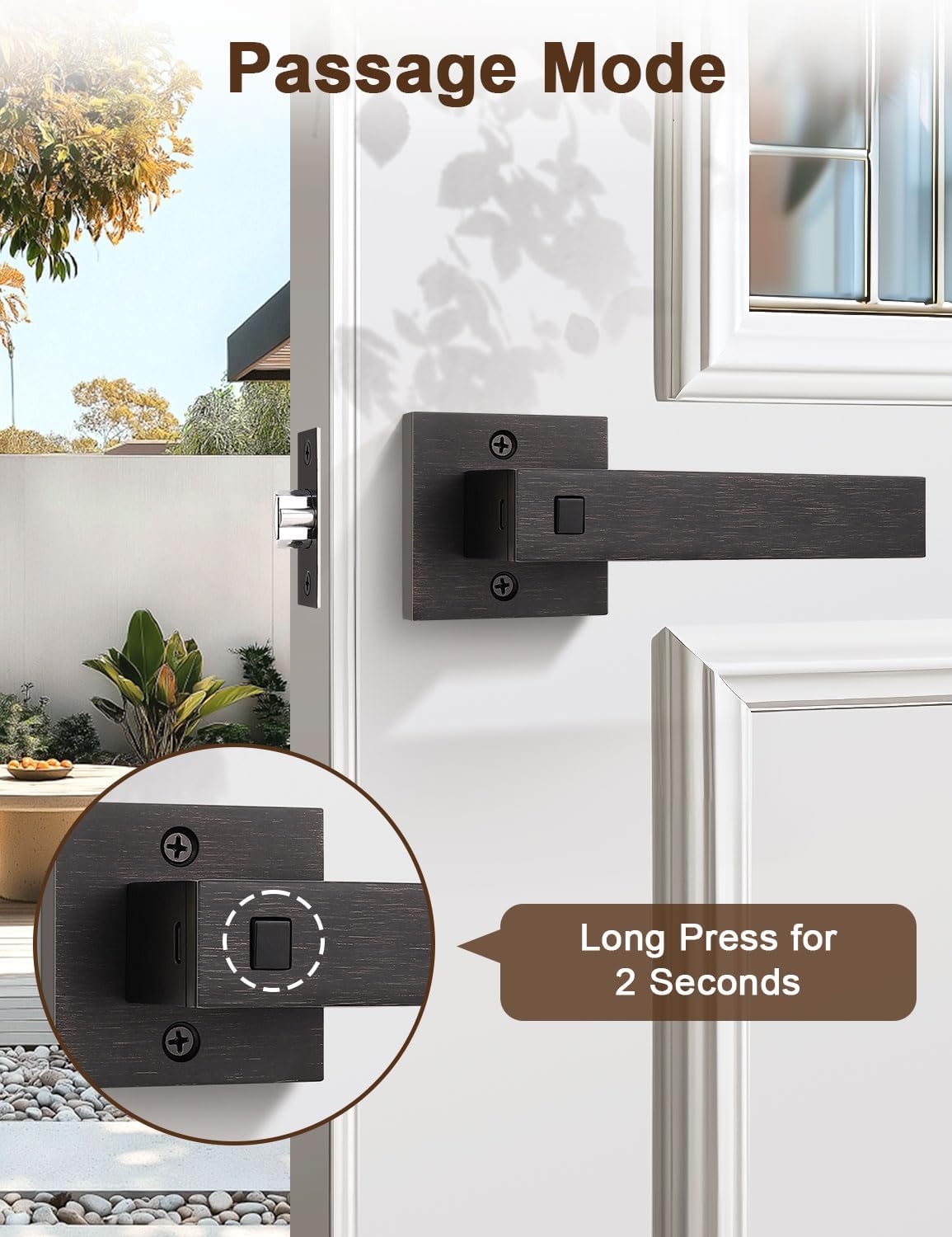
Image: Screenshot of the Tinewa app interface demonstrating Bluetooth control features like lock/unlock, fingerprint management, and auto-lock settings.
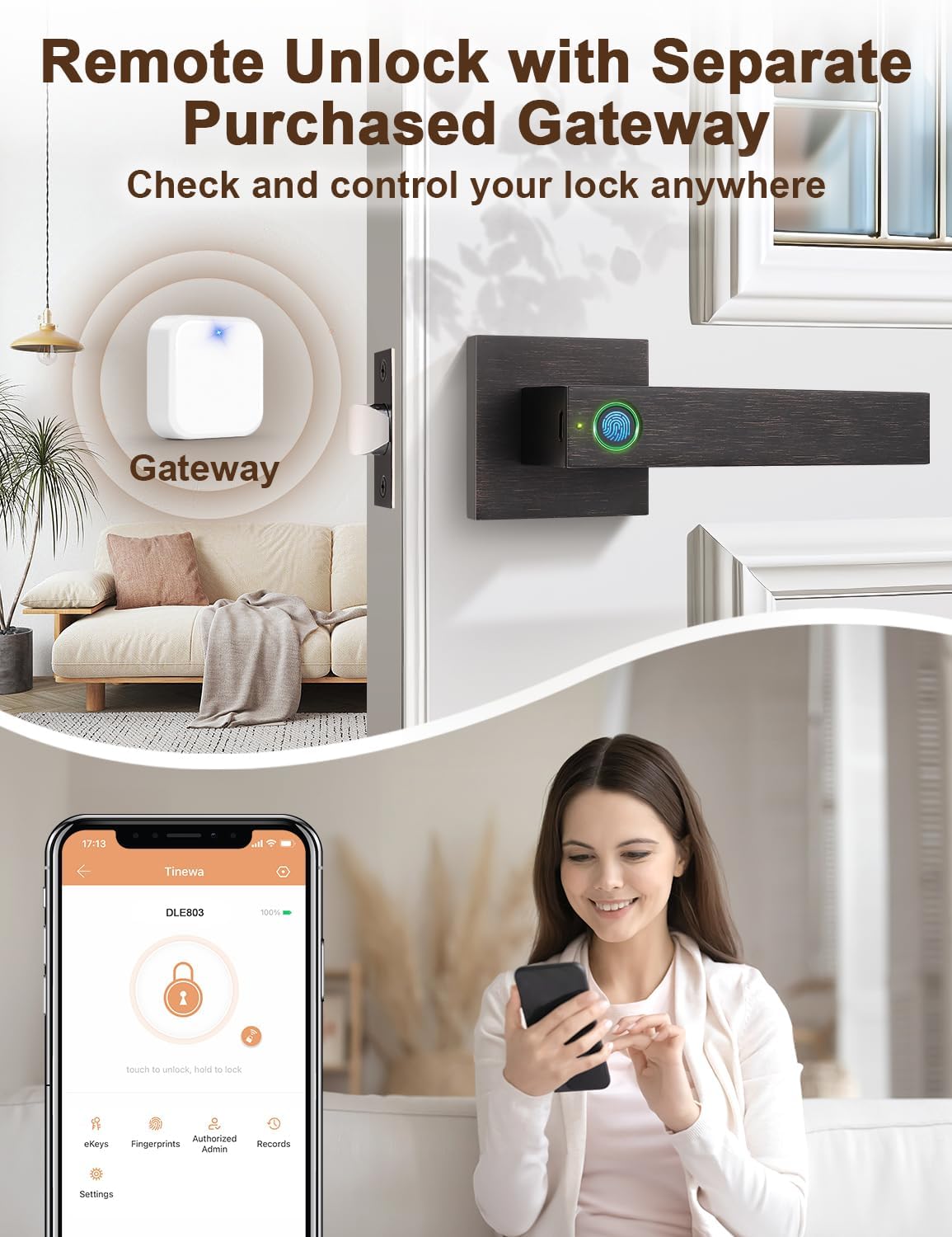
Image: Illustration of the remote unlock capability using a separate gateway, enabling control of the lock from any location.
Замыканне дзвярэй
The door lock is equipped with an auto-lock feature and will automatically engage within 5 seconds after the door is closed. You can customize the auto-lock duration through the Tinewa app to suit your preferences.
Video: This video demonstrates how to lock and unlock the door using the fingerprint sensor and highlights the auto-lock feature. (Relevant section: 0:01:01 - 0:01:12)
Рэжым праходжання
To activate Passage Mode, long-press the set button located on the interior handle for 2 seconds. In Passage Mode, the door will remain unlocked, allowing for convenient entry and exit without requiring fingerprint or app authentication. This mode is ideal for periods of high traffic or when you prefer the door to remain open.
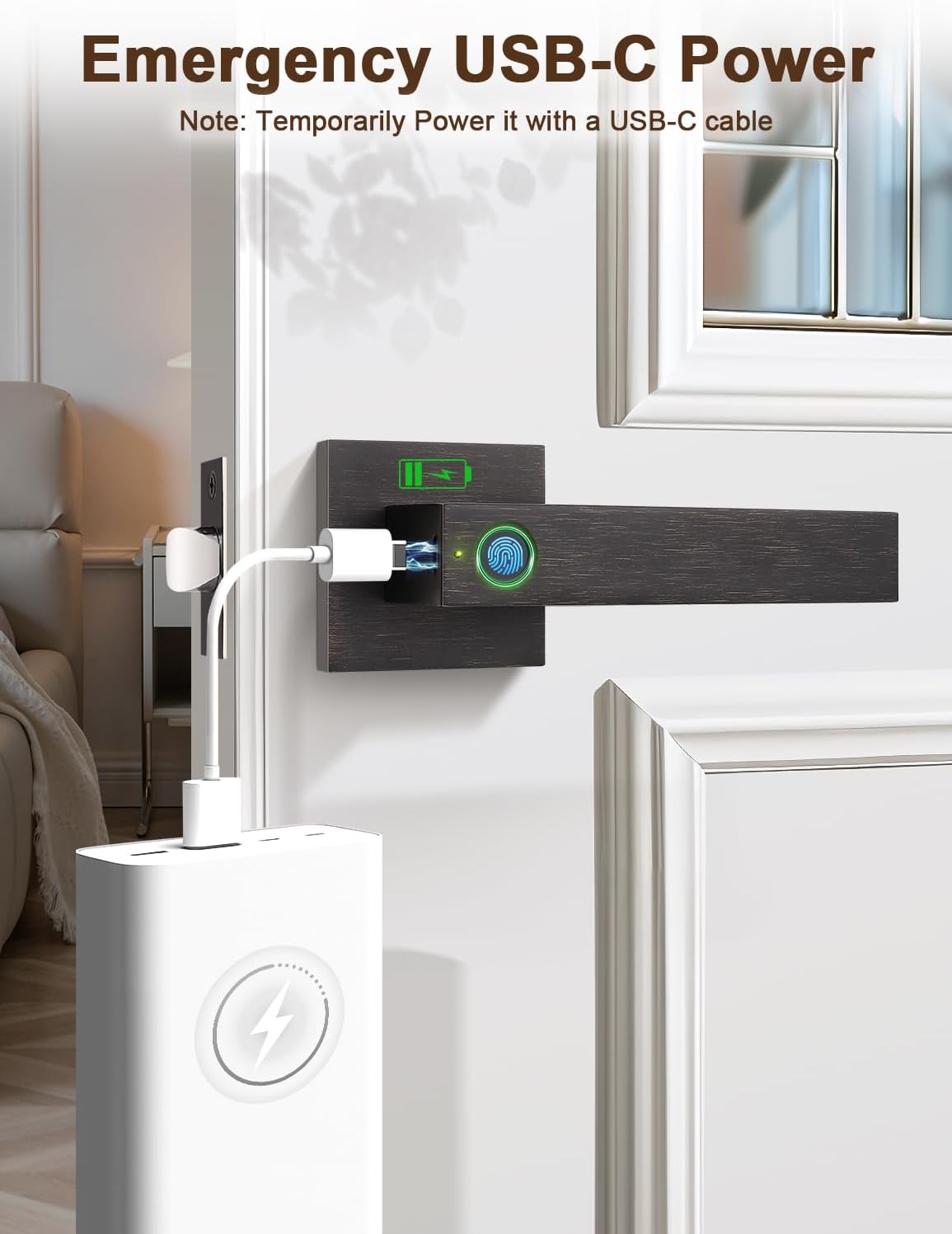
Image: Visual guide to activating Passage Mode by long-pressing the button on the interior handle.
Тэхнічнае абслугоўванне
Інфармацыя аб батарэі
The Tinewa DLE8 lock requires 4 AAA batteries (not included). The Tinewa app will provide a low battery warning when replacement is needed. In case of complete battery depletion, the lock features a Type-C USB port for emergency power, allowing you to temporarily power the lock and gain access.
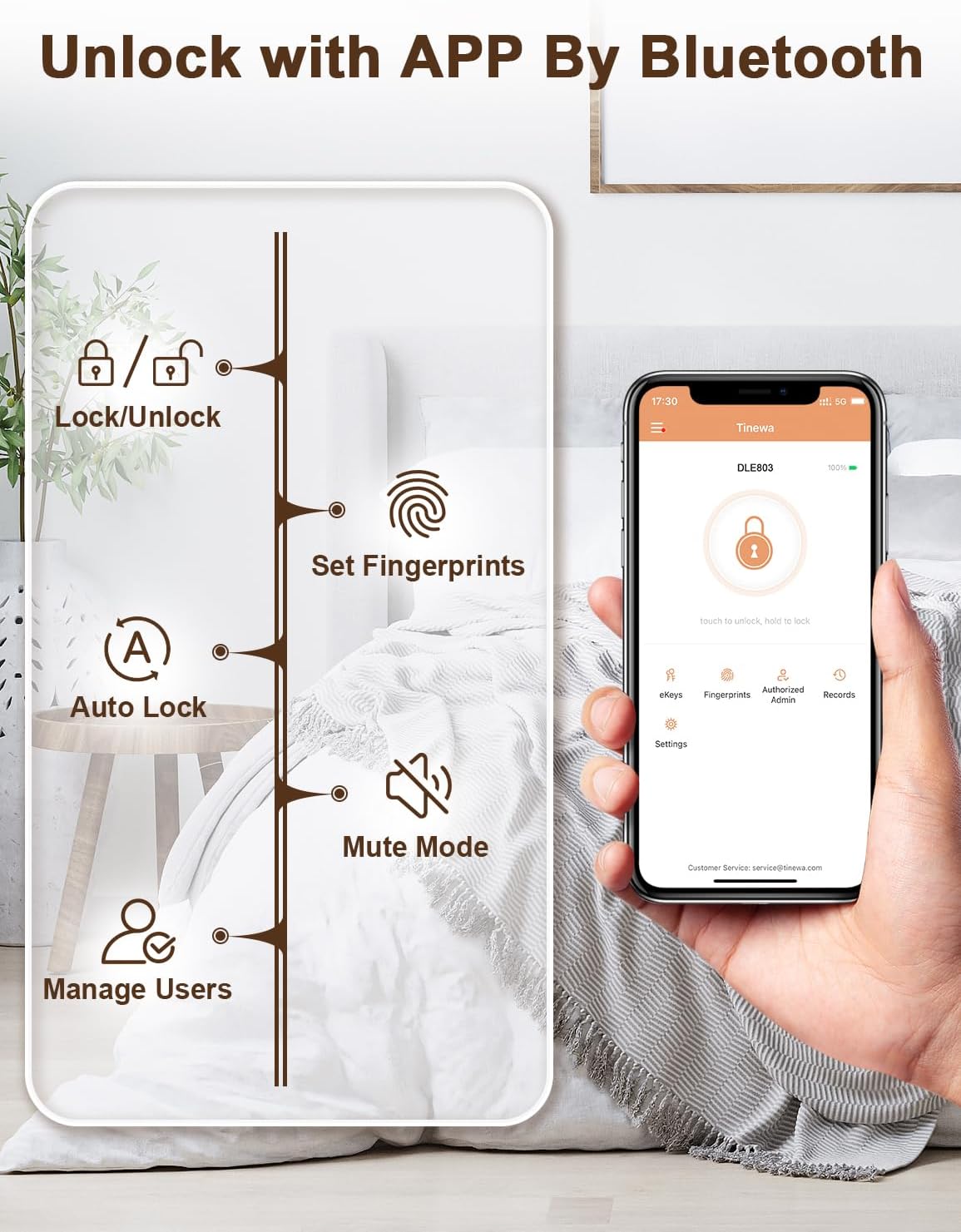
Image: Illustration of connecting a Type-C USB cable to the lock for emergency power, typically from a power bank.
Уборка
To maintain the appearance and functionality of your lock, clean it with a soft, dry cloth. Avoid using abrasive cleaners, solvents, or harsh chemicals, as these can damage the finish or internal components.
Ліквідацыю непаладак
Адбітак пальца не распазнаны
- Ensure your finger is clean and dry when attempting to unlock.
- Try re-registering your fingerprint through the app.
- Remember that the first registered fingerprint is the Admin fingerprint and has special privileges.
Праблемы з падключэннем праграмы
- Пераканайцеся, што на вашым смартфоне ўключаны Bluetooth.
- Ensure you are within close proximity (within 2 meters) to the lock.
- Try restarting the Tinewa app or your smartphone if connection issues persist.
Lock Not Responding
- Check the battery levels. Low batteries can affect lock performance.
- If batteries are completely depleted, use the emergency Type-C USB power port to temporarily power the lock.
- Utilize the mechanical keys for manual override if electronic access is unavailable.
Гарантыя і падтрымка
Tinewa provides a minimum of a 1-year product warranty for your DLE8 Fingerprint Smart Door Lock, covering non-human caused damage. Additionally, lifetime technical support is available. If you have any questions, require assistance, or need to claim warranty service, please contact Tinewa customer service.