
AWEI T78
AWEI T78 Mini Wireless Earbuds User Manual
Мадэль: T78
Уводзіны
Thank you for choosing the AWEI T78 Mini Wireless Earbuds. These earbuds are designed to provide an immersive audio experience with advanced Bluetooth 5.4 technology, clear call performance, and a lightweight, ergonomic design. This manual will guide you through the setup, operation, and maintenance of your new earbuds to ensure optimal performance and longevity.

Image: AWEI T78 earbuds and charging case, highlighting immersive stereo sound.
Што ў скрынцы
- Бесправадныя навушнікі AWEI T78
- Чахол для зарадкі
- Зарадны кабель USB (тыпу C)
- Кіраўніцтва карыстальніка
- Завушніцы
Прадукт скончаныview
The AWEI T78 earbuds consist of two lightweight earbuds and a portable charging case. The earbuds feature touch-sensitive controls for easy operation, while the charging case provides extended battery life on the go.
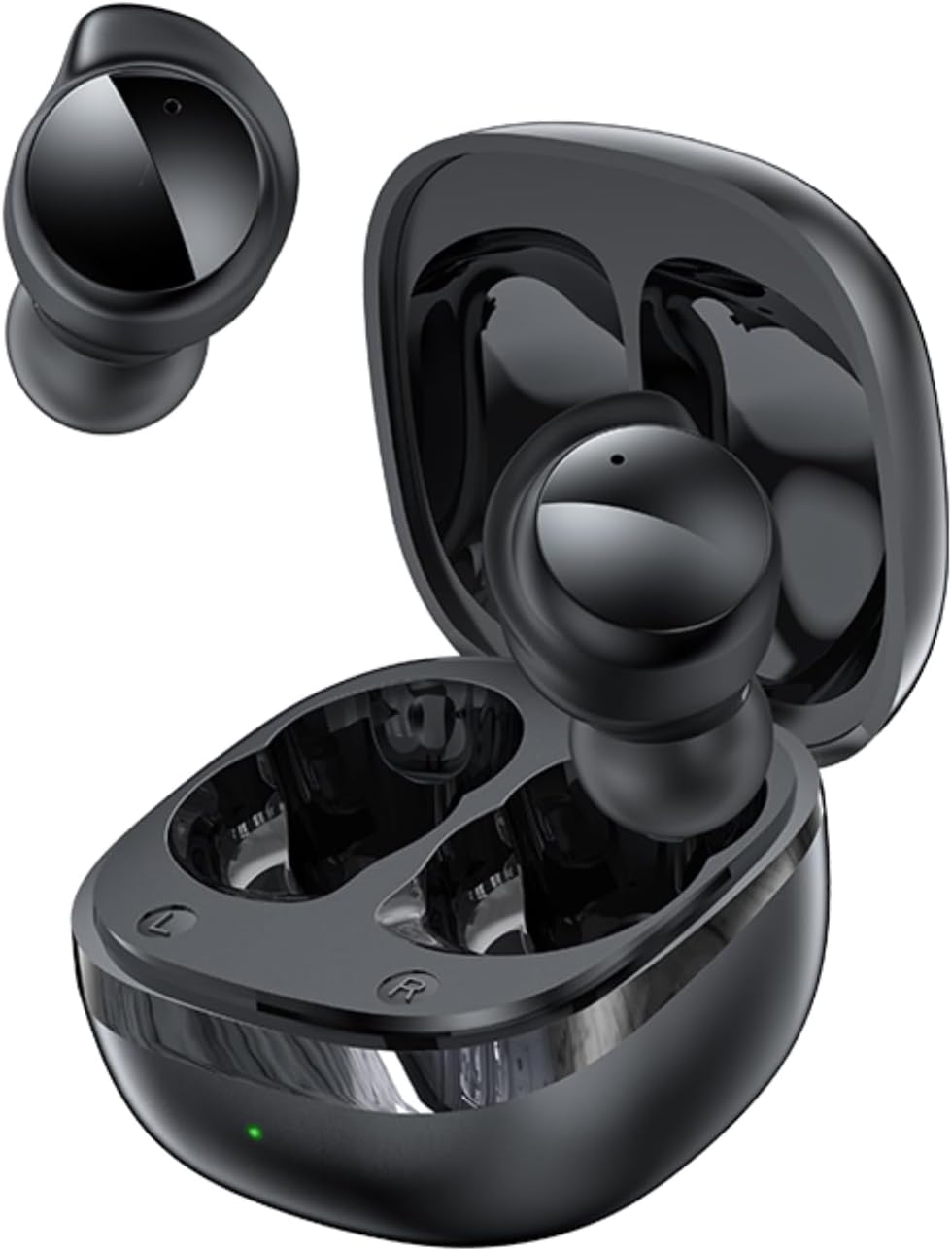
Image: AWEI T78 Mini Wireless Earbuds and Charging Case.

Image: Internal components of an AWEI T78 earbud, showcasing the 13mm speaker.
Настройка
1. Зарадка навушнікаў і чахла
Before first use, fully charge the charging case and earbuds. Connect the provided Type-C USB cable to the charging port on the case and a power source. The charging indicator light will show the charging status.
- Акумулятар чахла для зарадкі: 200 мАг
- Час зарадкі (чахол): прыблізна 1 гадзіна
- Earbud Play Time: Up to 4 hours per charge
- Earbud Talk Time: Up to 3 hours per charge
- Total Playback with Charging Case: Up to 30 hours (dual-ear mode), up to 52 hours (single-ear alternating mode)

Image: Battery life details for AWEI T78 earbuds.
2. Спалучэнне з вашай прыладай
- Пераканайцеся, што навушнікі зараджаны.
- Адкрыйце зарадны кейс. Навушнікі аўтаматычна ўключацца і пяройдуць у рэжым спалучэння.
- На вашай прыладзе (смартфоне, планшэце, ноўтбуку) уключыце Bluetooth.
- Пошук available Bluetooth devices and select "AWEI T78" from the list.
- Пасля падключэння вы пачуеце гук пацверджання, і навушнікі будуць гатовыя да выкарыстання.
The earbuds feature Bluetooth 5.4 for a fast, stable, and low-latency connection up to 10 meters (33 feet). They will automatically reconnect to the last paired device when taken out of the case.

Image: AWEI T78 earbuds demonstrating Bluetooth 5.4 connectivity.
Аперацыйная
Уключэнне/выключэнне харчавання
- Уключэнне: Адкрыйце зарадны чахол, і навушнікі-ўкладышы аўтаматычна ўключацца.
- Выключэнне: Змясціце навушнікі назад у зарадны футляр і зачыніце вечка. Яны аўтаматычна выключацца і пачнуць зараджацца.
Сэнсарныя элементы кіравання
The AWEI T78 earbuds feature intuitive touch controls on each earbud. The functions are as follows:
- Прайграванне/Паўза: Tap once on either L/R earbud.
- Наступная песня: Tap twice on either L/R earbud.
- Папярэдняя песня: Tap thrice on either L/R earbud.
- Адказаць на званок/пакласці трубку: Tap once on either L/R earbud.
- Адхіліць выклік: Touch for 1 second on either L/R earbud.
- Актываваць галасавы памочнік: Long touch for 2 seconds on either L/R earbud.

Image: Detailed diagram of AWEI T78 earbud touch controls.
Рэжым аднаго навушніка
You can use either the left or right earbud independently. Simply take one earbud out of the case, and it will automatically connect to your device. The other earbud can remain in the case or be used later.

Image: AWEI T78 earbud worn, emphasizing its lightweight design.
Тэхнічнае абслугоўванне
Уборка
Рэгулярна чысціце навушнікі і зарадны футляр, каб падтрымліваць аптымальную прадукцыйнасць і гігіену.
- Выкарыстоўвайце мяккую, сухую тканіну без ворса, каб праціраць навушнікі і зарадны футляр.
- Акуратна выдаліце вушную серу або смецце з сетачкі навушнікаў і зарадных кантактаў з дапамогай чыстага сухога ватовага тампона або невялікай мяккай шчотачкі.
- Не выкарыстоўвайце абразіўныя ачышчальнікі, спірт або хімічныя растваральнікі.
Воданепранікальнасць (IPX5)
The AWEI T78 earbuds are IPX5 waterproof, meaning they are protected against low-pressure water jets from any direction. This makes them suitable for workouts and light rain. However, they are not designed for submersion in water or for use during swimming or showering.
Захоўванне
Калі навушнікі не выкарыстоўваюцца, захоўвайце іх у зарадным чахле, каб абараніць ад пылу і пашкоджанняў, а таксама каб яны заставаліся зараджанымі.
Ліквідацыю непаладак
- Навушнікі не спалучаюцца з прыладай:
- Пераканайцеся, што на вашай прыладзе ўключаны Bluetooth.
- Make sure the earbuds are charged and out of the charging case.
- Try forgetting "AWEI T78" from your device's Bluetooth list and re-pairing.
- Restart your device and try again. - Працуе толькі адзін навушнік:
- Place both earbuds back into the charging case, close the lid, and then take them out again.
- Пераканайцеся, што абодва навушнікі зараджаныя.
- If the issue persists, try resetting the earbuds (refer to manufacturer's webсайт для атрымання канкрэтных інструкцый па скідзе (пры неабходнасці). - Няма гуку:
- Праверце ўзровень гучнасці як на прыладзе, так і ў навушніках.
- Ensure the earbuds are properly connected to your device.
- Try playing audio from a different application or source. - Чахол для зарадкі не зараджаецца:
- Ensure the charging cable is securely connected to both the case and the power source.
- Паспрабуйце іншы кабель для зарадкі або адаптар харчавання.
- Check if the charging port on the case is clean and free of debris.
Тэхнічныя характарыстыкі
| Назва мадэлі | Т78 |
| Марка | AWEI |
| Тэхналогія падлучэння | Бесправадная сувязь (Bluetooth 5.4) |
| Дыяпазон Bluetooth | Да 10 метраў (33 футаў) |
| Узровень воданепранікальнасці | IPX5 |
| Размяшчэнне вушэй | У вуха |
| Тып кіравання | Сэнсарнае кіраванне |
| Порт для зарадкі | Тып-C |
| Зарадная батарэя | 200 мАг |
| Памер дынаміка | 13 мм |
| Імпеданс | 32 Ом |
| Кантроль шуму | Актыўнае падаўленне шуму |
Гарантыя і падтрымка
For warranty information and technical support, please refer to the warranty card included with your product or visit the official AWEI website. If you encounter any issues not covered in this manual, please contact AWEI customer service for assistance.
Ask a question about this manual
Ask about setup, troubleshooting, compatibility, parts, safety, or missing instructions. Manuals+ will review the question and use this page’s manual context to help answer it.