
Уводзіны
Thank you for choosing the EverBrite Rechargeable Underhood Work Light. This manual provides essential information for the safe and efficient use of your new work light. Please read it thoroughly before operation and retain it for future reference.
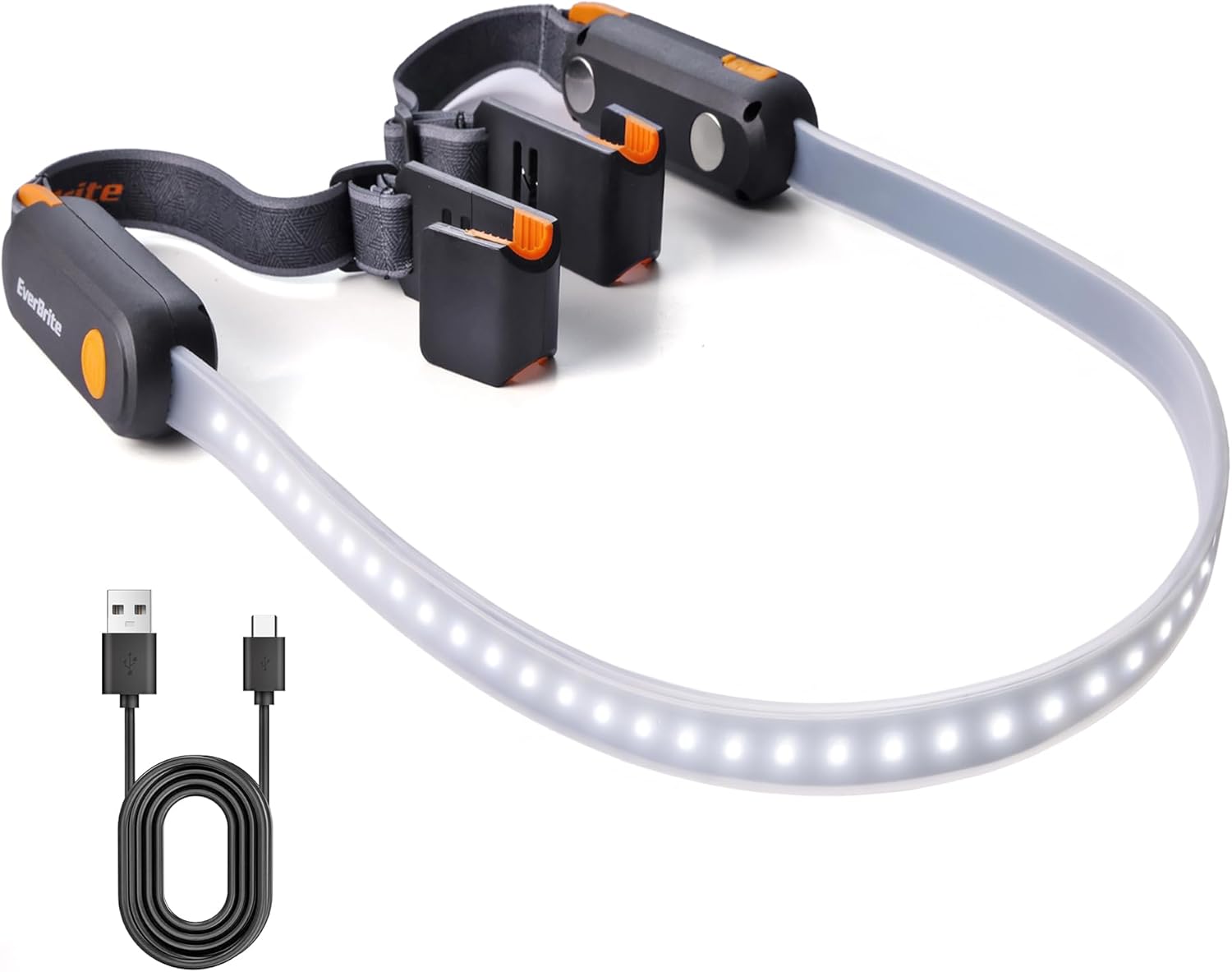
Image: The EverBrite Rechargeable Underhood Work Light, showing its flexible light strip and magnetic ends with adjustable straps.
Асаблівасці прадукту
- Тры рэжыму асвятлення: High, Medium, and Low settings to adapt to various lighting requirements.
- Хуткая зарадка USB-C: Equipped with two USB-C charging ports and LED indicators (red for charging, green for full charge).
- Magnetic Base Design: Integrated magnets allow secure attachment to metal surfaces for hands-free operation.
- Adjustable Elastic Strap: Durable nylon strap designed to fit vehicle hoods from 52 to 75 inches wide, providing a secure and flexible fit.
- Dual Hooks: Sturdy hooks on both ends offer additional stability and mounting options.
Што ў скрынцы
- EverBrite Rechargeable Underhood Work Light (Model E111014AE)
- Зарадны кабель USB-C
- Кіраўніцтва па эксплуатацыі

Image: Diagram showing the light strip, switch button, magnetic base, charging port, charging indicator, adjustable strap, and hook components.
Настройка і ўстаноўка
- Prepare the Light: Unfold the work light. Ensure the elastic straps are properly attached to the magnetic ends.
- Position on Hood: Open the vehicle's hood. Place the magnetic ends of the light onto the metal frame of the hood. The magnets will securely hold the light in place.
- Замацуйце рамянямі: Extend the adjustable elastic straps over the hood. Hook the ends of the straps onto suitable points on the hood or vehicle frame to provide additional stability and prevent accidental dislodgement. Adjust the strap length to ensure a snug fit across the hood (compatible with hoods 52 to 75 inches wide).
- Наладзіць кірунак святла: The flexible light strip can be bent and angled to direct illumination precisely where needed within the engine bay.

Image: The EverBrite work light installed under a car hood, illuminating the engine bay. The adjustable straps are visible.

Выява: Крупны план view of the hanging hooks on the EverBrite work light, designed for securing the fixture.

Image: The magnetic base of the EverBrite work light attached to a metal pegboard, demonstrating its hands-free capability.
Інструкцыя па эксплуатацыі
- Уключэнне/выключэнне харчавання: Short press the switch button located on either end of the light to turn it ON.
- Цыкл праз рэжымы: Once ON, short press the switch button repeatedly to cycle through the three lighting modes: High, Medium, Low, and then OFF.
- Mode Sequence: High Brightness → Medium Brightness → Low Brightness → OFF.

Image: The EverBrite work light displaying its three distinct lighting modes: Low (200LM, 14H), Medium (400LM, 6H), and High (900LM, 3.5H).
Відэа: Оверview of the EverBrite Rechargeable Underhood Work Light, demonstrating its features and operation.
Інструкцыя па зарадцы
- Падключэнне зараднай прылады: Locate the USB-C charging port on the side of the light. Open the protective cover and insert the provided USB-C cable.
- Манітор стану зарадкі: An LED indicator will illuminate red to show that the device is charging.
- Індыкацыя поўнай зарадкі: The LED indicator will turn green when the battery is fully charged. A full charge typically takes approximately 2 hours.
- Адключыць: Once fully charged, disconnect the USB-C cable and close the protective cover to maintain water resistance.
Увага: Do not operate the light while it is charging.

Image: Close-up of the EverBrite work light showing the USB-C charging port and the red/green LED charging indicators.
Тэхнічнае абслугоўванне
- Уборка: Працярыце святло мяккай, damp тканіна. Не выкарыстоўвайце абразіўныя ачышчальнікі або растваральнікі.
- захоўванне: Store the work light in a cool, dry place away from direct sunlight when not in use.
- Сыход за батарэяй: To prolong battery life, charge the device fully before long-term storage and recharge every 3-6 months.
Ліквідацыю непаладак
- Святло не загараецца:
- Пераканайцеся, што акумулятар зараджаны. Падключыце яго да крыніцы харчавання і праверце індыкатар зарадкі.
- Моцна націсніце кнопку харчавання.
- Light Not Holding Charge:
- Праверце, ці правільна працуюць зарадны кабель і адаптар.
- Пераканайцеся, што порт зарадкі чысты і без смецця.
- Magnets Not Holding Securely:
- Ensure the surface is clean and metallic.
- Use the adjustable straps and hooks for additional support, especially on uneven or painted surfaces.
Тэхнічныя характарыстыкі
| Параметр | Каштоўнасць |
|---|---|
| Крыніца харчавання | Літый-іённы акумулятар |
| Ёмістасць батарэі | 2200 мАг |
| Максімальная яркасць | 1000LM |
| Max Running Time (Low Mode) | Да 14 гадзін |
| Max Running Time (High Mode) | Да 3.5 гадзін |
| Вага | 10.9 унцыі (310 г) |
| Памеры | 8.66 x 4.72 x 2.05 inches (1400*40*32MM) |
| Максімальная далёкасць прамяня | 40М |
| Порт для зарадкі | USB-C (2 парты) |
| Hood Compatibility | Шырыня ад 52 да 75 цаляў |
Інфармацыя па бяспецы
- Do not look directly into the light source when operating on high brightness to avoid eye strain.
- Захоўваць у месцах, недаступных дзецям.
- Не разбірайце і не мадыфікуйце прадукт.
- Avoid exposing the product to extreme temperatures or direct flame.
- Пераканайцеся, што вечка порта зарадкі шчыльна зачынена, калі прылада не зараджаецца, каб забяспечыць воданепранікальнасць.
Гарантыя і падтрымка
For warranty information or technical support, please refer to the contact details provided with your purchase or visit the official EverBrite webсайт.