
VTech 80-547480
Кіраўніцтва карыстальніка партатыўнай сістэмы караоке VTech Super Sound з Bluetooth
Мадэль: 80-547480
Уводзіны
This manual provides essential instructions for the setup, operation, and maintenance of your VTech Super Sound Karaoke Portable Bluetooth System. Please read this manual thoroughly before using the product to ensure proper function and longevity.
The VTech Super Sound Karaoke system is a versatile, portable entertainment device designed for both adults and children. It features Bluetooth connectivity, two wired microphones, dynamic sound output, and built-in party lights to enhance your karaoke experience. It can also function as a portable speaker for various audio sources.
Змест пакета
Перад тым, як працягнуць наладу, пераканайцеся, што ўсе кампаненты прысутнічаюць у камплекце:
- VTech Super Sound Karaoke Portable Bluetooth System Unit
- Two Wired Microphones
- Адаптар сілкавання
- Кіраўніцтва карыстальніка (гэты дакумент)
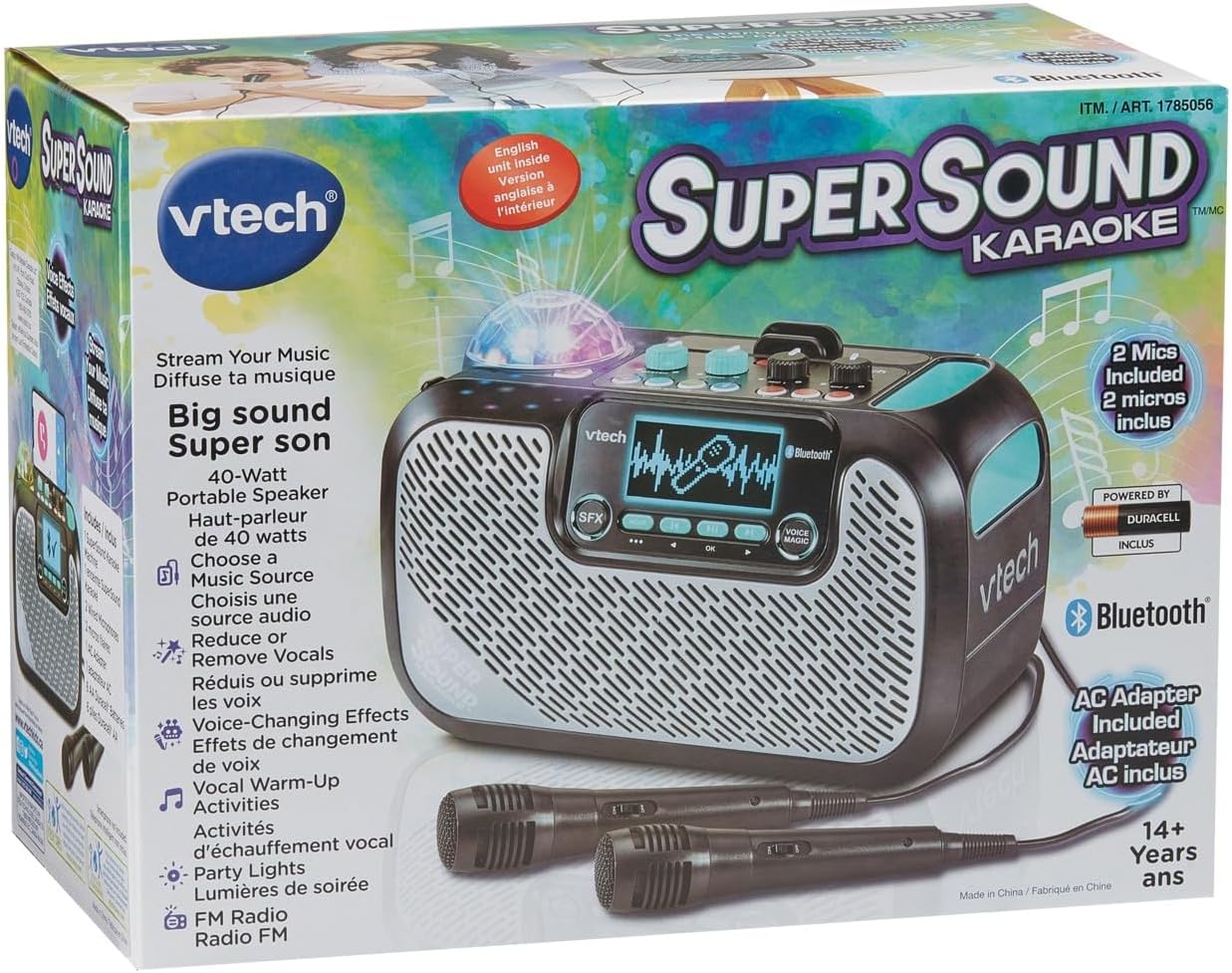
Image: The VTech Super Sound Karaoke machine shown in its retail packaging, highlighting its features and included accessories.
Настройка
Падключэнне сілкавання
- Connect the provided power adapter to the DC input port on the back of the karaoke machine.
- Plug the power adapter into a standard electrical outlet (AC 1.1E+2 Volts).
- Press the Power button located on the top panel to turn on the unit.
Падлучэнне мікрафона
The system includes two wired microphones. Locate the microphone input jacks on the front or side of the unit and firmly insert the microphone cables.
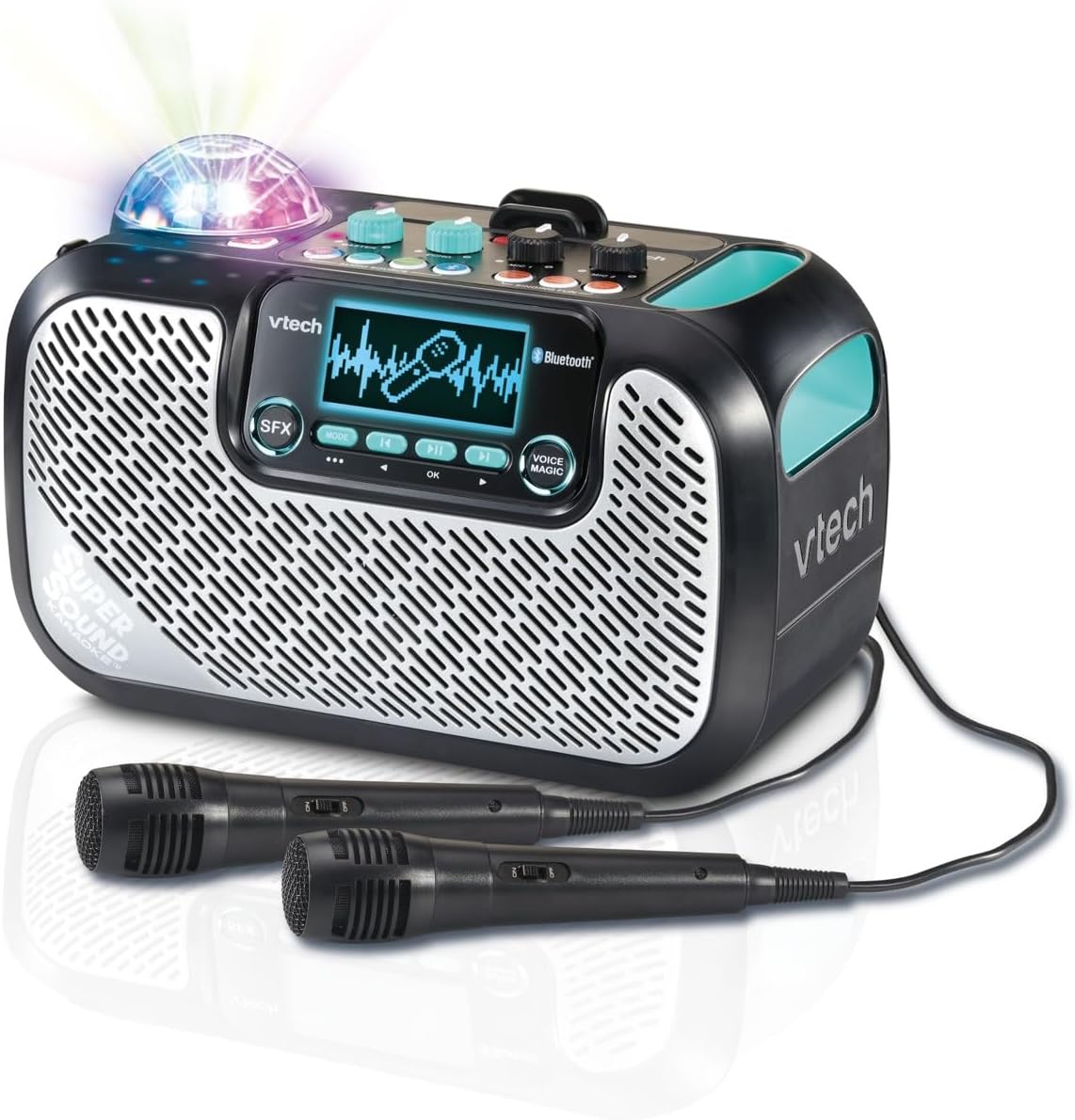
Image: The VTech Super Sound Karaoke machine with its two wired microphones connected and ready for use. The main unit features a display screen and various control buttons.
Інструкцыя па эксплуатацыі
Кантроль надview

Выява: зверху ўніз view of the VTech Super Sound Karaoke machine, detailing the layout of its control panel including master volume, echo, microphone volume controls, and audio source selection buttons.
- Кнопка харчавання: Уключае або выключае прыладу.
- Галоўная ручка гучнасці: Рэгулюе агульны ўзровень гуку.
- Ручка рэха: Controls the echo effect applied to the vocals.
- Mic 1 / Mic 2 Volume Knobs: Adjusts the individual volume levels for each connected microphone.
- Audio Source Buttons (Line In, Micro SD, Radio, Bluetooth): Selects the desired audio input mode.
- Singing Fun Buttons (Singing Effect, Voice Changer, Activities): Activates various vocal effects and interactive singing activities.
- Кнопка SFX: Triggers sound effects.
- Navigation Buttons (Play/Pause, Skip, OK): Controls media playback and menu navigation on the display.
- Voice Magic Button: Activates features like vocal removal or reduction from tracks.
Падключэнне крыніц гуку
The VTech Super Sound Karaoke system supports multiple audio input methods:
- Bluetooth: Press the Bluetooth button. The unit will enter pairing mode. On your smartphone, tablet, or other compatible device, search for and select "VTech Karaoke" to connect.
- FM-радыё: Press the Radio button. Use the navigation buttons to tune to desired FM stations.
- Карта MicroSD: Insert a microSD card containing MP3 audio files into the designated slot. Press the Micro SD button to access content.
- Дапаможны ўваход (лінейны ўваход): Connect an external audio device (e.g., smartphone, tablet) using a 3.5 mm audio cable (not included) to the Line In port. Press the Line In button.
Using Microphones and Voice Effects
Once microphones are connected and an audio source is playing:
- Adjust individual microphone volumes using the Mic 1 and Mic 2 knobs.
- Use the Echo knob to add a reverberation effect to your voice.
- Explore the Singing Effect and Voice Changer buttons for various vocal modifications (e.g., harmony, robot voice).
- The Voice Magic feature can reduce or remove lead vocals from songs, allowing you to sing along more prominently.
Вечарынкі
The integrated multicolored party lights automatically activate when the unit is in use, creating a dynamic visual experience. There is no separate control for the party lights; they operate in conjunction with the audio playback.
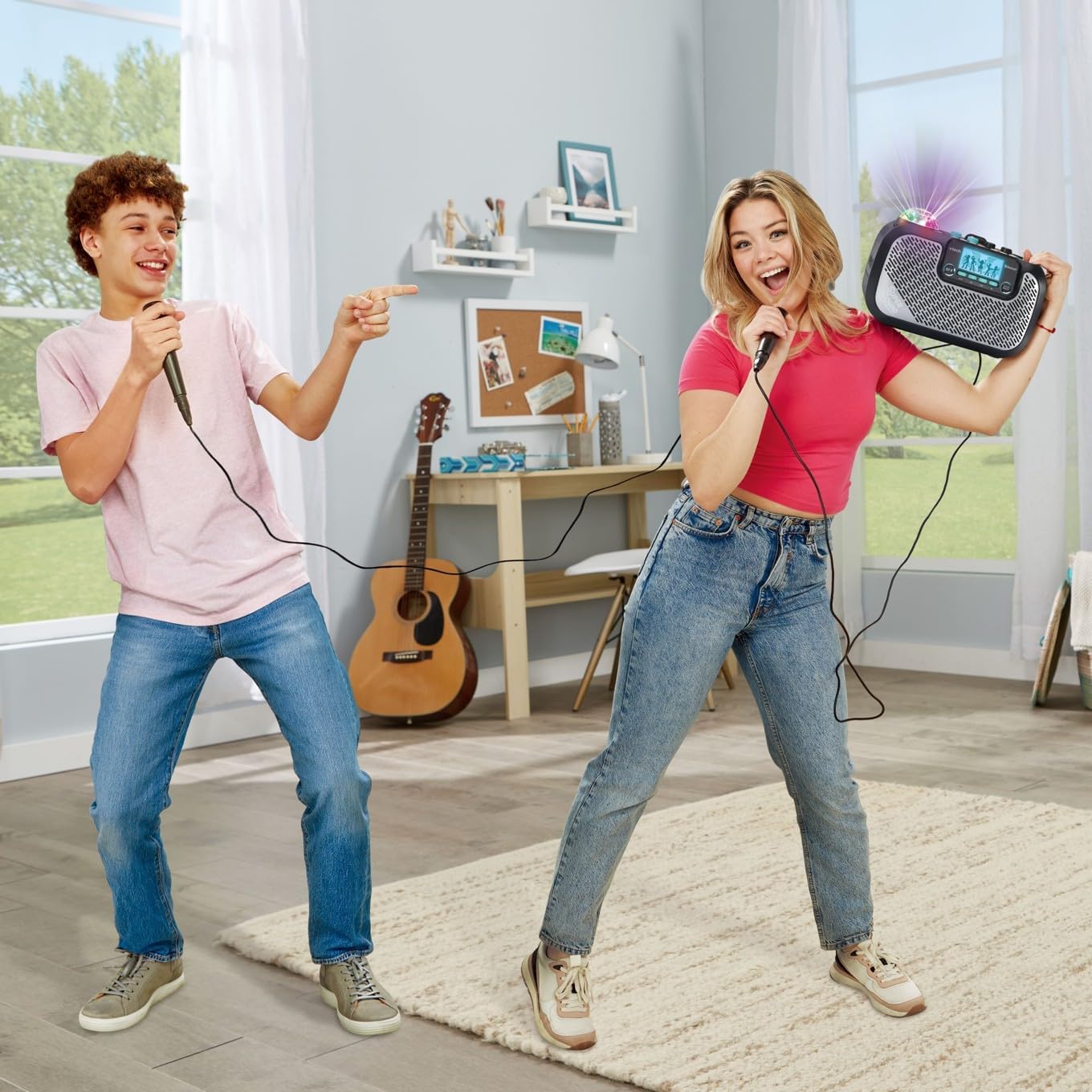
Image: Two individuals enjoying the VTech Super Sound Karaoke machine, demonstrating the use of microphones and the visual effect of the integrated party lights during a performance.
Тэхнічнае абслугоўванне
Уборка
To maintain the appearance and functionality of your karaoke system:
- Перад чысткай пераканайцеся, што прылада выключана і адключана ад сеткі.
- Працярыце вонкавыя паверхні мяккай сухой анучай.
- Не выкарыстоўвайце абразіўныя ачышчальнікі, растваральнікі або агрэсіўныя хімікаты, бо яны могуць пашкодзіць пакрыццё.
- Пазбягайце траплення вільгаці ў любыя адтуліны або порты.
Захоўванне
When not in use, store the karaoke system in a cool, dry place, away from direct sunlight and extreme temperatures. Disconnect all cables and microphones before storing.
Ліквідацыю непаладак
If you encounter issues with your VTech Super Sound Karaoke system, refer to the following common problems and solutions:
| праблема | Магчымая прычына | Рашэнне |
|---|---|---|
| Няма ўлады | Адаптар сілкавання не падключаны або няспраўная разетка. | Ensure power adapter is securely plugged into the unit and a working electrical outlet. |
| З дынамікаў няма гуку | Master volume too low; incorrect audio source selected; external device volume too low. | Increase Master Volume. Verify the correct audio source (Bluetooth, Line In, Micro SD, Radio) is selected. Check volume on connected external device. |
| Няма гуку з мікрафонаў | Microphones not connected properly; Mic volume knobs too low. | Ensure microphones are fully plugged into their respective jacks. Increase Mic 1 and Mic 2 volume knobs. |
| Праблемы спалучэння Bluetooth | Прылада не ў рэжыме спалучэння; прылада знаходзіцца занадта далёка; перашкоды. | Press the Bluetooth button to enter pairing mode. Ensure your device's Bluetooth is on and within range. Try restarting both devices. |
| Static on FM Radio | Слабы сігнал; перашкоды. | Reposition the unit to improve reception. Try a different station. |
Тэхнічныя характарыстыкі
| Асаблівасць | Дэталь |
|---|---|
| Нумар мадэлі | 80-547480 |
| Вага прадмета | 5.1 фунта (прыблізна 2.3 кг) |
| Памеры прадукту | 10.47 х 6.5 х 8.5 цалі (26.6 х 16.5 х 21.6 см) |
| Крыніца харчавання | Падключыце электрычнасць |
| тtage | 1.1E+2 вольта (пераменны ток) |
| Тыпы раздымаў | 3.5 mm Jack (Aux In), microSD card slot, Bluetooth |
| Сумяшчальныя прылады | Smartphone, Tablet, Speaker, Headphone |
| Асаблівасці | AM/FM Radio, Adjustable Microphone Sensitivity, Portable, Party Lights, Voice Effects |
| Уключаныя кампаненты | Microphone (x2), Power Adapter, User Manual |
Гарантыя і падтрымка
For warranty information and customer support, please refer to the documentation included with your product at the time of purchase or visit the official VTech webсайт. Захоўвайце чэк аб куплі як пацвярджэнне пакупкі для гарантыйных прэтэнзій.