
Audiocrazy 42062bcb-2c81-41f9-abbd-3beac60ee015
Audiocrazy Portable AM/FM Radio with Bluetooth User Manual
Model: 42062bcb-2c81-41f9-abbd-3beac60ee015
1. Уводзіны
Thank you for choosing the Audiocrazy Portable AM/FM Radio with Bluetooth. This device offers versatile listening options, including traditional AM/FM radio, Bluetooth streaming, and multiple power supply methods. It features a clear digital LCD display, alarm clock, and sleep timer functions, making it suitable for various indoor and outdoor environments.

Малюнак 1: Спераду view of the Audiocrazy Portable AM/FM Radio.
2. Інфармацыя па бяспецы
- Не падвяргайце прыладу ўздзеянню дажджу, вільгаці або экстрэмальных тэмператур.
- Не кідайце прыладу і не падвяргайце яе моцным ударам.
- Не разбірайце і не спрабуйце рамантаваць прыладу самастойна. Звярніцеся да кваліфікаванага абслугоўваючага персаналу.
- Захоўваць у месцах, недаступных дзецям.
- Use only the specified power adapter and battery types.
3. Прадукт скончыўсяview
The Audiocrazy Portable Radio combines multiple functionalities in one compact unit.

Figure 2: Key features of the radio including AM/FM, Alarm Clock, Bluetooth, Sleep Timer, and multiple power options.
Элементы кіравання і дысплей:
- ВК-дысплей: Shows time, frequency, mode, and battery status. Features a backlight for low-light visibility.
- Рэгулятар гучнасці: Рэгулюе ўзровень гукавога выхаду.
- Ручка налады: Used for manual station tuning.
- Mode Switch (FM/BT/AM/CLOCK): Выбірае рэжым працы.
- ALL/SET/TIME/SET Button: For setting time and alarm.
- BT /II/PP Button: Bluetooth pairing, Play/Pause.
- Кнопка АДРЫМІЦЬ: Адкласці будзільнік.
- HOUR / MIN Buttons: Adjust hour and minute settings.
- Тэлескапічная антэна: For FM and AM reception.

Малюнак 3: падрабязна view of the radio's user-friendly controls and large LCD display.
4. Настройка
4.1 Варыянты крыніцы харчавання
Your Audiocrazy radio offers three convenient ways to power the device:
- Убудаваная акумулятарная батарэя: The radio comes with an 1800mAh built-in lithium-ion battery. Connect the included AC adapter to charge the battery. A full charge provides up to 10 hours of use.
- Магутнасць пераменнага току: For continuous use indoors, connect the included AC adapter directly to a wall outlet.
- 4*D Cell Batteries (Not Included): For extended portable use, insert four (4) D-cell batteries into the battery compartment on the back of the unit. Ensure correct polarity.

Figure 4: Illustration of the three power supply methods for the radio.
4.2 Налада антэны
For optimal FM and AM reception, extend the telescopic antenna fully. Adjust its direction for the best signal clarity.
5. Інструкцыя па эксплуатацыі
5.1 Уключэнне/выключэнне харчавання і рэгуляванне гучнасці
Павярнуць АБ'ЁМ Павярніце ручку па гадзіннікавай стрэлцы, каб уключыць радыё і павялічыць гучнасць. Павярніце супраць гадзіннікавай стрэлкі, каб паменшыць гучнасць і выключыць радыё.
5.2 Налада радыё AM/FM
Перасуньце пераключальнік рэжымаў у становішча FM or AM. Extend the telescopic antenna. Rotate the ЦЮНІНГ knob to find your desired station. The digital display will show the frequency.

Figure 5: The radio's telescopic antenna helps achieve strong and clear reception.
The radio features updated DSP technology for strong and stable reception across AM (520-1710kHz) and FM (87-108MHz) bands.
Video 1: Demonstrates the automatic search function and strong reception capabilities of the radio.
5.3 Спалучэнне па Bluetooth
Перасуньце пераключальнік рэжымаў у становішча BT. The display will show "bt" and the radio will enter pairing mode. On your Bluetooth-enabled device (e.g., smartphone), search for "Audiocrazy Radio" and select it to connect. Once connected, you can stream audio wirelessly.
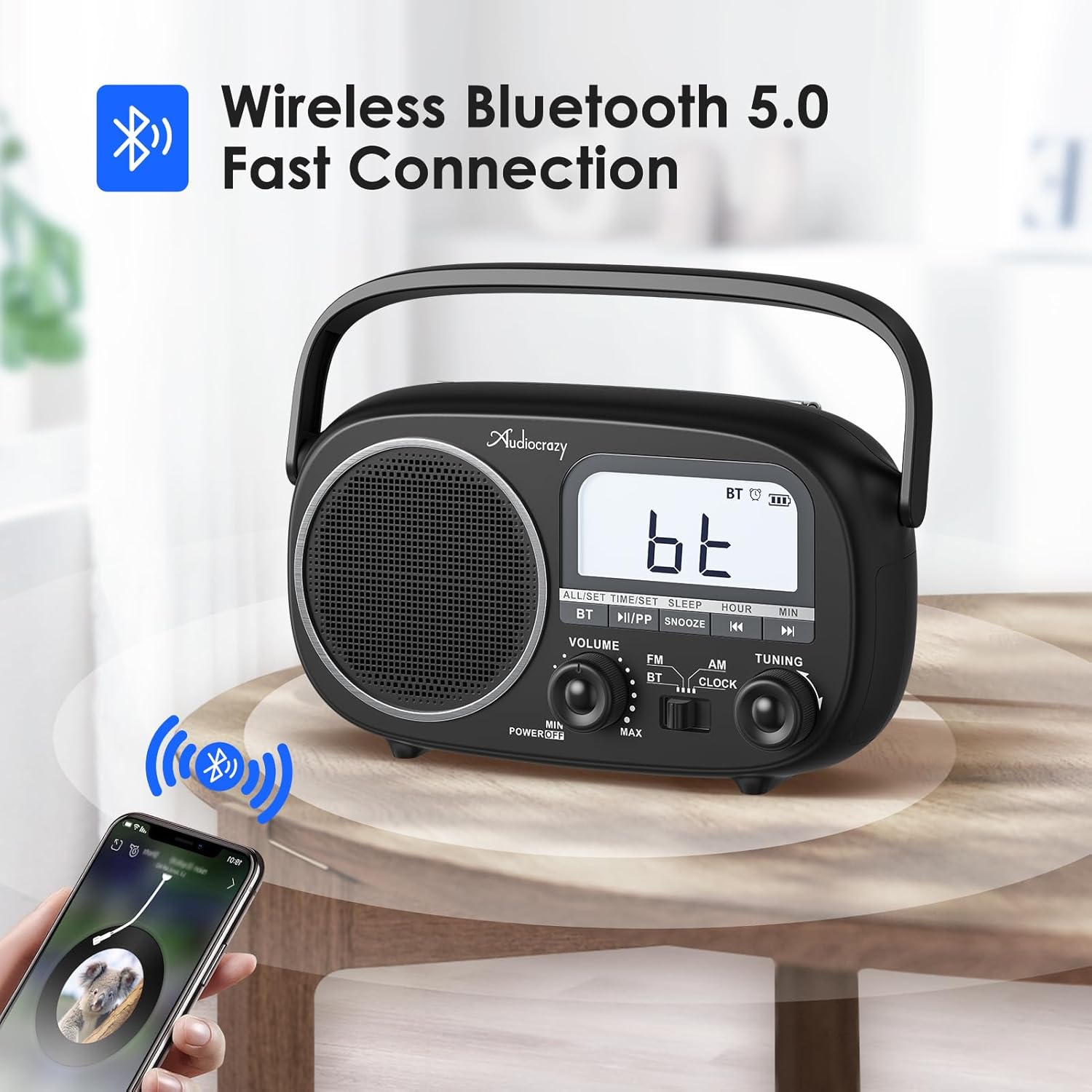
Figure 6: The radio in Bluetooth mode, ready for pairing with a mobile device.
5.4 Setting Time and Alarm
Перасуньце пераключальнік рэжымаў у становішча ГАДЗІННІК.
- Каб усталяваць час: Націсніце і ўтрымлівайце ALL/SET/TIME/SET button until the hour digits flash. Use the ГАДЗІНА і МІН кнопкі для рэгулявання. Прэса ALL/SET/TIME/SET again to confirm. You can switch between 12H/24H format by pressing the ALL/SET/TIME/SET button briefly when the time is displayed.
- Каб усталяваць будзільнік: Націсніце ALL/SET/TIME/SET button once (short press) to enter alarm setting mode. The alarm icon will flash. Use the ГАДЗІНА і МІН кнопкі, каб усталяваць час будзільніка. Націсніце ALL/SET/TIME/SET again to confirm. To activate/deactivate the alarm, press the ALL/SET/TIME/SET button briefly when the alarm time is displayed.
- Функцыя затрымкі: Калі прагучыць сігнал трывогі, націсніце СНАОЗ button to temporarily silence it. The alarm will sound again after a few minutes.

Figure 7: The radio supports both alarm clock and sleep timer functions.
5.5 Таймер сну
The radio features an auto-off timer (0-90 minutes). To set the sleep timer, press the СПАЦЬ button repeatedly to cycle through the available timer durations. The radio will automatically turn off after the selected time.
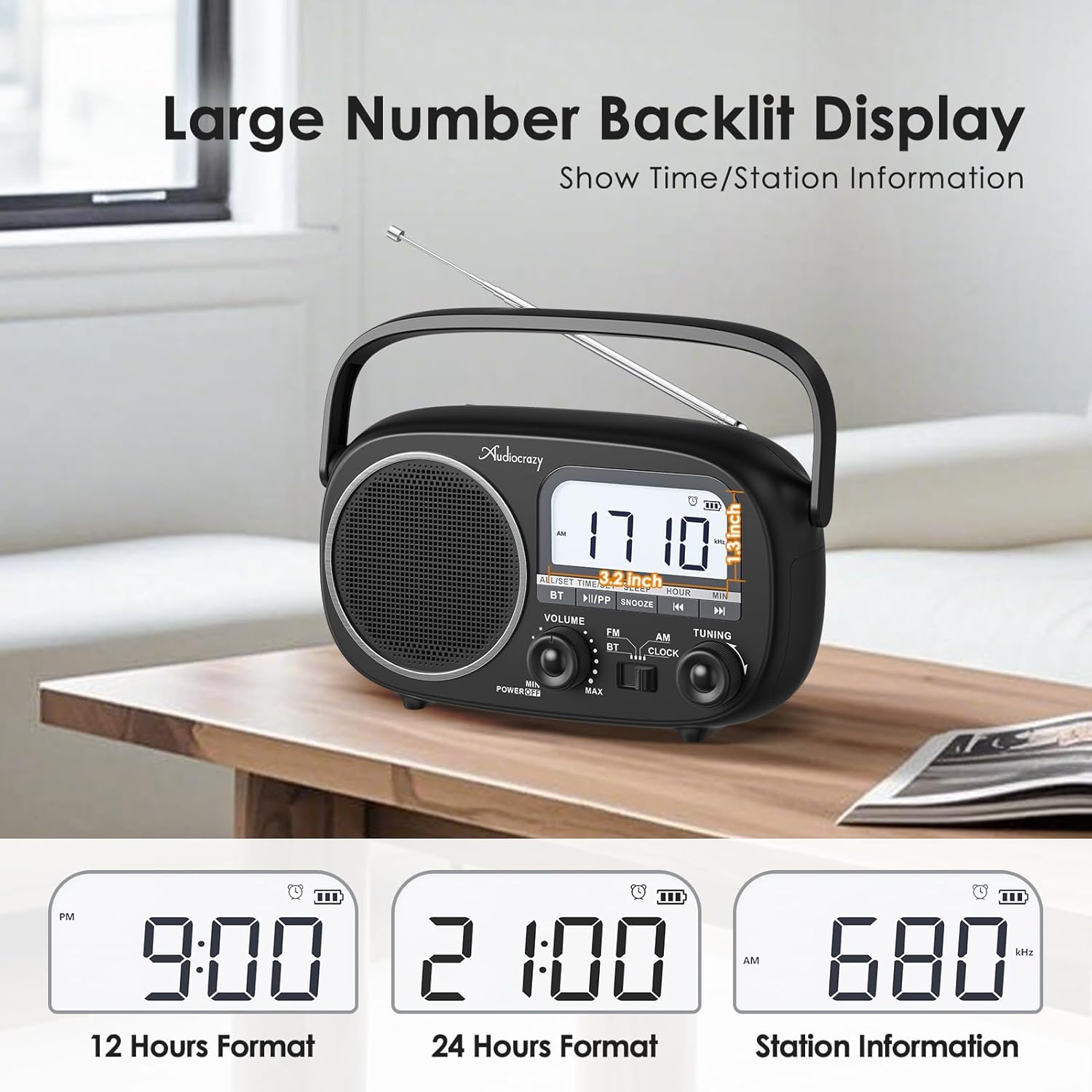
Figure 8: The clear LCD display shows time in 12H/24H format and radio station information.
6. Тэхнічнае абслугоўванне
- Уборка: Працірайце радыё мяккай сухой тканінай. Не выкарыстоўвайце абразіўныя ачышчальнікі або растваральнікі.
- Сыход за батарэяй: If using D-cell batteries, remove them if the radio will not be used for an extended period to prevent leakage. For the built-in rechargeable battery, charge it regularly to maintain its lifespan.
- захоўванне: Захоўвайце радыёпрыёмнік у прахалодным, сухім месцы, удалечыні ад прамых сонечных прамянёў і экстрэмальных тэмператур.
7. Выпраўленне непаладак
| праблема | Магчымая прычына | Рашэнне |
|---|---|---|
| Няма ўлады | Batteries are dead or incorrectly inserted; AC adapter not connected or faulty. | Replace D-cell batteries, check polarity. Ensure AC adapter is securely plugged in. Charge built-in battery. |
| Дрэнны прыём радыё | Антэна не выцягнута; зона слабага сігналу; перашкоды. | Fully extend and adjust the telescopic antenna. Move the radio to a location with better signal. Move away from other electronic devices. |
| Bluetooth не падключаецца | Radio not in BT mode; device too far; previously paired device connected. | Ensure radio is in BT mode. Move Bluetooth device closer to the radio. Disconnect from other Bluetooth devices. |
| Няма гуку | Volume too low; mute activated (if applicable); faulty speaker. | Increase volume. Check if any mute function is active. If problem persists, contact support. |
8. Тэхнічныя характарыстыкі
- Марка: Аўдыявар'яты
- Нумар мадэлі: 42062bcb-2c81-41f9-abbd-3beac60ee015
- Памеры прадукту: 9.4 х 2.95 х 6.93 цалі
- Вага прадмета: 2.29 фунта
- Крыніца харчавання: AC Power / DC Battery (4*D Cell) / Built-in 1800mAh Rechargeable Battery
- Тэхналогія цюнэра: AM/FM
- Падтрымліваюцца радыёдыяпазоны: AM (520-1710kHz), FM (87-108MHz)
- Тэхналогія падключэння: Bluetooth 5.0
- Уключаныя кампаненты: Radio, Owner's Manual, Power Adapter
9. Гарантыя і падтрымка
Audiocrazy products typically come with a Гарантыя 12 месяцаў з даты пакупкі. Гэтая гарантыя распаўсюджваецца на вытворчыя дэфекты і дэфекты вырабу пры нармальным выкарыстанні.
For technical support, warranty claims, or any questions regarding your Audiocrazy Portable Radio, please contact our customer service team. Refer to the contact information provided on the product packaging or the official Audiocrazy webсайт.
Please have your model number (42062bcb-2c81-41f9-abbd-3beac60ee015) and purchase date ready when contacting support.
Ask a question about this manual
Ask about setup, troubleshooting, compatibility, parts, safety, or missing instructions. Manuals+ will review the question and use this page’s manual context to help answer it.